24 Aug 2023
|182 min
Usability testing guide
Usability testing is a powerful way to gain insights from users about the usability of your product. In this guide, we explore what usability testing is, different usability testing methods, how to run a usability test, and much more.
Understanding how real users interact with your product is the foundation of creating exceptional user experiences. When teams rely solely on assumptions about user behavior, they risk building features that miss the mark entirely.
This is where usability testing becomes invaluable – it's the bridge between what we think users need and what they actually experience.
Usability testing has become a cornerstone of successful product development, with companies that prioritize user experience seeing 2.3 times higher revenue growth than those that don't.
This comprehensive guide covers everything you need to know about usability testing: what it is, why it matters, and how to implement it effectively to create products that truly serve your users' needs.

What is usability testing?
Usability testing is a UX research method where real users attempt to complete specific tasks with a product, website, or prototype while researchers observe their behavior and gather feedback. This method reveals how easily and effectively users can navigate and accomplish their goals within a digital interface.
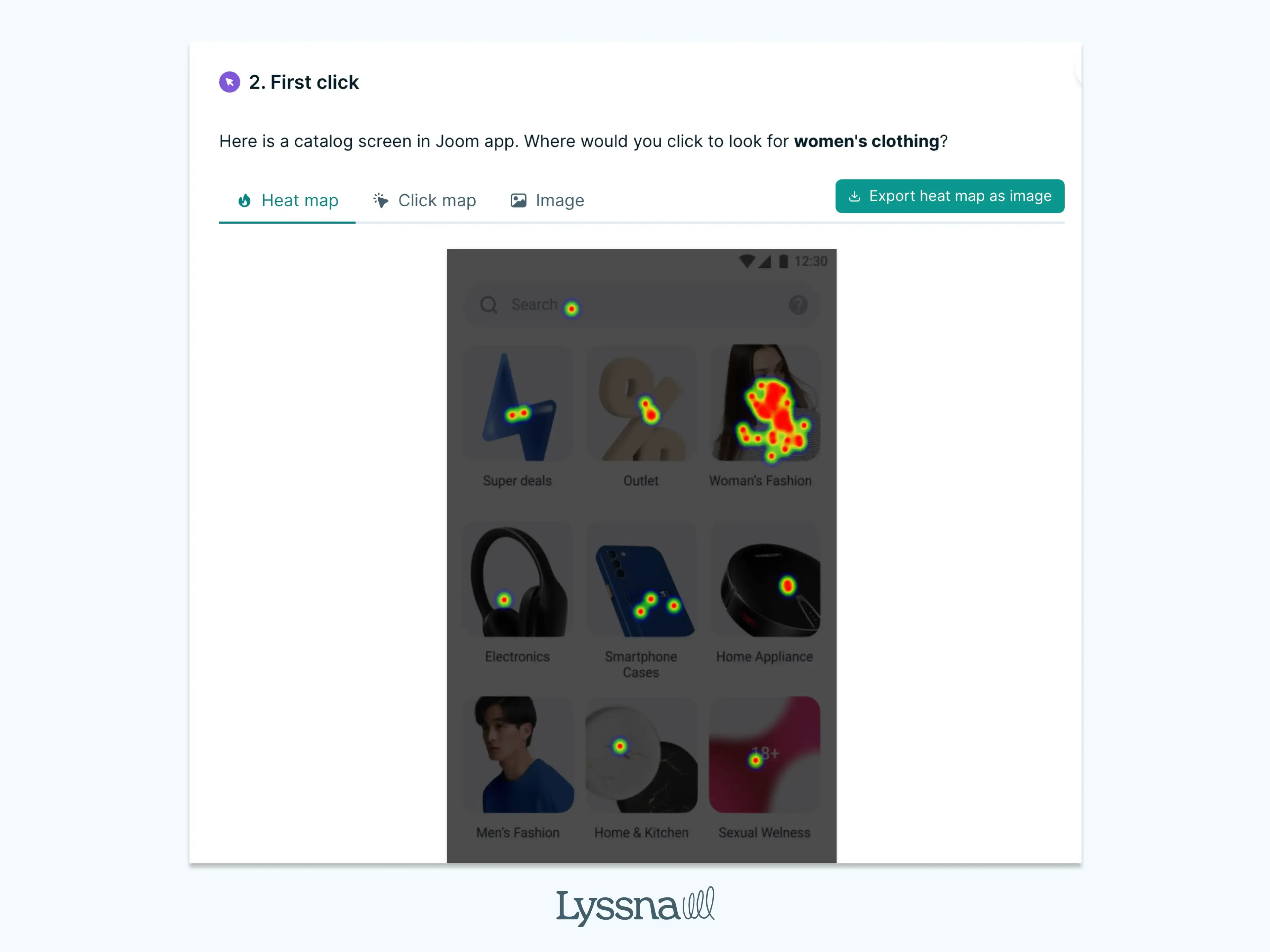
An example of a usability test in Lyssna
Usability testing definition
Usability testing is a user research technique that evaluates how easy and intuitive a product is to use by observing real users as they interact with it. Unlike generic "user testing," which can encompass various research methods, usability testing specifically focuses on measuring the usability of an interface – how well users can complete intended tasks without confusion, errors, or frustration.
During usability testing, participants are given realistic scenarios and asked to complete specific tasks while researchers observe their behavior, noting where they struggle, succeed, or become confused. By observing participants using the product, you can see how easy or difficult it is to complete tasks and whether participants are enjoying the experience.
This method provides direct insights into user behavior patterns, revealing gaps between how designers intend a product to work and how users actually experience it in practice.

Purpose of usability testing
Usability testing exists to bridge the gap between design intentions and user reality. Its primary purpose is to validate whether a product's design successfully enables users to achieve their goals efficiently and satisfactorily.
The method serves several critical functions in user-centered design:
Validates design decisions by testing them against real user behavior rather than assumptions
Identifies usability barriers that prevent users from completing important tasks
Provides evidence-based insights that inform design improvements and product strategy
Reduces risk by catching problems before they reach a wider audience
Ensures accessibility compliance by revealing how different user groups interact with the product
Usability testing connects directly to product success by ensuring that user needs drive design decisions rather than internal assumptions or preferences.

Why usability testing is important
Usability testing is crucial because it provides the only reliable way to understand how real users actually experience your product. Without this direct observation, teams often discover usability problems only after launch, when fixing them becomes significantly more expensive and disruptive.
The importance of usability testing extends across multiple dimensions:
User experience impact: Testing reveals friction points that frustrate users and prevent them from achieving their goals. The earlier you identify and fix issues, the less time and cost implications you're likely to face later down the road.
Business performance: Poor usability directly impacts business metrics. Users abandon products that are difficult to use, leading to reduced conversions, lower engagement, and negative word-of-mouth.
Accessibility and inclusion: Usability testing helps identify barriers that prevent diverse users from accessing your product effectively, including those using assistive technologies, mobile devices, or different interaction patterns.
Evidence-based decision making: Testing provides concrete data about user behavior, replacing opinions and assumptions with observable facts about how people actually use your product.
Research from the Nielsen Norman Group demonstrates that 5 users can uncover 85% of usability problems, making usability testing one of the most efficient methods for improving user experience.

Benefits of usability testing
Usability testing delivers measurable benefits across user experience, business performance, and team effectiveness:
Improves user experience by identifying and eliminating friction points
Reduces development costs by catching issues early in the design process
Boosts customer satisfaction through interfaces that meet user expectations
Enhances accessibility by revealing barriers for diverse user groups
Increases conversion rates by optimizing key user flows
Provides competitive advantage through superior user experience
Aligns teams around evidence-based user insights
Speeds decision-making by replacing debates with user data
Builds design confidence through validated solutions
Benefits of usability testing for UX
Usability testing provides invaluable insights that help teams create products that truly meet user needs and expectations. Here's how it benefits the overall user experience.
1. Improves user experience
Usability testing directly enhances user experience by revealing specific points where users struggle or become confused. Testing eliminates friction by showing exactly where users hesitate, make errors, or abandon tasks. This clarity enables designers to refine navigation patterns, simplify complex workflows, and create more intuitive interfaces.
The method also enhances overall satisfaction by ensuring that products work the way users expect them to. When interfaces align with user mental models and behavior patterns, the result is a more satisfying and engaging experience.
2. Improves accessibility
Usability testing identifies barriers that prevent diverse users from accessing and using your product effectively. Testing with participants who use screen readers, mobile devices, or have different abilities reveals accessibility issues that might not be apparent during design reviews.
This inclusive approach ensures that products work for users with varying technical skills, device preferences, and interaction capabilities. Regular testing with diverse user groups helps create products that are truly accessible to your entire audience.
3. Increases task success rates
Higher task completion rates indicate that users can successfully accomplish their goals within your product. Usability testing reveals specific obstacles that prevent task completion and provides clear direction for improvements.
When users can complete tasks successfully, they're more likely to become engaged, loyal customers. This increased success rate translates directly into better business outcomes and user satisfaction.

Business benefits of usability testing
Beyond improving the user experience, usability testing delivers measurable business value that directly impacts your bottom line. Here's how it drives business success.
1. Saves development costs
Fixing usability issues early in the design process is significantly more cost-effective than addressing them after launch. According to research from IBM's System Science Institute, the cost to fix an error found after product release is 4 to 5 times more expensive than one uncovered during design, and up to 100 times more than one identified during the maintenance phase.
This proactive approach protects both budget and timeline while ensuring higher quality outcomes. As Alan Dennis, Product Design Manager at YNAB, confirms: "A full-blown research project can take a lot of time and energy, but you can have meaningful early results from Lyssna (a comprehensive usability testing platform) in a single day. I think that's one of the best benefits I've seen: faster and better iteration."
Early testing prevents costly redesigns, reduces development rework, and minimizes the need for extensive post-launch fixes. This proactive approach protects both budget and timeline while ensuring higher quality outcomes.
Better usability directly correlates with improved conversion rates across key user actions. When users can easily navigate your product and complete desired tasks, they're more likely to sign up, make purchases, or engage with your content.
Usability testing optimizes conversion funnels by identifying and removing barriers that cause users to abandon their journey. Even small improvements in usability can lead to significant increases in conversion rates.
3. Reduces customer support costs
Clearer, more intuitive interfaces result in fewer user questions and support requests. When products are easy to use, users can accomplish their goals independently without needing assistance.
This reduction in support volume translates to lower operational costs and allows support teams to focus on more complex issues rather than basic usability questions.
4. Builds competitive advantage
In crowded markets, superior usability becomes a key differentiator. Users consistently choose products that are easier to use over those that are difficult or confusing, even when features are similar.
Usability testing helps create products that stand out through exceptional user experience, building customer loyalty and positive word-of-mouth recommendations.

Benefits for product teams
Usability testing provides significant advantages for product development teams by creating alignment around real user insights rather than internal assumptions or opinions.
1. Aligns stakeholders
When teams observe users struggling with specific features or succeeding with others, it creates shared understanding about what needs improvement. This evidence-based approach reduces debates and builds consensus around user-centered priorities.
2. Speeds up decision-making
Testing provides concrete data about user behavior, enabling teams to make informed decisions quickly rather than spending time debating different approaches. Chris Taylor, Senior UX/UI Designer at Canstar, shares: "The ability for us to design a quick mockup, run it on Lyssna and receive feedback within an hour has helped us reach definitive design decisions much sooner than before." Clear evidence about what works and what doesn't accelerates the design process.
3. Improves design confidence
Validated designs give teams confidence that their solutions will work for real users. This confidence enables more decisive action and reduces the anxiety that comes with launching untested features.

ROI of usability testing
The return on investment for usability testing is substantial and measurable. Forrester Research found that every $1 invested in UX brings $100 in return, representing a 9,900% ROI.
This impressive return comes from multiple sources:
Reduced development costs through early problem identification
Increased revenue from improved conversion rates and user engagement
Lower support costs due to more intuitive interfaces
Faster time-to-market through validated design decisions
Reduced risk of product failure due to poor usability
Case studies consistently demonstrate significant improvements in key performance indicators following usability testing implementations. Time-to-market improvements are particularly dramatic - the British Red Cross achieved a 75% reduction in MVP delivery time (from 1 year to 3 months) using Lyssna, a comprehensive usability testing platform, while monday.com reduced their feedback collection time from days to just one hour with the same platform.

Explore top usability testing tools with key features, pricing details, and in-depth reviews to help you choose the best solution for improving user experience.
Examples of usability testing
Whether you're optimizing an e-commerce checkout flow, refining a mobile app's navigation, or validating a website redesign, usability testing provides the insights needed to make informed design decisions.
Canstar's 30% engagement boost
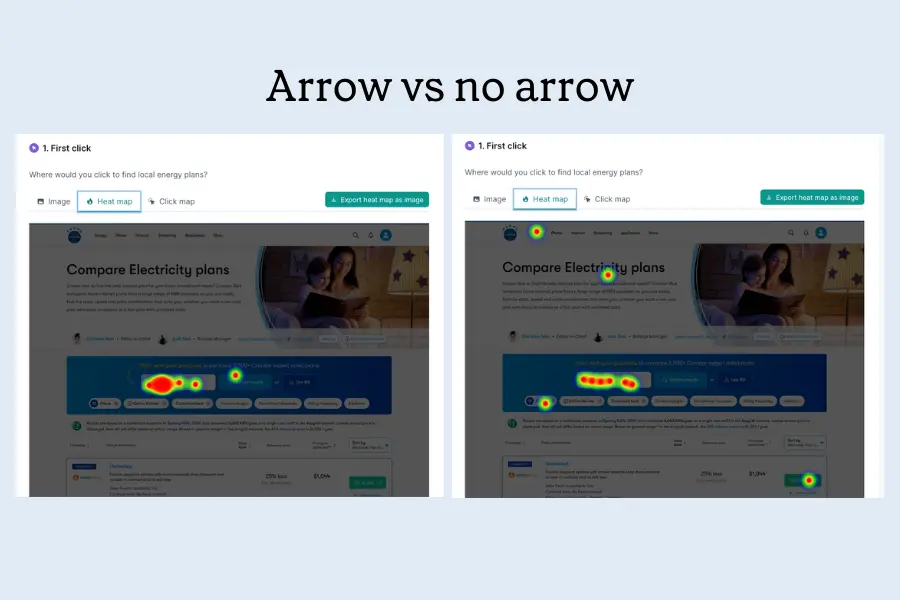
When financial comparison platform Canstar needed to test critical design components quickly, they used first-click testing to refine smaller but impactful elements. One key test focused on the placement of an arrow, which after minor adjustments, increased user engagement by 30%. Their ability to design a quick mockup, run it on Lyssna, and receive feedback within an hour helped them reach definitive design decisions much sooner than before.
YNAB's streamlined product development
Personal budgeting solution YNAB transformed their workflow by adopting rapid usability testing. They used quick tests to refine key features like their "Targets" tool, gathering feedback from internal testers, current users, and diverse test panels. This allowed them to fine-tune everything down to the UI copy, ensuring their complex financial product was clear and intuitive while significantly speeding up their design process.
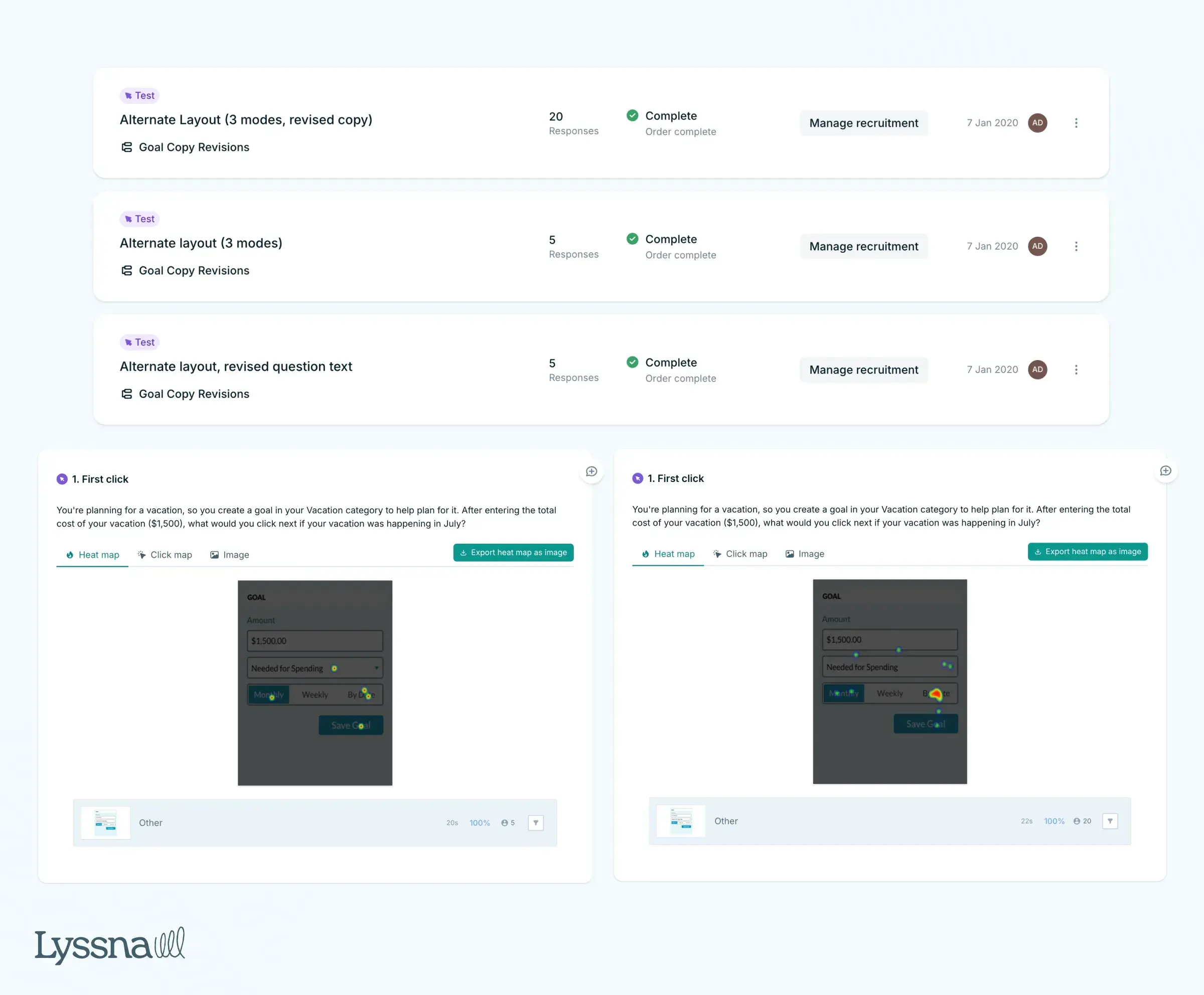
Testing across the product lifecycle
These success stories show how companies integrate usability testing throughout their entire design process—from validating concepts with five-second tests to optimizing live websites with first-click analysis.

Want to discover how companies like Joom, Philips Lighting, WongDoody, Bower Collective, STAYERY, and others use specific testing methods to drive measurable improvements? Our comprehensive usability testing examples guide breaks down 10 real-world cases with practical insights you can apply to your own projects immediately.
Usability testing in the UX process
Usability testing integrates throughout the entire UX design process, from initial concept validation to post-launch optimization. You can run a usability study at any point in the design process. In fact, the earlier the better.
Stage | Purpose | Key benefits |
|---|---|---|
Early-stage testing | Validates concepts and basic user flows | Prevents teams from building detailed solutions around flawed assumptions before significant design investment |
Mid-stage testing | Evaluates prototypes and refined designs | Ensures that detailed solutions actually work for users before development begins |
Pre-launch testing | Catches final issues and validates implemented features | Confirms that features work as intended in the real product environment |
Post-launch testing | Identifies opportunities for ongoing improvement | Validates the success of implemented changes through summative usability testing approaches |
Brief overview of usability testing methods
Usability testing encompasses several specialized methods, each designed to reveal different aspects of user experience.
Method | What it does | Best for |
|---|---|---|
Five second testing | Measures first impressions by showing users a design for five seconds | Testing what users remember or understand at first glance |
First click testing | Analyzes where users click first when trying to complete a task | Revealing navigation patterns and user expectations |
Live website testing | Evaluates real user interactions with production websites or applications | Testing actual performance in real environments |
Preference testing | Compares different design options | Understanding user preferences and decision-making factors |
Prototype testing | Tests early design concepts and interactive prototypes | Validating ideas before development investment |
Each method serves specific research questions and fits different stages of the design process. For comprehensive coverage of all available methods, check out our detailed guide on usability testing methods.
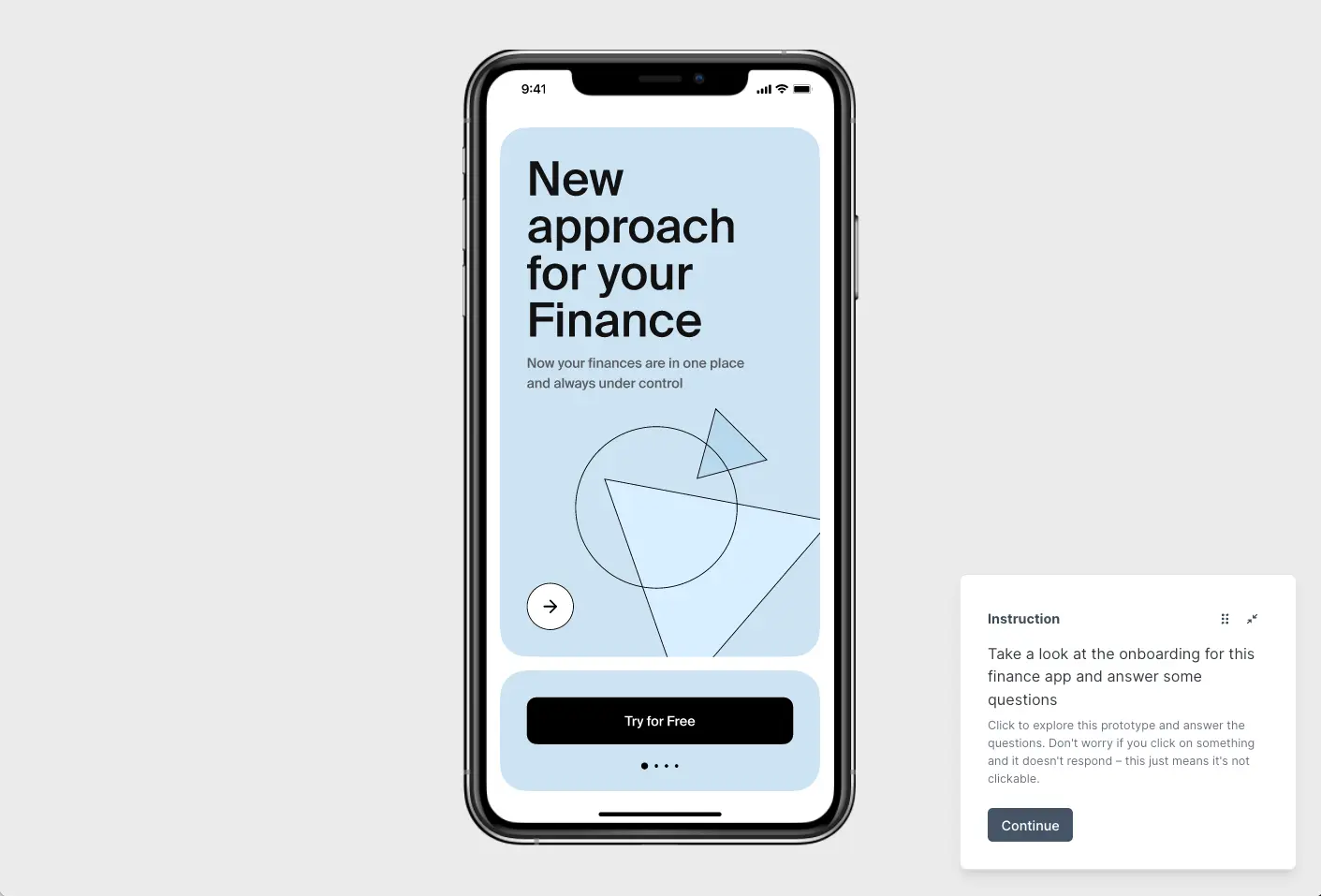
What happens in a usability test?
Usability testing sessions simulate real user interactions while providing controlled observation opportunities for researchers. During a typical session, participants receive realistic scenarios that mirror how they would naturally encounter and use the product.
Testing phase | What happens | Key considerations | Tips for success |
|---|---|---|---|
Preparation | Brief participants on process, goals, and tasks | Set clear expectations | Provide comprehensive overview without biasing results |
Environment setup | Create optimal testing conditions | Physical or remote setup | Ensure quiet, distraction-free space with minimal noise |
Task execution | Participants complete realistic scenarios | Observe natural behavior | Note hesitations, errors, successes, and emotional responses |
Feedback collection | Gather qualitative insights | Question technique matters | Use open-ended questions; avoid leading questions or biased prompts |
Remote testing | Virtual session management | Geographic flexibility | Save time/money while accessing dispersed participant pools |
Common misconceptions
Several misconceptions prevent teams from implementing usability testing effectively:
Misconception | Reality | Why it matters |
|---|---|---|
"It's too expensive." | Actually saves costs long-term | Prevents expensive post-launch fixes and redesigns; upfront investment pays for itself through reduced rework and improved satisfaction |
"We don't have time." | Can be conducted quickly and efficiently | Meaningful insights from just 5 users in a single day; remote testing enables even faster feedback cycles |
"Our users are too specialized." | Every product benefits from testing | Even expert users appreciate intuitive interfaces and clear workflows regardless of sophistication |
"We already know what users want." | Internal assumptions often differ from reality | Testing reveals the gap between intended and actual user experience |
"Testing will slow down development." | Actually accelerates development | Prevents costly iterations and ensures features work correctly the first time |
Frequently asked questions

User testing vs usability testing
Learn the key differences between user testing and usability testing. Understand goals, timing, methods, and outcomes to choose the right UX research approach.
Understanding the difference between user testing and usability testing is crucial for building products that people actually want and can easily use. While these terms are often used interchangeably, they serve distinct purposes in the product development process and answer fundamentally different questions about your users and their needs.
Many teams struggle with knowing when to use each approach, often missing critical insights by choosing the wrong method at the wrong time.
User testing helps you validate whether there's demand for your product or feature, while usability testing focuses on how easily people can interact with what you've already built.
This guide will clarify the key differences between user testing and usability testing, help you determine which approach fits your current needs, and show you how combining both methods creates a comprehensive understanding of your users that drives better product decisions.

What is user testing?
User testing helps you validate whether a product or feature is valuable and desired by real users before you invest significant time and resources in development.
This critical research approach focuses on understanding if your solution addresses genuine user needs and pain points that people actually care about solving. By gathering feedback directly from your target audience early in the process, user testing prevents teams from building products based on assumptions rather than evidence.
User testing definition
User testing focuses on validating whether there's a demand for a product or service. It helps you understand if users want the product and what specific needs or frustrations it addresses. This type of testing generally comes early in the product development process, shaping what to build.
Unlike usability testing, which examines how easily people can use an existing interface, user testing explores whether people have a genuine need for your solution. It's about discovering if your product idea resonates with your target audience and addresses real problems they face.
User testing answers fundamental questions like:
Do people actually want this?
What problems are we solving?
Is there a market for our solution?
These insights help teams avoid building products that nobody needs, regardless of how well-designed they might be.
The primary purpose of user testing is to ensure your product solves real problems that people care about solving. This validation happens before you commit significant resources to development, reducing the risk of building something nobody wants.
Key purposes include:
Validating product-market fit: Confirm there's genuine demand for your solution in the market.
Understanding user needs: Discover what problems your target audience faces and how they currently solve them.
Reducing development risk: Avoid investing time and money in features or products that won't succeed.
Aligning vision with reality: Ensure your product vision matches what users actually need and want.
Identifying market opportunities: Uncover unmet needs that could become competitive advantages.
Key benefit of user testing
Helps teams make informed decisions about product direction early in the development process, when changes are still relatively inexpensive to implement.

Benefits of user testing
User testing provides several critical advantages that can significantly impact your product's success and your team's efficiency.
Benefit | What this means |
|---|---|
Early validation saves resources | Test concepts before development to identify promising ideas and abandon those that won't resonate. This prevents teams from spending months building features users don't actually want or need. |
Uncover hidden opportunities | Reveals needs and pain points teams hadn't considered. These insights can lead to new features, product pivots, or entirely new market opportunities that provide competitive advantages. |
Increase adoption likelihood | Products validated through user testing are built around genuine user needs rather than assumptions. This leads to higher user adoption rates and better long-term retention. |
Build stakeholder confidence | Provides concrete evidence to support product decisions, making it easier to secure buy-in from stakeholders, investors, and team members. Data-driven insights carry more weight than opinions. |
Reduce post-launch surprises | By understanding user needs upfront, teams can anticipate how their product will be received and prepare for potential challenges or opportunities that emerge after launch. |
What is usability testing?
Usability testing is more about the product itself – testing how users interact with the design and identifying any usability issues. This can occur at various stages of development, from early prototypes to post-launch updates.
While user testing validates demand, usability testing focuses on the user experience once you know people want your product. It examines whether users can successfully complete tasks, find information, and achieve their goals using your interface.
Usability testing answers questions like:
Can users complete this task?
Where do they get confused?
How can we make this easier to use?
These insights help teams refine their designs and create more intuitive user experiences.
User testing vs usability testing: Key differences
Understanding when to use user testing versus usability testing requires recognizing their distinct goals, timing, methods, and outcomes.
User testing vs usability testing: Quick comparison
While both methods aim to create a user-centered product, user testing is user-focused (validating needs), whereas usability testing is product-focused (testing ease of use).
Goal
User testing focuses on desirability and product-market fit. The primary goal is determining whether users want your product and if it solves problems they care about solving. This validation helps teams decide what to build and whether their product concept has merit.
Usability testing focuses on usability and ease of interaction. The goal is identifying how well users can navigate and use your product to accomplish their tasks. This testing helps teams refine how their product works rather than questioning whether it should exist.
Timing
User testing typically happens before or early in development when you're still validating concepts and deciding on product direction. It's most valuable when you have flexibility to make significant changes to your product strategy.
Usability testing occurs during design phases, before launch, and after launch as part of ongoing optimization. It's most effective when you have prototypes, designs, or working products that users can interact with meaningfully.
Methods
User testing employs surveys, interviews, concept validation, and market research techniques. These methods focus on understanding user needs, preferences, and reactions to product concepts rather than testing specific interactions.
Usability testing uses moderated and unmoderated tests where participants complete specific tasks. These methods focus on observing user behavior, identifying friction points, and measuring task completion success.
Outcomes
User testing validates demand and helps teams understand whether their product concept resonates with users. The insights guide strategic decisions about product direction and feature prioritization.
Usability testing improves user experience and reduces friction in existing designs. The insights guide tactical decisions about interface design, information architecture, and interaction patterns.
Aspect | User Testing | Usability Testing |
|---|---|---|
Primary goal | Validate demand and desirability | Improve ease of use and interaction |
Key question | "Do users want this?" | "Can users use this effectively?" |
Timing | Early in development, concept stage | During design, pre-launch, post-launch |
Focus | Product-market fit | User experience optimization |
Methods | Surveys, interviews, concept validation | Task-based testing, observation |
Participants | Target market representatives | Actual or potential users |
Outcomes | Strategic product decisions | Tactical design improvements |

When to do user testing
Timing plays a crucial role in user testing effectiveness. Running user testing at the right moments can provide insights that shape your entire product strategy, while testing at the wrong time might yield less actionable results.
Why timing matters in user testing
Early validation prevents costly mistakes and ensures you're building something people actually want. Testing too late in the process makes it expensive to implement significant changes based on user feedback.
Key stages to run user testing
User testing at the right moments can dramatically reduce risk and increase your chances of product success. The key is knowing when testing will have the most impact on your decisions and outcomes.
Before you build (Concept stage): Validate demand early when changes cost nothing, not after you've spent months in development.
Before you prioritize (Feature planning): Build what users will actually pay for, not what seems innovative but goes unused.
Before you expand (New markets): Confirm product-market fit in new segments to avoid expensive market entry mistakes.
Before you pivot (Strategy changes): Ensure your new direction solves real problems. This protects against pivots that lose your existing users while failing to gain new ones.
Stage | Key questions to answer | What you’ll learn | Cost of getting it wrong |
|---|---|---|---|
Concept (Pre-build) | • Does anyone want this? • Is the problem worth solving? • Will they pay for it? | ✓ Market demand level ✓ Target customer profile ✓ Willingness to pay | • 6-12 months wasted development • $50K-500K+ in lost resources |
Features (Roadmap planning) | • What's the #1 must-have? • What can we skip? • What drives upgrades? | ✓ MVP feature set ✓ Premium vs. free features ✓ Quick wins vs. nice-to-haves | • Low adoption rates • Features nobody uses (70% typical waste) |
Expansion (New markets) | • Does this market need it? • What needs adaptation? • Who are the competitors? | ✓ Market-specific requirements ✓ Localization needs ✓ Pricing expectations | • Failed market launch • Damaged brand reputation |
Pivot (Major changes) | • Will current users stay? • Can we attract new users? • Is this better than iterating? | ✓ User retention impact ✓ New market viability ✓ Migration willingness | • Loss of existing user base • Company failure (90% of pivots fail) |
Event-driven triggers for user testing
Low user adoption: If people aren't using your product as expected, user testing can reveal whether you're solving the right problems.
Competitor launches: When competitors introduce new features, test whether users actually want similar capabilities.
Customer feedback patterns: When support requests or user feedback suggest unmet needs, validate potential solutions.
Strategic planning cycles: During quarterly or annual planning, use user testing to inform roadmap decisions.
Benefits of testing at the right time
Testing early in the development process allows teams to make strategic changes when they're still relatively inexpensive to implement. This prevents the costly mistake of building features that users don't want or need.
The economics are compelling: A pivot at the concept stage costs days and minimal resources. The same pivot after six months of development wastes significant engineering time and delays your market entry. Early validation creates exponential savings.
Speed and focus matter: Teams that test early ship faster because they're not guessing what to build. You concentrate resources on features users actually value, achieving significantly better ROI on development spending.
Evidence beats opinions: User testing data transforms debates into decisions. When you can prove that users would pay for your solution, you get faster buy-in from stakeholders and investors. You're presenting facts, not asking for faith.
Competitive advantage: Early testing reveals what competitors are missing. Users share frustrations with current solutions, exposing market gaps you can exploit before others notice them.
"A full-blown research project can take a lot of time and energy, but you can have meaningful early results from Lyssna in a single day. I think that’s one of the best benefits I’ve seen: faster and better iteration."
Alan Dennis
Product Design Manager at YNAB
Common user testing mistakes
Many teams skip user testing entirely, relying on assumptions about what users want. Others test too late in the process, when significant changes become expensive and disruptive to implement. But even teams that do test often fall into predictable traps that undermine their results.
The two biggest pitfalls
1. No testing at all: Teams build based on assumptions, internal opinions, and competitor copying. They launch hoping users will validate their guesses.
2. Testing too late: Teams wait until they have a polished product to test. By then, pivots require throwing away months of work and stakeholder trust is already committed.
"Adopting Lyssna got us into the habit of asking our users questions before locking in decisions."
Ron Diorio
VP Business Development & Innovation, at The Economist
Critical mistakes to avoid
Mistakes | What happens | Do this instead |
|---|---|---|
Testing the wrong things | Teams perfect colors and buttons while ignoring whether anyone needs the product. They polish features nobody wants. | ✓ Test core value proposition first, UI details last |
Asking friends and family | Your mom thinks your app is brilliant. Your target market might disagree. Supportive feedback misleads teams. | ✓ Test with strangers who match your actual target market |
Testing wrong users | Testing with tech early adopters when your market is mainstream users gives completely wrong insights | ✓ Define and recruit your exact target persona |
Ignoring negative feedback | Teams rationalize bad results: "users don't get it yet." The harsh feedback you dismiss could save your product. | ✓ Treat negative feedback as gold. Dig deeper into why. |
Leading questions | "Wouldn't it be great if...?" Teams accidentally sell during testing instead of listening. They pitch, not explore. | ✓ Ask open questions: "How do you currently handle X?" |
One-and-done testing | Running one test and calling it validated. Markets change, competitors emerge, enthusiasm fades. | No clear goals |
No clear goals | Teams run sessions without knowing what decisions they need to make. Lots of data, no actionable insights. | ✓ Define what specific decision each test will inform |
Testing in perfect conditions | Polished demos in controlled settings don't reflect real usage. Users behave differently with their own money. | ✓ Test in realistic conditions with real constraints |
No documentation | Three months later, nobody remembers what was learned or why decisions were made. Insights are lost. | ✓ Record sessions, track patterns, share findings widely |
Skipping competitive context | Testing your solution without understanding current user behavior. You don't know what you're replacing or why. | ✓ Always ask "How do you solve this problem today?" |

When to do usability testing
Usability testing works best when you have something concrete for users to interact with, whether that's a prototype, beta version, or live product. The timing depends on your development stage and the specific questions you need answered.
Optimal timing for usability testing
Prototype stage: Test early concepts to identify major usability issues before development begins.
Pre-launch: Validate that your product works as intended before releasing it to users.
Post-launch: Continuously test to identify optimization opportunities and address user pain points.
After major updates: Ensure new features or design changes don't introduce usability problems.
Pro tip: The key is testing frequently throughout the development process rather than waiting for a "perfect" version to test.
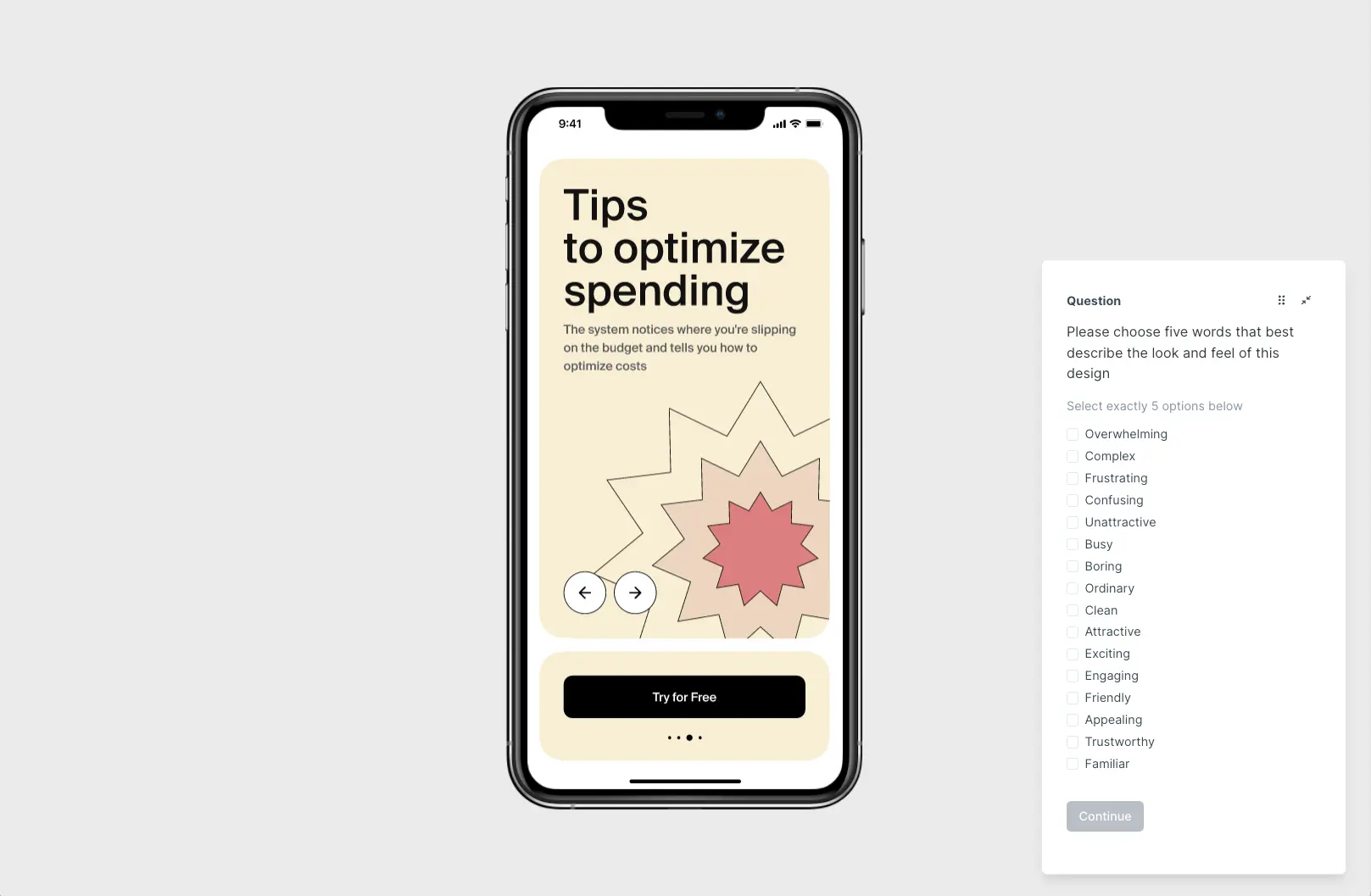
An example of a prototype test in Lyssna
When to use user testing vs usability testing
Many teams confuse the two approaches, but the truth is, neither is "better" overall – it depends on your goals, product stage, and the questions you want answered.
If you're just starting out and need to validate ideas, user testing helps you understand user needs and whether there's demand for your product. It answers the key questions "Do users want this?" and "What problems should we solve?"
If your product is in development or it's live and you want to refine the experience, usability testing is more relevant. It focuses on how users interact with your product – how easily they can navigate, complete tasks, and understand the interface.
Choose user testing when:
You're in the early concept or planning stages
You need to validate product-market fit
You're considering new features or product directions
User adoption is lower than expected
You're entering new markets or targeting new audiences
Choose usability testing when:
You have prototypes, designs, or working products to test
You want to optimize user experience and reduce friction
You're preparing for a product launch
You need to identify specific usability issues
You want to measure task completion and user satisfaction
The choice isn't about which method is better – it's about using the right tool at the right time. By aligning your approach with your goals, research questions, and where you are in the product lifecycle, you'll gain the information you need to move forward confidently.
Benefits of combining user and usability testing
The most successful products result from combining both user testing and usability testing throughout the development process. This comprehensive approach ensures you build what people want and make it easy to use.
Build what people want and make it easy to use
User testing validates demand while usability testing optimizes the experience. Together, they create products that solve real problems in intuitive ways that users can easily adopt.
Increase conversion rates and reduce churn
Products validated through user testing attract more interested users, while usability testing ensures those users can successfully complete their goals. This combination leads to higher conversion rates and lower churn.
Lower development costs by fixing issues early
User testing prevents building unwanted features, while usability testing catches design problems before they're expensive to fix. Both approaches save money by identifying issues when changes are still relatively inexpensive.
Gain stakeholder and investor confidence
Evidence-backed design decisions carry more weight than assumptions. Combining insights from both testing approaches provides comprehensive data to support product strategy and design choices.
The most effective teams use both methods strategically throughout their development process, creating a feedback loop that continuously validates and improves their product.

User testing methods
User testing includes various approaches designed to validate demand and understand user needs before significant development investment.
Core testing methods
Method | Description | When to use |
|---|---|---|
A/B testing | Test two product versions to see which performs better for specific goals, like increasing conversions or improving user engagement. | Growth stage, optimizing existing features |
Beta testing | Share a near-final product with users to uncover usability issues, bugs, or areas you need to refine before the official launch. | Pre-launch, final validation |
Concept testing | Present new ideas or features to users early on through sketches or mockups, gauging interest and ensuring alignment with user needs. | Early stage, before development |
By data type collected
Method | Description | When to use |
|---|---|---|
Quantitative testing | Surveys, analytics, and statistical validation with large samples (100+ users). | Measuring performance, validating hypotheses at scale |
Qualitative testing | In-depth interviews and observation to understand motivations (5-12 users). | Understanding why users behave certain ways |
By research goal
Method | Description | When to use |
|---|---|---|
Exploratory testing | Discover user needs, pain points, and market opportunities. | Discovery phase, entering new markets |
Validation testing | Confirm specific features or concepts that resonate with users. | After design, before building |
Comparative testing | Evaluate multiple approaches to determine user preference. | Deciding between options |

By location/facilitation
Method | Description | Advantage |
|---|---|---|
Remote testing | Online testing for geographic diversity and convenience. | Lower cost, wider reach |
In-person testing | Face-to-face for deeper observation and follow-up. | Richer insights, better for complex products |
Self-guided testing | Users complete tasks independently for natural behavior. | Scalable, unbiased behavior |
Specialized user tests
Method | Description | When to use |
|---|---|---|
Card sorting | Understand how users categorize and organize information. | Information architecture, navigation design |
Preference testing | Determine which design users prefer and why. | Visual design decisions, layout choices |
Message testing | Validate if product messaging resonates with the target audience. | Marketing copy, value proposition |
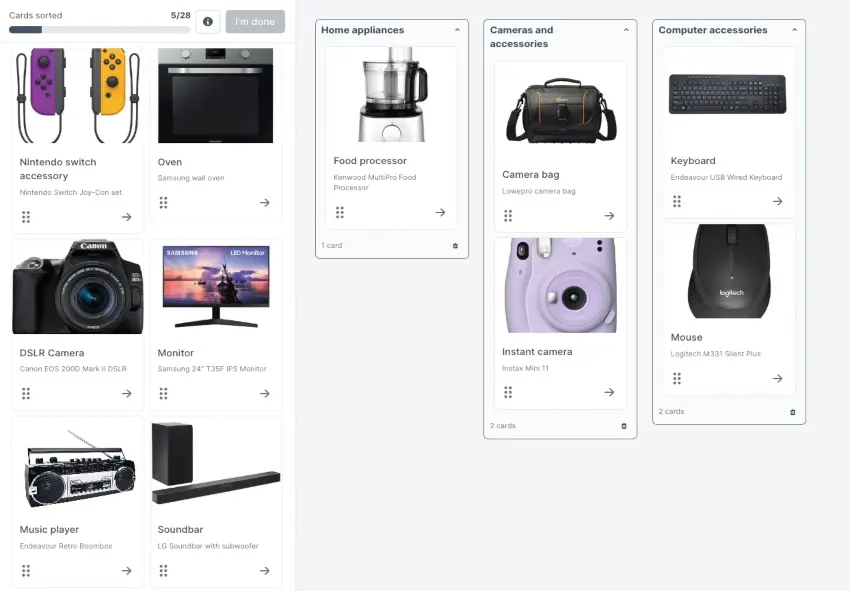
A card sorting test in Lyssna
Quick guide to user testing methods
If you need to: | Method | Participants | Time required |
|---|---|---|---|
Validate a new idea quickly | Concept testing | 5-15 | 3-5 days |
Understand user problems | Exploratory interviews | 8-15 | 1-2 weeks |
Optimize conversion rates | A/B testing | 1000-5000+ | 1-4 weeks |
Test before launch | Beta testing | 30-100 | 2-6 weeks |
Organize navigation | Card sorting | 15-40 | 3-7 days |
Choose between designs | Preference testing | 30-100 | 2-5 days |
Usability testing methods
Usability testing methods focus on observing how users interact with your product to identify areas for improvement.
Core usability tests
Method | Description | When to use |
|---|---|---|
Formative testing | Identify issues early in design to refine before development. | Design phase, wireframes or prototypes |
Summative testing | Evaluate overall usability against standards and benchmarks. | Design phase, wireframes or prototypes |
By facilitation style
Method | Description | When to use |
|---|---|---|
Moderated testing | Guide users through tasks live, asking follow-up questions to explore their thoughts. | Complex products, need deep insights |
Unmoderated testing | Users complete tasks independently, making it faster and more scalable. |
By location
Method | Description | Advantage |
|---|---|---|
Remote usability testing | Participants test from their environment using screen sharing or specialized tools. | Natural context, wider participant pool |
In-person usability testing | Lab-based or field testing with direct observation. |
By data type
Method | Description | Best for |
|---|---|---|
Quantitative usability testing | Metrics like task completion rates, time on task, and error rates. | Benchmarking, measuring improvements |
Qualitative usability testing | Observations, think-aloud protocols, and user feedback about their experience. | Understanding why problems occur |
Specialized usability tests
Method | Description | Use for |
|---|---|---|
First click testing | Understand where users expect to click first to complete a task. | Navigation validation, homepage design |
Tree testing | Evaluate information architecture and navigation structure. | Site structure, menu organization |
Accessibility testing | Ensure your product works for users with disabilities. | WCAG compliance, inclusive design |
Quick guide to usability testing methods
If you need to: | Method | Participants | Time required |
|---|---|---|---|
Test a complex workflow | Moderated testing | 5-8 | 5-7 days |
Get quick feedback on simple design | Unmoderated testing | 20-40 | 2-3 days |
Test in the design phase | Formative testing | 5-8 | 3-5 days |
Measure against competitors | Summative testing | 12-20 | 1-2 weeks |
Fix findability issues | Tree testing | 30-50 | 4-7 days |
Test navigation elements | First click testing | 25-50 | 2-4 days |
Ensure accessibility | Accessibility testing | 5-10 with disabilities | 1-2 weeks |
Frequently asked questions

Usability test plan
Create a usability test plan to ensure everything runs smoothly. Learn how to set research objectives, recruit participants, choose usability testing methods, create tasks, and establish evaluation criteria.
Creating a successful usability study starts with one critical foundation: a comprehensive usability test plan. Without this roadmap, even the most well-intentioned research can lead to unclear findings, wasted resources, and missed opportunities to improve your product's user experience.
A usability test plan serves as your blueprint for conducting effective user research, ensuring every session delivers actionable insights that drive meaningful product improvements.
Whether you're testing a new feature, validating a design concept, or investigating user pain points, a well-structured plan transforms scattered observations into strategic direction.
The difference between successful usability testing and disappointing results often comes down to preparation. Teams that invest time in thorough planning consistently gather more valuable insights, make better design decisions, and build products that truly serve their users' needs.
What is a usability test plan?
A usability test plan is a comprehensive document that outlines the objectives, participants, tasks, environment, and success criteria for conducting usability testing.
Think of it as your research blueprint – a detailed guide that ensures every aspect of your testing process is purposeful, consistent, and aligned with your broader product goals.
A usability test plan serves multiple critical functions:
Sets clear expectations for all stakeholders
Provides a structured framework for moderators to follow
Establishes measurable criteria for evaluating success
Helps prevent bias and ensures that your testing methodology remains consistent across multiple sessions and team members
A well-crafted usability test plan typically includes the following key elements:
Research objectives and hypotheses
Participant recruitment criteria and sample size
Detailed task scenarios and success metrics
Testing methodology and environment specifications
Roles and responsibilities for team members
Timeline with logistical considerations
Its purpose extends beyond just organizing your research. A solid plan aligns stakeholders around common goals, helps secure buy-in and resources for testing, reduces the risk of bias influencing results, and creates a reusable framework for future studies.
When everyone understands what you're testing, why you're testing it, and how success will be measured, your research becomes more focused and impactful.
Why you need a usability test plan
The value of a usability test plan becomes clear when you consider what happens without one. Teams that skip planning often find themselves with inconsistent testing approaches, unclear or contradictory findings, difficulty comparing results across sessions, and stakeholders who question the validity of insights.
Provides structure and repeatability
A usability test plan creates a systematic approach that can be replicated across different studies, team members, and time periods. This consistency is crucial for building reliable insights and establishing benchmarks for measuring improvement over time. When you follow a structured plan, you can confidently compare results from different testing rounds and track progress toward your usability goals.
Keeps tests aligned with research goals
Without a clear plan, it's easy for testing sessions to drift away from your core research questions. A well-defined plan keeps everyone focused on the specific insights you need to gather, ensuring that every minute of testing time contributes to answering your most important questions about user behavior and product performance.
Ensures unbiased, valid results
Bias can creep into usability testing in numerous ways – from leading questions to inconsistent task presentation. A comprehensive plan helps standardize your approach, reducing the risk of inadvertently influencing participant behavior or drawing conclusions that aren't supported by the data. This standardization is essential for generating insights that stakeholders can trust and act upon.

Key components of a usability test plan
An effective usability test plan brings together multiple elements that work in harmony to create a comprehensive research framework. Each component serves a specific purpose in ensuring your testing delivers valuable, actionable insights.
Component | What to include |
|---|---|
Objectives and goals | Specific, measurable questions you want answered (e.g. "Can users complete checkout without help?"). Include primary and secondary objectives. |
Target audience | Who will participate based on demographics, experience level, and behaviors. Define inclusion and exclusion criteria. |
Methodology | Choose between moderated vs. unmoderated, remote vs. in-person, and qualitative vs. quantitative approaches based on your goals. |
Test environment | Testing platforms (Lyssna, Zoom), recording tools, device requirements, and any accessibility considerations. |
Task scenarios | Realistic stories that give users reasons to complete tasks (e.g., "You need to contact support about a recent order"). |
Metrics and success criteria | Quantitative data (completion rates, time on task, errors) and qualitative insights (satisfaction, feedback, pain points). |
Team roles | Who does what: moderator (guides sessions), observers (take notes), technical support (manages recording), analysis lead (synthesizes findings). |
Schedule and logistics | Timeline, session length, participant incentives, time zones, and backup plans for technical issues or no-shows. |
Objectives and goals
Your objectives and goals form the foundation of your entire testing strategy. These should clearly articulate what you want to learn from the research and how the insights will inform product decisions.
Pro tip: Effective objectives are specific and measurable. Instead of vague goals like "improve the user experience," focus on precise questions such as "Can users complete the checkout process without assistance?" or "Do users understand the purpose of our new onboarding flow?"
These specific objectives help you design appropriate tasks and establish relevant success criteria.
Consider both primary and secondary objectives too. Primary objectives address your most critical research questions, while secondary objectives explore additional areas of interest that might emerge during testing. This hierarchy helps you prioritize your time and ensures you gather essential insights even if sessions run shorter than expected.
Target audience and participants
Defining your target audience ensures you're testing with people who represent your actual users. This involves creating detailed participant criteria that reflect your user base's demographics, behaviors, and needs.
Start by identifying key user personas or segments that interact with the feature or product you're testing. Consider factors like experience level with similar products, frequency of use, device preferences, and any specific domain knowledge that might influence their interaction with your product.
Pro tip: Establish both inclusion and exclusion criteria. Inclusion criteria define who should participate (age ranges, job roles, technical proficiency levels), while exclusion criteria identify who shouldn't participate (internal employees, expert users for general usability tests, or people with conflicts of interest).
Methodology
Your methodology section outlines the specific approach you'll take to conduct the research. This includes decisions about moderated versus unmoderated testing, remote versus in-person sessions, and qualitative versus quantitative data collection.
Moderated vs unmoderated testing: Moderated sessions allow for real-time follow-up questions and deeper exploration of user behavior, while unmoderated testing can reach more participants and capture more natural behavior without moderator influence.
Remote vs in-person testing: Remote testing offers broader participant reach and more natural environments, while in-person testing provides richer observational data and better control over the testing environment.
Consider your research goals, timeline, and resources when making these methodological choices. Each approach has distinct advantages that align with different research objectives.
Check out our video below for everything you need to know about unmoderated usability testing.
Test environment and tools
Specify the technical setup and usability testing tools you'll use to conduct and record your testing sessions. This includes decisions about testing platforms, screen recording software, analytics tools, and any specialized equipment needed.
Pro tip:
For remote testing, you might use platforms like Lyssna for unmoderated and moderated studies.
For in-person testing, consider factors like room setup, device configuration, and recording equipment. Document any specific browser requirements, device types, or accessibility considerations that might affect the testing environment.
Task scenarios
Task scenarios provide the context and motivation for user actions during testing. These should feel realistic and relevant to participants while allowing you to observe the specific behaviors you want to study.
Effective scenarios tell a brief story that gives users a reason to complete the task. For example, instead of saying "Find the contact page," you might say "You have a question about your recent order and need to get in touch with customer support." This approach creates more natural user behavior and provides better insights into how people actually use your product.
Important note:The Nielsen Norman Group's 5-user guideline applies specifically to qualitative usability testing, where the goal is to identify usability issues – with 5 participants uncovering approximately 85% of problems. This guideline doesn't apply to quantitative studies that aim to measure metrics like success rates or task times.
For quantitative studies that need statistical significance and narrow confidence intervals, Nielsen Norman Group recommends 40 or more participants to ensure the results generalize reliably to your broader user population.
Metrics and success criteria
Establish clear, measurable criteria for evaluating usability test performance. This includes both quantitative metrics (task completion rates, time on task, error frequencies) and qualitative indicators (user satisfaction, frustration points, verbal feedback).
Quantitative metrics provide objective measures of usability performance. Common metrics include task success rate, time to complete tasks, number of errors, and navigation efficiency. If 10 users attempt a task and 8 of them complete it successfully, then the completion rate for that task is 80%.
Qualitative metrics capture the user experience beyond pure performance data. These might include satisfaction ratings, emotional responses, preference feedback, and suggestions for improvement. Both types of metrics are essential for a complete understanding of usability performance.
Roles and responsibilities
Clearly define who will be responsible for each aspect of the testing process. This typically includes roles like:
Moderator (guides sessions and asks questions)
Observers (take notes and identify patterns)
Technical support (manages recording and troubleshooting)
Analysis lead (synthesizes findings and creates reports)
Establishing these roles in advance prevents confusion during testing sessions and ensures that all important aspects of data collection are covered. It also helps team members prepare appropriately for their specific responsibilities.
Schedule and logistics
Document the practical details of conducting your testing sessions, including timeline, session length, participant incentives, and any special requirements. This section should address scheduling considerations, backup plans for technical issues, and coordination between team members.
Pro tip: Consider factors like participant availability, time zones for remote testing, and any seasonal or business cycle considerations that might affect your research. Plan for contingencies like participant no-shows or technical difficulties that could disrupt your schedule.

Example usability test plan template
Here's a practical template you can adapt for your own usability testing needs.
Use this template to plan and organize your usability testing study. A well-structured test plan helps align your team, communicate your approach to stakeholders, and allow you gather the feedback you need to improve your product. Placeholder text has been used here – simply customize each section based on your specific research goals and context. Project overview Project: [Product/Feature Name] Usability Study Testing period: [Start date] – [End date] Research team: [Names and roles] Stakeholders: [Names and departments] Research objectives What do you want to learn from this study? Clear objectives help you stay focused and help your research addresses the right questions. Primary objective: Evaluate task completion rates for the new checkout flow Secondary objectives:
Research questions:
Participants Who you recruit directly impacts the quality of the feedback you’ll gather. Define your target audience clearly to make sure you’re testing with the right people. Target number: 8–10 participants Who we’re recruiting: Online shoppers aged 25–45 who make purchases 2+ times per month Why this audience: This represents our core user base who regularly engage with ecommerce checkout flows and can provide informed feedback based on their shopping habits. Who we’re excluding:
Recruitment method: Recruited from the Lyssna research panel Screener questions:
Methodology Study type: Unmoderated remote prototype testing Session duration: 15–20 minutes per participant Platform: Lyssna Testing environment: Participants use their own devices and internet connection Materials needed:
Tasks and scenarios Write realistic, scenario-based tasks that reflect how people would naturally use your product. Good scenarios provide context and motivation without revealing the solution. Task 1: Find and purchase a product **Scenario: “**You're looking for a birthday gift for a friend with a budget of $50. Find and purchase something appropriate.” What we’re testing: Overall navigation, product discovery, and checkout completion Success criteria: Participant completes purchase without assistance Task 2: Update shipping information **Scenario: “**You realize you entered the wrong shipping address. Update your delivery information.” What we’re testing: Account management and order modification Success criteria: Participant locates and updates shipping address within 2 minutes Task 3: Check order status **Scenario: “**Check the status of your order and estimated delivery date.” What we're testing: Post-purchase experience and information findability Success criteria: Participant finds order status information without prompting Success metrics How will you measure whether your design is meeting user needs? Define both quantitative and qualitative success criteria. Quantitative metrics:
Qualitative metrics:
Team roles Test creator: [Name] Sets up the test in Lyssna, writes task scenarios, configures success criteria Analysis lead: [Name] Reviews recordings, synthesizes findings, identifies patterns and insights Stakeholder liaison: [Name] Communicates with stakeholders, shares progress updates, presents findings Schedule Building in time for each phase helps keep your research on track and ensures you have adequate time for analysis and reporting. Test setup and pilot: [Date] Build your test in Lyssna, run through it yourself, and pilot to make sure everything works Participant recruitment: [Date range] Launch recruitment through the Lyssna research panel or your own participant list Data collection: [Date range] Participants complete the test asynchronously Analysis and synthesis: [Date range] Review recordings, synthesize findings, identify patterns and insights Report delivery: [Date] Share findings with stakeholders Analysis and reporting plan Analysis approach:
Deliverables:
Budget and resources Participant incentives: [Amount per participant] Total incentive budget: [Total amount] Tools and software: Lyssna (including research panel access) Additional resources: [Any other costs or resources needed] Risks and mitigation What could go wrong, and how will you handle it? Potential risk: Low recruitment or high dropout rates Mitigation: Over-recruit by 20%, ensure screening questions are clear and incentive is appropriate Potential risk: Technical issues with prototype or test link Mitigation: Test all links and prototypes before launching, have backup version ready Potential risk: Participants misunderstand tasks Mitigation: Write clear, specific task instructions, pilot test with 1–2 participants first Approvals Reviewed by: [Name, Date] Approved by: [Name, Date] |
Use this free template to organize your usability study from start to finish. Simply duplicate it and customize each section based on your research goals.
We've created a free usability test plan template to help you get started. It includes all the sections covered above – from research objectives and participant recruitment to task scenarios and analysis plans. Duplicate the template and adapt it for your specific project needs.

Define usability testing goals and objectives
Clear goals and objectives ensure usability testing delivers actionable insights and measurable results that directly inform product decisions. Without well-defined goals, testing sessions can become unfocused explorations that generate interesting observations but fail to answer the specific questions your team needs to address.
The process of defining goals also helps align stakeholders around common priorities and creates shared understanding of what constitutes successful research outcomes. When everyone agrees on what you're trying to learn, it becomes much easier to design effective testing protocols and interpret results in ways that drive meaningful product improvements.
Why defining goals matters
Clear objectives transform usability testing from a generic exercise into a strategic tool for product improvement. Here’s why it matters:
Prevents wasted sessions: Clear goals transform vague observations ("users seemed confused") into actionable findings that directly answer your product questions and guide design decisions.
Aligns with business priorities: Well-defined goals connect user research to business objectives and KPIs, making it easier to justify research investments and demonstrate measurable outcomes.
Builds stakeholder support: When stakeholders understand what testing aims to achieve and its expected impact, they're more likely to provide resources and champion ongoing research initiatives.
What are usability testing goals?
Usability testing goals are high-level outcomes that guide your research strategy and determine which methods and metrics will be most valuable for your study.
Example goals include:
Evaluate task completion capability
Assess interface intuitiveness
Validate accessibility and inclusivity
Identify optimization opportunities
Goal type | Focus and purpose |
|---|---|
Evaluate task completion | Test whether users can successfully complete key tasks (registration, purchase, content creation) to identify major barriers to success. |
Assess interface intuitiveness | Evaluate how easily first-time users navigate without training, testing clarity of information architecture and interaction design. |
Validate accessibility | Ensure the product works for users with different abilities, devices, and technical skills to create inclusive experiences. |
Identify improvements | Discover optimization opportunities even when functionality works adequately, supporting continuous improvement efforts. |
What are usability testing objectives?
Usability testing objectives are specific, measurable criteria that support your broader goals. While goals provide general direction, objectives establish concrete benchmarks that allow you to evaluate success and track progress over time.
Example objectives include:
Performance-based objectives
Error-based objectives
Satisfaction-based objectives
Learning-based objectives
Type | Example objectives | Focus |
|---|---|---|
Performance | • 80% complete checkout in under 3 minutes • Users find contact info within 2 clicks | User performance and success criteria |
Error rates | • Error rate below 10% for sign-up • Less than 20% need help with primary task | Areas where users struggle |
Satisfaction | • Average rating 4+ out of 5 • Net Promoter Score above 7 | Emotional and subjective experience |
Learning | • Understand value prop in 30 seconds • 90% can explain feature purpose after use | Comprehension and mental models |

How to define usability testing goals and objectives
Creating effective goals and objectives requires connecting user research to business priorities and product strategy. This process ensures that your testing efforts generate insights that directly support decision-making and product improvement.
Step 1 – Identify key business and UX priorities
Understand the broader context by connecting testing to business metrics and user challenges.
Key actions | What to consider |
|---|---|
1. Align with KPIs | Conversion rates, retention, task success, satisfaction scores |
2. Balance priorities | Immediate fixes (known issues) vs. strategic exploration (new features) |
Pro tip: Consider both immediate priorities (fixing known usability issues) and strategic priorities (exploring new feature concepts or validating design directions). This balance helps you address urgent needs while also building knowledge for future product development.
Step 2 – Translate priorities into usability goals
Transform business priorities into specific research goals that testing can address. This translation process requires thinking about how user behavior and experience directly relate to the outcomes you want to achieve.
Business priority | Example usability goal |
|---|---|
1. Increase conversions | Evaluate checkout process effectiveness |
2. Improve mobile experience | Assess mobile navigation and identify optimization opportunities |
Pro tip: Make sure your goals are achievable through usability testing methods. Some questions are better answered through other research approaches like surveys, analytics analysis, or user interviews.
Step 3 – Define success criteria
Establish specific, measurable criteria that will indicate whether you've achieved your testing goals.
Criteria type | Examples and considerations |
|---|---|
1. Quantitative metrics | Time on task, error rates, completion rates |
2. Qualitative indicators | Satisfaction scores, user feedback themes |
3. Standardized measures | System Usability Scale (SUS), Net Promoter Score (NPS) |
Pro tip: Set realistic benchmarks based on your current performance, industry standards, or competitor analysis. Overly ambitious criteria can make successful outcomes feel disappointing, while criteria that are too easy don't provide meaningful direction for improvement.
Step 4 – Keep objectives realistic and actionable
Avoid testing too many goals at once, as this can dilute your focus and make it difficult to gather deep insights about any single area.
Best practice | Implementation |
|---|---|
Limit scope | Focus on 3-5 objectives per study for thorough exploration. |
Consider constraints | Account for session length, participant fatigue, task complexity. |
Drive decisions | Design objectives that inform specific product actions. |

Examples of usability testing goals and objectives
Understanding how goals and objectives work together becomes clearer through concrete examples that show how broad research intentions translate into specific, measurable criteria.
Goal: Improve checkout usability
Objective: 90% of users complete checkout without errors
Objective: Average checkout time under 2 minutes
Objective: Fewer than 1 support request per 100 transactions
Goal: Enhance mobile navigation
Objective: Users find FAQ section in under 10 seconds
Objective: 85% of participants successfully navigate to product categories
Objective: Mobile task completion rate matches desktop performance
Goal: Reduce onboarding drop-off
Objective: 70% of users complete signup without external help
Objective: Users understand core value proposition within first 30 seconds
Objective: Onboarding completion rate increases by 25%
Goal: Validate new feature concept
Objective: 80% of participants understand the feature's purpose
Objective: Users express interest in using the feature (4+ out of 5 rating)
Objective: Feature concept aligns with user mental models
These examples demonstrate how specific, measurable objectives support broader research goals while providing clear criteria for evaluating success.
Common mistakes in setting test goals
Even experienced researchers can fall into common traps when defining usability testing goals. Being aware of the following pitfalls helps you create more effective research plans that generate actionable insights.
Mistake | Problem | Better approach |
|---|---|---|
Vague goals | Goals like "make it easier" lack specificity for testing protocols or measuring success | Focus on specific aspects: "Reduce steps in account setup" or "Improve payment error recovery" |
Mixing business outcomes with test tasks | "Increase conversion rates" is a business outcome, not measurable in usability testing | Focus on user behaviors that contribute to outcomes: task completion, error rates, time on task |
Ignoring measurable KPIs | Without metrics, you can't determine success or track improvement over time | Include specific metrics to evaluate performance and communicate results clearly |
Define participant criteria
Selecting the right participants is crucial for generating insights that accurately reflect your actual user base. The people you test with should represent the diversity and characteristics of your real users, ensuring that your findings are relevant and actionable.
Target personas
Match participants to real customer segments. Use established personas or consider these key characteristics:
Goals and motivations
Experience levels
Usage contexts
Domain knowledge
Pro tip: If you're serving diverse groups, test with multiple persona types to identify segment-specific issues.
Demographics and behavior
Define criteria that reflect your user base, such as:
Age and location
Technical proficiency
Job role or industry
Device usage patterns
Product usage frequency
Pro tip:
Document: Required (must-have) and preferred (nice-to-have) criteria
Avoid: Overly restrictive requirements that make recruitment difficult
Exclusion criteria
Clearly specify who shouldn't participate in your testing to avoid bias and ensure representative results.
Common exclusions:
Internal employees or contractors
UX professionals or designers
Expert users (unless testing advanced features)
People with conflicts of interest
Important: Fresh perspectives can reveal issues that experienced users tend to work around. Avoid exclusions that reduce diversity – protect validity without creating barriers to inclusive representation.

How many participants do you need?
The optimal number depends on your research goals and methodology.
Qualitative testing: 5 users
For identifying usability issues and understanding behavior patterns. Five participants uncover approximately 85% of problems (Nielsen Norman Group).
Quantitative testing: 40+ users
For measuring metrics like success rates, task times, and error frequencies with statistical significance. Nielsen Norman Group recommends 40+ participants for reliable results.
Iterative testing approach
Rather than one large study, run multiple rounds with 5-7 users, make improvements, and test again. This iterative approach validates improvements and discovers new issues that emerge after initial fixes – often providing better insights more cost-effectively than a single large study.
Quick decision guide
If your goal is to... | Use this approach |
|---|---|
Identify major usability issues | 5 participants (qualitative) |
Understand user behavior patterns | 5-7 participants (qualitative) |
Compare design approaches | 40+ participants (quantitative) |
Establish baseline metrics | 40+ participants (quantitative) |
Iterate and improve quickly | 5-7 participants × multiple rounds |
Methods to recruit usability testing participants
Effective participant recruitment ensures you're testing with people who represent your actual user base. Different recruitment methods offer various advantages in terms of cost, speed, relevance, and sample quality.
Quick comparison guide
Method | Cost | Speed | Best use case |
|---|---|---|---|
In-house recruitment | Low | Moderate | Testing existing features with experienced users |
Recruitment panels & agencies | High | Fast | Large-scale studies with specific demographics |
Social media & online communities | Low-Medium | Variable | Niche audiences and B2B products |
Guerrilla recruitment | Very Low | Immediate | broad audiences |
In-house recruitment
Recruiting from your existing customer base, newsletter subscribers, or CRM database can provide highly relevant participants who are already familiar with your brand and product category.
Pros: Participants have genuine interest in your product, recruitment costs are minimal, and you can access users with specific experience levels or usage patterns.
Cons: Existing customers might have biases or learned behaviors that don't reflect new user experiences, and sample diversity might be limited to your current user base.
This approach works particularly well when testing improvements to existing features or exploring advanced functionality that requires domain knowledge.
Recruitment panels and agencies
Professional recruitment services and testing platforms often provide access to large, diverse participant pools with sophisticated screening capabilities.
If you're using a remote testing platform like Lyssna, you can use a research panel to make recruiting participants easier. Lyssna's research panel calculator allows you to enter your study size, type, and audience to get an estimate of the cost and turnaround time.
Pros: Fast recruitment, scalable to large sample sizes, access to specific demographic segments, and professional screening processes.
Cons: Higher costs per participant.
This method is ideal when you need specific demographic criteria, large sample sizes, or rapid recruitment timelines.
Social media and online communities
Recruiting through LinkedIn groups, Reddit communities, Facebook groups, or Slack channels can help you reach niche audiences and specific professional segments.
Pros: Access to highly targeted communities, often lower costs, and participants who are genuinely engaged with relevant topics.
Cons: Recruitment can be time-consuming, response rates may be unpredictable, and community guidelines might limit recruitment activities.
This approach works well for B2B products, professional tools, or niche consumer products with active online communities.
Guerrilla recruitment
Guerrilla usability testing, where you recruit participants in public spaces like coffee shops, co-working spaces, or events can provide quick access to diverse participants for certain types of testing.
Pros: Very low cost, immediate availability, and access to people who might not participate in formal research studies.
Cons: Less control over participant screening, limited session time, and potential environmental distractions.
This method is most appropriate for quick concept validation or testing products with broad appeal that don't require specialized knowledge.

Incentives for usability test participants
Appropriate research incentives show respect for participants' time and expertise while encouraging high-quality participation in your research. The right incentive structure can significantly improve recruitment success and participant engagement.
Common incentive types
Gift cards to popular retailers
Cash payments
Product discounts or credits
Free trials or premium features
Charitable donations on their behalf
Setting the right compensation
Consider these factors when determining incentive amounts:
Factor | Considerations |
|---|---|
Participant type | Executives and specialists require higher compensation than general consumers |
Opportunity cost | What participants could be doing instead with their time |
Session requirements | Length, complexity, and any preparation needed |
Market standards | Industry norms for similar research |
Typical compensation ranges
Study type | Duration | Typical range |
|---|---|---|
Consumer studies | 30 minutes | $25–$50 |
Professional B2B studies | 60 minutes | $75–$150 |
Multi-session studies | Varies | Base rate + 20-30% |
Studies with homework | Varies | Base rate + additional per assignment |
Pro tip: Provide fair compensation that attracts quality participants without creating incentives so high that they attract people solely motivated by payment rather than genuine interest in improving the product.
Best practices for recruiting participants
Successful participant recruitment requires systematic planning and attention to quality control. These practices help ensure you're testing with people who will provide valuable, representative insights.
Use a screener survey to qualify candidates
Create a brief screener that verifies participants meet your criteria without revealing the specific focus of your study. This helps prevent participants from preparing responses or modifying their behavior based on what they think you want to learn.
Avoid recruiting only friends, colleagues, or family members
While these participants are convenient and free, they often provide biased feedback and may not represent your actual user base. Their familiarity with you or your company can influence their responses and reduce the validity of your findings.
Keep your participant pool diverse but relevant
Strive for diversity in demographics, experience levels, and usage patterns while maintaining relevance to your target audience. This balance helps you understand how different types of users experience your product.
Plan for no-shows
Over-recruit by 10–20% to account for cancellations. This buffer helps you meet your target sample size without extending your testing timeline.
Common mistakes to avoid
Mistake | Impact | Solution |
|---|---|---|
Testing with "anyone" | Insights don't apply to real-world usage | Always prioritize target user relevance over convenience |
Unfair compensation | Poor participation quality, high cancellation rates, recruitment difficulties | Offer compensation that respects participants' time and expertise |
Ignoring diversity needs | Missing insights from key user segments | Consider language, cultural contexts, and accessibility requirements |
Quick checklist when recruiting participants
Screener survey prepared
Target audience clearly defined
Compensation structure set
10-20% buffer for no-shows
Accessibility accommodations planned
Cultural considerations reviewed

How to choose a usability testing method
With many usability testing methods available, the right choice depends on your goals, stage in development, and available resources. Understanding the strengths and limitations of different approaches helps you select methods that will generate the most valuable insights for your specific situation.
Pro tip: Match your method to your research objectives rather than defaulting to familiar approaches. The most effective research often combines multiple methods for comprehensive understanding.
Factors to consider when choosing a usability testing method
Each factor below plays a critical role in determining which testing approach will deliver the most valuable insights for your specific context.
Factor | Key question | Impact on method choice |
|---|---|---|
Research goals | What insights do you need? | Determines moderated vs unmoderated, qualitative vs quantitative |
Product stage | How mature is your product? | Influences depth of testing and prototype fidelity needed |
Resources | What’s your budget and timeline? | Affects scale, recruitment approach, and tool selection |
Audience | Who and where are your users? | Shapes remote vs in-person, accessibility requirements |
Research goals
The type of insights you need should drive your methodology selection. Are you testing value proposition and concept validation, task-based usability and performance, or comparative evaluation between design alternatives?
Concept validation often benefits from moderated sessions that allow for detailed discussion and exploration of user mental models.
Task-based usability testing can be effectively conducted through both moderated and unmoderated approaches, depending on the complexity of tasks and need for follow-up questions.
Comparative testing might require A/B testing approaches or preference testing methods.
Product stage
Your product's development stage significantly influences which testing methods will be most valuable and practical.
Early stage development typically calls for exploratory or generative research methods like concept testing, prototype testing, and moderated sessions that allow for open-ended exploration.
Pre-launch testing often focuses on task-based usability testing with realistic prototypes or beta versions.
Post-launch optimization can leverage analytics-driven insights, unmoderated testing at scale, and A/B testing of specific improvements.
Resources (budget, time, team)
Practical constraints around budget, timeline, and team capacity should inform your methodology choices while ensuring you can still gather valuable insights.
Limited budget scenarios often favor unmoderated remote testing, guerrilla testing methods, and analytics-based insights.
Larger budget scenarios enable moderated lab-based testing, professional recruitment, and comprehensive multi-method studies.
Consider the total cost of research, including participant incentives, tool subscriptions, analysis time, and opportunity costs of team involvement.
Audience and accessibility
Your target audience characteristics and accessibility requirements influence which testing methods will be most effective and inclusive.
Global or distributed audiences often require remote testing approaches, while local audiences might benefit from in-person testing that allows for richer observational data.
Accessibility testing might require specialized equipment, environments, or expertise that influence your methodology choices.
Consider language requirements, time zone constraints, and any assistive technologies that participants might use when selecting your testing approach.
Quick decision framework
What specific questions need answering?
Where is the product in its lifecycle?
What's the available budget and timeline?
Who are the participants and where are they located?
What accessibility requirements exist?
Common usability testing methods overview
Understanding the landscape of available testing methods helps you make informed decisions about which approaches will best serve your research goals. Each method offers distinct advantages for different types of research questions.
Core method comparisons
Method type | Option A | Option B | Choose based on |
|---|---|---|---|
Facilitation | Moderated: Real-time interaction, explore unexpected findings | Unmoderated: Scale, natural behavior, no moderator bias | Need for follow-up questions vs testing volume |
Location | Remote: Broader reach, natural environments | In-person: Richer observation, controlled conditions | Geographic constraints vs depth of insights |
Data type | Qualitative: Understand "why," explore complex behaviors | Quantitative: Statistical confidence, measurable metrics | Exploratory research vs validation needs |
Specialized testing methods
Method | Best for | What it reveals |
|---|---|---|
Five second test | Landing pages, visual hierarchy | First impressions and immediate comprehension |
First click test | Navigation design | Whether users start tasks on the right path |
Preference testing | Comparing design variations, visual elements | Which design option users prefer and why |
Prototype testing | Early-stage design validation | How users interact with design concepts before development |
Live website testing | Real-world usability scenarios, complete user journeys | Loading times, device-specific issues, and actual user behavior on production sites |
Pro tip: The most effective research often combines usability testing methods. For example, starting with qualitative moderated sessions to explore issues, then validating findings through quantitative unmoderated testing at scale.

Decision framework: Which usability test is right for you?
Use this decision framework to systematically select the most appropriate testing method for your specific research needs:
If you need to | Use this method | Why it works |
|---|---|---|
Explore early concepts | Concept testing, moderated exploratory sessions | Allows open-ended discovery and pivoting |
Test navigation/IA | Card sorting + tree testing | Reveals how users categorize and find information |
Measure first impressions | Five second testing | Captures immediate reactions and comprehension |
Compare design options | A/B testing, preference testing | Direct comparison between alternatives |
Evaluate task completion | Usability testing (moderated or unmoderated) | Comprehensive performance and experience insights |
Get rapid feedback | Unmoderated testing (e.g. using Lyssna) | Results in hours vs days or weeks |
Combining methods for deeper insights
The most effective research often uses multiple methods:
Example workflow:
Card sorting – Understand user mental models
Tree testing – Validate your navigation structure
Usability testing – Confirm the interface works in practice
Quick decision questions
Ask yourself:
How mature is your design? Early – exploratory; Later – validation
What type of data do you need? Why – qualitative; How many – quantitative
How quickly do you need results? Hours – unmoderated; Weeks – moderated
What's your specific concern? Navigation – IA testing; Visual – five second test
Remember: No single method answers all questions. Choose based on your most critical unknowns, then layer additional methods as needed.
Best practices for method selection
Always align the test type with your objective: The most important principle is ensuring your chosen method can actually answer the questions you need to address. Don't let tool availability or familiarity drive methodology decisions.
Don't overcomplicate – start small and iterate: It's better to conduct focused, well-executed studies than to attempt comprehensive research that becomes unwieldy. Start with core questions and expand your research program over time.
Combine methods when possible for richer insights: Different methods provide different types of insights. Combining approaches often provides more complete understanding than relying on any single method. In Lyssna, you can combine multiple testing methods in a single study, although we recommend keeping it to one or two per session. This will allow you to gather enough feedback without overwhelming participants or making the test too long.
Validate assumptions with at least five participants per round: Even quick validation studies benefit from multiple perspectives.

What are usability test scenarios and tasks?
Usability test scenarios and tasks work together to create realistic testing environments that reveal how users truly interact with your product. While they're closely related, each serves a distinct purpose in your research methodology.
Scenarios = The context and motivation (the "why")
Set the stage with situation and circumstances
Provide emotional context and constraints
Give participants a reason to engage
Tasks = The specific actions to complete (the "what")
Define concrete objectives
Outline measurable steps
Focus participant behavior
Here's how they work together
Scenario: "You're shopping for a birthday gift for a friend who loves cooking. You want to find something thoughtful but need to stay within your $50 budget."
Task: "Find and purchase a gift under $50 that would be suitable for someone who enjoys cooking."
This combination gives participants both the emotional context (gift-giving motivation, budget constraint) and the specific objective (find and purchase) they need to navigate your product naturally.
This section goes into more detail, but our video below has useful advice on how to craft effective usability testing tasks and scenarios.
Why this combination matters
People don't use products without reason – they have goals, constraints, and motivations driving their actions. Recreating these conditions ensures you:
Observe authentic behavior, not artificial testing actions.
Identify real usability issues users would actually encounter.
Understand how your product fits into actual workflows.
Generate actionable insights for meaningful improvements.
Quick formula: Effective test design = Realistic Scenario + Clear task + Measurable outcome
Without scenarios, tasks feel arbitrary. Without tasks, scenarios lack focus. Together, they mirror real-world usage and deliver insights you can trust.
Important note: The best usability tests don't feel like tests – they feel like natural product interactions with clear goals.

Principles of effective usability test scenarios
Creating scenarios that generate meaningful insights requires following several key principles that ensure your testing conditions mirror real-world usage patterns and motivations.
Realistic scenarios mimic real-world motivations
Your scenarios should reflect genuine reasons why people would use your product. Instead of asking participants to "explore the website," create scenarios based on actual user goals and circumstances. Research your target audience to understand their pain points, motivations, and typical use cases.
Example: Rather than "Browse our product catalog," try "You're moving to a new apartment next month and need to find furniture that fits your budget and small living space." This realistic motivation helps participants engage authentically with your product.
Goal-driven rather than instruction-driven
Effective scenarios focus on what users want to achieve, not how they should achieve it. Avoid giving step-by-step directions or hints about which features to use. Instead, present the end goal and let participants figure out their own path.
Poor example: "Click on the 'Products' menu, then select 'Shoes,' and filter by size."
Better example: "Find a pair of running shoes in your size that would be good for someone just starting to run regularly."
The goal-driven approach reveals how users naturally navigate your product and where they encounter confusion or friction.
Neutral language avoids bias and leading
Your scenario language should be neutral and avoid suggesting specific solutions or paths. Don't include clues about where to find information or which features to use. This prevents accidentally guiding participants toward particular outcomes.
Pro tip: Avoid loaded terms or language that might influence behavior. Instead of "Use our innovative search feature," simply describe what the user needs to accomplish: "Find information about return policies."
Clear and unambiguous instructions
While avoiding bias, your scenarios must still be clear enough that participants understand what they're trying to accomplish. Ambiguous scenarios lead to confusion and unreliable results.
Pro tip: Test your scenarios with colleagues before running actual sessions. If team members interpret the scenario differently or ask clarifying questions, refine the language until the intent is unmistakable.
Good scenarios strike the balance between providing sufficient context and avoiding over-direction. They give participants the motivation and framework they need while leaving room for natural exploration and problem-solving.
How to write usability test tasks
Writing effective usability test tasks requires aligning with your research objectives with realistic conditions for user interaction. Follow these four essential steps to create tasks that generate meaningful insights.
Step | Key principle | Example |
|---|---|---|
1. Align with goals | Match tasks to what you're testing | Testing checkout – Purchase flow tasks |
2. Use open-ended prompts | Focus on outcomes, not clicks | ✅ "Find product info" ❌ "Click product tab" |
3. Keep tasks flexible | Allow different paths to completion | "Find a laptop under $1000 that meets your needs" |
4. Set success criteria | Define clear completion rules | Success = task completed Time limit = 5 minutes |
Step 1 – Align tasks with test goals
Before writing any tasks, clearly define what you want to learn from your usability test. Your tasks should directly support these research objectives and help you answer specific questions about your product's user experience.
If your goal is to test the checkout process, design tasks that naturally lead participants through the purchase flow. For testing navigation, create tasks that require users to find information in different sections of your product. When evaluating content comprehension, develop tasks that require participants to locate, read, and act on specific information.
Consider your key research questions:
Can users complete core workflows successfully?
Where do users encounter friction or confusion?
How do users navigate between different product areas?
Do users understand key concepts and terminology?
Each task should help answer one or more of these questions while contributing to your overall research objectives.
Step 2 – Use open-ended prompts
Effective tasks use open-ended language that doesn't prescribe specific actions or interface elements. This approach reveals how users naturally interact with your product rather than testing their ability to follow directions.
Avoid directive language:
"Click on the 'Contact Us' button"
"Use the search bar to find..."
"Navigate to the pricing page"
Use open-ended prompts:
"Find a way to get in touch with customer support"
"Locate information about pricing for premium features"
"Find a product that meets your specific requirements"
Open-ended prompts encourage participants to use their natural problem-solving approaches, revealing insights about information architecture, labeling, and user mental models.
Step 3 – Keep tasks actionable but flexible
Tasks should be specific enough that participants understand what to accomplish, but flexible enough to allow different approaches to completion. This balance helps you observe various user strategies while maintaining focus on your research objectives.
Actionable elements:
Clear end goal or outcome
Sufficient context for decision-making
Realistic constraints or parameters
Flexible elements:
Multiple valid paths to completion
Room for different user preferences
No prescribed interaction methods
For example: "Find and save three articles that would help someone learn about sustainable gardening practices." This task is actionable (find and save articles with specific criteria) but flexible (users can choose which articles, use different search strategies, and employ various saving methods).
Step 4 – Set task success criteria
Define clear, measurable criteria for task completion before running your test sessions. This preparation ensures consistent evaluation across participants and helps you identify patterns in user behavior.
Success criteria elements:
Completion definition: What constitutes successful task completion?
Failure conditions: When should you consider a task unsuccessful?
Time limits: How long should participants spend before moving on?
Assistance rules: When and how will you provide help?
Example success criteria:
Success: Participant locates the correct product page and adds item to cart
Partial success: Participant finds product but doesn't complete add-to-cart action
Failure: Participant cannot locate the product after 5 minutes
Time limit: 3 minutes maximum per task
Assistance: Provide hints only if participant appears completely stuck (if running moderated testing)
Clear success criteria help you maintain consistency across test sessions and provide reliable data for analysis and reporting.

Examples of usability test scenarios and tasks
See how scenarios and tasks work together across different product types to create authentic testing conditions.
Industry | Scenario | Task | Key elements |
|---|---|---|---|
Ecommerce | "Your running shoes are worn out. You run 3-4x weekly on pavement and trails. Budget: $100. You need cushioning and support." | "Find and purchase running shoes under $100 that meet your needs." | Real motivation Specific constraints Open navigation |
SaaS platform | "Your team of 8 has outgrown spreadsheets for project management. You want to try a better tool." | "Sign up for a free trial and create your first project with 3+ members and 5+ tasks." | Pain point Growth context Feature exploration |
Banking | "You want to start an emergency fund and need to compare savings account options and rates." | "Find savings account rates and determine the best option for a new saver." | Financial goal Comparison behavior Decision-making |
Mobile app | "You took a great photo at a family gathering and want to share it with your cousin who couldn't attend." | "Share your photo with a specific contact." | Social motivation Emotional context Feature testing |
These examples demonstrate several important patterns:
Each scenario provides emotional or practical motivation.
Tasks focus on outcomes rather than specific interface interactions.
Context includes realistic constraints and preferences.
Examples span different complexity levels and user types.
When adapting these examples for your product, maintain the balance between providing sufficient context and avoiding over-specification. The goal is creating conditions where participants can engage naturally while you observe authentic user behavior.
Common mistakes to avoid in creating test tasks
Even experienced researchers can fall into traps that compromise the effectiveness of their usability testing. Understanding these common mistakes helps you create more reliable and insightful test conditions.
Giving away the answer in the scenario
One of the most frequent mistakes is including solution hints within the scenario itself. This happens when scenarios mention specific features, page names, or navigation paths that participants should discover organically.
Problematic example: "You want to update your profile information using the account settings page."
Better approach: "You've recently moved and need to update your address information in your account."
The first version tells participants exactly where to go, while the second lets them discover the appropriate location naturally. This distinction reveals important insights about information architecture and labeling effectiveness.
Writing unrealistic or irrelevant tasks
Tasks that don't reflect genuine user needs or motivations produce artificial behavior that doesn't translate to real-world insights. Avoid creating tasks just to test specific features without considering whether users would naturally attempt those actions.
Unrealistic example: "Browse through all product categories to familiarize yourself with our offerings."
Realistic alternative: "You're looking for a gift for your teenage nephew who's interested in photography. Find something that would be appropriate and within your $75 budget."
The realistic version creates genuine browsing motivation and natural stopping criteria, while the unrealistic version asks participants to perform actions they'd rarely do in real life.
Overloading users with too many tasks in one session
Participant fatigue significantly impacts test quality. We recommend keeping it to one or two per session. This will allow you to gather enough data without overwhelming participants or making the test too long. Too many tasks lead to decreased attention, artificial shortcuts, and unreliable data from tired participants.
Consider these factors when determining task quantity:
Task complexity and expected duration
Overall session length
Participant cognitive load
Time needed for discussion and follow-up questions
Quality feedback from fewer, well-designed tasks are more valuable than surface-level observations from many rushed tasks.
Using leading or biased language
Subtle language choices can unconsciously guide participant behavior or create expectations that influence results. Avoid terms that suggest specific solutions or imply value judgments about different approaches, as leading questions can invalidate your research findings.
Biased language: "Use our convenient search feature to quickly find products."
Neutral language: "Find a product that meets your specific needs."
The biased version suggests that search is the preferred method and sets expectations about speed and convenience. The neutral version lets participants choose their preferred approach and form their own opinions about the experience.
Creating tasks without clear success criteria
Vague task definitions make it difficult to evaluate completion consistently across participants. Without clear success criteria, you may struggle to identify patterns or draw reliable conclusions from your testing.
Before running tests, define:
What constitutes successful completion
When to consider a task failed
How to handle partial completion
Time limits and assistance protocols
These common mistakes often stem from rushing the task creation process or not thoroughly considering the participant perspective. Taking time to review and refine your scenarios and tasks before testing helps ensure you gather meaningful, actionable feedback that can guide product improvements.

What is a usability test script?
A usability test script is a structured outline that you can use to guide moderated usability test sessions from start to finish. Think of it as your roadmap for conducting consistent, professional, and effective user research sessions that generate reliable feedback.
A usability script serves as more than just a checklist – it's a carefully crafted document that ensures every participant receives the same experience while maintaining the flexibility needed for natural conversation and discovery.
Key characteristics of effective usability test scripts
Structured yet flexible: Scripts provide a consistent framework while allowing you to adapt to individual participant needs and unexpected discoveries during sessions.
Comprehensive coverage: They include all necessary elements from initial welcome through final wrap-up, ensuring no critical steps are missed during the research process.
Neutral language: Scripts use unbiased, professional language that doesn't influence participant behavior or create leading conditions.
Time-conscious: They help you manage session timing effectively, ensuring adequate coverage of all research objectives within the allocated timeframe.
Why you need a usability test script
Using a structured script transforms your usability testing from informal conversations into rigorous research that generates actionable insights. The benefits extend beyond simple organization to fundamental improvements in data quality and research reliability.
Prevents forgetting critical steps or tasks
During live sessions, you're juggling observation, note-taking, follow-ups, and conversation flow. Scripts help you cover all research objectives consistently, creating complete data sets for reliable analysis.
Maintains neutral and professional tone
Spontaneous questioning can introduce bias that influences behavior. Scripts help you use consistent, professional language that encourages authentic user actions and honest feedback.
Enables reliable data collection
When each participant receives identical instructions and conditions, you can confidently identify patterns and compare results across user groups. This consistency is crucial for making data-driven decisions.
Supports team collaboration and knowledge sharing
Scripts document your methodology and ensure multiple moderators follow the same approach. They're valuable for training new team members and maintaining quality across larger research programs.
Facilitates improvement
Well-documented scripts help you identify what works, refine questions, adjust timing, and replicate successful approaches in future studies.

Key sections of a usability test script
A comprehensive usability test script includes several essential sections that guide the entire session from initial welcome through final wrap-up. Each section serves a specific purpose in creating effective research conditions and gathering meaningful insights.
Introduction
The introduction sets the tone for the entire session and helps participants feel comfortable while establishing clear expectations. This section typically includes several key elements that create the foundation for successful testing.
Welcome and appreciation: Start by thanking participants for their time and expressing genuine appreciation for their contribution to your research. This acknowledgment helps build rapport and demonstrates respect for their involvement.
Purpose explanation: Clearly explain what you're testing and why their feedback matters. Be specific about what you hope to learn, but avoid revealing details that might influence their behavior during tasks.
Reassurance about testing focus: One of the most important elements is reassuring participants that you're testing the product, not them. Many people feel anxious about being evaluated, so explicitly state: "We're testing the website/app, not you. There are no wrong answers, and anything that's confusing or difficult is valuable feedback for us."
Consent and recording explanation: Obtain clear consent for session recording and explain how the recordings will be used. Be transparent about who will have access to the recordings and how long they'll be retained.
Process overview: Briefly explain what will happen during the session, including approximate timing and what participants can expect.
Warm-up questions
Warm-up questions help participants relax while providing valuable context about their background and experience. These questions should be conversational and relevant to your research objectives.
Background and experience questions:
"Can you tell me about your experience with [product category]?"
"How often do you typically [relevant activity]?"
"What tools or websites do you currently use for [related tasks]?"
These questions serve multiple purposes: they help participants get comfortable speaking aloud, provide context for interpreting their behavior during tasks, and help you understand their mental models and expectations.
Task instructions
This section presents your carefully crafted scenarios and tasks to participants. The presentation should feel natural and conversational while maintaining consistency across sessions.
Scenario presentation: Present each scenario with sufficient context and motivation, but avoid over-explaining or providing hints about solutions.
Task clarity: State tasks clearly using neutral language that doesn't suggest specific approaches or solutions. As mentioned in our earlier discussion, use phrases like "Try to find ..." rather than directive language like "Click here."
Encouragement: Remind participants that they should approach tasks as they naturally would, and that their honest reactions and feedback are exactly what you need.
Think-aloud prompt
The think-aloud protocol is crucial for understanding participant thought processes, but many people need encouragement to verbalize their thinking consistently throughout tasks.
Initial explanation: "As you work through these tasks, please try to think out loud. Tell me what you're looking for, what you're thinking, and what you're trying to do. This helps me understand your experience."
Ongoing encouragement: During tasks, gently prompt participants with phrases like:
"What are you thinking right now?"
"What are you looking for?"
"Tell me about what you're seeing here."
Be careful not to interrupt natural task flow, but do encourage verbalization when participants become quiet for extended periods.
Observation and notes section
While not spoken aloud, this section of your script includes reminders about what to observe and document during sessions.
Behavioral observations: Note where participants pause, show confusion, or express frustration. Document successful task completion paths and any unexpected approaches.
Success criteria reference: Include your predetermined success criteria for each task to ensure consistent evaluation across participants.
Follow-up question prompts: Prepare specific questions to ask if participants encounter particular issues or take unexpected approaches.
Wrap-up questions
Conclude sessions with open-ended questions that capture overall impressions and insights that might not have emerged during task completion.
Overall experience questions:
"What did you find most frustrating about this experience?"
"What did you find most useful or helpful?"
"How does this compare to other [similar products/websites] you've used?"
Improvement suggestions:
"If you could change one thing about this experience, what would it be?"
"What would make this easier or more helpful for someone like you?"
Final thoughts: "Is there anything else you'd like to share about your experience today?"
Closing
End sessions professionally while maintaining the positive relationship you've built with participants.
Appreciation: Thank participants again for their valuable time and insights.
Next steps explanation: Briefly explain how their feedback will be used to improve the product, helping them understand the impact of their contribution.
Incentive delivery: If providing compensation or incentives, explain the delivery process and timeline.
Contact information: Provide a way for participants to reach out if they have questions or additional thoughts after the session.
This structured approach ensures comprehensive coverage while maintaining the flexibility needed for natural, productive research conversations.

Sample moderated usability test script template
Here's a ready-to-use script template for moderated testing that you can adapt for your specific research needs. This template incorporates all the essential elements while maintaining the flexibility needed for natural conversation flow.
Usability test script template for moderated testingUse this template as a starting point for your moderated usability testing sessions. Customize the tasks, questions, and scenarios to match your specific research goals. The structure helps you stay on track while keeping the conversation natural and focused on learning from participants. Pre-session checklist
Introduction (5 minutes) "Hi [Participant name], thanks so much for joining us today. Your feedback will really help us improve our product. Here's what we're doing: We're testing [product/website name] to understand how people interact with it and where we can make it better. The important thing to know is that we're testing the product, not you. If something feels confusing or difficult, that's exactly what we need to hear– it helps us know what to fix. Today's session will take about [duration]. I'll ask you to try a few tasks while sharing your thoughts out loud. This helps us understand your experience as it happens. I'd like to record our session so I can focus on our conversation instead of taking notes. We'll only use the recording internally to improve the product. Does that sound good? Any questions before we start?" Warm-up questions (5 minutes) "Let's start with a few questions so I can understand your background:
Moderator note: Customize these questions based on your research objectives. Use them to build rapport and gather relevant context. Task instructions "Now I'll give you a few scenarios and ask you to complete some tasks. As you work through these, please share your thoughts out loud – tell me what you're looking for, what you're thinking, and what you're trying to do. This really helps us understand your experience. One more thing: please be as natural as possible. If you have questions or get stuck, just let me know what you're thinking." Task 1 Scenario: [Insert your scenario here] Task: [Insert your task here] Moderator notes:
Task 2 Scenario: [Insert your scenario here] Task: [Insert your task here] Moderator notes:
[Continue for additional tasks] Think-aloud prompts (use as needed during tasks)
Moderator reminder: Stay neutral and avoid leading language. Let participants discover and react naturally. Wrap-up questions (10 minutes) "Thanks for working through those tasks with us. I'd like to ask a few questions about your overall experience:
Moderator note: Ending on a positive question (question 6) helps participants leave the session feeling good about their contribution. Closing (2 minutes) "That's everything I wanted to cover today. Thank you so much for your time and insights – your feedback will really help us improve the product. We'll be analyzing all the feedback we receive and using it to make improvements over the next few months. [If applicable: Your incentive will be sent to you within [specific timeframe, e.g., 24 hours] via [method].] If you think of anything else after today's session, feel free to reach out to me at [contact information]. Thanks again, and have a great day!" |
We've created a free moderated usability testing script to help you facilitate confident, productive sessions. It includes everything covered above – pre-session checklists, introduction guidelines, task scenarios, think-aloud prompts, and wrap-up questions. Duplicate the template and adapt it for your research needs.
Best practices for writing a usability test script
Creating an effective usability test script requires attention to both content and delivery considerations. These best practices help make sure your script generates reliable feedback while creating positive experiences for participants.
Keep language simple and neutral
Use clear, conversational language that participants can easily understand regardless of their technical background or familiarity with your product. Avoid industry jargon, technical terms, or complex explanations that might confuse or intimidate participants.
Pro tip: Choose neutral words that don't suggest value judgments or preferred approaches. Instead of "Use our powerful search feature," say "Find information about..." This neutral approach lets participants form their own opinions about feature effectiveness and usability.
Avoid leading participants toward specific solutions
Leading questions or suggestions can invalidate your research by influencing participant behavior in ways that don't reflect natural usage patterns. Be particularly careful about:
Mentioning specific features or interface elements before participants discover them
Using language that implies certain approaches are preferred or expected
Providing hints or guidance that participants wouldn't have in real-world usage
Asking questions that suggest particular answers
Include buffer time for natural conversation
Moderated usability sessions rarely follow scripts exactly. Participants may have questions, encounter unexpected issues, or provide valuable feedback that warrant follow-up discussion. Build flexibility into your timing to accommodate these natural variations.
Pro tip: Plan for approximately 20% more time than your script suggests. If tasks are expected to take 30 minutes, schedule 45-minute sessions to allow for natural conversation flow and unexpected discoveries.
Test your script in pilot sessions
Before conducting formal research sessions, run pilot tests with colleagues or volunteers to identify potential issues:
Timing accuracy: Do tasks take longer or shorter than expected?
Language clarity: Are instructions clear and unambiguous?
Task difficulty: Are tasks appropriately challenging without being frustrating?
Flow and transitions: Do sections connect naturally?
Technical issues: Do all tools and materials work as expected?
Pilot sessions help you refine your approach and identify potential problems before they impact your actual research participants.
Document moderator guidelines
Include notes in your script to help moderators maintain consistency:
When to provide hints or assistance
How to handle technical difficulties
What to do if participants get completely stuck
Key behaviors or reactions to watch for
Follow-up questions for specific situations
Plan for different participant types
Consider how your script might need adaptation for different user groups:
Experience levels: Beginners might need more encouragement, while experts might move through tasks quickly
Technical comfort: Some participants may need more explanation of the think-aloud process
Cultural considerations: Adjust language and examples to be inclusive and relevant
Balance structure with flexibility
While scripts provide important consistency, they shouldn't feel rigid or robotic. Train moderators to use scripts as guides rather than strict requirements, adapting language and pacing to feel natural for each participant.
Effective moderators internalize the script's key elements and research objectives, allowing them to maintain consistency while responding appropriately to individual participant needs and unexpected discoveries.
These best practices help ensure your usability test script serves as an effective tool for gathering reliable, actionable insights that can guide meaningful product improvements.

Establishing evaluation criteria for usability testing
Clear evaluation criteria transform raw observations into actionable insights. Without them, you're just watching people use your product without knowing what "good" or "bad" actually means.
What is an evaluation criteria?
Evaluation criteria are the specific standards you use to judge whether users are succeeding or struggling with your product. They turn opinions ("that seemed hard") into facts ("70% of users couldn't find the checkout button").
Why evaluation criteria matter in usability testing
Clear evaluation criteria serve as the foundation of successful usability testing, transforming subjective observations into objective, actionable data that teams can confidently act upon.
Prevents subjective conclusions
Without criteria, observations vary by observer – what's "minor" to one person is "critical" to another. Criteria establish objective standards that remove personal bias.
Example: Instead of "users seemed frustrated," report "73% of participants needed 2+ attempts to complete checkout, exceeding our 50% error threshold."
Aligns testing with business goals and UX objectives
Evaluation criteria connect user behavior to business metrics, making it easier to justify UX improvements and demonstrate ROI.
Consider an ecommerce site where the business goal is increasing conversion rates. Your evaluation criteria might include:
Task completion rate for the checkout process
Time to complete purchase
Number of users who abandon the cart
Post-purchase satisfaction ratings
Enables iteration and benchmarking
Consistent criteria let you benchmark and compare results across iterations. You can confidently report: "Task success improved from 67% to 89%" or "Time on task decreased 34% with the new navigation."
The result: Evaluation criteria turn opinions into facts, debates into decisions, and observations into measurable improvements.
Key usability evaluation criteria
Understanding the core dimensions of usability helps you select the most relevant criteria for your specific testing goals. Each addresses a different aspect of the user experience and requires different measurement approaches.
Criteria | Key question | Primary metrics |
|---|---|---|
Effectiveness | Can users complete tasks? | Task success rate Completion rate Error frequency |
Efficiency | How quickly can tasks be done? | Time on task Number of clicks Navigation paths |
Satisfaction | How do users feel? | SUS score NPS rating User feedback |
Learnability | How quickly do users learn? | First-time success rate Time to competency Learning curve |
Error recovery | Can users recover from mistakes? | Recovery rate Repeated attempts Error prevention |
Accessibility | Can everyone use it? | WCAG compliance Screen reader compatibility Keyboard navigation |
Effectiveness
Key question: Can users complete tasks successfully?
Primary measurements:
Task success rate: The percentage of users who complete a specific task successfully
Task completion rate: The percentage of users who complete a task from start to finish without abandoning it
Error frequency: How often users make mistakes during task completion
Example: 8 of 10 users complete checkout = 80% success rate
Efficiency
Key question: How quickly and easily can tasks be completed?
Critical for frequently-used features or time-sensitive workflows.
Primary measurements:
Time on task: How long it takes users to complete specific activities
Number of clicks or steps: The path efficiency for completing tasks
Navigation efficiency: How directly users can reach their goals
Use case: Identify bottlenecks and measure optimization impact
Satisfaction
Key question: How do users feel about the experience?
Primary measurements:
Post-test surveys: Structured questionnaires about user experience
System Usability Scale (SUS): Standardized 10-question survey for measuring perceived usability
Net Promoter Score (NPS): Likelihood of users recommending the product
Open-ended feedback: Qualitative insights about user emotions and preferences
Important note: Harder to quantify but essential for user retention
Learnability
Key question: How quickly do new users understand the product?
Primary measurements:
First-time user success rate: Percentage of new users who complete tasks successfully
Time to competency: How long it takes users to reach proficient performance levels
Learning curve analysis: Improvement in performance across multiple attempts
Critical for: Products users don't interact with frequently
Error tolerance and recovery
Key question: Can users recover from mistakes?
Primary measurements:
Error recovery rate: Percentage of users who successfully recover from errors
Frequency of repeated attempts: How often users need multiple tries to complete tasks
Error prevention effectiveness: How well the interface prevents common mistakes
Purpose: Prioritize fixes and design better error prevention
Accessibility
Key question: Can people with disabilities use the product effectively?
Primary measurements:
WCAG compliance: Adherence to Web Content Accessibility Guidelines
Screen reader usability: How well the product works with assistive technologies
Keyboard navigation: Ability to complete tasks without using a mouse
Color contrast and readability: Visual accessibility for users with vision impairments
Important note: Accessibility evaluation often requires specialized testing approaches and may involve participants who use assistive technologies in their daily lives.

Quantitative vs qualitative evaluation criteria
Successful usability testing combines both quantitative and qualitative evaluation criteria to provide a complete picture of user experience. Each approach offers unique insights that complement the other.
Quantitative criteria
Quantitative criteria provide measurable, objective data that can be statistically analyzed and compared across different studies or design iterations.
Examples of quantitative metrics:
Task completion rates (e.g. 85% of users successfully completed checkout)
Time on task (e.g. average time to complete registration: 3.2 minutes)
Error rates (e.g. 23% of users made at least one error during navigation)
Click-through rates (e.g. 67% of users clicked the primary call-to-action)
SUS scores (e.g. average SUS score: 78/100)
Benefits of quantitative criteria:
Provides concrete benchmarks for improvement
Enables statistical significance testing
Facilitates comparison across different designs or time periods
Offers clear targets for design optimization
Qualitative criteria
Qualitative criteria capture the nuanced aspects of user experience that numbers alone cannot convey. These insights help explain the "why" behind quantitative findings.
Examples of qualitative measures:
User comments and verbal feedback during testing
Frustration indicators and emotional responses
Satisfaction explanations and preference reasoning
Suggestions for improvement from participants
Observed behavioral patterns and workarounds
Benefits of qualitative criteria:
Provides context for quantitative findings
Reveals unexpected user needs and behaviors
Identifies specific pain points and improvement opportunities
Captures emotional aspects of user experience
Best practice: combine both approaches
The most effective usability evaluation combines quantitative and qualitative criteria to create a comprehensive understanding of user experience. Quantitative data tells you what's happening, while qualitative insights explain why it's happening and how to fix it.
For example, you might discover that only 60% of users successfully complete a task (quantitative), and through qualitative observation, learn that users are confused by ambiguous button labels. This combination provides both the evidence of a problem and the direction for solving it.
How to establish evaluation criteria for your test
Creating effective evaluation criteria requires a systematic approach that aligns your testing goals with measurable outcomes. Follow these five steps to establish criteria that will generate actionable insights.
Step | Key actions | Considerations | Example |
|---|---|---|---|
1. Define goals and objectives | Articulate learning objectives, align with business goals, and align with UX objectives | Business considerations include metrics impact, user behaviors, and product strategy. UX considerations include problems to solve, critical usability aspects, and design decisions. | "Determine whether the new checkout flow reduces cart abandonment and improves user satisfaction" |
2. Select relevant metrics | Choose metrics that measure goal progress and focus on most valuable insights | Ensure relevance to goals, actionability for improvements, feasibility of measurement, and sensitivity to detect differences. | Task completion rate, time to complete purchase, abandonment by step, and post-purchase satisfaction |
3. Set benchmarks | Establish success targets and thresholds using multiple data sources | Consider industry standards, historical data, competitive analysis, and business requirements. | Task success rate of 80%, completion time under 3 minutes, error rate of 15% or less, and SUS score of 70 or higher |
4. Document criteria | Create comprehensive test plan to ensure team consistency | Include criteria definitions, measurement procedures, success thresholds, data collection methods, and analysis approaches. | Use Lyssna's research panel calculator for study planning |
5. Apply consistently | Maintain uniformity across all participants to generate reliable data | Use standardized task instructions, same measurement methods, consistent testing environments, and uniform observer training. | Filter and analyze results in Lyssna for consistent application |
Step 1: Define goals and objectives
Start by clearly articulating what you want to learn from your usability test. Your evaluation criteria should directly support these learning objectives and align with both business goals and UX objectives.
Business alignment questions:
What business metrics could this feature impact?
What user behaviors drive business value?
How does this test support broader product strategy?
UX alignment questions:
What specific user experience problems are you trying to solve?
Which aspects of usability are most critical for this feature?
How will test results inform design decisions?
Example goal: "Determine whether the new checkout flow reduces cart abandonment and improves user satisfaction with the purchase process."
Step 2: Select relevant metrics
Choose metrics that directly measure progress toward your defined goals. Resist the temptation to track everything—focus on the criteria that will provide the most valuable insights for your specific situation.
Metric selection guidelines:
Relevance: Does this metric directly relate to your test goals?
Actionability: Will this data help you make specific design improvements?
Feasibility: Can you reliably measure this within your testing constraints?
Sensitivity: Will this metric detect meaningful differences between design alternatives?
For the checkout flow example, relevant metrics might include:
Task completion rate for the entire checkout process
Time to complete purchase
Number of users who abandon at each step
Post-purchase satisfaction ratings
Step 3: Set benchmarks
Establish specific targets or thresholds that define success for each criterion. These benchmarks can come from industry standards, previous test results, or business requirements.
Benchmark sources:
Industry standards: Research published benchmarks for your product category
Historical data: Previous usability test results from your product
Competitive analysis: Performance standards from similar products
Business requirements: Targets based on business objectives
Example benchmarks:
Minimum acceptable task success rate: 80%
Target time to complete checkout: under 3 minutes
Maximum acceptable error rate: 15%
Minimum SUS score: 70 (above average usability)
Step 4: Document criteria in your usability test plan
Create a test plan (you can use the template we shared above) that clearly documents your evaluation criteria, measurement methods, and success thresholds. This documentation ensures consistency across team members and provides a reference for future testing.
Test plan documentation should include:
Specific criteria definitions
Measurement procedures
Success/failure thresholds
Data collection methods
Analysis approaches
Step 5: Apply consistently across participants
Make sure that your evaluation criteria are applied consistently across all test participants. This consistency is essential for generating reliable, comparable data that supports confident decision-making.
Consistency guidelines:
Use standardized task instructions
Apply the same measurement methods for all participants
Maintain consistent testing environments
Train all observers to apply criteria uniformly
Examples of usability testing success criteria
Real-world examples help illustrate how evaluation criteria translate into specific, measurable targets. Here are examples of well-defined success criteria for common usability testing scenarios:
Ecommerce checkout optimization
Scenario: Testing a redesigned checkout flow for an online retailer
Success criteria:
90% of participants complete checkout in under 3 minutes
Fewer than 2 errors per task across the entire checkout process
Average SUS score ≥ 80 (excellent usability rating)
Less than 10% cart abandonment rate during testing
85% of users rate the checkout experience as "easy" or "very easy"
Mobile app onboarding
Scenario: Evaluating a new user onboarding sequence for a productivity app
Success criteria:
80% of new users complete the full onboarding flow
Average onboarding completion time under 5 minutes
70% of users can find and use core features without additional help
Maximum of 1 critical error per user during onboarding
75% of participants express confidence in using the app after onboarding
Enterprise software navigation
Scenario: Testing navigation improvements for a complex B2B dashboard
Success criteria:
85% task success rate for finding specific information
Average time to locate key features under 30 seconds
Fewer than 3 navigation errors per user session
90% of users can return to previously visited sections
SUS score improvement of at least 10 points over the previous design
Website content findability
Scenario: Evaluating information architecture for a corporate website
Success criteria:
75% of users find target information within 2 minutes
Maximum of 4 clicks to reach any piece of content
80% of users successfully use the search function when needed
Less than 20% of users require help or hints to complete tasks
70% of participants rate information organization as "logical" or "very logical"
These examples show how evaluation criteria should be specific, measurable, and directly tied to the user experience aspects you're trying to improve.
Establishing clear evaluation criteria transforms usability testing from subjective observation into objective measurement that drives product improvements. By defining specific, measurable criteria aligned with your business goals, you create a framework for confident, evidence-based design decisions.
Effective criteria combine quantitative measurements with qualitative insights, providing both the "what" and "why" behind user behavior. Whether testing with 5 participants or 30 users, the right evaluation criteria ensure your research delivers actionable insights that improve user experience and support business success.

FAQs about usability test plans
Usability testing methods
Usability testing isn't one-size-fits-all. Learn which methods suit different research goals, what each one reveals, and how to choose the right approach for your next study.
Choosing the right usability testing method can make the difference between gathering actionable insights and wasting valuable time and resources. With dozens of different approaches available, from quick five second tests to comprehensive moderated sessions, the key is understanding which method serves your specific research goals.
Research shows that 88% of users are less likely to return to a site after a bad user experience, making usability testing one of the most critical investments you can make in your product's success. Yet many teams struggle with method selection, often defaulting to familiar approaches rather than choosing the most effective one for their situation.
This guide provides a comprehensive overview of usability testing methods, helping you understand when and how to use each approach to gather the insights that matter most for your product decisions.
Overview of usability testing methods
Usability testing isn't a single approach – different methods serve different goals, budgets, and product stages. Think of usability testing methods as tools in a researcher's toolkit, each designed for specific situations and research questions.
At its core, usability testing evaluates how easily users can accomplish tasks with your product. However, the way you conduct this evaluation can vary dramatically based on what you're trying to learn, who your users are, and what resources you have available.
Some methods focus on gathering quantitative data about task completion rates and time-on-task, while others prioritize qualitative insights about user frustrations and motivations. Some require significant time and budget investments, while others can be completed in minutes with minimal resources.
The most successful research programs combine multiple methods strategically, using each approach when it provides the most value. Rather than relying on a single testing method, effective researchers build a testing cadence that evolves with their product and team needs.
Our video below goes into more detail.
Why there are different usability testing methods
Not all tests answer the same questions, and understanding these differences is crucial for selecting the right approach for your research goals.
Some usability testing methods focus on first impressions and initial user reactions. These tests help you understand whether users immediately grasp what your product does and whether it creates a positive initial experience. Methods like five second testing excel at capturing these immediate reactions.
Other methods prioritize task success and workflow efficiency. These approaches evaluate whether users can complete specific actions successfully and efficiently. Moderated task-based testing and unmoderated usability testing are particularly effective for understanding task completion patterns.
Still other methods examine navigation clarity and information architecture. These tests help you understand whether users can find what they're looking for and whether your site's organization makes sense to them. Card sorting, tree testing, and first-click testing are specifically designed to evaluate these structural elements.
Finally, some methods focus on preference and comparison between different design options. These approaches help you make decisions between competing designs or understand which elements resonate most with users.
The method you choose should align with the specific questions you're trying to answer. Asking the wrong type of question with a particular method often leads to inconclusive or misleading results.

High-level categories of usability testing methods
Understanding the fundamental categories of usability testing methods helps you navigate the various options and select the most appropriate approach for your research needs.
Moderated vs unmoderated testing
Moderated testing involves a facilitator who guides participants through the testing session in real-time. The moderator can ask follow-up questions, clarify instructions, and probe deeper into user behaviors and motivations.
Benefits of moderated testing:
Rich qualitative insights from real-time questioning
Ability to adapt questions based on participant responses
Deeper understanding of user motivations and thought processes
Opportunity to explore unexpected behaviors or reactions
Challenges of moderated testing:
More time-intensive to conduct and analyze
Requires skilled facilitators to avoid bias
Limited by scheduling constraints and facilitator availability
Potential for facilitator influence on participant behavior
Unmoderated testing allows participants to complete tasks independently without real-time guidance. Participants follow predetermined instructions and provide feedback through surveys, recordings, or other structured methods.
Benefits of unmoderated testing:
Faster data collection and turnaround times
More natural user behavior without facilitator influence
Easier to scale across larger participant groups
Cost-effective for gathering quantitative data
Challenges of unmoderated testing:
Limited ability to ask follow-up questions
Potential for misunderstood instructions or technical issues
Less rich qualitative insights
Difficulty exploring unexpected findings in real-time
Learn more in our video on unmoderated usability testing.
Remote vs in-person testing
Remote testing is conducted with participants in their natural environment, typically using screen-sharing software or specialized testing platforms. This approach has become increasingly popular, especially following the shift to distributed work environments.
Benefits of remote testing:
Access to geographically diverse participants
More natural user environment and behavior
Cost-effective without travel or facility requirements
Easier scheduling and logistics management
Challenges of remote testing:
Limited ability to observe body language and physical reactions
Potential technical issues or connectivity problems
Less control over testing environment and distractions
Difficulty with certain types of testing (like mobile app testing)
In-person testing brings participants to a controlled environment where researchers can observe behavior more closely and control environmental factors.
Benefits of in-person testing:
Rich observation of body language and physical reactions
Better control over testing environment and conditions
Easier to handle complex testing scenarios or technical setups
More personal connection between researcher and participant
Challenges of in-person testing:
Higher costs for facilities and participant travel
Limited geographic reach for participant recruitment
More complex scheduling and logistics
Potential for artificial behavior in lab settings

Qualitative vs quantitative testing
Qualitative testing focuses on understanding the "why" behind user behaviors. This approach generates insights about user motivations, frustrations, and thought processes.
Qualitative methods typically provide:
User comments and verbal feedback
Observations about user behavior patterns
Insights into user motivations and decision-making processes
Understanding of emotional responses to design elements
Quantitative testing emphasizes measurable metrics and statistical data about user performance and behavior patterns.
Quantitative methods typically measure:
Task completion rates and success metrics
Time-on-task and efficiency measurements
Error rates and failure points
Click patterns and navigation paths
The most effective usability testing programs combine both qualitative and quantitative approaches, using quantitative data to identify what's happening and qualitative insights to understand why it's happening.
Popular usability testing methods overview
Each usability testing method serves specific research goals and provides different types of feedback. Understanding the strengths and applications of each method helps you build a comprehensive testing strategy that addresses your product's unique needs.
The methods below represent the most commonly used approaches in UX research, each with distinct advantages for different stages of product development and types of research questions.
Here's a comparison table based on the article content:
Usability testing methods at a glance
Method | Best for | Moderation | Data type | Ideal product stage | Participant count |
|---|---|---|---|---|---|
Five second testing | First impressions, visual clarity, messaging effectiveness | Unmoderated | Qualitative | Concept, Design, Pre-launch | 15-30 |
First-click testing | Navigation intuition, button placement, task initiation | Unmoderated | Quantitative + Qualitative | Design, Pre-launch | 30-50 |
Card sorting | Information architecture, content organization, mental models | Can be either | Quantitative + Qualitative | Concept, Design | 15-30 |
Tree testing | Navigation structure, findability, site hierarchy | Unmoderated | Quantitative | Design, Pre-launch | 30-50 |
Preference testing | Design decisions, visual comparisons, feature prioritization | Unmoderated | Qualitative + Quantitative | Design | 30-100 |
Prototype testing | User flows, interaction patterns, feature validation | Can be either | Qualitative + Quantitative | Design, Pre-launch | 5-10 |
Moderated usability testing | Deep insights, complex workflows, understanding motivations | Moderated | Qualitative | Design, Pre-launch, Post-launch | 5-10 |
Unmoderated usability testing | Task success rates, scalable feedback, natural behavior | Unmoderated | Qualitative + Quantitative | Pre-launch, Post-launch | 30-100 |
Guerrilla testing | Quick validation, early concepts, informal feedback | Moderated | Qualitative | Concept, Design | 10-20 |
First impression tests
Five second testing captures users' immediate reactions and first impressions of your design. Create a five second test using Lyssna and show participants a screenshot of one of your product pages. After they've viewed the page for five seconds, ask them a series of questions to evaluate their initial impressions, such as: What do you remember about the page? What do you think this page is selling? Would you be interested in buying this product based on the page you just saw?
This method is particularly valuable for testing landing pages, home pages, and marketing materials where first impressions significantly impact user decisions. Five second testing helps you understand whether your design communicates its purpose clearly and creates the intended emotional response.
Below are Lyssna templates to common five second testing use cases:
When to use five second testing:
Early design stages when testing initial concepts
Before launching new landing pages or marketing campaigns
When you need quick feedback on visual design elements
To validate whether your design communicates its intended message
For detailed guidance on implementing this method, see our comprehensive five second testing guide.
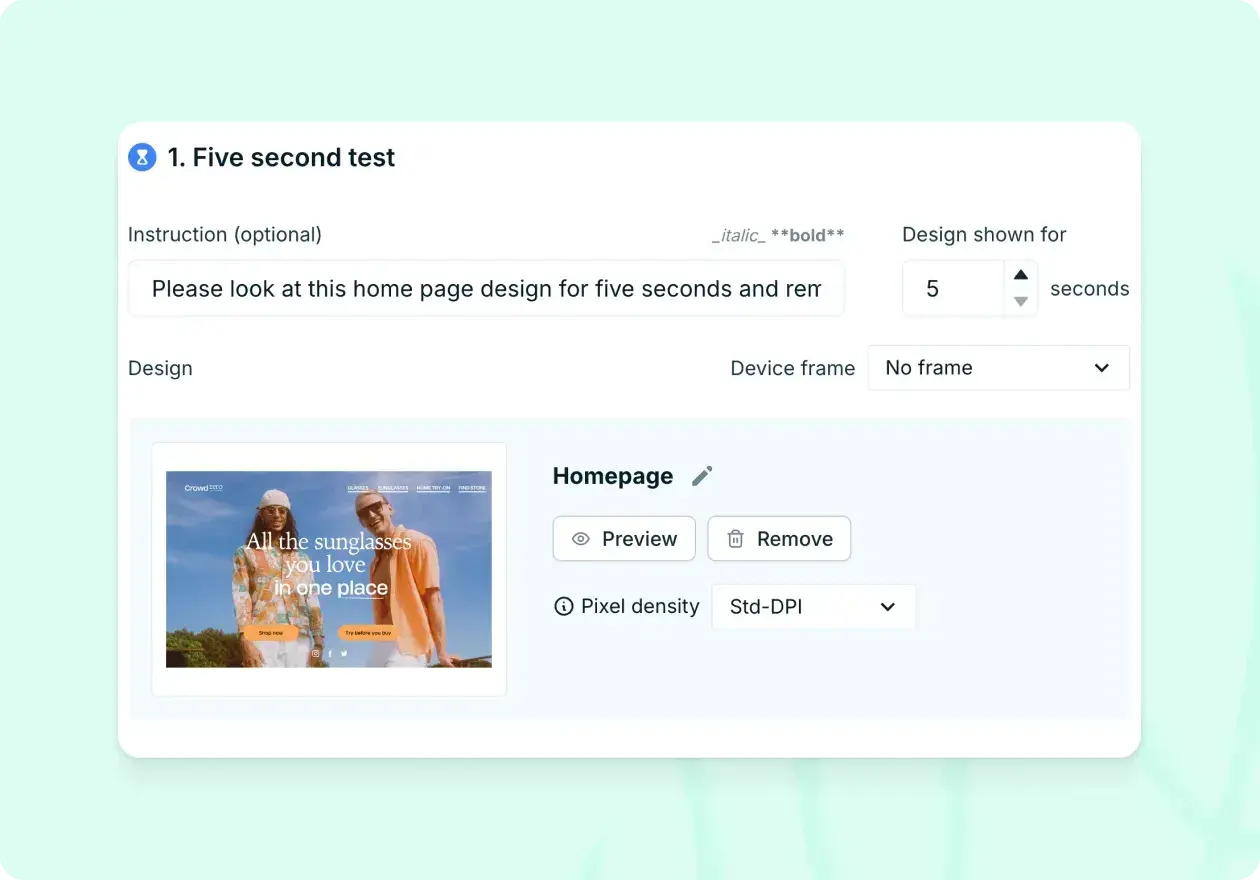
Navigation and information architecture tests
First click testing evaluates whether users can identify the correct starting point for completing tasks on your website. Let's say your SaaS company is developing a new feature for its project management tool. One of its core functionalities is being able to create a new project at the click of a button. You could conduct a first click test to see whether the 'create new project' button is clear to users by giving a specific task, such as 'Where would you go to create a new project?'.
This method is essential for understanding navigation patterns and identifying potential usability issues before they impact the full user journey.
Below are Lyssna templates to common first click testing use cases:
Card sorting helps you understand how users naturally categorize and organize information. Participants group related items together and often provide labels for their categories, revealing their mental models of your content structure.
Tree testing evaluates the findability of information within your site's hierarchy. Participants navigate through a text-based version of your site structure to complete specific tasks, helping you identify navigation problems without visual design influence.
These information architecture methods are crucial for creating intuitive navigation systems and organizing content in ways that match user expectations. For comprehensive guidance on these methods, explore our guides on first click testing, card sorting, and tree testing.
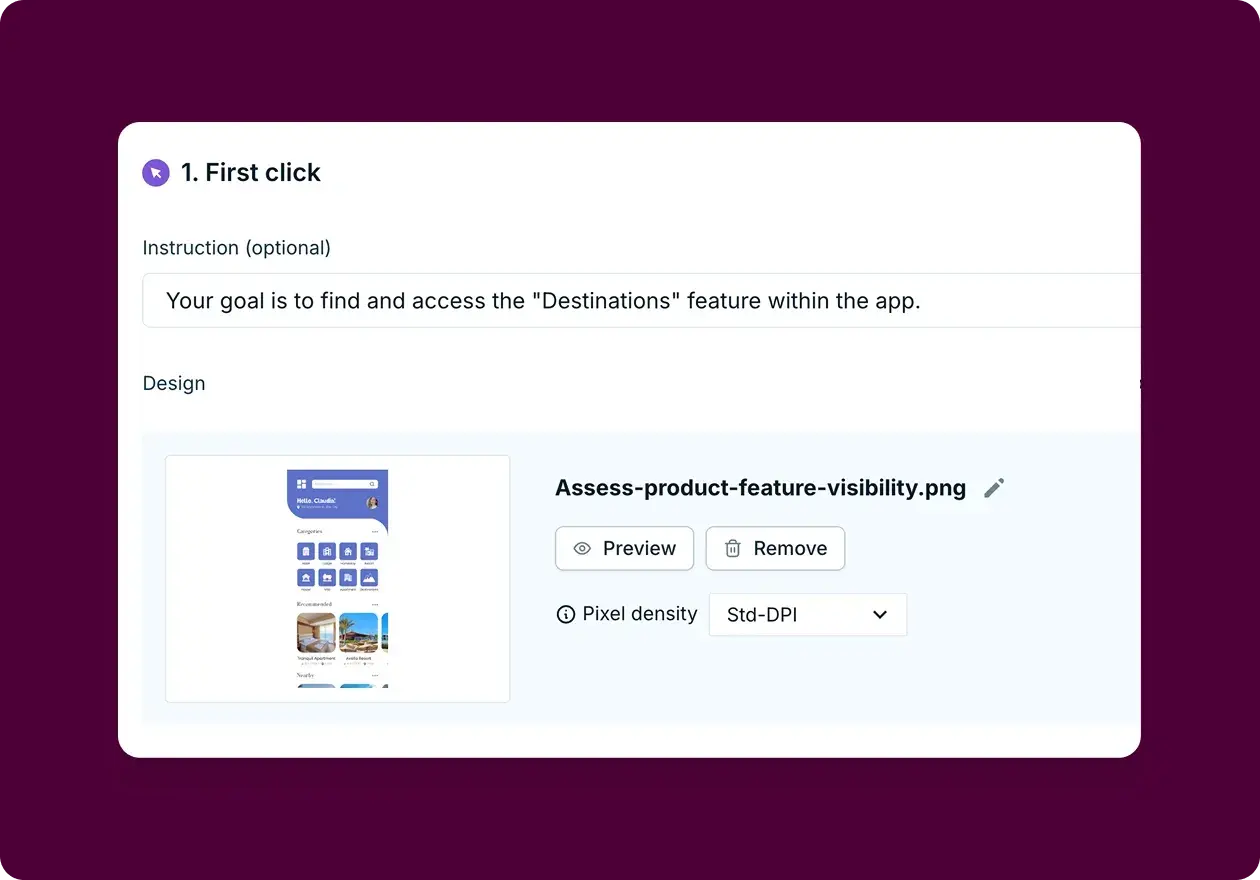
Preference and comparison tests
Preference testing helps you make decisions between different design options by gathering user feedback on competing approaches. This method shares similarities with comparative usability testing, where multiple designs are evaluated against the same criteria. Say your company is updating its CRM software subscription plans and you want to test four potential sign-up page options to see which one users prefer. You could set up a preference test in Lyssna with the four sign-up page designs.
This method is particularly valuable when you have multiple viable design directions and need user input to guide your decision-making process. It's important to ask participants to explain why they prefer one design over the others, as this gives you qualitative feedback that can be used to refine the design further.
Below are Lyssna templates to common preference testing use cases:
When to use preference testing:
When choosing between multiple design concepts
Before finalizing visual design elements
To validate design decisions with user feedback
When stakeholders need data to support design choices
For detailed implementation guidance, see our preference testing guide.
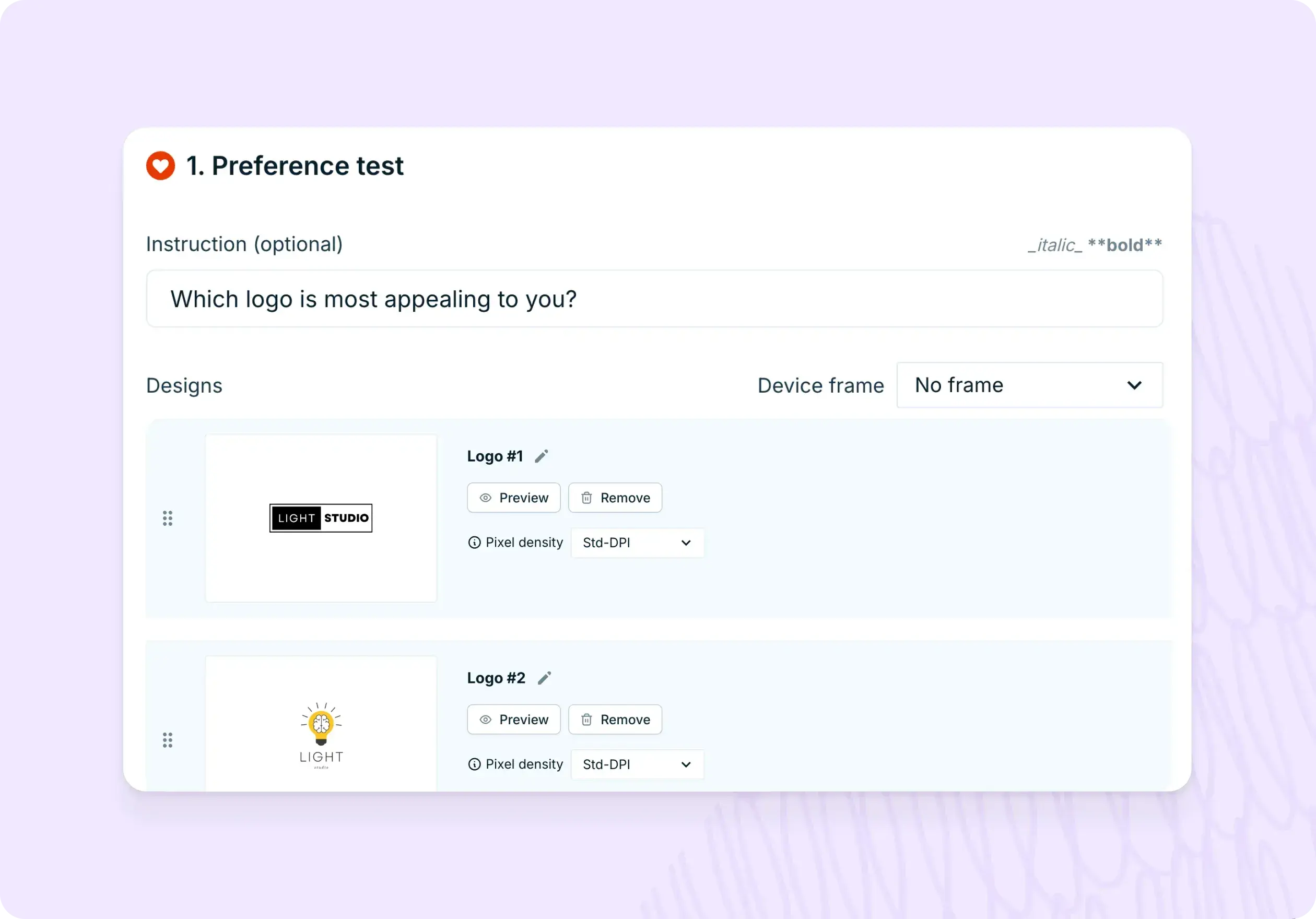
Prototype and concept tests
Prototype testing allows you to validate design concepts and user flows before investing in full development. Imagine you work at a media company that's developing a new podcast streaming service. Your team has created a Figma prototype that includes a feature for creating custom playlists. You could import this into Lyssna to test whether users understand how to use the feature and whether it meets their needs.
By testing your prototypes, you can identify potential problems early through design validation testing and make adjustments before investing more time and resources in building the final product.
Below are Lyssna templates to common prototype testing use cases:
When to use prototype testing:
Early in the design process with low-fidelity prototypes
Before development begins on new features
When testing complex user flows or interactions
To validate design concepts with real user behavior
For comprehensive guidance on prototype testing, explore our prototype testing guide.
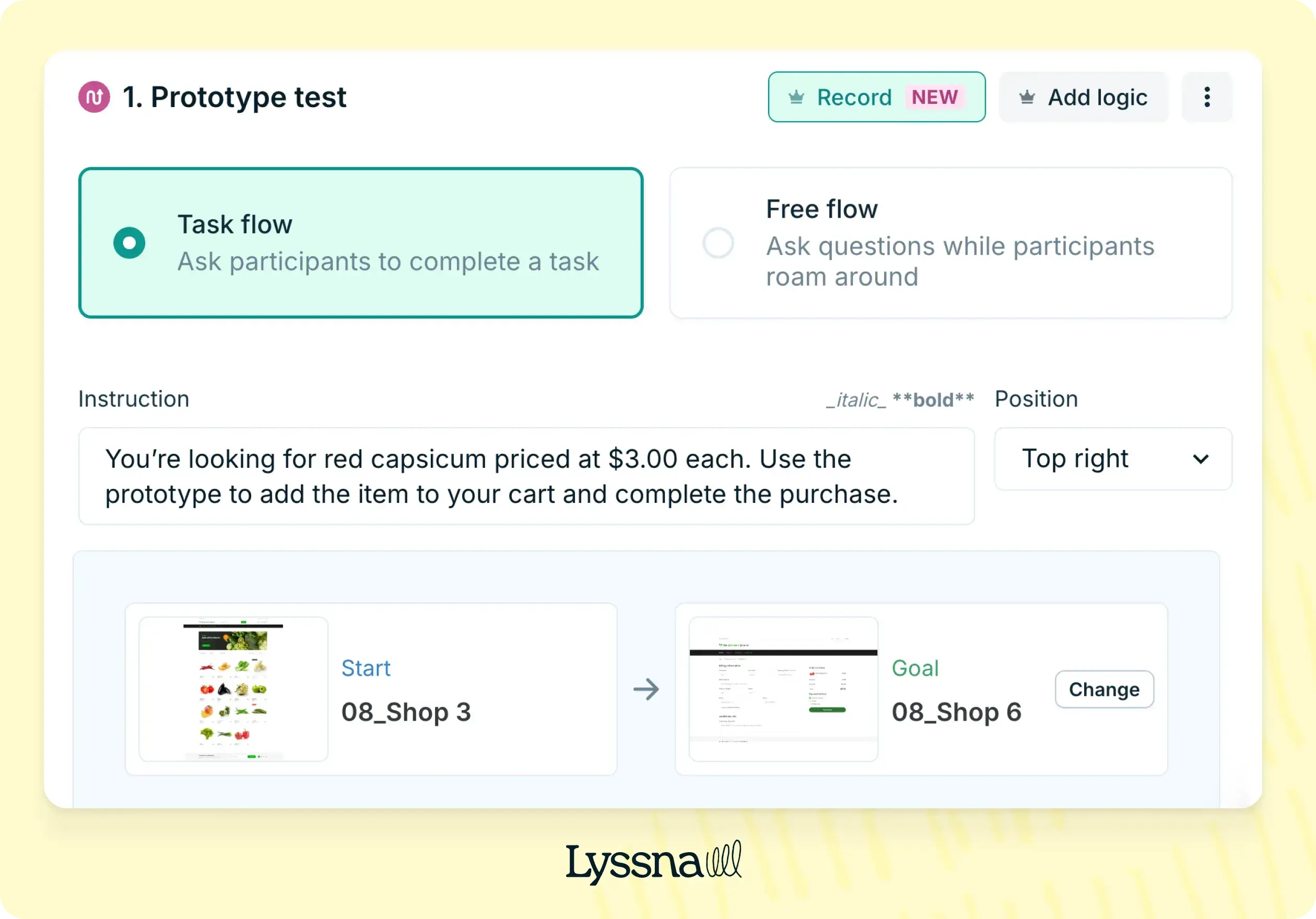
Guerrilla and quick feedback tests
Guerrilla testing provides rapid, informal feedback by approaching potential users in public spaces or online communities. Guerrilla testing involves approaching people in public places and asking them to try out your product or website. You observe the user as they interact with the product, ask them questions about their experience, and take notes on any issues they encounter.
Say you're developing a new mobile app for booking restaurant reservations. You want to see how easy it is for users to navigate through the app, find a restaurant, and make a reservation. You could conduct guerrilla testing by heading to a local coffee shop and asking people passing by if they have a few minutes to test the app prototype, and offer a small incentive to encourage participation, like a gift card or a free coffee.
When to use guerrilla testing:
When you need quick feedback on early concepts
For testing simple tasks or first impressions
When formal testing isn't feasible due to time or budget constraints
To validate assumptions before investing in more comprehensive research
When should you do usability testing?
The timing of usability testing significantly impacts the value and actionability of your insights. Rather than treating usability testing as a one-time activity, the most successful teams integrate testing throughout their product development lifecycle.
Early concept stage: Use guerrilla testing, five second tests, and preference testing to validate initial ideas and design directions. At this stage, you're primarily concerned with whether users understand your concept and whether it resonates with their needs.
Design and prototyping stage: Implement prototype testing and moderated usability testing to evaluate user flows and interaction patterns. Focus on understanding whether users can complete key tasks and where they encounter friction.
Pre-launch stage: Conduct comprehensive unmoderated testing and first-click testing to identify any remaining usability issues before your product reaches real users. This is your last opportunity to catch problems before they impact user experience.
Post-launch stage: Use ongoing unmoderated testing, analytics review, and user feedback collection to monitor usability performance and identify areas for improvement. This stage focuses on optimization and iteration based on real user behavior.
During major updates: Whenever you're planning significant changes to your product, return to appropriate testing methods to validate your updates before implementation.
The key is matching your testing approach to your current product stage and the decisions you need to make. Early-stage testing should be quick and directional, while later-stage testing can be more comprehensive and detailed.

How often should you do usability testing?
The frequency of usability testing depends on your product development cycle, team resources, and the pace of change in your product. However, research shows that regular, consistent testing provides more value than sporadic, comprehensive studies.
Testing approach | Frequency | Best for | What it looks like | Key benefits |
|---|---|---|---|---|
Continuous testing | Weekly or bi-weekly | Teams with ongoing development cycles, mature products with regular updates | Quick unmoderated tests, guerrilla feedback sessions, regular user interviews integrated into weekly workflows | Catch problems early, stay connected to user needs, build a culture of user-centricity |
Sprint-based testing | Every 1-2 weeks (aligned with sprint cycles) | Agile teams, product teams using scrum or kanban methodologies | Testing at sprint end to validate completed work or at sprint start to inform upcoming development | Seamless integration with existing workflows, timely feedback for iterative development |
Feature-based testing | As needed around releases | Teams with less predictable development cycles, resource-constrained teams, product teams working on major feature launches | Comprehensive testing before and after significant feature releases or product updates | Focused insights when they matter most, efficient use of limited research resources |
Quarterly comprehensive reviews | Every 3 months | All teams (as a complement to other approaches) | Broader evaluation of overall user experience, benchmarking performance, identifying systemic issues | Big-picture perspective, track improvement over time, catch issues that emerge slowly |
The most important factor: Consistency matters more than frequency. Regular testing, even if less comprehensive, typically provides more value than infrequent but extensive testing sessions.
How to choose the right method
Selecting the appropriate usability testing method requires considering multiple factors that influence both the quality of insights you'll gather and the practical feasibility of conducting the research.
Research goals
The specific questions you're trying to answer should be your primary guide for method selection.
Testing first impressions: If you want to understand users' immediate reactions to your design, five second testing and preference testing are most effective. These methods capture gut reactions before users have time to rationalize their responses.
Evaluating task success: When you need to understand whether users can complete specific actions, moderated task-based testing and unmoderated usability testing provide the most comprehensive insights. These methods allow you to observe the complete user journey and identify specific friction points.
Assessing navigation and findability: For questions about information architecture and site organization, first-click testing, card sorting, and tree testing offer specialized insights that other methods can't provide.
Comparing design options: When choosing between multiple design directions, preference testing and A/B testing help you make data-driven decisions based on user feedback.
Understanding user motivations: For deeper insights into why users behave in certain ways, moderated testing methods provide the richest qualitative data through real-time questioning and observation.
Product stage
Your product's development stage significantly influences which testing methods will provide the most valuable insights.
Early stage (idea and concept): Focus on guerrilla testing, prototype testing, and five second testing. These methods help validate core concepts and design directions without requiring fully developed products.
Mid-stage (design and development): Use moderated task-based testing, first click testing, and preference testing to refine user flows and make design decisions. This stage benefits from more comprehensive testing that can guide development priorities.
Post-launch (optimization and iteration): Implement remote unmoderated testing, analytics review, and A/B testing to optimize existing features and identify improvement opportunities. This stage emphasizes scalable testing methods that can provide ongoing insights.
Resources (budget, time, people)
Your available resources significantly impact which testing methods are feasible for your team.
Low budget and time constraints: Unmoderated testing, guerrilla testing, and analytics review provide valuable insights with minimal resource investment. These methods can often be implemented within days and provide actionable feedback quickly.
Moderate resources: Moderated remote testing and comprehensive unmoderated studies offer deeper insights while remaining cost-effective. These approaches balance insight quality with resource efficiency.
Larger budgets: Lab-based moderated sessions, comprehensive user research studies, and longitudinal testing programs provide the richest insights but require significant time and financial investment.
Remember that the most expensive method isn't necessarily the most valuable. Often, quick and simple testing methods provide sufficient insights to make informed decisions, especially in fast-moving development environments.
Audience and accessibility
Your target audience characteristics and accessibility requirements also influence method selection.
Global reach requirements: Remote testing methods enable you to reach participants across different geographic locations and time zones, providing insights from diverse user groups.
Accessibility considerations: In-person testing often provides better opportunities for detailed observation of how users with disabilities interact with your product, allowing you to identify accessibility barriers that might not be apparent in remote testing.
Specific user groups: Some audiences are easier to reach through certain testing methods. For example, busy professionals might be more willing to participate in quick unmoderated tests than lengthy moderated sessions.
Technical comfort levels: Consider your audience's comfort with technology when selecting testing methods. Some users may struggle with remote testing tools, while others prefer the convenience of testing from their own environment.

Best practices for choosing a usability testing method
Successful usability testing programs follow several key principles that maximize the value and impact of research efforts.
Start simple, iterate often: Begin with straightforward testing methods that provide quick insights, then gradually incorporate more complex approaches as your research program matures. This approach helps you build testing habits and demonstrate value before investing in more resource-intensive methods.
Combine qualitative and quantitative methods: Use quantitative methods to identify what's happening in user behavior, then apply qualitative methods to understand why it's happening. This combination provides both the statistical confidence to make decisions and the contextual understanding to make the right decisions.
Test early, test frequently: Conduct testing throughout your development process rather than waiting until the end. Early testing catches problems when they're easier and less expensive to fix, while frequent testing ensures you stay connected to user needs as your product evolves.
Align usability testing with KPIs: Connect your testing methods to business metrics that matter to your organization. This alignment helps demonstrate the value of usability testing and ensures your research contributes to meaningful business outcomes.
Document and share insights: Establish processes for capturing, organizing, and sharing insights from your usability testing. The most valuable research is research that actually influences product decisions, which requires effective communication and documentation practices.
Build testing into your workflow: Rather than treating usability testing as an ad-hoc activity, integrate it into your regular product development processes. Creating a structured usability test plan ensures testing happens consistently and provides ongoing value to your team.
This integration ensures testing happens consistently and provides ongoing value to your team.
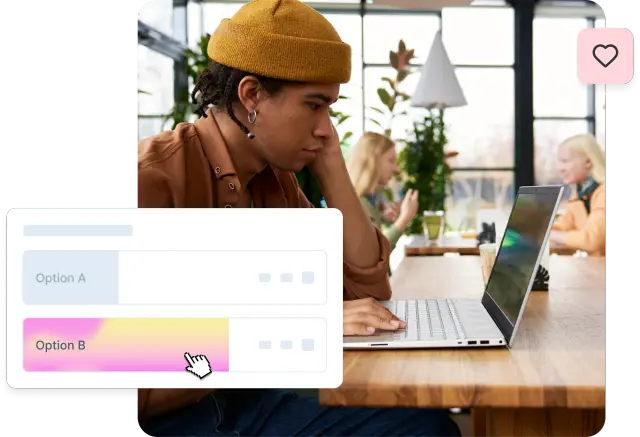
FAQs about usability testing methods
Remote usability testing
Learn what remote usability testing is, when and how to conduct it effectively, and how to use different testing methods to gather authentic user insights that drive better product decisions.
Remote usability testing has transformed how teams gather user feedback, breaking down geographical barriers and enabling more authentic insights. According to a Gartner survey, 82% of company leaders plan to allow employees to work remotely at least part of the time, making remote testing methods increasingly essential for gathering honest feedback from participants in their own environments.
This guide covers everything you need to know about remote usability testing: what it is, when to use it, and how to conduct it effectively to drive better product decisions.
What is remote usability testing? An overview
Remote usability testing represents a fundamental shift from traditional lab-based research, enabling teams to observe real users interacting with products in their natural environments while gathering authentic feedback about user experiences.
Definition
Remote usability testing is a method where participants test a product from their own environment while researchers observe remotely. Unlike traditional in-person usability testing conducted in controlled lab settings, remote testing allows participants to use their own devices, internet connections, and familiar surroundings while completing tasks and providing feedback.
This approach leverages digital platforms and screen-sharing technology to bridge the gap between researchers and participants, creating a more natural testing environment that often yields more authentic user behavior and honest feedback.
Testing type | Setup | Cost | Scale | Insights |
|---|---|---|---|---|
Remote | Quick digital setup via platforms like Zoom or Lyssna | Lower (no travel or facility costs) | Easy to scale globally with diverse participants | Authentic behavior in natural environments; less observer effect |
In-person | Requires physical lab space and equipment coordination | Higher (facility rental, travel, equipment) | Limited by geography and scheduling | Controlled environment; direct observation of body language and reactions |
Key characteristics
Remote usability testing has several defining characteristics that distinguish it from traditional testing methods:
Conducted online via platforms like Zoom or Lyssna
Modern remote testing relies on specialized platforms that can capture screen recordings, audio, and sometimes video of participants as they interact with digital products. Some usability testing tools, like Lyssna, offer the ability to record participants' audio, camera, and screen, which can help address this issue.
Participants use their own devices
Rather than using standardized lab equipment, participants test on their personal computers, tablets, or smartphones. This provides insights into how products perform across different devices, operating systems, and screen sizes that users actually use in real life.
Sessions can be moderated or unmoderated
Remote testing offers flexibility in how much researcher involvement occurs during the session. Moderated sessions include real-time interaction between researcher and participant, while unmoderated sessions allow participants to complete tasks independently with their actions recorded for later analysis.
Why it matters
Remote usability testing enables cost-effective, scalable, and authentic insights compared to lab-based testing. The traditional model of bringing participants into controlled lab environments, while valuable for certain types of research, creates artificial conditions that can influence user behavior.
Remote testing addresses several key limitations of lab-based research:
Authentic environment: Participants test in their actual usage environment, complete with their typical distractions, device configurations, and real-world constraints. This authenticity often reveals usability issues that wouldn't surface in a sterile lab setting.
Reduced observer effect: Participants often feel more comfortable and behave more naturally when they're not being watched in person, leading to more honest feedback and typical usage patterns.
Broader accessibility: Remote testing removes geographical constraints and makes it easier for people with mobility limitations, busy schedules, or other barriers to participate in research.
Faster turnaround: Without the need to coordinate physical spaces and travel, remote testing can be set up and executed much more quickly than traditional lab studies.

5 key benefits of remote usability testing
Remote usability testing offers strategic advantages that can transform how teams approach user research and product development.
1. Wider reach and diverse participants
Remote usability testing breaks down geographical barriers, letting you connect with a global audience without physical location constraints. This provides rich, varied data from users across different demographics, cultures, and backgrounds.
Traditional testing limits you to people who can physically visit a facility—typically a narrow geographic area. This creates blind spots, especially for products intended for global or diverse audiences.
Remote testing enables you to:
Access global talent pools: Recruit participants from anywhere, ensuring research reflects your actual user base
Include underrepresented groups: Reach participants who face barriers to in-person testing—people with disabilities, parents with young children, or those in rural areas
Test across devices and environments: Observe performance on different devices, operating systems, and internet speeds that reflect real-world conditions
Capture cultural nuances: Understand how users from different backgrounds interact with your product, revealing insights crucial for international expansion
2. Cost-effective
Traditional in-person testing comes with high costs: facility rental, participant compensation, and travel expenses. Remote testing eliminates these costs, making it budget-friendly.
Key savings include:
No facility costs: Eliminates hundreds or thousands of dollars per day for dedicated testing spaces
Reduced participant compensation: Without travel requirements, participants often accept lower rates
Zero travel expenses: Neither researchers nor participants need to travel
Scalable economics: Run dozens or hundreds of sessions simultaneously across time zones without significant added costs
Faster setup: Launch tests within hours rather than days or weeks, reducing opportunity costs
3. Real-world context
Users test in familiar environments, providing natural feedback that reflects actual usage patterns. This real-world context reveals insights that controlled labs cannot capture.
What you gain:
Natural distractions: Participants experience the same interruptions they face during normal usage—phone calls, notifications, family members. These reveal how your product performs under real conditions
Authentic device usage: Participants use their own devices with customized settings and installed apps, showing how your product interacts with real environments
Typical internet conditions: Testing on actual internet speeds reveals performance issues affecting real users
Comfortable honesty: Participants provide more candid feedback in their own space, leading to honest assessments
"We used to spend days collecting the data we can now get in an hour with Lyssna. We're able to get a sneak preview of our campaigns' performance before they even go live."
Aaron Shishler
Copywriter Team Lead at monday.com
4. Scalability
Unmoderated tests let teams run many sessions at once, dramatically increasing feedback volume within a given timeframe. This becomes valuable when you need to validate design decisions quickly or test with large sample sizes.
Scalability advantages:
Simultaneous sessions: Dozens of participants can complete tasks at once, unlike one-at-a-time moderated testing
Rapid iteration cycles: Launch a test, gather results, make changes, and test again within the same day
Statistical confidence: Larger sample sizes become economically feasible, enabling statistically significant results
Time zone advantages: Global testing means participants can complete sessions around the clock
5. Flexibility for teams
Remote tools allow distributed teams to collaborate in real time, supporting modern remote and hybrid work environments. This flexibility extends to both research teams and the broader product development process.
Team benefits:
Distributed observation: Multiple team members can observe sessions from different locations without physical space constraints
Asynchronous analysis: Team members in different time zones can review recordings and contribute insights on their own schedules
Cross-functional participation: Product managers, developers, and designers can all observe sessions without logistical complexity
Documentation and sharing: Digital recordings and automated transcripts make it easier to share insights and create lasting documentation

Disadvantages of remote usability testing
While remote usability testing offers significant advantages, it's important to understand its limitations to set realistic expectations and choose the right approach for your research goals.
1. Limited contextual cues
It's harder to read body language or subtle emotional signals that provide valuable insights into user experience. In traditional lab settings, researchers can observe micro-expressions, posture changes, and other non-verbal cues that indicate frustration, confusion, or delight.
What you might miss:
Emotional indicators: Subtle signs of user frustration or satisfaction might not be captured through screen recordings alone
Empathy building: Team members observing remote sessions may not develop the same emotional connection to user struggles that comes from in-person observation
Environmental context: While you can see what's happening on screen, you might miss important environmental factors affecting the user's experience
Communication barriers: Video call fatigue and technical audio issues can make it harder to build rapport with participants and encourage open feedback
2. Technical barriers
Issues like poor internet or unfamiliarity with tools can disrupt sessions and affect the quality of data collected. Technical problems can create artificial friction that doesn't reflect actual product usability issues.
Common technical challenges:
Connectivity issues: Poor internet connections can cause lag, dropped calls, or poor audio quality that interferes with natural task completion
Platform learning curve: Participants may struggle with screen sharing software or testing platforms, creating additional cognitive load that affects their performance
Device compatibility: Different operating systems, browsers, or device configurations might cause technical issues that don't reflect real usability problems
Recording failures: Technical glitches can result in lost session data, requiring additional sessions and potentially delaying insights
If you're using a usability testing platform like Lyssna, security is handled responsibly and carefully, but teams should still prepare backup plans for technical difficulties.
3. Less control over environment
Participants may face distractions at home or in public spaces that can affect their focus and the validity of test results. While real-world distractions can provide valuable insights, they can also interfere with specific research objectives.
Potential disruptions:
Unpredictable interruptions: Family members, pets, deliveries, or other household activities can interrupt sessions and affect participant focus
Inconsistent lighting and audio: Varying environmental conditions can make it harder to observe participant reactions or hear their feedback clearly
Privacy concerns: Participants might be less willing to share honest feedback if they're concerned about family members or colleagues overhearing their comments
Multitasking temptation: Without researcher supervision, participants might be tempted to check email, respond to messages, or engage in other activities during testing
4. Recruitment challenges
Ensuring participants fit the exact persona can be harder online. Recruiting user research participants remotely often relies on self-reported information and digital screening methods rather than in-person verification.
Key recruitment issues:
Identity verification: It can be more difficult to verify participant characteristics and ensure they truly represent your target audience
Motivation and engagement: Remote participants might be less engaged or motivated compared to those who have made the effort to visit a testing facility
No-show rates: Remote sessions often experience higher no-show rates, as participants face fewer barriers to canceling at the last minute
Technical prerequisites: Participants need adequate technical setup and skills, which might exclude certain user groups from your research

Remote usability testing methods
Understanding the different approaches to remote usability testing helps you choose the right method for your specific research goals, timeline, and resources.
Moderated remote testing
Live sessions with a facilitator guiding the participant through tasks while observing and asking questions in real time. This approach maintains the interactive benefits of traditional lab testing while gaining the advantages of remote participation.
How it works: A researcher conducts the session via video conferencing software, guiding participants through predetermined tasks while observing their screen and asking follow-up questions. The researcher can provide clarification, probe deeper into participant responses, and adapt the session based on what they observe.
Moderated remote testing is best for:
Complex prototypes, exploratory testing, and situations where you need to understand the "why" behind user behavior. Moderated sessions excel when you're testing early-stage concepts, need to explore user mental models, or want to gather detailed qualitative insights.
Key advantages:
Real-time clarification and follow-up questions
Ability to adapt the session based on participant responses
Rich qualitative insights from direct conversation
Immediate problem identification and exploration
Typical session structure:
Introduction (5 minutes): Welcome participant, explain process, address questions
Background questions (5-10 minutes): Understand participant context and experience
Task completion (20-30 minutes): Guide through specific scenarios while observing
Wrap-up discussion (5-10 minutes): Gather overall impressions and final thoughts
Unmoderated remote testing
Participants complete tasks independently with recordings, providing a more scalable approach to gathering usability feedback. This method captures natural user behavior without researcher influence while enabling larger sample sizes.
Examples of unmoderated testing include five second testing, first click testing, preference testing, prototype testing, as well as screen and voice recording.
How it works: Participants receive instructions and complete tasks on their own time while their screen activity, audio, and sometimes video are recorded. They typically think aloud as they work through scenarios, providing insights into their thought processes and reactions.
Unmoderated remote testing is best for:
Quick feedback, large sample sizes, and situations where you want to minimize researcher bias. Unmoderated testing is particularly effective for testing specific task flows, gathering quantitative data, and validating design decisions with statistical confidence.
Key advantages:
Scalable to large participant numbers
Eliminates researcher bias and influence
Participants work at their own pace and comfort level
Cost-effective for gathering broad feedback
Available 24/7 across different time zones
Typical testing scenarios:
Task completion rates and success metrics
Navigation and findability issues
First impressions and initial reactions
Comparative testing between design options
Moderated vs unmoderated testing: A comparison
Choose the right method for your research goals.
Moderated testing | Unmoderated testing | |
|---|---|---|
Best for | - Complex prototypes - Exploratory testing - Understanding "why" behind behavior - Early-stage concepts | - Quick feedback - Large sample sizes - Task completion rates - Minimizing researcher bias |
Key advantages | - Real-time clarification and follow-ups - Adapt based on participant responses - Rich qualitative insights - Immediate problem identification | - Scalable to large participant numbers - Eliminates researcher bias - Participants work at their own pace - Cost-effective for broad feedback - Available 24/7 across time zones |
Sample size | 5-8 participants (deeper insights) | 20+ participants (broader patterns) |
Session length | 30-45 minutes (including intro and wrap-up) | 15-20 minutes (active testing time) |
Cost per session | Higher (researcher time required) | Lower (automated process) |
Research questions answered | - "Why did users struggle here?" - "What are users thinking?" - "How do users conceptualize this feature?" | - "Can users complete this task?" - "How long does it take?" - "What percentage succeed?" |
Best use cases | - Testing early-stage concepts - Exploring user mental models - Gathering detailed qualitative insights | - Testing specific task flows - Gathering quantitative data - Validating design decisions with statistical confidence |
Quick decision guide
Choose moderated testing if you need to understand the "why" behind user behavior or are testing complex, early-stage concepts.
Choose unmoderated testing if you need large sample sizes, quick feedback, or want to minimize researcher bias.
Mix both methods for comprehensive insights: use unmoderated for breadth, then moderated for depth.
Screen-share interviews
Users share screens while completing tasks; researchers observe and ask questions in a hybrid approach that combines elements of both moderated and unmoderated testing.
How it works: Participants share their screen via video conferencing while a researcher observes silently or with minimal intervention. This method allows for real-time observation while maintaining a more natural user experience than heavily moderated sessions.
Screen-share interviews are best for:
Prototype walkthroughs and usability flow checks where you want to observe natural behavior while retaining the ability to ask clarifying questions.
Key characteristics:
Minimal researcher intervention: Researchers primarily observe, only speaking to clarify instructions or ask follow-up questions
Natural task flow: Participants work through tasks at their own pace without constant guidance
Real-time insights: Researchers can identify issues immediately while still capturing authentic user behavior
Flexible interaction: Ability to switch between observation and conversation as needed
Asynchronous feedback tools
Tools where participants record feedback on their own time, such as video diaries or delayed response surveys, provide insights without requiring real-time coordination between researchers and participants.
How it works: Participants receive tasks or prompts and record their responses using video, audio, or text-based tools. They can complete these activities when convenient, providing feedback that researchers review and analyze later.
Asynchronous feedback tools are best for:
Concept testing and first impressions, longitudinal studies, and gathering feedback from participants across multiple time zones or with scheduling constraints.
Common formats:
Video diaries: Participants record themselves discussing their experience with a product over time
Screenshot annotations: Users capture and annotate screens to highlight specific issues or positive elements
Voice recordings: Audio feedback about specific features or overall impressions
Written responses: Detailed text feedback about user experience and suggestions for improvement

When to conduct remote usability tests
Understanding the optimal timing for remote usability testing helps teams maximize the value of their research efforts and gather insights when they'll have the greatest impact on product development.
Stage | What to test | Key benefits | Best methods |
|---|---|---|---|
Early design | Wireframes, clickable prototypes, information architecture | Prevents costly redesigns; quick iteration cycles; test multiple concepts cheaply | Unmoderated testing for large samples; moderated for exploring user flows |
Pre-launch | Onboarding flows, core features, conversion paths, error handling | Last chance to fix issues before impacting real users; doesn't delay launch | Moderated testing for critical flows; unmoderated for broad validation |
Post-launch | Feature adoption, support ticket patterns, analytics anomalies | Continuous improvement; addresses real user problems; tracks optimization over time | Mix of both: moderated for deep dives, unmoderated for tracking metrics |
Global testing | Cultural fit, translations, regional devices, local context | Understand international markets without travel costs; test with native speakers | Unmoderated for scale across time zones; moderated for cultural insights |
Early design stages
Validate wireframes or clickable prototypes before development to identify major usability issues and validate core user flows before investing in full development.
Why this timing matters: Early-stage testing prevents costly redesigns later in the development process. Remote testing is particularly valuable at this stage because you can quickly test multiple concept variations with different user groups to identify the most promising direction.
What to test:
Information architecture: How users navigate through your proposed site structure
Core user flows: Whether users can complete primary tasks with your wireframe designs
Content comprehension: If users understand your messaging and value proposition
Feature prioritization: Which proposed features users find most valuable or confusing
Remote testing advantages at this stage:
Quick iteration cycles allow rapid testing of design variations
Lower costs enable testing multiple concepts without budget constraints
Diverse participant pools provide broader perspective on design decisions
Unmoderated testing can gather feedback from large samples to validate design directions
“Lyssna is supporting us in reducing the MVP delivery timeline from 1 year to 3 months.”
Louis Patterson
Innovation Delivery Officer at British Red Cross
Pre-launch testing
Test navigation, onboarding, or checkout before release to identify and fix critical usability issues that could impact user adoption or conversion rates.
Critical focus areas:
Onboarding flows: Ensure new users can successfully complete account creation and initial setup
Core feature adoption: Test whether users can discover and use your product's main features
Conversion paths: Validate that purchase, signup, or other conversion flows work smoothly
Error handling: Identify how users react to and recover from error states
Strategic value: Pre-launch testing provides the last opportunity to fix major usability issues before they impact real users and business metrics. Remote testing's speed advantage means you can identify and address issues without delaying launch timelines.
Post-launch optimization
Identify pain points and friction in live products to continuously improve user experience and address issues discovered through user feedback or analytics data.
Ongoing optimization opportunities:
Feature adoption issues: Understand why certain features have low usage rates
Support ticket patterns: Investigate common user problems reported to customer service
Analytics anomalies: Explore unexpected user behavior patterns revealed by data analysis
Competitive response: Test how your product compares to new competitor offerings
Remote testing benefits for optimization:
Quick deployment means you can test solutions rapidly
Real-world testing environment matches actual user conditions
Cost-effectiveness enables frequent testing to track improvement over time
Large sample sizes provide statistical confidence for optimization decisions
Global testing
Ideal for products targeting multiple regions, devices, and languages, remote testing enables comprehensive international user research without the prohibitive costs of global travel.
International research advantages:
Cultural insights: Understand how different cultures interact with your product
Language testing: Validate translations and localized content with native speakers
Regional device preferences: Test on devices and platforms popular in specific markets
Local context understanding: Observe how local internet speeds, usage patterns, and environmental factors affect user experience
Practical considerations:
Time zone coordination: Plan sessions across multiple time zones to accommodate global participants
Local recruitment: Partner with local research firms or use international participant panels
Cultural sensitivity: Adapt research protocols to respect local customs and communication styles
Technical requirements: Account for varying internet speeds and device capabilities across regions
Recommended reading: How to create a usability test plan

Our 5 top tips for effective remote usability testing
These practical best practices will help you conduct more successful remote usability tests and gather higher-quality insights from your participants.
1. Set clear goals
Start by clearly defining what you want to achieve with your usability test. Having well-defined goals will guide your test design and ensure the data you collect is relevant, actionable, and aligned with your product development strategy.
Define specific research questions:
What specific user behaviors do you want to observe?
Which metrics will indicate success or failure?
What decisions will you make based on the results?
How will the insights influence your product roadmap?
Choose appropriate success metrics:
Task completion rates: Percentage of users who successfully complete key tasks
Time on task: How long it takes users to complete specific actions
Error rates: Frequency and types of mistakes users make
Satisfaction scores: User ratings of ease of use and overall experience
Conversion metrics: Whether users complete desired actions like signups or purchases
Align with business objectives:
Ensure your testing goals connect directly to business outcomes, whether that's improving conversion rates, reducing support tickets, or increasing feature adoption.
2. Recruit the right participants
Your participants should closely represent your target audience. Use screening questions to confirm they have the necessary experience or fit your target demographic. The more aligned your participants are with your actual users, the more valuable your findings will be.
Effective screening strategies:
Demographic matching: Age, location, income level, and other relevant characteristics
Behavioral criteria: Usage patterns, experience levels, and relevant product familiarity
Technical requirements: Device ownership, internet speed, and platform experience
Motivational alignment: Ensure participants have genuine interest in your product category
Recruitment best practices:
Over-recruit by 20-30%: Account for no-shows and technical difficulties
Diverse representation: Include participants across different user segments
Clear expectations: Communicate time requirements and technical needs upfront
Incentive alignment: Offer appropriate compensation that attracts quality participants
Recommended reading: Quick guide to recruiting user research participants
3. Test the tech first
Before you launch your usability test to a broader audience, run a pilot test with a small group of participants. This helps you spot any issues with your test design, like unclear instructions or technical glitches.
Technical preparation checklist
Platform testing: Verify your chosen testing platform works across different devices and browsers
Recording quality: Ensure audio and video capture meets your analysis needs
Task instructions: Test that participants can understand and follow your instructions
Backup plans: Prepare alternative approaches for common technical issues
Pilot testing process:
Internal testing: Have team members complete the test to identify obvious issues
External pilot: Run 2-3 sessions with external participants to test the full experience
Iteration: Refine instructions, timing, and technical setup based on pilot feedback
Documentation: Create troubleshooting guides for common technical issues
4. Keep sessions short
30–45 minutes ensures participants stay focused and engaged throughout the testing session. Longer sessions can lead to fatigue, reduced attention, and lower-quality feedback.
Testing method | Recommended length | Notes |
|---|---|---|
Moderated sessions | 30-45 minutes | Includes introduction and wrap-up |
Unmoderated tasks | 15-20 minutes | Active testing time only |
Screen-share interviews | 25-35 minutes | Varies depending on complexity |
Asynchronous feedback | Multiple short sessions | Better than one long recording |
Maintaining engagement:
Clear progress indicators: Let participants know how much of the session remains
Varied task types: Mix different types of activities to maintain interest
Regular breaks: Build in natural pause points for longer sessions
Focused scope: Prioritize the most important research questions rather than trying to test everything

5. Mix methods when possible
Combine moderated (depth) and unmoderated (scale) for stronger results that provide both statistical confidence and rich qualitative insights. Different methods excel at answering different types of research questions.
Strategic method combination:
Unmoderated for breadth: Use unmoderated testing to identify patterns across large sample sizes
Moderated for depth: Follow up with moderated sessions to understand the "why" behind observed behaviors
Sequential testing: Start with unmoderated testing to identify issues, then use moderated sessions to explore solutions
Parallel validation: Run both methods simultaneously to validate findings across different approaches
Complementary insights
Quantitative patterns + qualitative understanding: Numbers tell you what's happening, conversations tell you why
Scale + specificity: Broad patterns from large samples plus detailed insights from targeted conversations
Behavioral observation + attitudinal feedback: What users do versus what they say they do
Unlocking user feedback with remote usability testing
Remote usability testing represents more than just a convenient alternative to lab-based research – it's a strategic approach that can fundamentally improve how teams understand and respond to user needs.
Capturing authentic insights
Testing in real-world environments uncovers issues that lab testing often misses. When users interact with your product in their natural contexts—surrounded by their typical distractions, using their own devices, and navigating their actual internet speeds—you see challenges that artificial lab settings simply can't reveal.
Remote usability testing captures authentic insights that make a real difference:
Real conditions: See how your product performs with multitasking, distractions, older devices, and slower connections
Natural behavior: Observe how users actually interact with your product, not how they think they should
Honest feedback: Users provide more candid assessments when comfortable in their own environment
Authentic language: Hear the actual words users employ when describing their experience
These insights reveal not just what users do, but why they do it. This provides the context needed to make informed design decisions that truly address user needs.
Driving better products
Remote usability testing enables teams to reduce risks, validate designs faster, and improve customer satisfaction through more frequent and accessible user feedback. By catching problems early, you can identify usability issues before they reach production and impact real users.
The benefits compound across your development process:
Catch problems early: Identify usability issues before they reach production
Validate decisions: Confirm designs solve actual user problems, not assumed ones
Iterate faster: Quick feedback loops enable rapid improvements
Reduce waste: Prevent building features users don't understand or value
Stay competitive: Respond to user needs faster than competitors
This rapid feedback loop keeps development focused on what truly matters to users, creating a significant competitive advantage for teams that embrace remote testing methods.
The strategic value of remote usability testing
Remote usability testing represents a fundamental shift in how teams approach user research. By removing the barriers of geography, cost, and logistics, it makes user feedback accessible to teams of all sizes and enables continuous connections with users throughout the development process.
“Adopting Lyssna got us into the habit of asking our users questions before locking in decisions.”
Ron Diorio
VP Business Development & Innovation, at The Economist
This transforms user research from an occasional, resource-intensive activity into an ongoing practice that informs every product decision. When user voices remain central to development, the outcomes improve for everyone: users get products that meet their needs, and businesses see better adoption, reduced support costs, and stronger satisfaction.

FAQs about remote usability testing
Best usability testing template
Looking for the best usability testing templates? Discover 12 top templates, tips for choosing the right one, and how Lyssna can help streamline your UX testing.
The right usability testing template can transform chaos into clarity. However, finding the best fit for your needs takes some navigation.
Whether you're running your first usability test or scaling research across multiple products, templates provide the structure and consistency that turn overwhelming data into actionable insights. They're especially valuable when resources are tight, helping you avoid critical missteps that could invalidate your findings.
This guide cuts through the noise with 12 top usability testing templates – from test planning and scripts to specialized formats for different methods. You'll also get practical tips for choosing the right template and discover how Lyssna's built-in options can streamline your entire workflow.
Why use a usability testing template
Creating a usability test from scratch takes time – time you could spend analyzing results or refining your designs. A template provides a ready-made structure that covers all the essentials, from setting goals to outlining tasks.
Let's explore why the best usability testing templates have become essential tools for UX researchers and designers.
Ensure consistency
With a template, every test follows a standardized process, ensuring consistency across different testing sessions. This makes comparing results, identifying patterns, and drawing reliable conclusions easier.
When multiple team members conduct usability tests, templates ensure everyone follows the same methodology and captures data in the same format. This consistency becomes crucial when you're running tests across different products, user segments, or time periods.
Templates also help maintain consistency in how you communicate findings to stakeholders. When your reports follow a standard structure, stakeholders know what to expect and can more easily compare results across different studies.
Save time
The efficiency gains from using templates compound over time. Instead of starting from scratch for each test, you can focus your energy on customizing the template for your specific research questions and user scenarios.
Templates can be particularly helpful for onboarding new team members or stakeholders unfamiliar with usability testing. They provide a clear roadmap of what needs to be done, making it easier for newcomers to understand the process and jump in without extensive training.
For teams running regular usability tests, templates create a foundation that can be quickly adapted for different products, features, or user groups. This scalability becomes essential as your research program grows.
Improve reliability of results
Clear, repeatable formats reduce bias and human error in both test execution and analysis. Templates help ensure you ask the right questions in the right way, reducing the risk of leading participants or missing critical observations.
Standardized templates also make it easier to spot patterns across multiple tests. When data is collected and presented consistently, you can more confidently identify trends and make evidence-based recommendations.
The structure provided by templates helps reduce moderator bias by ensuring all participants receive the same introduction, tasks, and follow-up questions. This consistency is crucial for generating reliable, comparable data.
Easy collaboration
Templates make it simpler for cross-functional teams (design, product, dev) to align on goals and methods. When everyone understands the testing structure and expected outcomes, collaboration becomes more effective.
Sharing templates across teams also helps spread best practices and ensures that different groups are using proven methodologies. This is particularly valuable in larger organizations where multiple teams might be conducting usability tests independently.
Templates also facilitate stakeholder buy-in by providing a professional, structured approach to testing. When stakeholders see a well-organized template, they're more likely to trust the research process and act on the findings.
12 best usability testing templates
The best usability testing templates combine proven methodologies with practical flexibility. Our curated list includes templates for every stage of the testing process, from initial planning to final reporting. These templates have been selected based on their effectiveness, ease of use, and ability to generate actionable insights.
Template | Best for | Key use case | When to use it |
|---|---|---|---|
1. Test plan | Planning and preparation | Define objectives, participants, methodology, and success criteria | Before starting any usability test to ensure thorough preparation |
2. Test script | Moderated testing | Ensure consistent test execution across multiple moderators | When conducting moderated tests or training new researchers |
3. Task scenario | Creating test tasks | Write clear, unbiased tasks that reveal genuine user behavior | When designing realistic test scenarios for any usability test |
4. Reporting | Presenting findings | Transform raw observations into actionable insights for stakeholders | After completing testing to communicate results and recommendations |
5. Five second test | First impressions | Evaluate visual hierarchy, messaging clarity, and initial reactions | Early in design process for quick feedback on visual concepts |
6. First click test | Navigation testing | Understand how users navigate and find key features | When evaluating information architecture and navigation patterns |
7. Preference test | Design comparison | Compare multiple design variations and understand user choices | When you have multiple viable design options and need user input |
8. Prototype testing | Early-stage validation | Test core functionality and user flows before full development | During design phase to validate concepts and identify issues early |
9. Live website test | Real-world evaluation | Evaluate actual performance under real conditions | When testing existing websites with live content and functionality |
10. Survey | Quantitative feedback | Gather demographic data, measure satisfaction, and build personas | When you need structured data to complement qualitative insights |
11. Card sorting | Information architecture | Understand how users categorize and organize information | When designing or validating navigation structures and content organization |
12. Tree testing | IA validation | Test navigation structure without visual design distractions | Before visual design to validate site maps and menu structures |
1. Test plan templates
A comprehensive test plan template serves as the foundation for successful usability testing. These templates help you define clear objectives, identify the right participants, and establish success criteria before you begin testing.
The best test plan templates include sections for:
Research objectives and questions
Target participant criteria and recruitment strategy
Testing methodology and timeline
Task scenarios and success metrics
Risk assessment and contingency planning
Lyssna's usability test plan template provides a comprehensive framework that guides you through each planning stage. The template includes prompts for defining your research questions, selecting appropriate testing methods, and establishing clear success criteria.
A well-structured test plan template ensures you've thought through all the critical elements before you start testing, reducing the risk of missing important details that could affect your results.
Recommended reading: How to create a usability test plan
2. Usability test script templates
Moderator scripts provide the backbone for consistent test execution. The best script templates include detailed guidance for introductions, task instructions, and wrap-up procedures while maintaining flexibility for natural conversation.
Effective script templates typically include:
Pre-test setup and participant welcome
Introduction and consent procedures
Task scenarios with specific instructions
Probing questions for deeper insights
Wrap-up and next steps
Lyssna's usability test script template offers a proven structure that balances consistency with conversational flow. The template includes suggested language for common scenarios while providing flexibility to adapt to your specific testing needs.
Script templates are particularly valuable for teams with multiple moderators or when training new researchers. They ensure everyone follows the same approach while maintaining the natural, conversational tone that encourages honest participant feedback.
Recommended reading: How to write a usability testing script

3. Task and scenario templates
Writing clear, unbiased tasks and scenarios is one of the most challenging aspects of usability testing. The best tasks and scenario templates provide frameworks for creating realistic, actionable tasks that reveal genuine user behavior.
Effective task scenarios should:
Provide realistic context without leading participants
Focus on user goals rather than interface elements
Include enough detail to guide participants without being prescriptive
Avoid revealing the expected path or solution to prevent leading questions that could bias participant responses
Lyssna's task scenario examples demonstrate how to write scenarios that feel natural while gathering the data you need. The examples show how to frame tasks around user goals rather than interface interactions.
For additional guidance on crafting effective scenarios, check out our video on writing usability testing tasks and scenarios, which provides practical tips for avoiding common pitfalls.
4. Reporting templates
Structured reporting templates help you transform raw observations into actionable insights. Well-organized user research reports ensure your findings drive meaningful product improvements and gain stakeholder buy-in.
Comprehensive reporting templates typically include:
Executive summary with key findings
Methodology overview and participant details
Detailed findings with supporting evidence
Prioritized recommendations with implementation guidance
Appendices with raw data and additional context
If you're looking for practical templates to structure your own reports, here are some good places to start:
Recommended reading: How to analyze and report usability test results
5. Five second test templates
Five second tests capture immediate first impressions, making them ideal for evaluating visual hierarchy, messaging clarity, and initial user reactions. The best five second test templates provide structured approaches for gathering and analyzing these rapid insights.
Lyssna's five second test templates offer ready-to-use frameworks for different scenarios:
Get first impressions of your home page: Evaluate whether visitors immediately understand your value proposition and primary offerings.
Gather quick design feedback: Test visual design elements, layout effectiveness, and overall aesthetic appeal.
Test a product concept or feature: Validate initial reactions to new ideas before investing in detailed development.
Five second tests work particularly well for iterative design processes where you need quick feedback on visual concepts. These templates help you structure tests that generate actionable insights about user perception and comprehension.
6. First click test templates
First click tests reveal how users navigate your interface and whether they can find key features or information. The best first click test templates help you understand navigation patterns and identify potential usability barriers.
Lyssna's first click test templates provide structured approaches for different evaluation goals:
Assess product feature discoverability: Test whether users can locate important features and functionality.
Evaluate website UI intuitiveness: Assess how easily users can navigate your interface and complete common tasks.
Optimize email campaign CTAs: Test the effectiveness of call-to-action placement and design in email campaigns.
First click tests are particularly valuable for information architecture evaluation and navigation optimization. These templates help you identify where users expect to find specific content or features.

7. Preference test templates
When you need to compare multiple design variations, preference tests provide structured approaches for gathering user feedback on different options. The best templates help you understand not just what users prefer, but why they make specific choices.
Lyssna's preference test templates offer frameworks for different comparison scenarios:
Test desirability and design preferences: Compare visual design options and understand emotional responses to different approaches.
Evaluate feature preferences: Test different feature implementations or prioritization approaches.
Test a website form: Compare form designs, layouts, and interaction patterns to optimize conversion rates.
Preference tests work well when you have multiple viable design directions and need user input to guide decision-making. These templates help structure comparisons that generate clear, actionable feedback.
8. Prototype testing templates
Prototype testing templates provide checklists and task frameworks for validating early-stage designs. The best templates help you test core functionality and user flows before committing to full development.
Lyssna's prototype testing templates offer structured approaches for different validation needs:
Assess website conversion flow: Test the effectiveness of your conversion funnel and identify optimization opportunities.
Refine your checkout process: Validate checkout flows and identify potential barriers to purchase completion.
Assess early prototypes: Test core concepts and user flows in low-fidelity prototypes.
Early stages: Use free flow prototype testing or preference testing to explore user reactions and gather broad feedback on initial designs.
Later stages: Opt for task flow prototype testing to evaluate specific user journeys and identify detailed usability issues in more refined designs.
Understanding when to apply generative vs evaluative research approaches helps you choose the right testing method for your product's development stage.
9. Live website test templates
Testing live websites requires different considerations than prototype testing. The best live website test templates help you evaluate real-world performance while accounting for factors like loading times, content variations, and technical constraints.
Lyssna's live website test templates provide frameworks for different evaluation scenarios:
Test navigation on your SaaS website: Evaluate how effectively users can navigate complex software interfaces and find key features.
Compare competitor pricing pages: Benchmark your pricing presentation against competitors and identify improvement opportunities.
Test the online shopping experience: Evaluate the complete shopping journey from product discovery to purchase completion.
Live website testing provides insights into real user behavior under actual conditions. These templates help you structure tests that account for the complexities of live environments while generating actionable feedback.

10. Survey templates
Survey templates help you gather structured feedback about user demographics, experiences, and satisfaction. They're essential for building personas, measuring overall usability, and understanding why users behave the way they do.
Lyssna's survey templates offer proven frameworks for different research goals:
User persona template: Gather demographic and behavioral data to build comprehensive user personas.
Capture website user experience feedback: Collect structured feedback about overall user experience and satisfaction.
Customer churn survey: Understand why users leave your product and identify retention opportunities.
Pro tip: Start by measuring baseline usability with a SUS (System Usability Scale) score template before diving into detailed surveys. This gives you a quantitative benchmark to track improvements over time.
"Lyssna has become my go-to tool for quick surveys. I consistently receive responses on the same day or the following day, greatly aiding my interactions with various stakeholders."
Sonal Malhotra
UX Research Lead at Klarna
11. Card sorting templates
Card sorting templates help you organize and validate information architecture decisions. The best templates provide structured approaches for understanding how users categorize and prioritize information.
Lyssna's card sorting templates offer frameworks for different organizational challenges:
Create an intuitive IA with open card sorting: Let users create their own categories to understand natural mental models.
Optimize IA with card sorting: Test existing organizational structures and identify improvement opportunities.
Prioritize product features: Understand how users rank different features and capabilities.
Combine preference testing with first click testing to explore user preferences and initial reactions to key features. This combo provides both qualitative and quantitative data.
12. Tree testing templates
Tree testing templates help you evaluate navigation and information architecture without the visual design distractions. The best templates focus on testing the logical structure and findability of content.
Lyssna's tree testing template provides a comprehensive framework for testing information architecture:
Improve IA with tree testing: Test navigation structures and identify where users struggle to find information.
Tree testing works particularly well for validating site maps, menu structures, and content organization before visual design begins. These templates help you focus on structural issues without the influence of visual design elements.

Tips for choosing the right usability testing template
The right template should feel like a natural fit for your specific situation rather than forcing you to adapt your research to an inflexible structure.
Use this quick reference to find the best template for your needs:
Consider this | Key questions | What to look for |
|---|---|---|
Your goal | Are you exploring, validating, or comparing? | Exploratory research needs open-ended templates; validation needs structured formats with measurable outcomes |
Your method | Moderated, unmoderated, or remote? | Moderated templates include detailed scripts; unmoderated templates focus on clear, self-explanatory instructions |
Product stage | Early prototype or post-launch? | Early-stage products need flexible templates; mature products need detailed metrics and reporting |
Customizability | Can you adapt it to your needs? | Look for modular sections, customizable scenarios, and integration with your existing tools |
Tool integration | Does it work with your platform? | Built-in templates (like Lyssna's) save setup time and streamline analysis |
Match the template to your goal
Different research objectives require different template approaches:
Generative research: Use open-ended templates that allow for discovery and unexpected insights.
Validation testing: Choose structured templates with specific success criteria and measurable outcomes. Understanding formative vs summative usability testing helps you select the right template structure for your research phase.
Comparative analysis: Select templates designed for A/B testing or preference evaluation.
Stakeholder presentations: Use reporting templates that emphasize clear recommendations and business impact.
Example:
Use a test script template for consistency across multiple moderators, or choose a comprehensive reporting template when presenting to executives who need business justification for design decisions
Consider your method
Different testing methods require different template structures:
Moderated testing templates typically include:
Detailed moderator scripts with conversation prompts
Real-time observation frameworks
Flexible structures that accommodate follow-up questions
Unmoderated testing templates focus on:
Clear, self-explanatory task instructions
Structured data collection formats
Post-test survey integration
Remote testing templates often emphasize:
Technology setup and troubleshooting guidance
Screen sharing and recording protocols
Asynchronous communication methods
Time and budget constraints: Templates like the SUS score calculation require more time for setup and data analysis, while five second testing offers quick, actionable feedback.
Align with product stage
Early prototypes need flexible templates, while post-launch tests need detailed reporting structures. The maturity of your product should influence which template provides the most value.
Early-stage products benefit from templates that:
Focus on concept validation and user understanding
Allow for significant iteration and pivoting
Emphasize learning over measurement
Mature products require templates that:
Provide detailed performance metrics
Support incremental optimization
Include competitive benchmarking
Post-launch products need templates that:
Track performance over time
Identify specific improvement opportunities
Support data-driven decision making
Check for customizability
Good templates allow tailoring to specific research questions while maintaining their structural benefits. The best templates provide a solid foundation that can be adapted without losing their core value.
Look for templates that offer:
Modular sections that can be added or removed based on your needs
Customizable task scenarios that can be adapted to your specific product or service
Flexible reporting formats that can be tailored to different audiences
Integration capabilities with your existing tools and workflows
Avoid templates that are too rigid or prescriptive. The best templates guide your process without constraining your ability to address unique research questions or user scenarios.
Use tool-integrated templates
Tools like Lyssna provide built-in templates that save setup time and ensure seamless integration with analysis and reporting features. These integrated templates often provide the best balance of structure and flexibility.
How it works:
Click 'Use this template' and log in to Lyssna. Customize the test according to your needs. Preview, save, and recruit your participants. Set the test live, wait for your results to come in, and then analyze your results.
Tool-integrated templates offer several advantages:
Automated data collection that reduces manual work
Built-in analysis features that help you interpret results
Seamless sharing capabilities for team collaboration
Version control that tracks template modifications over time

Streamline usability testing with Lyssna templates
Lyssna's comprehensive template library eliminates the guesswork from usability testing setup. With over 30 ready-to-use templates covering every major testing method, you can launch professional usability tests in minutes rather than hours.
Our template library provides tested, proven frameworks that have helped thousands of teams gather actionable user insights. Each template includes detailed guidance, customization options, and integration with Lyssna's powerful analysis tools.
Built-in templates for multiple methods
Lyssna offers ready-to-use templates for preference, five-second, and first-click testing, plus comprehensive frameworks for usability testing, surveys, card sorting, and tree testing. Each template is designed by experienced UX researchers and tested with real teams.
Our templates cover the full spectrum of user research methods:
Usability testing templates for both moderated and unmoderated sessions
First impression testing with five second test templates
Navigation testing through first click and tree testing templates
Information architecture validation with card sorting templates
Design comparison using preference test templates
User feedback collection through survey templates
Each template includes pre-written instructions, suggested task scenarios, and proven question frameworks that you can customize for your specific needs.
Practitioner insight:
To get fast feedback and validate concepts and hypotheses, Lyssna helps us to get granular on testing broader than our current user base to tap into new markets and products. It has so many different templates and setup features to start from. It really helps with ideas.
- Jalita D, G2 review
Easy setup and collaboration
Templates can be quickly customized and shared across teams, making it simple to maintain consistency while adapting to specific project requirements. Lyssna's collaborative features ensure everyone stays aligned throughout the testing process.
Key collaboration features include:
Team sharing that allows multiple team members to access and modify templates
Version control that tracks changes and maintains template integrity
Role-based permissions that control who can edit vs. view templates
Real-time collaboration that enables simultaneous template customization
Download your SUS results as a CSV and import them into our Google Sheets template. The template automatically calculates each participant's SUS score for you, saving time and reducing the chance of errors.
Practitioner insight:
I've been using Lyssna (formerly UsabilityHub) for over 2 years. I've consistently been impressed by the speed and quality of responses for the many many different varieties of tests I'm able to set up.
The ability to launch and get results for preference tests, first-click tests, or simple design surveys by EOD has been amazing not only in assisting our design team, but it promotes buy-in for research in general.
Easy to use. Very fast - both in regards to study setup and results.
Actionable insights
Reports and dashboards help teams move from raw data to decisions faster. Lyssna's templates are designed to generate insights that directly inform design and product decisions.
Our integrated analysis tools provide:
Automated data visualization that highlights key patterns and trends in your research findings
Statistical significance testing that helps you understand the reliability of your findings
Comparison tools that make it easy to benchmark performance across tests
Export capabilities that support further analysis and stakeholder presentations
The combination of proven templates and powerful analysis tools means you spend less time on setup and data processing, and more time on generating insights that improve your products.
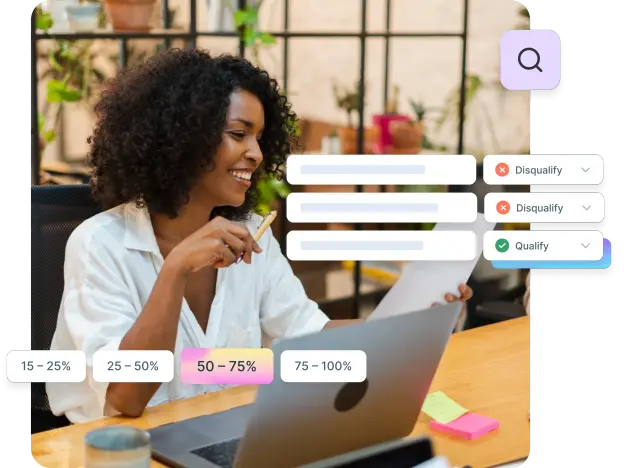
FAQs about usability testing templates
Usability testing report
Learn how to analyze usability test results and create reports that drive action. Discover a 9-step analysis framework, report structure, examples, and tips with Lyssna.
A usability testing report is the bridge between raw user research data and actionable product improvements. It transforms hours of user sessions, task observations, and feedback into clear insights that drive design decisions and enhance user experiences.
The purpose of a usability testing report goes beyond simply documenting what happened during testing sessions. A well-crafted report summarizes findings, highlights critical usability issues, and provides actionable recommendations that product teams can implement immediately. It translates raw test observations into insights that stakeholders can use to improve UX, prioritize development efforts, and make informed decisions about product direction.
Think of your usability testing report as the story of your users' experience – complete with challenges they faced, successes they achieved, and opportunities for improvement. When done effectively, these reports become powerful tools that influence product strategy, validate design decisions, and demonstrate the value of user-centered design to stakeholders across your organization.
Just as Lyssna helps you gather reliable user insights through systematic testing, creating effective usability testing reports requires a structured approach to analysis and presentation. Let's explore how to transform your usability test results into reports that drive meaningful action.
How to analyze your usability test results: 9 steps
Before you can create a compelling usability testing report, you need to systematically analyze your test data. This process transforms raw observations into meaningful insights that will form the foundation of your report.
Step | Focus | Key output |
|---|---|---|
1. Review research goals | Revisit original objectives and hypotheses | Focused analysis direction aligned with test purpose |
2. Gather all raw data | Collect recordings, notes, surveys, metrics, and transcripts | Complete dataset for comprehensive analysis |
3. Identify task success rates | Calculate completion rates, error rates, time on task, and efficiency | Quantitative metrics showing task performance |
4. Note observed friction points | Document struggles, hesitations, and confusion patterns | List of pain points where users encountered difficulty |
5. Capture verbal and emotional feedback | Transcribe quotes and note emotional reactions | Qualitative context and human impact evidence |
6. Categorize findings by theme | Group observations by logical categories (navigation, content, design, etc.) | Organized findings by product area |
7. Prioritize issues by severity | Classify as Critical, Serious, Minor, or Suggestion | Ranked list of issues for resource allocation |
8. Link issues to recommendations | Connect each problem to actionable solutions with expected impact | Implementation roadmap with clear next steps |
9. Validate with team members | Cross-check findings with observers and co-researchers | Confirmed insights with team consensus |
Step 1: Review research goals
Start your analysis by revisiting the original objectives that drove your usability test. This step focuses your analysis and ensures every insight you uncover directly addresses the questions you set out to answer.
Ask yourself:
What specific problems were we trying to solve? What hypotheses were we testing? Which user flows or features needed validation? By anchoring your analysis in these original goals, you avoid getting lost in interesting but irrelevant observations.
For example, if your goal was to "understand why users abandon the checkout process," your analysis should prioritize findings related to checkout flow, payment methods, and form completion rather than general navigation patterns.

Step 2: Gather all raw data
Collect every piece of data from your usability testing sessions. This comprehensive approach ensures you don't miss critical feedback that might emerge from unexpected sources.
Your raw data collection should include:
Session recordings and screen captures
Observer notes and timestamps
Post-test survey responses
Task completion metrics and timing data
Audio transcripts of user comments
Any technical issues or interruptions that occurred
Tools like Lyssna allow you to create tags to sort qualitative data (e.g. direct user feedback), making this step more efficient and organized. With Lyssna, you can summarize open-ended responses quickly.
Step 3: Identify task success rates
Measure the quantitative performance of each task you tested. These usability metrics provide objective evidence of usability issues and help prioritize which problems have the greatest impact on user success.
Calculate key metrics for each task:
Completion rate: Percentage of users who successfully completed the task
Error rate: Number of mistakes or wrong paths taken per user
Time on task: Average time users spent completing each task
Efficiency: Ratio of successful task completion to time spent
For instance, if only 60% of users successfully completed your primary call-to-action task, this becomes a critical finding that demands immediate attention in your report.

Step 4: Note observed friction points
Document every moment where users struggled, hesitated, or expressed confusion. These friction points often reveal the most actionable insights for improving user experience.
Look for patterns in user behavior such as:
Multiple attempts to complete the same action
Long pauses or hesitation before proceeding
Users expressing frustration or confusion
Abandonment of tasks before completion
Users taking unexpected paths to reach their goals
Pay attention to both obvious struggles and subtle signs of difficulty. Sometimes a user who eventually succeeds at a task still encounters significant friction that should be addressed.
Step 5: Capture verbal and emotional feedback
Transcribe direct quotes from users and note their emotional responses throughout the testing session. This qualitative data provides context for quantitative metrics and helps stakeholders understand the human impact of usability issues.
If possible, document the following:
Exact quotes that illustrate user frustration or delight
Emotional reactions (sighs, laughter, expressions of confusion)
Suggestions users made during the session
Moments when users expressed satisfaction or accomplishment
These human moments make your report more compelling and help stakeholders connect emotionally with user needs.
Practitioner insight
“I've been doing CRO for over 15 years and have relied on Lyssna (formerly UsabilityHub) to back up my recommendations and get client buy-in on test ideas. I find it more powerful to SHOW them that 75% of users don't know what their value prop is, for example, rather than merely telling that to them, myself. I also use it to uncover problems that I didn't initially think of.”
Theresa F. (Capterra review)
Step 6: Categorize findings by theme
Group your observations into logical categories that make sense for your product and organization. This thematic organization helps stakeholders understand patterns and prioritize improvements across different areas of the user experience.
Common categories include:
Navigation and information architecture
Content clarity and comprehension
Visual design and layout
Form design and data entry
Mobile responsiveness and touch interactions
Performance and loading times
Organizing findings this way also makes it easier to assign responsibility to different team members and track improvements over time.

Step 7: Prioritize issues by severity
Use a scale to classify issues, for example: Critical, Serious, Minor, Suggestion. This prioritization helps teams focus on the most impactful improvements first and allocate resources effectively.
Critical: If the problem isn't fixed, users won't be able to complete tasks or achieve their goals. Critical issues will impact the business and the user if they aren't fixed.
Serious: Many users will be frustrated if the problem isn't fixed, and may give up on completing their task. It could also harm our brand reputation.
Minor: Users might be annoyed, but this won't prevent them from achieving their goals.
Suggestion: These are suggestions from participants on things to improve.
This framework ensures your report addresses the most urgent issues while still capturing opportunities for enhancement.
Step 8: Link issues to recommendations
Every problem you identify should connect to a clear, actionable solution. This step transforms your usability testing report from a list of problems into a roadmap for improvement.
For each issue, provide:
Specific recommendations for addressing the problem
Expected impact of implementing the solution
Implementation difficulty or resource requirements
Success metrics to measure improvement
Strong recommendations are specific, feasible, and directly address the root cause of the usability issue rather than just treating symptoms.
Step 9: Validate with team members
Cross-check your findings with observers or co-researchers before finalizing your analysis. This validation step ensures accuracy and completeness while building team consensus around key insights.
If you're using Lyssna, you can use the comments feature to easily tag a team member and ask them to review the test results. This collaborative approach helps catch insights you might have missed and ensures your report reflects the collective understanding of your research team.
Schedule a brief review session where team members can:
Confirm key findings and priorities
Add observations you might have missed
Discuss the feasibility of proposed recommendations
Align on the most important messages for stakeholders
Recommended reading: How to involve stakeholders in user research

How to structure your usability testing report
A well-structured usability testing report guides readers through your findings in a logical sequence, making it easy for different stakeholders to find the information they need most.
Report section | Purpose | What to include | Length/Format |
|---|---|---|---|
Executive summary | Give busy stakeholders the big picture | - Research goals and methodology - Top 3-5 critical findings - Priority recommendations - Next steps and timeline | - 1 page max - Bullets and headings |
Research objectives | Explain the "why" behind the test | - Business context - Specific hypotheses - User scenarios tested - Success criteria | - Brief overview |
Methodology | Build credibility and transparency | - Participant criteria - Testing environment and approach - Session structure and duration - Tools used - Limitations | - Detailed but concise |
Key findings and insights | Present prioritized usability issues | - Problem statements - Supporting evidence - Impact assessment - Frequency data | - Core of report - Organized by priority |
Recommendations | Provide actionable solutions | - Specific actions - Expected outcomes and metrics - Priority and timeline - Resources needed - Responsible team | - Action-oriented |
Supporting evidence | Validate findings with proof | - Screenshots and video clips - User quotes - Charts and graphs - Heatmaps | - Organized by task/finding |
Executive summary
Your executive summary provides a high-level overview for busy stakeholders who need to understand key findings and recommendations quickly. This section should be comprehensive enough to stand alone while encouraging readers to dive deeper into specific sections.
Include a summary, methodology, results, and recommendations. Use visuals like graphs and charts to illustrate findings, making the report accessible and persuasive for stakeholders.
Your executive summary should cover:
Primary research goals and what you tested
Key methodology details (number of participants, testing approach)
Top 3-5 critical findings with brief explanations
Priority recommendations with expected impact
Next steps and timeline for implementation
Keep this section to one page maximum, using bullet points and clear headings to make it scannable for executives and decision-makers.
Research objectives
Reiterate why the test was conducted and what specific questions it aimed to answer. This section provides context for your findings and helps readers understand how the insights connect to broader product goals.
Clearly state:
Business context that prompted the research
Specific hypotheses you were testing
User scenarios or tasks you focused on
Success criteria you established beforehand
For example: "This usability test was conducted to understand why our checkout conversion rate dropped 15% following the recent redesign. We hypothesized that the new multi-step process was creating friction for returning customers."
Methodology
Detail your participant recruitment approach, testing method (moderated, remote, etc.), and the specific tasks users completed. This transparency helps stakeholders understand the validity and limitations of your findings.
Document:
Participant criteria and recruitment methods
Testing environment (lab, remote, mobile, etc.)
Session structure and duration
Tasks and scenarios presented to users
Tools and technology used for testing
Any limitations or constraints that affected the study
This methodological transparency builds confidence in your findings and helps others replicate successful testing approaches.
Key findings and insights
Present your prioritized usability issues with supporting evidence from the testing sessions. This section forms the heart of your report, where you transform raw observations into actionable insights.
Organize findings by priority level, providing:
Clear problem statements that describe each issue
Supporting evidence from multiple users when possible
Impact assessment on user experience and business goals
Frequency data showing how many users encountered each problem
Use a consistent format for each finding to make the report easy to scan and reference later.

Recommendations
Provide specific, actionable design or product improvements that address the issues you identified. Strong recommendations go beyond identifying problems to offer concrete solutions that teams can implement.
For each recommendation, include:
Specific actions to take
Expected outcomes and success metrics
Implementation priority and timeline
Resource requirements or dependencies
Owner or responsible team for implementation
Our usability testing report template lays everything out for you, including detailed sections and clear guidance, so you can turn your findings into stakeholder-ready actions.
Supporting evidence
Include screenshots, video clips, charts, and direct quotes that validate your findings. This evidence section provides the detailed backup that stakeholders need to understand and act on your recommendations.
Organize supporting materials by:
Task or finding category for easy reference
Participant quotes that illustrate key points
Visual evidence like screenshots or heatmaps
Quantitative data in charts and graphs
Video clips showing critical user interactions
This evidence helps stakeholders visualize problems and builds confidence in your recommendations.
Tips for crafting usability testing reports that drive action
Creating a usability testing report that actually influences product decisions requires strategic thinking about your audience, presentation, and timing.
Tailor reports to the audience
Different stakeholders have different needs. Here's what each group cares about most:
Audience | What they need | How to present it |
|---|---|---|
Executives and decision-makers | Business impact and ROI | - Lead with business impact and user satisfaction metrics - Focus on high-priority issues affecting KPIs - Include timelines and resource requirements - Keep it to executive summary format |
Designers and developers | Actionable implementation details | - Provide task-by-task breakdowns with examples - Include screenshots and video clips - Offer specific design recommendations - Share user quotes for context |
Product managers | Strategic priorities and trade-offs | - Balance user needs with business and technical constraints - Prioritize by impact on goals and metrics - Include competitive context - Provide clear success criteria for improvement |
Pro tip:
Consider creating different versions or views of the same report: a one-page summary for executives, a detailed findings deck for the product team, and an implementation guide for designers.
Use visuals and data
Charts, heatmaps, and video clips make findings more persuasive and memorable than text alone. Visual elements help stakeholders quickly grasp key insights and remember important findings long after reading your report.
Effective visual elements include:
Task completion charts showing success rates across different user flows
Heatmaps highlighting areas of user focus or confusion
Before/after screenshots demonstrating specific problems and solutions
User journey maps showing friction points throughout the experience
Video clips capturing moments of user frustration or delight
Choose visuals that directly support your key messages rather than adding decoration. Every chart or image should serve a specific purpose in communicating your findings.
Be concise but specific
Focus on what matters most and avoid overwhelming stakeholders with raw data or minor observations. Your report should be comprehensive enough to support decision-making while remaining focused on actionable insights.
How to keep your report focused:
Highlight what matters most – Focus on key findings that directly impact user experience or business goals
Provide actionable recommendations – Make suggestions specific and practical for easy implementation
Link findings to goals – Show how identified issues connect to broader objectives
Use visuals to tell the story – Include heatmaps, graphs, and user quotes to make findings easier to understand and more engaging
Prioritize with clarity – Organize recommendations by urgency and impact using a simple severity ranking system
Prioritize clear action items
Tie each problem to a recommendation with clear ownership and next steps. Vague suggestions like "improve navigation" don't drive action, while specific recommendations like "move the search bar to the top-right corner of the header" provide clear direction for implementation.
Structure action items with:
Specific task description that anyone can understand
Assigned owner or responsible team
Target completion date or timeline
Success metrics for measuring improvement
Dependencies or prerequisites for implementation
This clarity transforms your report from a research document into a project management tool that drives real change.
Share quickly
Deliver reports while findings are fresh in everyone's minds and can still influence upcoming sprints or development cycles. Delayed reports often lose their impact as teams move on to new priorities and contexts change.
Aim to deliver initial findings within 48-72 hours of completing testing, even if the full report takes longer to prepare. Consider sharing:
Immediate verbal briefings for critical issues that need urgent attention
Preliminary findings emails highlighting top 3-5 insights
Draft reports for team review before final stakeholder presentation
Final reports with full analysis and detailed recommendations
Quick turnaround ensures your insights influence decisions while they're still relevant and actionable.
Practitioner insight
“I've been using Lyssna (formerly UsabilityHub) for over 2 years. I've consistently been impressed by the speed and quality of responses for the many many different varieties of tests I'm able to set up.
The ability to launch and get results for preference tests, first-click tests, or simple design surveys by EOD has been amazing not only in assisting our design team, but it promotes buy-in for research in general.
Easy to use. Very fast - both in regards to study setup and results.”
Ross S. (Capterra review)
Usability testing report example
Let's examine a practical example that demonstrates how to structure and present usability testing findings effectively.
Executive summary snippet:
Objective: Find out where customers get stuck when trying to buy something on our website.
Context: This test was conducted as part of a broader redesign initiative to improve conversion rates.
Participants: 10 users within our target audience (ages 25–45, frequent online shoppers).
Method: Recorded unmoderated prototype test sessions conducted using Lyssna.
Task analysis table
Task | Success Rate | Key Issues | Recommendation |
|---|---|---|---|
Find product | 90% | Minor navigation confusion | Add breadcrumb navigation |
Add to cart | 70% | Button visibility issues | Increase contrast and size of CTA button |
Complete checkout | 40% | Coupon field placement | Move coupon field above payment section |
Key finding example:
Critical issue: Users couldn't locate the 'Apply Coupon' field easily, leading to a 70% error rate.
Evidence: User recordings show multiple participants scrolling past the field without noticing it.
Recommendation: Relocate the coupon field above the payment section and label it more prominently.
Results summary:
Completion rate: 60% of participants successfully completed the tasks.
Average task time: Checkout task took an average of 4 minutes, with significant delays on coupon entry.
User feedback: 80% of participants expressed frustration with navigation and coupon application.
This example demonstrates how to present findings in a scannable, actionable format that clearly connects problems to solutions.
Usability testing report template
Our UX research report template can help you structure this effectively. Here's a comprehensive template you can adapt for your own usability testing reports:
Executive summary (with prompts)
Research objectives: [What questions were you trying to answer?]
Methodology: [How many participants? What testing method? What tasks?]
Key findings: [Top 3-5 critical insights that impact user experience]
Priority recommendations: [Most important actions to take, with expected impact]
Next steps: [Timeline and ownership for implementing changes]
Research objectives section
Business context: [Why was this research needed? What prompted the study?]
Research questions: [Specific questions you aimed to answer]
Success criteria: [How you defined successful task completion]
Scope and limitations: [What you tested and what you didn't include]
Methodology overview
Participants: [Demographics, recruitment method, screening criteria]
Testing approach: [Moderated/unmoderated, remote/in-person, device types]
Tasks and scenarios: [Specific tasks users completed during testing]
Data collection: [Tools used, metrics captured, session duration]
Analysis approach: [How you processed and categorized findings]
Key findings table
Issue | Severity | Evidence | Recommendation |
|---|---|---|---|
[Specific usability problem] | Critical/Serious/Minor | [User quotes, metrics, observations] | [Actionable solution with owner] |
[Navigation confusion in header] | Serious | [8/10 users clicked wrong menu item] | [Reorganize menu structure, add labels] |
[Form validation errors] | Critical | [60% abandonment rate at form step] | [Improve error messaging, add inline validation] |
Recommendations with action items
High priority (implement within 2 weeks):
[Specific recommendation with clear owner and timeline]
[Expected impact and success metrics]
Medium priority (implement within 1 month):
[Specific recommendation with clear owner and timeline]
[Expected impact and success metrics]
Low priority (implement within 3 months):
[Specific recommendation with clear owner and timeline]
[Expected impact and success metrics]
Appendix for supporting evidence
User quotes: [Direct quotes organized by theme or task]
Screenshots: [Visual evidence of problems and proposed solutions]
Video clips: [Key moments showing user interactions and friction points]
Raw data: [Detailed metrics and completion rates by task]
Additional observations: [Insights that didn't fit main categories but provide valuable context]
This template provides a solid foundation that you can customize based on your specific testing goals and stakeholder needs.

How Lyssna can help
Lyssna streamlines the entire process of conducting usability tests and creating comprehensive reports, making it easier to gather insights and share them with your team.
Automated data collection
Lyssna captures clicks, recordings, and time-on-task metrics automatically during testing sessions, eliminating the manual work of tracking user interactions and calculating performance metrics.
The platform automatically records:
Click patterns and heatmaps showing where users focus their attention
Task completion times for accurate performance measurement
User paths and navigation flows through your interface
Error rates and retry attempts for each task
Session recordings that capture the complete user experience
This automated data collection ensures you don't miss critical interactions and provides objective metrics to support your findings.
Built-in analysis features
Lyssna's analysis features include:
AI-generated or manual summaries: Distill open-ended responses into structured, editable summaries.
Audience filters: Slice your data across audiences, behaviors, and responses. You can also combine filters to uncover patterns across specific segments, or zoom into individual participants for deeper analysis.
Collaboration: Comment and tag team members directly in the results analysis view to highlight findings for discussion.
Export and share results: Download CSV exports for sorting, filtering, and advanced analysis in tools like Excel or Sheets, and share links for easy, read-only access to test results (without having to log in).
These built-in features help you move quickly from testing to insights, reducing the time between research and action.
Practitioner insight
“Love the AI summary feature! Made my write up so easy and leadership loved it. Would love to see an ability to put it directly into a google slide deck.”
Stephanie M. (Capterra review)
Collaboration tools
Easily share results with stakeholders and assign action items directly within the platform, ensuring your usability testing insights drive real product improvements.
With Lyssna, you can:
Run usability tests effortlessly: Launch moderated or unmoderated user tests and get results fast.
Analyze and tag data: Use our built-in tagging tools to organize qualitative and quantitative feedback.
Streamline reporting: Export test results as a CSV.
Recruit the right participants: Tap into a diverse panel of over 690,000 participants with customizable screeners.
The platform's collaboration features ensure your research insights reach the right people at the right time, maximizing the impact of your usability testing efforts.
Wrapping up: Crafting impactful usability test reports
Effective usability testing reports bridge user research and product improvement. They transform raw observations into actionable insights that drive better design decisions.
The key to impactful reports is systematic analysis, clear structure, and strategic presentation. Follow the 9-step framework, organize findings with stakeholders in mind, and present evidence that supports concrete recommendations.
The best report is one that gets used.
Focus on clarity over comprehensiveness, prioritize actionable research insights, and deliver findings while they can still influence development cycles.
Your reports are advocacy tools for users and strategic assets for your product team. When done well, they demonstrate the value of user-centered design and create better experiences for the people who use your products.
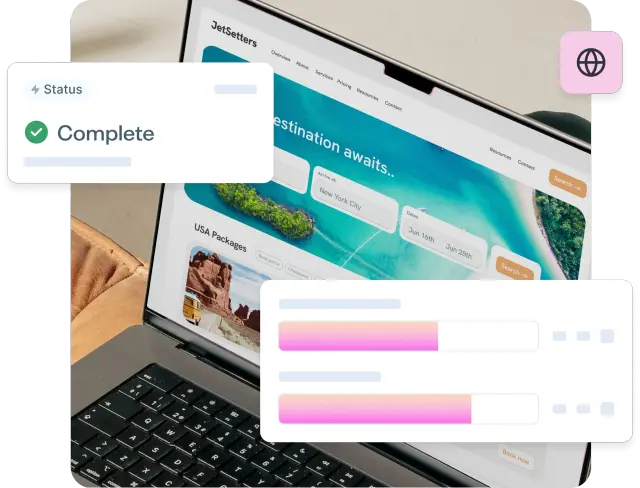
Usability testing examples
Learn how to analyze usability test results and create reports that drive action. Discover a 9-step analysis framework, report structure, examples, and tips with Lyssna.
Real-world examples of usability testing can transform your approach to user experience design. While theory is important, seeing different testing methods in action provides the clarity and confidence needed to implement these techniques effectively.
The importance of intuitive navigation has been consistently proven through research. The foundational Bailey and Wolfson study found that users who make the correct first click have an 87% success rate, compared to just 46% when the first click is incorrect.
This principle, consistently validated in subsequent studies, extends across all usability testing methods: understanding how users interact with our designs helps us create truly intuitive experiences.
This guide explores four essential usability testing examples, each revealing unique insights about user behavior. From navigation patterns to first impressions, we'll examine real-world scenarios, practical benefits, and optimal timing for each method – giving you the knowledge to choose the right testing approach for your needs.
First click testing
First click testing reveals whether users can intuitively find their way through your interface by tracking where they click first when attempting to complete a task. This method provides critical insights into navigation clarity and user expectations.
What it is
First click testing is a usability testing method that evaluates whether navigation and UI elements are intuitive by tracking users' initial clicks when attempting to complete specific tasks. The test measures whether users can correctly identify the right starting point for their journey through your interface.
During a first click test, participants receive a task instruction and then interact with your interface – whether it's a live website, prototype, or static design.
The testing platform records exactly where each user clicks first, creating a visual heatmap that shows click distribution across your interface.
How it works in practice: Example scenarios
Test whether users can start purchasing by asking them to "add this item to your cart”. You'll quickly discover if they click "Add to Cart," get confused by "Buy Now," or click somewhere unexpected entirely.
Philips Lighting discovered through click testing that fewer than half of users were clicking the navigation tabs on their "Choose a Bulb" page. This insight led them to redesign the page layout for better usability.
Joom marketplace used first click tests on their product catalog to identify where users clicked when searching for specific categories. The tests revealed problem areas, allowing them to make targeted improvements.
Key benefits
Reveals navigation clarity: First click testing immediately shows whether your navigation structure matches user mental models. When users consistently click the wrong elements, it indicates that your labeling, placement, or visual hierarchy needs adjustment.
Identifies misleading labels or button placement: The test exposes when interface elements don't communicate their function clearly. If users expect a "Contact" link to lead to a contact form but it opens a phone number instead, first click testing will reveal this disconnect.
Provides quantitative validation: Unlike subjective feedback, first click testing gives you concrete data about user behavior. You can see exactly what percentage of users click correctly versus incorrectly, making it easier to prioritize design changes.

When to use it
First click testing works best during early wireframes, prototypes, or live site optimizations when you need to validate navigation decisions quickly. It's particularly valuable when:
Testing new navigation structures or menu designs
Validating the placement of key conversion elements
Optimizing complex interfaces with multiple pathways
Confirming that visual hierarchy guides users correctly
The method integrates seamlessly into design sprints and iterative development cycles, providing rapid feedback that can inform immediate design decisions.
Check out Lyssna’s first click testing templates to get started.
Prototype testing
Prototype testing allows teams to validate design concepts and user flows before investing in development, catching usability issues when they're still easy and inexpensive to fix.
What it is
Prototype testing involves evaluating clickable prototypes to validate flows and interactions before development begins. This method uses interactive mockups created in tools like Figma, InVision, or Adobe XD to simulate the final user experience without requiring actual code.
During prototype testing, users navigate through realistic representations of your product, completing tasks and providing feedback on the overall experience. The testing reveals whether your proposed design solutions actually work for real users in practice.
How it works in practice: Example scenarios
Test your sign-up flow by asking users to "Create an account" in your prototype. You'll quickly spot confusing steps or unclear instructions.The test would reveal whether users understand each step, where they hesitate or become confused, and whether the overall process feels logical and efficient.
Bower Collective, a UK-based startup committed to reducing plastic waste, turned to Lyssna to better understand their potential customers and improve both their onboarding and product development. Using Figma prototype testing and card sorting, they gathered crucial feedback on everything from product design and pricing to customer motivations.
Key benefits
Saves development costs: By identifying usability problems before coding begins, prototype testing prevents expensive revisions during or after development. It's significantly cheaper to modify a prototype than to rebuild functional code.
Finds usability issues before coding: The testing reveals navigation problems, confusing workflows, and missing functionality while changes are still easy to implement. Teams can iterate rapidly on prototypes without technical constraints.
Validates design assumptions: Prototype testing confirms whether your design solutions actually solve user problems. It provides evidence-based validation for design decisions, reducing the risk of building features that users don't understand or need.

When to use it
Prototype testing is most valuable during design sprints or pre-development validation phases. Use this method when:
Validating new feature concepts or user flows
Testing complex interactions or multi-step processes
Exploring different design approaches for the same functionality
Gathering stakeholder buy-in with user-validated designs
Check out Lyssna’s prototype testing templates to get started.
Preference testing
Preference testing helps teams understand user design preferences by presenting multiple design options and gathering feedback on which versions users prefer and why.
What it is
Preference testing asks users which design version they prefer between two or more options, such as comparing layout A versus layout B. This method goes beyond simple preference by exploring the reasoning behind user choices, providing insights into what visual and functional elements resonate most with your audience.
During preference testing, users are presented with side-by-side design options. They’re asked to select their preference, followed by questions about what influenced their decision. This combination of quantitative choice data and qualitative reasoning creates a comprehensive understanding of user preferences.
How it works in practice: Example scenarios
Test different design approaches by showing users two versions side-by-side. For example, compare a features-focused landing page against one highlighting customer testimonials. Users choose their preference and explain why, revealing what truly resonates with your audience.
Stayery, a serviced apartments company, used preference testing before investing in property technology. They tested different electronic lock options (keycards vs. mobile apps vs. PIN codes) with their target guests. Since each lock costs €1,000 and a single property needs 100+ locks, this simple €200 test potentially saved them millions by identifying the right solution before committing to the purchase.
Key benefits
Provides quick directional feedback: Preference testing delivers fast insights about which design direction to pursue, helping teams make confident decisions without extensive research timelines.
Validates visual and branding choices: The method confirms whether your visual design choices align with user expectations and preferences, reducing the risk of launching designs that don't resonate with your audience.
Supports data-driven design decisions: Rather than relying on internal opinions or assumptions, preference testing provides user-validated evidence for design choices, making it easier to gain stakeholder alignment.

When to use it
Preference testing works best during early design exploration or marketing material reviews when you need to choose between viable design alternatives. It's particularly effective for:
Comparing different visual design approaches
Testing marketing campaign concepts or messaging
Validating branding decisions or color schemes
Choosing between layout options for key pages
Busuu, a leading language learning platform, uses Lyssna to validate creative concepts and key messaging through preference testing and five second tests. This helps their creative team quickly understand how users respond to ads and messaging, especially for out-of-home (OOH) campaigns.
“I like the ease of setup, the quick turnaround, the way we can segment through the answers.”
Tina Vifor
Head of Creative Communication
Check out Lyssna’s preference testing templates to get started.
Five second testing
Five second testing measures users' first impressions by showing them a design for just five seconds, then asking what they remember or understood about what they saw.
What it is
Five second testing shows users a design for exactly five seconds, then asks what they remember or understood from their brief exposure. This method tests whether your design communicates its core message and purpose effectively within the critical first moments of user attention.
During five second testing, users answer questions about what they saw, what they think the page or product is for, and what elements stood out most. The responses reveal whether your visual hierarchy, messaging, and overall design successfully communicate your intended message.
How it works in practice: Example scenarios
Testing whether users grasp a SaaS homepage's value proposition provides a perfect example of five second testing in action. You might show users your homepage for five seconds, then ask "What do you think this company does?" and "What would you do next if you were interested in this service?"
Philips Lighting used a five second test on one of its microsite home pages to see if users could quickly grasp its purpose at a glance. The results showed that a large percentage of people did not correctly understand what the website was about, allowing them to make quick changes to improve this.
Key benefits
Measures first impressions: Five second testing captures users' immediate, instinctive reactions to your design before they have time to analyze or rationalize their response. This reveals whether your design creates the right first impression.
Tests clarity of messaging and visual hierarchy: The method shows whether your most important messages are prominent enough to register within seconds. If users can't identify your core value proposition or primary call-to-action, the test will reveal this immediately.
Validates communication effectiveness: Beyond visual design, five second testing confirms whether your messaging is clear and compelling enough to make an impact in the brief window when users decide whether to stay or leave your site.

When to use it
Five second testing is ideal for marketing sites, onboarding flows, or feature announcements where first impressions are critical. Use this method when:
Testing new homepage designs or landing pages
Validating marketing campaign materials
Optimizing onboarding screens or app store listings
Confirming that key messages are immediately clear
Check out Lyssna’s five second testing templates to get started.
From testing to results: How usability testing shapes better products
The true value of usability testing lies not just in gathering data, but in transforming those insights into tangible product improvements that create better user experiences.
Turning findings into action
Usability test data only matters when it drives real improvements. Successful teams analyze patterns, prioritize high-impact issues, and create specific solutions backed by data—not opinions.
WongDoody used first click testing to make the Royal Automobile Club of Victoria's (RACV) website more accessible and user-friendly. Initial tests showed users took 19.6 seconds on average. After several rounds of testing and design iterations, they cut this to just 4.9 seconds—a 75% improvement.
"Testing was for the audience and ourselves so we could base decisions on fact, not opinion. We couldn't afford mistakes and had to make sure the outcome was right the first time.”
James Noble
Chief Design Officer
Building products users love
Usability testing reduces friction and builds trust by ensuring that products work the way users expect them to. When interfaces are intuitive and tasks flow smoothly, users develop confidence in the product and are more likely to continue using it.
The cumulative effect of addressing usability issues creates products that feel effortless to use. Users may not consciously notice good usability, but they definitely feel its absence. By systematically testing and improving based on user feedback, teams create experiences that users genuinely enjoy.
Canstar used first click testing to refine smaller, more impactful design elements so users could easily navigate complex financial data. One key test focused on the placement of an arrow, which, after a few minor adjustments, increased user engagement by 30%.
Practitioner insight
“Having the ability to create concepts in Figma and with minimal effort bring them straight into a testing platform like Lyssna has been a game changer for us.”
- Chris Taylor, Lead Experience Designer at Canstar
Iterative testing cycle
The best products evolve through continuous testing cycles, not one-time validation. Test early concepts, refine based on feedback, then test again.
Ooma commits to this rhythm by running at least one test every two-week sprint. This regular cadence catches issues before they become expensive problems.
YNAB learned this lesson the hard way: "You'd end up waiting until you felt you had something more polished... By waiting, you've gone that much further without actually getting valuable feedback." Now they test multiple variants at each stage—internally, with new users, and with existing customers—comparing results to find the best solution.
Pro tip: Make testing so quick and easy that it becomes automatic. When testing takes days instead of weeks, teams naturally test more often, creating better products through rapid iteration.
Modern usability testing platforms like Lyssna make this iterative approach practical by providing rapid testing capabilities, reliable participant recruitment, and streamlined analysis tools.
Whether you're conducting first click tests, prototype validation, preference testing, or five second tests, the key is establishing a consistent testing rhythm that informs design decisions throughout your product development process.