17 Sep 2026
|6 min
AI in user research guide
A practical guide to using AI at every stage of user research – planning, recruiting, running sessions, analyzing, reporting, and reusing what you learn.
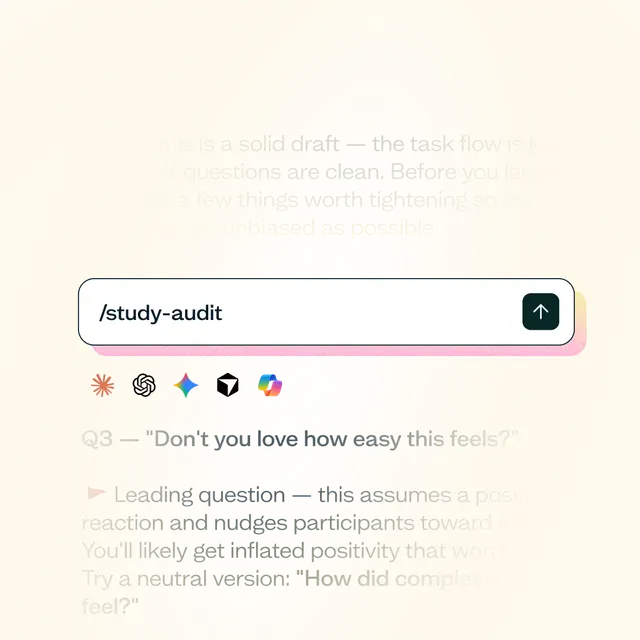
AI is showing up everywhere in user research – in the tools researchers already use, and in the workflows they're building around general assistants like ChatGPT and Claude. This guide is about using it well: where it genuinely helps, where it doesn't, and how to keep your research trustworthy while you do.
What is AI in user research?
AI in user research means using AI tools – from general assistants like ChatGPT and Claude to features built into research platforms – to support research studies at whichever stage it's actually useful.
Ask five researchers where AI actually helps and you'll get five different answers, because it depends entirely on which stage of the research you're talking about. Drafting a discussion guide, running a live session, making sense of forty interview transcripts, and getting a skeptical stakeholder to act on a finding are four completely different jobs – AI is useful in different ways, or not at all, for each one.
It's a copilot at every one of those stages, not a replacement for the person running it. Lyssna's own position on this is that AI should empower researchers, not replace them. It's genuinely good at the repetitive, first-draft work that slows research down (summarizing, drafting, surfacing patterns). What it can't do is replace a researcher's judgment – deciding which finding is worth acting on, and building the case that actually informs a recommendation for a stakeholder. That holds whether the AI in question is a general assistant or an in-built product feature for a specific research stage or task.
What this guide covers
This guide walks through what AI for user research looks like stage by stage – from planning and recruiting through running sessions, analysis, reporting, and reuse – and is honest about where AI genuinely helps and where it still falls short.
Each chapter covers how AI can help – like turning a vague goal into a plan, filtering and vetting participants, cutting the time it takes to turn raw responses into findings, helping a report land with stakeholders, and making past research queryable in future.
None of that replaces what to research, what a finding actually means, or how to earn someone's trust – AI can turn a finding into a solid first draft, but turning it into an insight, and deciding what it's worth acting on, is still your call.

For the broader landscape beyond this six-stage breakdown – who's using AI, and how, across UX research generally – see AI UX research.
Planning your research with AI
You can use AI as a thinking partner when planning research – a general assistant can turn a vague goal into research questions, a discussion guide, and screener logic before you've talked to a single participant. Used well, it gets you from a blank page to a working draft fast; used carelessly, it produces confident-sounding filler you'll end up rewriting.
Here's what this chapter covers:
Recruiting research participants with AI
AI touches participant recruiting from several distinct angles – reviewing screener questions, matching candidates against your own customer data, running automated vetting conversations (including across languages), generating synthetic participants instead of recruiting real ones, detecting fraud, and drafting outreach – and these approaches carry very different levels of risk. Most of them help you find and vet real people faster; synthetic participants replace real people entirely, which is a bigger tradeoff that needs more scrutiny.
Here's what this chapter covers:
Running research sessions with AI
What AI can do once a session is underway depends on the mode you're running – a live, moderated user interview, or a participant working through a test alone. This chapter covers both: where AI can run the interview itself, how automated transcriptions spans either mode, the narrower in-the-moment signals – follow-up questions, engagement cues – that show up along the way, and where AI-simulated participants fit in as a stand-in for a live session.
Here's what this chapter covers:
Analyzing and synthesizing with AI
This chapter walks through a five-step workflow for turning raw responses into findings with the support of AI – summarizing, tagging themes, querying across studies, pulling out the supporting evidence, and building the narrative – without skipping the judgment calls that make a finding trustworthy.
Here's what this chapter covers:
Reporting and decision-making with AI
Turning synthesized findings into something stakeholders actually act on is a different job from producing a report itself. This chapter covers using AI to draft stakeholder-ready material, tailor how you deliver findings to different audiences, pressure-test a finding before you present it, and support a decision without making it for you.
Here's what this chapter covers:
What does reporting and decision-making with AI actually look like?
What are the limits of using AI for reporting and decision-making?
Making your research reusable with AI
What makes a study findable again later comes down to documentation, not just how you store it – and that changes again once an AI assistant is actually connected to your research. This chapter digs into what that connection unlocks, and where the limits are.
Here's what this chapter covers:
Trust and data protection
A quick note on trust and data protection before you go further: none of this is worth much if you can't trust what happens to your data once AI is in the mix. Any time research data – customer conversations, participant recordings, screener responses – passes through an AI tool, it's fair to ask where that data goes, whether it's used to train a model, and who's actually deciding what the output means. That question applies whether the AI is a general assistant or a feature built into the research tool you use. It’s also what holds a lot of teams back – in our 2026 survey of product teams, data privacy (27%) and trust in accuracy (25%) were the biggest barriers to using AI directly with research data.
Lyssna doesn't train its AI on your customer or participant data, holds SOC 2 Type II certification, and is GDPR compliant by design – and a person always decides what counts as a finding, no matter what AI drafts. To dig into this in more detail, see our articles on AI UX research tools and GDPR & SOC 2 compliant research tools.
Get started with Lyssna
Lyssna's AI-assisted features – AI Recruit, Synthesize, the MCP server, and a library of AI skills for Claude, ChatGPT, and other MCP-compatible assistants – show up across several of the stages above.
Whether you're just starting to bring AI into your research process or already relying on it at a few stages, this guide will help you use it well – speeding up the repetitive work without losing the judgment that makes research trustworthy. Ready to see where AI fits into your own research? Get started with a Lyssna free plan.