17 Sep 2026
|7 min
Reporting and decision-making with AI
An insight still needs to be trusted and acted on. See how AI can help turn research into stakeholder-ready reports, and where decisions stay human.

Reporting and decision-making with AI is about turning the research insights you've already developed into stakeholder-ready material, for whichever audience and format the moment calls for.
An insight isn't worth much until someone else trusts and acts on it. Getting stakeholder buy-in is the third biggest challenge UX researchers report, cited by 20% of practitioners in Lyssna's UX Research Trends 2026 survey of 100 UX researchers. A faster report doesn't fix this – stakeholders sometimes stick with their own ideas, regardless of what the research shows.
That doesn't mean AI has nothing to offer, though – it can draft a first pass of the report itself, or reformat an existing one for a different stakeholder or format, without starting from scratch each time. It can't make the decision, win the room, or replace the judgment about what an insight actually means for the business.
Key takeaways
Getting stakeholder buy-in is the third biggest challenge UX researchers report (20%) – a faster report generated with AI doesn't automatically solve this challenge.
AI can reformat your insights into different outputs (executive summaries, slide decks, one-pagers, appendices) fast, but it can't structure or frame a report with the full context of the research the way you can.
The best format for an insight depends on the stakeholder receiving it – interview your stakeholders and ask how they want to receive an answer, then let AI draft a first pass in that format.
AI can play a skeptical stakeholder to pressure-test a recommendation before you present it, catching gaps in your argument early.
An MCP-connected AI assistant can act on a routine finding directly – logging or routing it in another tool.
AI doesn't know your organization's politics or risk tolerance – the decision itself stays an accountable human call.
If pushback is about the data itself, not the delivery, a fast follow-up test through Lyssna's research panel can settle it with more evidence.
What does reporting and decision-making with AI actually look like?
Most reporting happens in a general-purpose AI assistant – turning already-synthesized findings into stakeholder-ready material, and helping you think through what a finding should mean for a decision. Some research tools have a dedicated AI reporting feature built for exactly this job; if yours does, that's worth using directly.
Either way, you still have to write that report: either you draft it yourself, or you ask an AI assistant to produce a first pass from your synthesized findings and recommendation, which you then edit. What follows is about adapting, tailoring, and pressure-testing that material once a version exists.
That's a different stage from analyzing and synthesizing with AI. That earlier stage produces the findings – the summaries, the coded themes, the supporting quotes. This one is about getting other people to understand, trust, and act on them.
Most researchers want AI to help at this stage, not take it over – augmentation, not replacement. That's not just Lyssna's position, it's the general consensus. AI drafts the communication layer; a person still decides what it means and what to highlight.

Using AI to turn insights into stakeholder-ready reports
Once you have synthesized findings and have settled on a recommendation, an AI assistant can reformat that material into different outputs for different audiences – an executive summary, a short slide deck, a one-pager, a detailed appendix – without you having to rewrite from scratch each time. If you're building a report structure, our guide on how to write a UX research report covers that groundwork in full.

Did you know? Executive summaries are preferred over detailed written reports – 36.0% vs 31.0%, according to Lyssna's Research Synthesis Report 2025 (a survey of 300 UX researchers, designers, and product managers). Worth knowing before you decide which format to ask AI to draft first.
Speeding up reporting with AI has its limits, though. As one researcher put it in Lyssna's Research Synthesis Report: "I largely rely on AI to help me synthesize data. The biggest challenge I face is that while AI can summarize responses and help me draw out insights, it fails at helping me structure and present it to stakeholders in a way that is easy for them to follow and consume without context of the entire research."
In other words, AI can draft a version of the material, but only the person who ran the study has the full context to know what to emphasize, what to leave out, and how to sequence it for a specific audience. Treat a first pass as exactly that – a first pass, not the version you present.
Info tip: Before an AI-drafted executive summary goes anywhere near a stakeholder, check it against the fuller write-up it was condensed from. A summary that reads confidently but drops the one caveat that actually matters is worse than no summary at all.
Ask stakeholders how they want to receive your insights
The best format for presenting your research varies depending on the stakeholder (for the non-AI fundamentals of this, see How to present research findings). In our 2026 survey of 428 product people, designers were more likely than product managers to want direct quotes from participants in an AI-generated report (53% compared with 31%), while product managers leaned toward a live dashboard they could revisit (50%).
Odette Jansen, Head of CX, User Research & Content Design at ING, summed this up in a live Q&A on collaborative synthesis: "At the beginning of a project, I ask my stakeholders: how do you want to receive your answer? Because a lot of the time we default to a report because that's what we know … So what's the best way for you to process new information is basically the question. Is that a PowerPoint? Do you want to sit down? Do you want me to walk you through it? Do you want a video? Do you want a podcast? Do you want a Q&A where we just sit and answer your questions?"
Once you know the answer, an AI assistant can produce a first pass in that specific format – a slide deck, a script for walking someone through it, a one-pager – so tailoring delivery stops being extra work stacked on top of writing the report once. Asking the question is still yours to do; AI just makes acting on the answer faster.
It's worth pairing that with Odette’s second point, on what buy-in actually requires: "It always makes me laugh a little bit because it's not that they don't want to hear what you have to say, they just don't want to hear how you say it. The buy-in you get from showing that what you're offering is valuable." A faster or more polished report isn't automatically a more persuasive one – that's a useful check against assuming speed and buy-in are the same problem.

Pro tip: If your AI assistant is connected to a tool like Google Slides or Figma Slides and has access to your brand guidelines, you can go beyond text and have it draft an actual visual slide deck – formatted, on-brand, and closer to presentation-ready than a structure you'd still need to create by hand.

Using AI to pressure-test an insight before you present it
Before presenting, ask an AI assistant to play a skeptical stakeholder and push back on your recommendations, or to check whether your conclusion actually follows from the data you're citing – a deliberate bookend with the "ask it to interview you" technique from Planning your research with AI.
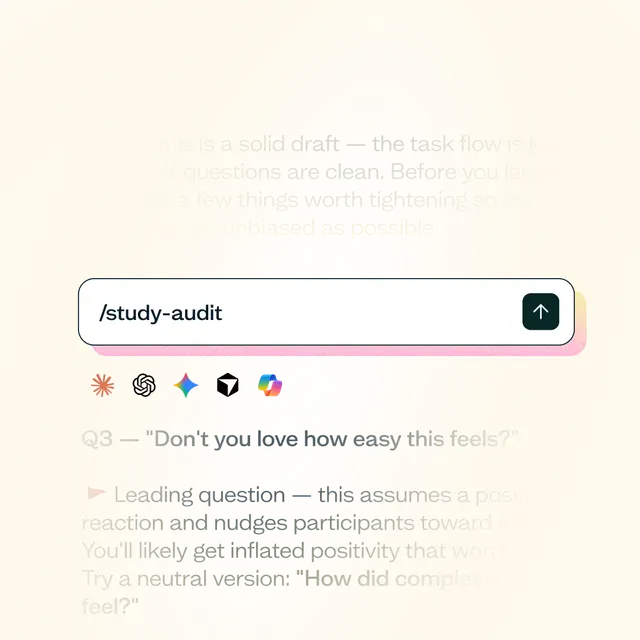
Try a prompt like "Play a stakeholder who's skeptical of this recommendation – what would you push back on, and where is the evidence thinnest?" Read the pushback before anyone else does.
This catches gaps in your own argument before a real stakeholder does. It's a rehearsal tool, though, not a substitute for actually knowing your audience – the tailoring question from the section above still matters more than how polished your rebuttal sounds.
Using AI to act on a finding, not just report it
Reporting isn't always the end point. If your AI assistant is connected to more than one MCP server at once – for example, Lyssna's alongside Linear, Slack, your CRM, or Google Drive – a single prompt can pull a finding, draft a summary for the team, and create a tagged ticket, chained together instead of copy-pasted by hand. Lyssna's MCP server is read-only, so it surfaces the finding; the tools that act on it are whatever else you've connected.
A real example from Shane, one of Lyssna's product managers: he runs an ongoing survey collecting integration tool requests from customers. A scheduled Claude task checks it weekly, picks up only new responses, and checks Linear for a matching issue. If one exists, it links the new request there; if not, it creates a new, tagged issue in triage for Shane to review, then logs a summary of what it did.
That works because the judgment involved is mechanical – matching and tagging a routine request, not deciding what a finding means. The moment it's a real recommendation rather than a routing decision, the judgment calls above still apply.

What are the limits of using AI for reporting and decision-making?
AI doesn't know your organization's politics or risk tolerance – the things that actually determine whether a recommendation lands.
A faster or more polished report isn't the same as a persuasive or trusted one. The buy-in problem is about relationships and communication, not output speed – the same conclusion Odette and the stakeholders-stuck-on-their-own-ideas finding both point to above.
And the decision itself is still an accountable human call. AI can inform it – surface a pattern, speed up the drafting, pressure-test an argument, even create a slide deck – but it doesn't own the outcome.

Further reading: For more on the buy-in problem specifically, see How to get buy-in for UX.
How Lyssna can help
Most of what this chapter covers starts with something Lyssna's Synthesize feature can provide: an AI summary written for your own reading is most of the way to a first draft of an executive summary or a short slide deck. You can then reformat or repurpose it rather than having to start from scratch.
Sometimes, stakeholder pushback isn't about delivery at all – it's about the data itself. When that's the case, a fast follow-up test with real participants through Lyssna's research panel settles it with more evidence, not a louder argument.
And when a finding needs to turn into action somewhere else – a ticket, a Slack summary, a next step – that's what the MCP-connected setup above is for: Lyssna's MCP server surfaces the evidence, and whatever else you've connected does the acting.
Skill spotlight: Lyssna's Share Findings skill starts by asking why the research was done and what the audience needs, then turns a synthesis into the right deliverable for them – a web report, a Slack or email brief, or a FigJam board.
FAQs about reporting and decision-making with AI
It can draft one, once you already have synthesized findings to work from. What it can't do is structure or frame that report with the full context of the research the way the person who ran the study can – treat an AI draft as a strong starting point that still needs your judgment on what to emphasize and what to cut.
Not without checking it first. A summary that reads confidently can still drop the one caveat or nuance that actually matters, so check it against the fuller findings it was condensed from before it goes in front of a stakeholder.
Yes, once you know how a given stakeholder wants to receive an answer – as a slide deck, a walkthrough, a one-pager, or something else – AI can produce a rough first pass in that format quickly. Deciding what format a stakeholder actually wants is still a conversation worth having directly with them.
No. AI can surface a pattern and help you draft, present, and pressure-test a recommendation, but it doesn't know your organization's politics or risk tolerance. Deciding what a finding means and what to do about it stays an accountable human call.