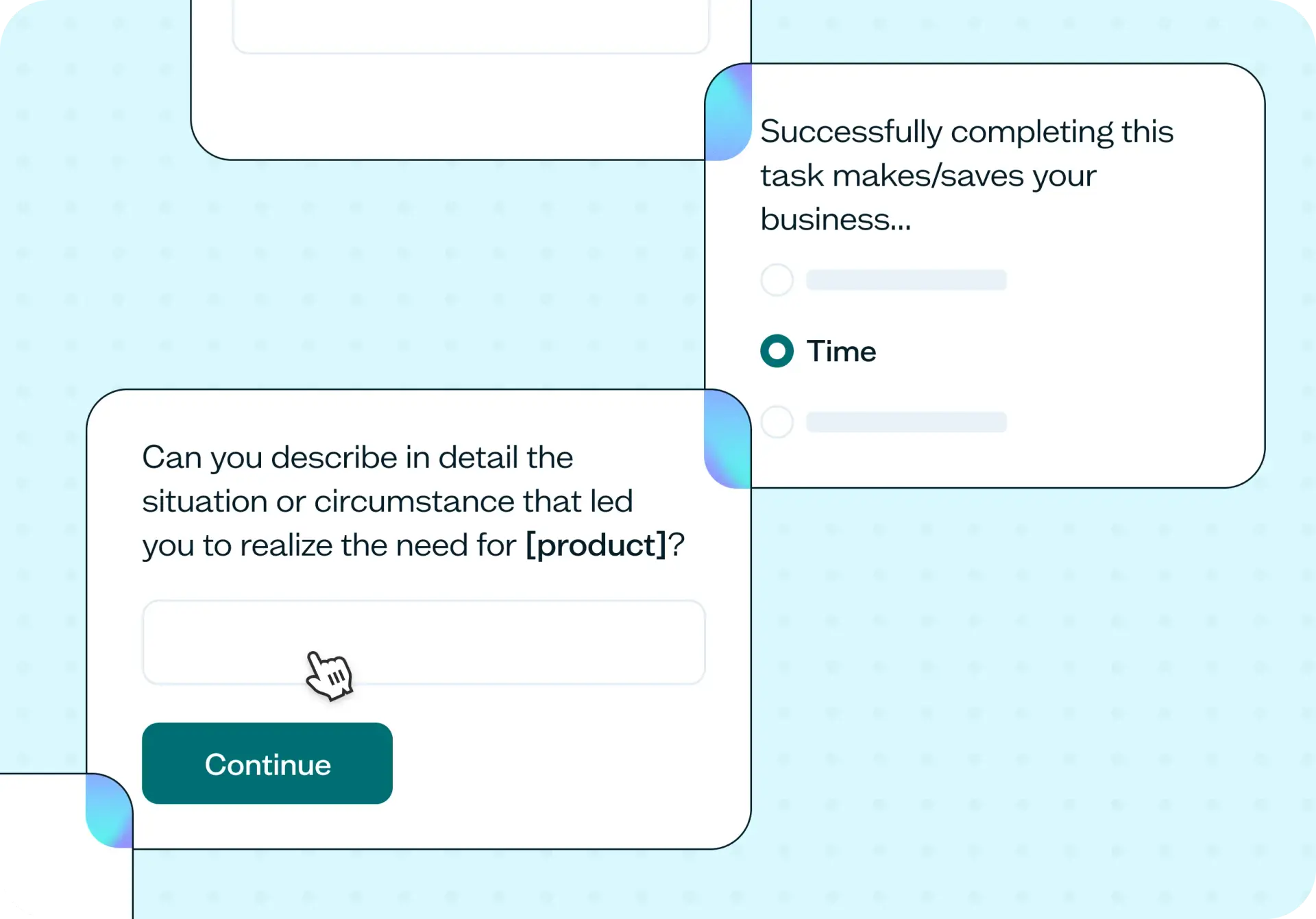

Your team has a backlog full of feature ideas, but which ones map to a problem your customers actually need solved? A jobs-to-be-done survey helps you move past assumptions by capturing the triggers, struggles, and desired outcomes that drive real purchasing and adoption decisions. This template lets you run a JTBD study in a single afternoon and bring back evidence the whole team can act on.
Why jobs-to-be-done beats feature-led research
Feature requests tell you what a customer thinks they want. Jobs-to-be-done research tells you why they want it. That distinction matters, because two customers can request the same feature for completely different reasons, and building for one may leave the other underserved.
A jobs-to-be-done survey separates three layers of context that feature-led research typically misses:
The trigger: What changed in the customer's world that made them start looking for a solution?
The struggle: What got in the way when they tried to solve the problem with their current tools or workarounds?
The desired outcome: What does success look like in the customer's own words?
When you quantify these layers across a large enough sample, you stop guessing which segment to serve first. Instead, you let the data show you which jobs are most common, most painful, and most valuable to solve.

What this template helps you discover
This template is designed to surface the insights that matter most when you're deciding what to build, how to position it, or which audience to prioritize. You'll uncover:
The trigger event that pushes a customer to start looking for a solution in the first place
The struggle moment where existing options fail or feel inadequate
The desired progress customers are trying to make, described in their own language
The competing alternatives customers consider, including spreadsheets, manual workarounds, or simply doing nothing
Which segments share a genuine job, and which only look similar on the surface
What you'll test
This template walks participants through a structured set of questions designed to capture each layer of a jobs-to-be-done story. Here's what each section of the survey targets.
Trigger and timing
These questions ask what was happening in the customer's world the moment they started looking for a solution. You'll learn which events are reliable enough to design a campaign, onboarding sequence, or sales play around. Understanding the trigger helps you reach customers at the right time with the right message.
Struggle and constraint
This section explores what got in the way of solving the problem with existing tools or workarounds. You'll see where customers are spending time, money, or attention they'd rather not spend. These are the friction points that create the strongest pull toward a new solution.
Desired outcome
Here, you ask customers to describe success in their own words. You'll discover which outcomes are universal across segments and which split the audience into distinct groups. This language becomes the foundation for your positioning, feature naming, and value propositions.
Competing alternatives
These questions surface what customers tried before they found your product, and what made them switch. You'll often find that the real competition isn't another software tool. It's a spreadsheet, a manual process, or doing nothing at all.
When to use this template
A jobs-to-be-done survey is useful at several key moments in the product and marketing life cycle:
Before building a new product or feature: Confirm that a real job exists before committing engineering time.
Before a positioning refresh: Ground your messaging in the language customers actually use to describe their needs.
After a launch that underperformed: Understand which job the audience hired the product for, and whether it matched your assumptions.
During pricing or packaging changes: See which job the customer assigns the most value to, so you can align pricing accordingly.
When stakeholders disagree about audience priority: Bring evidence into the room instead of opinions.
Before a sales enablement update: Align outbound messaging with the trigger events that drive real demand.
Example outcomes
Running this template gives your team a set of concrete, shareable artifacts that move decisions forward:
A documented job statement in the format: "When I [situation], I want to [motivation], so I can [outcome]." This gives your team a shared language for the problem you're solving.
Quantified trigger events: A ranked view of the top three to five triggers that push customers to start looking for a solution, with frequency data across your audience.
A struggle severity map: Struggle moments ranked by how often they occur, how painful they are, and which segments experience them most.
Feature deprioritization evidence: Data your team can use to deprioritize a feature request that doesn't map to any validated job.
A shared reference point that replaces "should we build this?" debates with evidence the whole team can point to.
Who this template is for
This template is built for anyone making product, marketing, or strategy decisions that need to be grounded in real customer demand:
Product managers validating a roadmap bet against real customer needs before committing resources
UX researchers running discovery when there isn't enough time for a full round of user interviews
Founders deciding which audience and use case to lead with at launch or pivot
Marketing leads writing positioning, landing page copy, or onboarding flows that need to resonate with a real job
Customer success teams documenting why customers churn or expand, so the broader team can act on the patterns
How to use this template
Click "Use this template" and log in to your Lyssna account. Don't have an account yet? Start exploring with a free plan.
Customize the survey questions to reflect your product, audience, and the specific job you want to investigate. The pre-filled questions cover trigger, struggle, outcome, and alternatives, but you can adjust the wording to match your domain.
Decide how to recruit participants. You can share the survey link with your own customers or recruit from Lyssna's research panel of 690,000+ participants across 124 countries.
Set your survey live and wait for responses. Most studies using the Lyssna panel return results within hours.
Review your results in Lyssna. Tag open-ended responses to quantify patterns, and use the built-in analysis tools to identify the dominant jobs, triggers, and struggle moments across your audience.
FAQs about how to validate customer needs through a jobs to be done survey
A jobs-to-be-done survey is a structured study that asks customers about the trigger, struggle, and desired outcome behind a recent purchase or behavior change. Unlike satisfaction surveys, it focuses on the progress a customer is trying to make rather than how they feel about your current product. The results give you a quantitative view of why customers hire a product, in their own language, across a sample large enough to act on.
Customer interviews surface unexpected language and edge cases, but they're time-intensive and hard to scale. A JTBD survey takes the same types of questions and distributes them across a larger audience, giving you quantitative patterns alongside qualitative detail. The strongest approach uses interviews to generate JTBD hypotheses and a survey to test which jobs are most common and most painful.
A baseline of 100–200 participants per priority segment is typically enough to surface dominant patterns. If you're making positioning or pricing decisions that depend on segmentation, 300 or more participants gives you the confidence to split results by audience and trigger event.
Use a JTBD survey when you need to understand why customers are looking for a solution in the first place. Use a usability test when you need to evaluate whether your solution works once they've found it. JTBD surveys answer the "what to build" question, while usability testing answers the "does this design work" question.
Ground every question in the customer's actual experience rather than asking them to predict the future. Ask about the last time they searched for a solution, the moment they decided to act, what they tried before, and what success looked like. Avoid feature-rating scales and instead use open-ended questions that let customers describe what already happened in their own words.
Yes. You can share the survey link directly with your existing customers, or you can recruit participants from Lyssna's research panel if you want to reach a broader audience or a specific demographic. Running the survey with your own customers is especially useful when you want to understand why they chose your product over alternatives.
You may also like these templates

I consistently receive responses on the same day or the following day, greatly aiding my interactions with various stakeholders.

Sonal Malhotra
UX Research Lead at Klarna