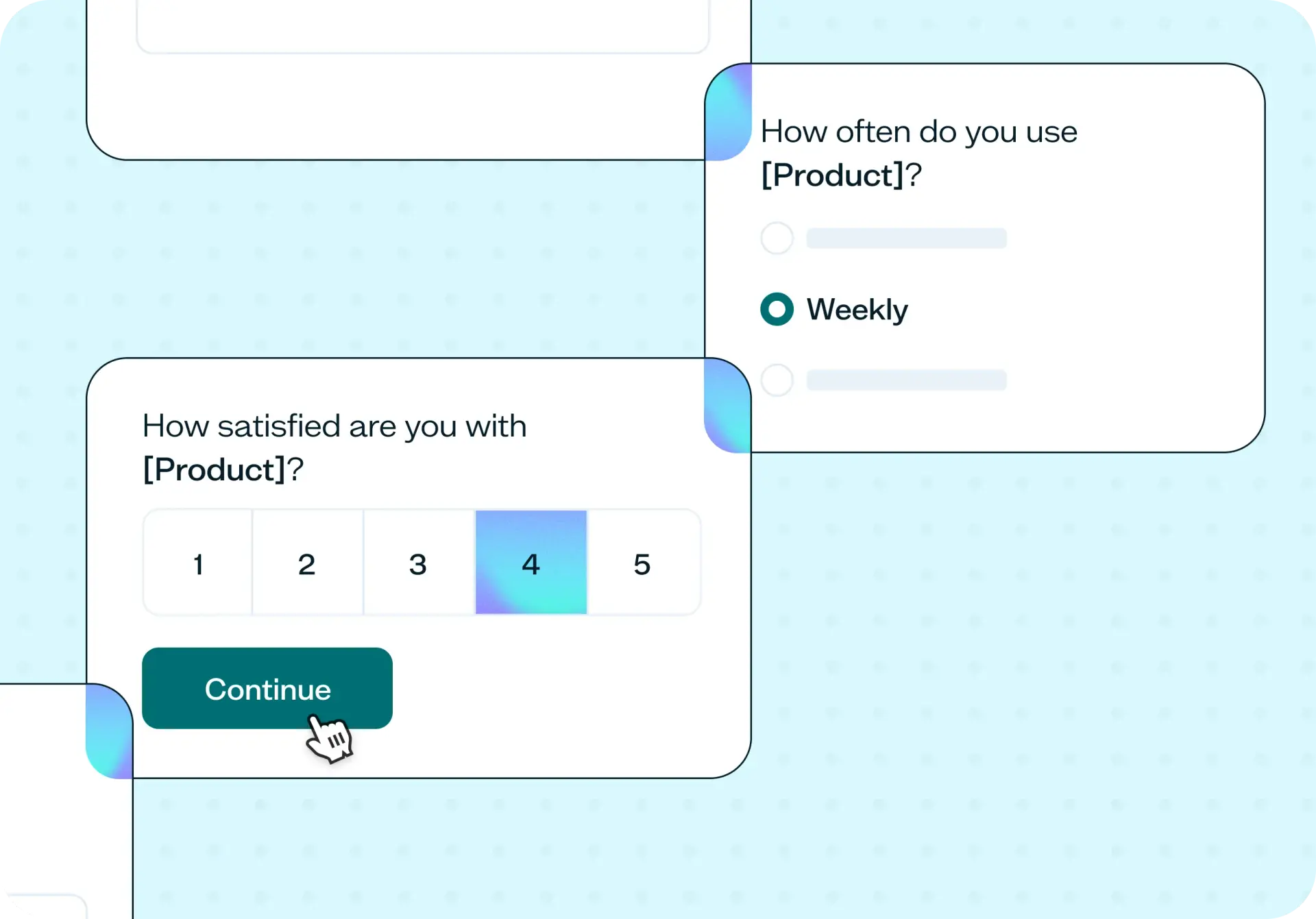

Gathering quick customer feedback can be done by sending a short survey to your customers to check how they're using your product, how satisfied they are, and what would make it better. Rather than relying on a single satisfaction score, it pairs quick-answer questions on usage and satisfaction with two open-text questions asking what customers like and what needs improving. This template gives you a fast, repeatable way to check in between bigger research projects, without a long survey standing between you and an honest answer.
The problem with not checking in with customers
Most teams only hear from customers when something's already gone wrong: a support ticket, a churn conversation, a complaint that surfaces weeks after the issue that caused it. A lightweight, regular check-in catches the same problems while there's still time to act on them.
A few signs it's time to ask:
You haven't checked in with customers since they onboarded.
Support tickets are the only feedback signal you have.
You shipped a change recently and don't know whether it actually helped.
A customer's complaint at churn was the first time you'd heard it.
You want a quick read on how things are going, not a full research project.

This template will help you discover
This template is built around five short questions. Together, they give you a fuller picture than a single score ever could.
How often customers actually use it
Usage frequency gives every other answer context. A daily user's complaint carries more weight than an occasional user's, and this question is what lets you make that distinction.
How satisfied they are right now
A simple 1-to-5 rating, from very dissatisfied to very satisfied, gives you a number you can track over time without turning the survey into a research project.
Whether they'd call it useful
A direct yes-or-no question that cuts past politeness. Customers can rate their experience a 4 and still say no here, and that combination tells you something a rating alone can't.
What to keep and what to fix
Two open-text questions let customers tell you what they like most and what needs the most improvement in their own words, rather than picking from a list of options you wrote for them.
What you'll test
This template ships with five questions ready to send: usage frequency, a satisfaction rating, a yes-or-no usefulness check, and two open-text questions on what's working and what isn't. Most customers get through it in one to three minutes, which is short enough that you can send it without worrying about drop-off.
You can adjust the open-text questions to fit the moment, whether that's right after onboarding, a few weeks into regular use, or after a support interaction. Keep the usage, satisfaction, and usefulness questions the same each time you send it so the results stay comparable from one send to the next.
How the research works
This template uses a survey sent directly to your own customers, with five ready-to-send questions covering usage, satisfaction, usefulness, and open feedback.
Survey
You run this as a survey, sent directly to your own customers by email or in-app. For quick customer feedback, you're almost always surveying people who already use your product, since the point is asking someone about an experience they're actually having.
Lyssna's research panel has its place, but it's for comparative or category-level research, like testing a concept against a broader audience. For this template, your own customer list is the audience.
Reading the results
Read the open text before you read the averages, and read both alongside the usage question. A frustrated answer from a daily user is a different problem than the same complaint from someone who logs in once a month, and grouping by usage frequency is what surfaces that difference.
Group open-text answers into themes: a comment three or more people raise is a pattern worth acting on, while a single comment usually isn't. Send it on a fixed cadence with the same core questions each time, so a shift in the numbers reflects a real change in how customers feel rather than a different survey asking a different question.
How to use this template
Start exploring with a free plan. Lyssna's free plan gives you access to this template and the survey builder, so you can get started without any upfront commitment.
Customize the open-text questions for your context. Adjusting the two open-text prompts to match the moment, whether that's post-onboarding, a regular check-in, or after a support interaction, makes the responses more specific and more useful.
Send the survey to your own customer list. Because you're asking people about an experience they're already having, your existing customers are the right audience for this template.
Review the results by grouping responses alongside usage frequency. Reading open-text themes next to the satisfaction and usefulness scores, grouped by how often each customer uses your product, helps you spot which issues matter most and pick one thing to act on before the next send.
When to use this template
Send this a few weeks after onboarding, once customers have had enough time to form a real opinion, to catch friction while it's still cheap to fix. It works just as well as a recurring quarterly check-in, where the consistency of sending the same questions each time means a shift in the numbers actually reflects a change in how customers feel.
Reach for it after you ship a change and want to know whether it actually helped, when support tickets are rising and you want a broader read than one channel gives you, or when you simply haven't heard from customers in a while and want a quick, honest pulse check.
Who this template is for
Product managers use this template to check whether a recent release actually improved the experience, rather than assuming it did. Customer experience and support leads use it to catch dissatisfaction before it turns into churn, and to justify a fix with more than a support ticket count.
Founders use it as an early warning system, especially before there's a dedicated research or support function in place to catch problems another way. Marketers use it to understand how customers feel day to day, and to spot language worth borrowing for messaging.
FAQs about gathering quick customer feedback
You may also like these templates

It wasn’t a big sell to move to Lyssna's paid account due to the speed at which you can put together a test, quickly get feedback, and recruit good participants. It just makes monetary sense. It's so cheap and the feedback is valuable.

Alan Dennis
Product Design Manager at YNAB