13 Oct 2026
|16 min
How to observe user interviews: A guide for researchers and stakeholders
Give stakeholders a front-row seat to real customer conversations, without changing how participants behave. Includes a free observer briefing template.

Observing user interviews is one of the most direct ways to get stakeholders invested in research. But it's rarely as easy as sending a link. Recordings go unwatched, extra faces on a call can make participants self-conscious, and well-meaning observers sometimes jump in with leading questions.
Whether you're a researcher setting up interview sessions for your team, or a product manager or designer about to watch your first interview, a few practical habits make observing far more useful – from choosing the right setup to agreeing on ground rules and running a quick debrief. We've also put together a free observer briefing template you can share with your team.
Key takeaways
Observing user interviews live builds stakeholder buy-in faster than a recording or summary deck.
Observers who join the call as visible attendees can change how a participant behaves.
Observer rooms let stakeholders watch privately and pass questions to the moderator.
Clear ground rules and a quick debrief turn observation into shared decisions.
Lyssna's Observer rooms give Enterprise teams a private room for every interview session.
Why observe user interviews live?
Watching a user interview live shows stakeholders the problem firsthand – the hesitation, the workaround, the offhand comment – in a way a summary can't.
That matters because buy-in is one of the hardest parts of the job. In Lyssna's UX Research Trends 2026 report, getting stakeholder buy-in was the third biggest challenge researchers reported, named by 20% of those surveyed. And as one researcher put it in Lyssna's Research Synthesis Report 2025: "Even though the data showed a clear path of success for new product development the stakeholders were stuck on their own ideas, so I thought that I was not being effective in communicating the findings."
Seeing a session live closes some of those gaps. Mark Jones, UX Design Lead and Consultant, described the impact of bringing stakeholders into sessions in Building UX culture: "I wanted them to see firsthand what the experience actually was like for users. And not only did we observe the problems that people were encountering, but it provided context behind those problems. It really helped the team to bridge the empathy gap with our customers."
Recordings still have a place, but they're easy to put off. As Andrew Millar, Product Design Manager at Lyssna, said in Continuous interviewing: "people probably don't want to watch a 30-minute recording."

Further reading: If you're looking for broader ways to bring different teams into research, see how to involve stakeholders in user research.
How can stakeholders watch a user interview without joining the call?
Stakeholders can watch a user interview without joining the call by using an observer room, a livestream or separate viewing call, or by watching the recording afterward. An observer room is the only option built for this – the others are workarounds with trade-offs.
Join the call as a visible attendee
This is the simplest setup and costs nothing extra. Observers join the meeting with their camera off and microphone muted.
The downside is that the participant can still see who's there. A row of silent names or black tiles can make participants self-conscious and less candid, especially in sensitive or critical conversations. If you use this approach, keep observers to one or two and introduce them at the start.
Use a livestream or second viewing call
Some teams use their meeting tool's livestream feature, or run a second call where someone shares the interview screen. This keeps observers off the participant's screen and usually works with tools you already use.
It can be fiddly, though. In Google Meet, adding live streaming to a calendar event changes the meeting link, so any invites already sent with the old link need updating. Screen-sharing into a second call depends on one person's connection, and audio quality often drops.
Set up a side channel for questions
Whichever setup you use, a side channel – usually a Slack or Teams chat – gives observers somewhere to send questions and notes without interrupting the interview. It's free and easy to set up. The catch is that the moderator has to watch different screens while running the interview, and the conversation lives outside your research tool.
What is an observer room?
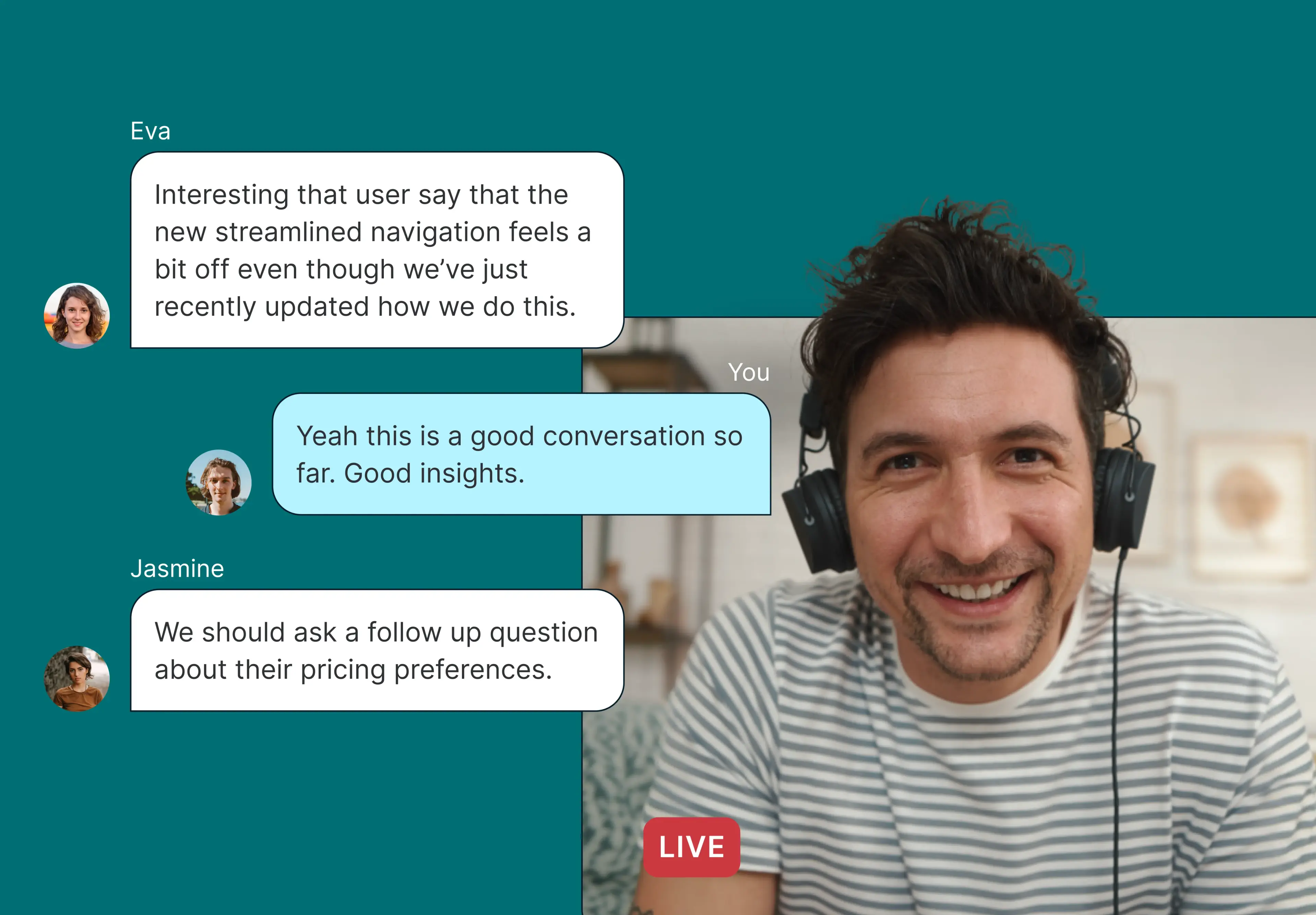
An observer room is a private, separate space where invited stakeholders can watch a live user interview and message the moderator in real time, without being seen or heard by the participant.
The idea comes from in-person usability labs, where observers sat behind a one-way mirror and watched sessions from the next room. Virtual observer rooms do the same job for remote research. Many research platforms that offer them include a private chat with the moderator, and some handle observer invites and recordings automatically.
OObserver rooms open up interviews to a wider group. As Andrew explains, "the key benefit of an observer room is getting people who might not normally join interviews into that kind of environment, and it's more low stakes." That includes senior stakeholders whose presence could make a participant nervous – "I don't know if I want to say the wrong thing with the CEO here in front of me" – and large groups, where "you don't want to overwhelm the participant with, you know, 13 faces in a call."
The trade-off is cost. Observer rooms usually come with a research platform subscription, often on higher-tier plans. See the comparison table below for an overview of research tools with specific observer room features.
Observer etiquette: Ground rules for stakeholders
Good observer etiquette comes down to one principle: the session is for the participant, not the observers. So it can be a good idea to share some ground rules with anyone who will be watching.
Before the session
Read the brief. Know the research goal and the questions the research is trying to answer.
Join a few minutes early. Arriving late in a visible setup is distracting, and in an observer room you'll miss context.
Check your assumptions. Write down what you expect to hear, so you can notice when the participant says something different.
During the session
Stay muted and off camera if you're on the call.
Send questions through the moderator. Don't ask the participant directly – the moderator can decide whether and how to fit a question in without leading the participant.
Hold off on solutions. It's tempting to start designing fixes mid-session. Note the problem instead and save solutions for the debrief.
Don't react. Laughing, sighing, or commenting where the participant can hear changes what they say next.
After the session
Join the debrief. Share your observations while they're fresh.
Keep it confidential. Don't share participant names, details, recordings, or screenshots outside the team.
Don't treat one session as the answer. A single participant's comment is a starting point, not a conclusion.
What should observers watch for in a user interview?
Observers should watch for gaps between what participants say and what they do, moments of hesitation or confusion, workarounds, the words participants use, and anything that contradicts the team's assumptions.
Stories vs opinions. Specific stories about what participants actually did, like the last time they tried to do something, tend to be more reliable than general opinions or predictions about what they'd do.
What people do vs what they say. If the interview includes a task or screen share, compare what participants do with how they describe it. Someone might call a task "easy" after three wrong turns.
Hesitations and pauses. A pause before answering, or a "hmm," often points to confusion the participant won't mention unprompted.
Workarounds. Spreadsheets, sticky notes, or extra tools can help reveal where your product falls short.
The participant's own words. Note the exact terms people use. They're useful for product copy, documentation, and marketing.
Surprises. Anything that contradicts what you expected is worth flagging for the debrief.
Observers often notice things a moderator might miss, simply because they aren't running the conversation. As Andrew put it: "If someone's joining the session as well, then quite often they've got the best follow-ups because they're observing, hearing things, and capturing."
Note-taking tips for observers
Timestamp your notes so you can jump to the moment in the recording or transcript later.
Note the moment, not the exact words. Jot down a short version of what was said and pull the exact quote from the transcript afterward.
Capture what the transcript misses, like tone, hesitation, facial expressions, and what's happening on screen.
Separate observations from interpretations. Write "Clicked Settings twice before finding Billing," not "Navigation is broken."
Write down your questions and reactions as they come up, so you can bring them to the debrief.
Use a shared template so notes from different observers are easy to compare.
Further reading: Our guide to note-taking for UX research covers four effective note‑taking strategies.
How to prepare observers (for moderators)
A few minutes of preparation saves you from interruptions, off-topic questions, and debriefs that go nowhere.
Brief observers before the session
Send a short brief with the research goal, the key interview questions, the session time, how to join, and the ground rules. A shared document works better than an email thread because observers can return to it during the session.
Decide how many observers to invite
If observers join the call visibly, keep it to one or two. With an observer room, numbers matter less to the participant, but a busy chat is hard to follow while you're moderating. Invite the people who need to hear from users most, and share the recording with everyone else.
Bring a co-host to manage the chat
If observers are sending questions while you moderate, a co-host makes the session much easier to run. "There's nothing worse than being the only person running the interview," says Andrew. "If you've got a co-host, they can be not only following along and asking questions during the session, but also … their primary role can be checking on the chat."
If you're running the session alone, keep the chat open beside the call and check it at natural pauses.
Give observers a role
A role keeps observers focused. One person might capture quotes, another track usability problems, and another note anything related to a specific feature or business question.
Run a research debrief
A research debrief is a short meeting right after a session (or a set of sessions) where the moderator and observers share what they noticed. Debriefs are already a common part of the process: in Lyssna's Research Synthesis Report 2025, 55% of participants said they use team debriefs and collaborative sessions to synthesize research.
Keep debriefs to 15–30 minutes and work through three questions:
What were the most important things we observed?
What surprised us?
What do we still need to learn?
Capture the answers in one place so they feed into synthesis.
If you don’t have time for a full debrief, a quick check-in still helps. Joe Formica, Design Advocate at Lyssna, recommends “a 5–10 minute rapid debrief right after the session. You each share first impressions: how it went, what stood out, and what you’d want to dig into. The goal isn’t to debate or start synthesis. It’s just to capture those initial, off-the-cuff reactions, since they can be useful to look back on and compare later.”
Some teams make the debrief part of the session itself. Andrew suggested sometimes running "an observer room watch party – a physical room where you get everyone into the single space, and you have the call on, and everyone can just sit there, comment, and take note of any interesting quotes, or fire through any follow-up questions." Once the interview ends, the conversation starts straight away.
Consent and participant privacy
Participants should know that their session will be recorded and may be observed, even if observers aren't visible to them. You don't need to say exactly how many people are watching – a long list of names can make participants more guarded – but they should understand how their information will be used.
As Andrew puts it: "it is your obligation to make sure that they understand how you're using their information and what that recording might be being used for."
Include observation in your consent form. State that colleagues may watch the session live and that it will be recorded. If you need a starting point, our guide to user research agreements includes a free template you can adapt.
Repeat it at the start of the session. Remind participants why you're recording and what the recording will be used for. If a note-taker or recording bot joins the call, mention that too.
Only invite observers who need to be there, and remind them that participant details are confidential.
Follow your organization's policies and any privacy rules that apply where your participants are based.
Observer room tools compared
Good etiquette and preparation go a long way, but the setup you choose shapes how easy all of this is. If you're considering an observer room, the table below compares observer room features across research platforms, based on each vendor's own documentation as of October 2026. Features change often, so check the linked sources before you choose a tool.
Tool | Participant visibility | Observer control | Observer invites | Private chat | Meeting platforms | Recording | Mobile observing | Plan |
|---|---|---|---|---|---|---|---|---|
Lyssna | Observers not visible to the participant; a Lyssna note-taker joins the call | Per session or per study | Automatic calendar invite, with confirmation to the moderator | Yes, with the moderator | Zoom, Google Meet, Microsoft Teams | Automatic recording and transcription | Yes | Enterprise |
Maze | Observers not visible, but an observer indicator is shown to all parties | Enabled per study, invite link per session | Manual link and passcode | Yes, with moderator and observers | Maze Conferencing | Recorded by default | Not documented | Enterprise |
Great Question | Observers not visible; participants told sessions may be viewed | Per study, with per-session toggle | Automatic separate calendar invites | Not documented | Zoom, Google Meet, Microsoft Teams, Webex | Automatic recording and transcription | Not documented | From Self-serve ($129 per seat/month) |
Lookback | Observers not seen or heard | Per round, or per session via public link | Manual link | Yes, text chat with moderator and observers | Lookback only (browser-based) | Recording and automatic transcription | Not documented (desktop recommended) | From Freelance ($299/year) |
Dscout | Participants not aware observers are present | Per session | Manual link | Yes, with moderator and observers | Dscout | Recording and automatic transcription | Not supported | Not documented |
Userlytics | Observers hidden | Per session | Email notification | Yes, team chat | Userlytics only (browser-based) | Automatic recording | Not supported | Enterprise |
UserTesting (Live Conversation) | Observers not seen | Per test | Team link in booking email and calendar invite | No | Zoom | Automatic recording and transcripts | Not documented | Advanced and above |
Askable | Hidden from call layout, but names appear in attendee list | Per session | Moderator approves observers as they join | Not documented | Askable Sessions (built-in) | Recordings and transcripts | Not documented | Not documented |
Sources (accessed October 2026): Lyssna · Maze: product update, help, pricing · Great Question: support, feature page, pricing · Lookback: observer guide, live sessions, pricing · Dscout: observers, chat, interview study FAQ · Userlytics: client guide, scheduling, pricing · UserTesting: Hidden Observers, plans · Askable: FAQ, setup
Free observer briefing template
Our free observer briefing template gives observers everything they need in one place. Duplicate it in Notion for each study, fill in the session details, and share the link with your observers.
It includes:
Session details: Study goal, research questions, session times, how to join, and who's moderating.
Ground rules: A short etiquette checklist.
What to watch for: Prompts based on the list above.
Observer notes: A table for time, what happened, what the participant said, and questions.
Questions for the moderator: How to send questions live, and a place to park the ones that don't get asked.
Debrief: Top three observations, surprises, and open questions.
Confidentiality reminder: What not to share outside the team.
The template works with any setup, whether you use an observer room in your research tool, a livestream, or a muted call.
How Lyssna can help
Lyssna brings moderated user interviews – recruitment, screening, scheduling, and analysis – into one platform. You can recruit from Lyssna's panel of 690,000+ participants across 124 countries, with 395+ targeting options, or invite your own users.
For teams on Enterprise plans, Lyssna's Observer rooms give every interview session its own private room. You can add observers to a single session, and they get a calendar invite with the room link automatically. Observers can watch live from desktop or mobile and message you privately, without the participant seeing them. Sessions on Zoom, Google Meet, and Microsoft Teams are recorded and transcribed in the background by a Lyssna note-taker that joins the call.
As Ilayda Küçükosmanoğlu, Head of Design at Ditto, said: "I love how hassle free setting up a live interview is through Lyssna. All the planning is handled by the tool with a truly high quality panel as well."
FAQs about observing user interviews

Diane Leyman
Senior Content Marketing Manager
Diane Leyman is the Senior Content Marketing Manager at Lyssna, where she built the content program from the ground up and leads the company’s content strategy. She brings more than 15 years of experience in content and editorial roles across SaaS, publishing, and the not-for-profit sector.

You may also like these articles