13 Oct 2026
|6 min
Introducing Observer rooms
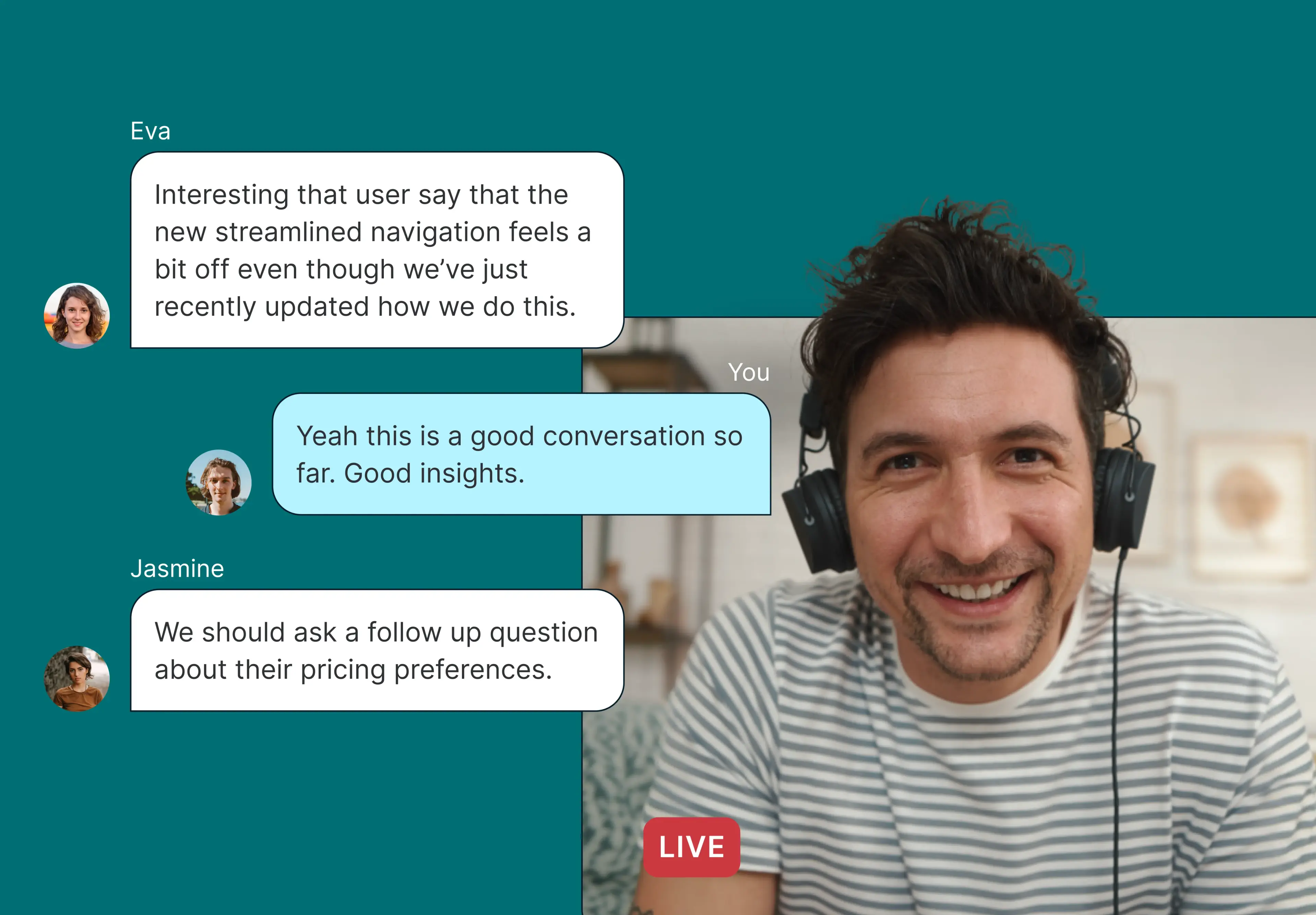
Observer rooms from Lyssna let stakeholders watch live moderated interviews in a private room and message the researcher in real time – without being seen by the participant.

Getting stakeholders to watch user interviews is harder than it sounds. Recordings go unwatched, and adding extra people to a live call can change how a participant behaves.
Observer rooms from Lyssna give stakeholders a private place to watch interviews live and message the moderator, without being seen by the participant.
Here's how they work, and how they fit into the interviews you already run.
Key takeaways
Stakeholders often mean to watch interview recordings but never get to them.
Watching live gets far more engagement, but extra faces on the call can make participants more guarded.
Observer rooms let invited stakeholders watch a session live without joining the call or being seen by the participant.
Observers can message the moderator privately during the session, from desktop or mobile.
Observer rooms are available now on Lyssna's Enterprise plan.
What are Observer rooms?
Observer rooms give invited stakeholders a private space to watch a live user interview and message the moderator in real time. Each room is tied to a single interview session and is separate from the call itself, so the participant doesn’t see or hear observers.
Observer rooms work with interviews run over Zoom, Google Meet, and Microsoft Teams, so your team doesn't need to change its meeting setup.
What problem do Observer rooms solve?
Most people who do research know the pattern. You share an interview recording, stakeholders mean to watch it, and the week gets away from them. The insights end up in a summary deck, a step removed from the customer.
Watching live is different. Stakeholders hear the hesitation and the offhand comment that reframes the problem, and they're far more likely to act on it.
But inviting stakeholders onto the call has a downside. Every extra face on screen can make a participant less open, and shift the conversation.
Bringing observers into sessions is rarely as simple as it should be:
Some teams use their meeting tool's livestream feature. This can regenerate the meeting link and quietly break the calendar invite.
Moderators sometimes can't tell if an observer got the invite or if the session is on their calendar.
When observers can only be added to a whole study, a stakeholder who wants to watch one session ends up with access to all of them.
Stakeholders often think of a good follow-up question mid-session, but there's no way to pass it to the researcher without the participant seeing it.
Observer rooms are built to solve those problems.
How Observer rooms work
1. Add observers to a session
Open a scheduled interview session, go the attendees list, and click Add observer. Select your stakeholder's email address, and you're done.
You can add observers to a single session or to the whole study, so they're invited to every session. If a product manager wants to watch one interview, you can add them to that session alone, and remove them just as easily if plans change.
2. Observers get a calendar invite automatically
Each observer gets a calendar invite for the session, titled "Observe:" followed by your study name. It covers the session time and includes a direct link to the observer room. You get confirmation the invite was sent, so you're not left guessing whether they received it.
If you remove an observer, the invite is canceled and drops off their calendar.
3. Observers watch live, privately
When the session starts, observers join the room from their invite link. They can see and hear the interview live, but they never appear on the participant's screen. Observers also see the participant's information, including their screener responses, so they have context before the conversation starts.
You can see who's in the room at any time. And because Observer rooms work on mobile, stakeholders can watch from wherever they are.
4. Message the moderator in real time
Observers can send the moderator private messages during the session, like a follow-up question or a topic worth digging into. Messages never reach the participant, and observers can't message the participant directly.
When you open the observer room as the moderator, the video is hidden by default, so you can follow the chat and live transcript without a second video feed competing for your attention. You'll get a quiet notification when a new message arrives.
5. Recordings and transcripts are handled for you
Sessions are recorded and transcribed automatically in the background, whether you run them on Zoom, Google Meet, or Microsoft Teams. Once the session wraps, the recording is uploaded to the session in Lyssna for anyone who couldn't make it live.

Observers aren't visible to participants, but it's still good practice to inform participants at the start of a session that it's being recorded and that colleagues may be watching. See our guide to user research agreements.
Who are Observer rooms for?
Observer rooms are a good fit if:
You run moderated interviews and want product managers, designers, and other stakeholders to hear from customers firsthand, not just read a summary later.
You've been relying on livestream workarounds or manually shared links to let colleagues watch sessions.
You need to give someone access to a single session without opening up the whole study.
Stakeholder buy-in is a recurring challenge, and you want research to land with the people making decisions.
Read more: Our guide on how to observe user interviews goes into more detail on how to involve your stakeholders, and includes a free observer briefing template.
How to get started with Observer rooms
Observer rooms are available now on Enterprise plans, alongside Lyssna's other enterprise security and administrative controls, including SSO, custom contracts, and closed spaces.
Already on an Enterprise plan? Create an interview session and add your first observer – our help center guide walks you through the setup. We'd love to hear how it goes, so please feel free to share your feedback once you've tried it.
If you're on another plan and want to see Observer rooms in action, book a demo with our team.
FAQs about Observer rooms from Lyssna
You may also like these articles