
Overview
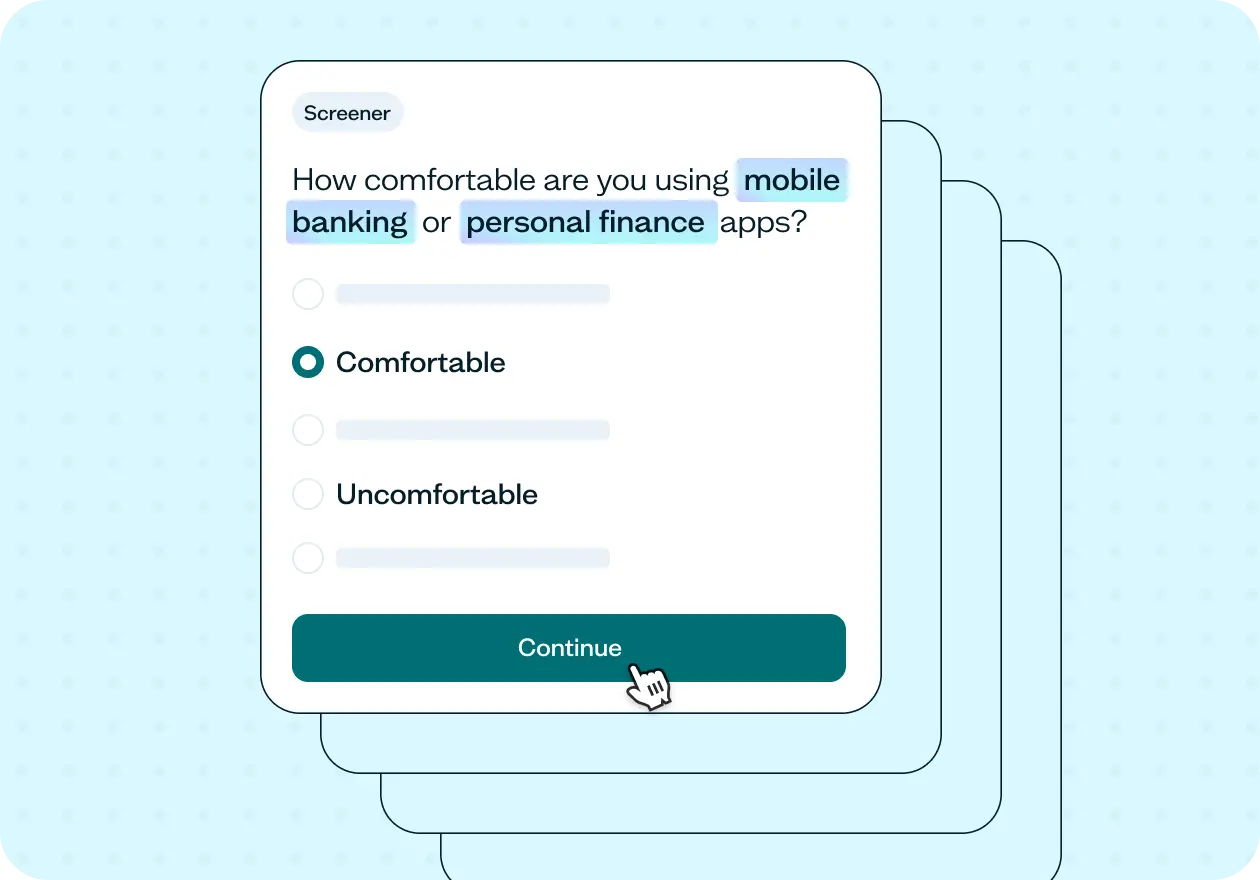
This template helps you screen research participants by technical skill level and product familiarity, so your study reaches people with the right proficiency for what you're testing. It includes a ready-to-run screener with two qualifying questions you can adapt to any product, tool, or device.
Why technical proficiency matters
Technical confidence changes how someone experiences a product. It can shape what people notice, what they ignore, how they recover from errors, and whether they even try certain features at all.
This creates a real problem for research. A usability study made up of confident, tech-savvy participants will surface very different findings than one with less experienced users, who are more likely to encounter friction that would otherwise go unnoticed.
Whether you need experienced users, beginners, or a mix of both, this approach gives you a clear, structured way to qualify the right audience.
This template will help you discover
Whether participants have the technical ability needed to complete your study.
How the comfort level with a specific device, software, or tool varies across your participant pool.
Whether participants have actually used the specific features or concepts relevant to your study.
How different proficiency levels shape the way users experience the same product or task.
How the technical proficiency screener works
Two questions is all it takes to know whether a participant's technical experience matches what you’re testing.
The first question measures overall comfort with a specific device, software, or tool. The second goes deeper, asking about familiarity with a specific feature or concept. A participant might be comfortable with a product in general but have never touched the functionality you're actually studying, this question catches that gap.
While this template pairs the screener with a follow-up survey, the screener questions can be added to the front of any Lyssna study type where technical proficiency affects the quality of your results.
Here's what it unlocks across different research methods:
Prototype test – Confirms participants have enough product familiarity to interact with a prototype meaningfully, without getting stuck on interface conventions they've never encountered before.
Survey – Pair the screener with a survey to go deeper on how different proficiency levels shape attitudes, preferences, and self-reported behavior around your product.
Five second test – Screen for technical familiarity before showing participants a design, so first impressions reflect how your actual users – not outliers – would respond.
Card sort – Ensures participants have enough domain knowledge to make meaningful categorization decisions, particularly useful when sorting involves technical terminology or concepts.
How to use this template
Start by replacing the placeholders with the specific product, device, or tool your study involves.
Next, decide where to set your qualification threshold. The default qualifies participants who are "comfortable" or "very comfortable" and disqualifies everyone below that. But depending on your research goals, you may want to adjust this. If you're studying the beginner experience, "neutral" might be exactly who you want. If you're testing an advanced feature, you might want to qualify only "very comfortable" participants.
For the feature familiarity question, think carefully about which specific concept or functionality is most central to your study. This question does the most precise filtering. Use it to name something concrete that participants either have or haven't engaged with, rather than a broad category.
Once your screener is live, use the results to review your participant mix before analysis begins. The breakdown of comfort and familiarity levels across your sample tells you a lot about the lens your results are coming through and flags early if your pool skewed more advanced or more novice than you intended.

See an example of the screener results
Click the ▸ icon to reveal screener results
When to use this template
When your study requires participants to have a certain level of technical skill.
When you’re testing complex products, tools, or features.
When you want to compare experiences between more and less tech-savvy users.
When your product spans a wide range of user skill levels.
Who this template is for
UX researchers running usability tests or onboarding studies who need participants with the right technical baseline.
Product and design teams building for mixed-ability audiences who want to understand how proficiency shapes the user experience.
Developers and teams working on developer tools, enterprise software, or technical platforms where expertise level varies significantly across the user base.
Healthcare tech, fintech, and IoT teams whose products sit at the intersection of technical complexity and everyday users.
Anyone who has ever suspected their research was skewed because participants were more (or less) technically confident than the people they were designing for.
FAQs about screening users based on technical proficiency
You may also like these templates

The navigation test is god's gift to UI designers. It probably has the best power-to-simplicity ratio of any software, ever.

Nick Franklin
CEO at ChartMogul