26 May 2026
|5 min
Third-party studies from Lyssna
Third-party studies from Lyssna lets you recruit vetted participants for research hosted on Maze, Typeform, Qualtrics, Google Forms, and more – with responses typically starting in under an hour.

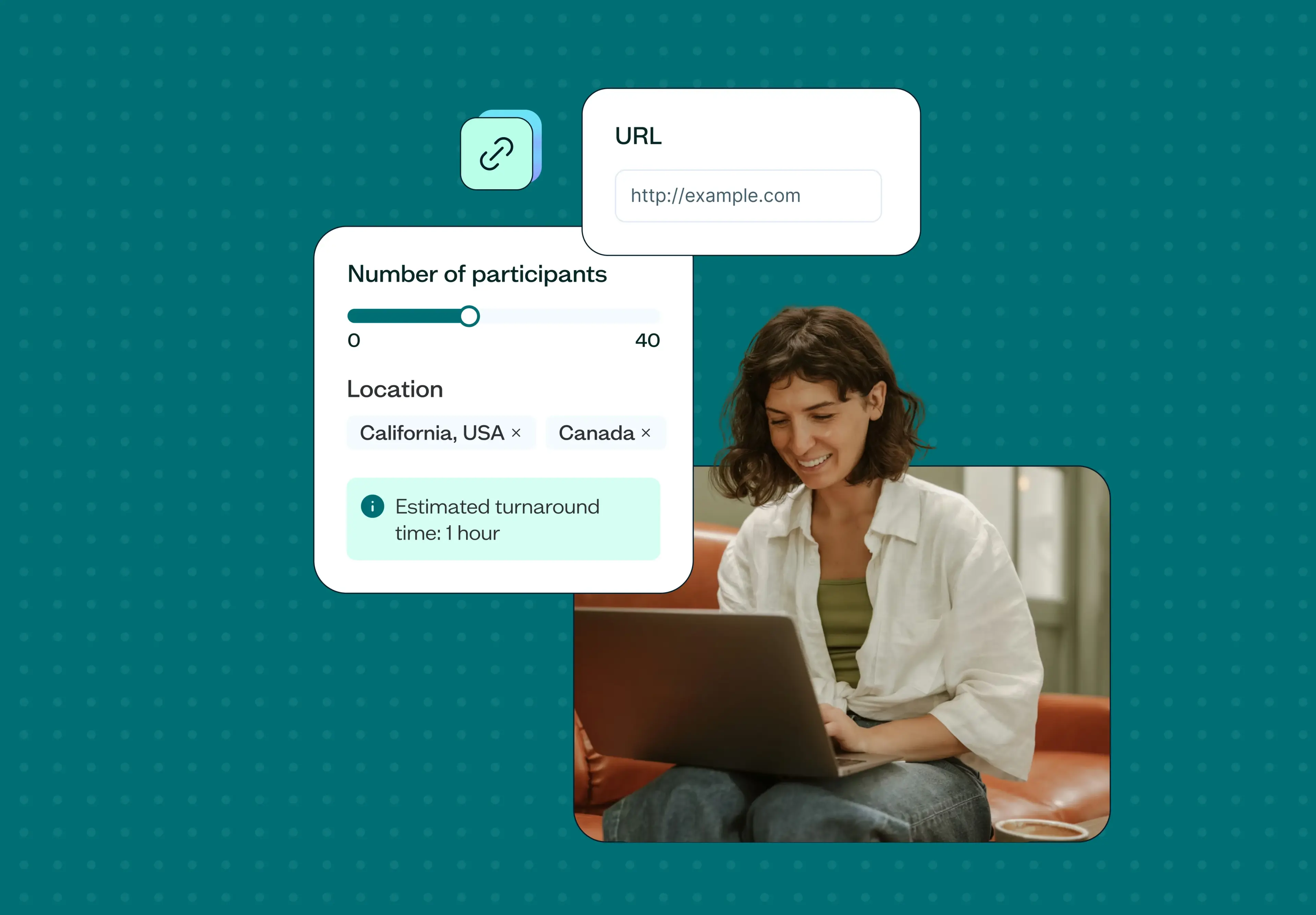
If your team does research in Maze, Typeform, Qualtrics, or Google Forms, you've probably run into the same problem: building the study is the easy part. Finding the right participants is where things stall.
Specialist recruitment agencies are slow and expensive. Reaching out through LinkedIn or your own network is hit-and-miss. And most panel providers give you access to participants without any real way to verify the quality of what you're getting. For teams running unmoderated research on external tools, there's often no clean path to participants you can trust.
That's the problem Third-party studies from Lyssna solves.
Key takeaways
Finding quality participants for research hosted on external tools is one of the most common bottlenecks for research teams.
Third-party studies lets you recruit from the Lyssna panel for studies hosted on any platform – Maze, Typeform, Qualtrics, Google Forms, and more.
You get access to 690,000+ vetted participants across 124 countries, with 395+ demographic filters and screeners to find exactly the right people.
Responses typically start in under an hour, with completion tracking and demographic data surfaced directly in Lyssna.
What is Third-party studies?
Third-party studies lets you recruit participants from the Lyssna panel for research hosted in another tool. You bring the study, and Lyssna handles recruitment, completion tracking, and quality assurance.
The problem it solves
Most teams running research outside of Lyssna face a version of the same challenge. Their research tool works well. Their study design is solid. But when it comes to finding participants who match their target profile, the options aren't great.
External recruitment agencies can take weeks and carry significant costs. Self-recruitment through email or social channels is unpredictable – especially for niche audiences or specific demographics. And while some panel providers offer broad reach, they often can't verify the quality of responses because they don't have visibility into how their panelists behave elsewhere.
The result is a false trade-off: either use the tool you want, or have access to the participants you need. Third-party studies removes that trade-off entirely.
How Third-party studies works
Setting up a Third-party study is simple. Here's the process:
1. Start from the dashboard
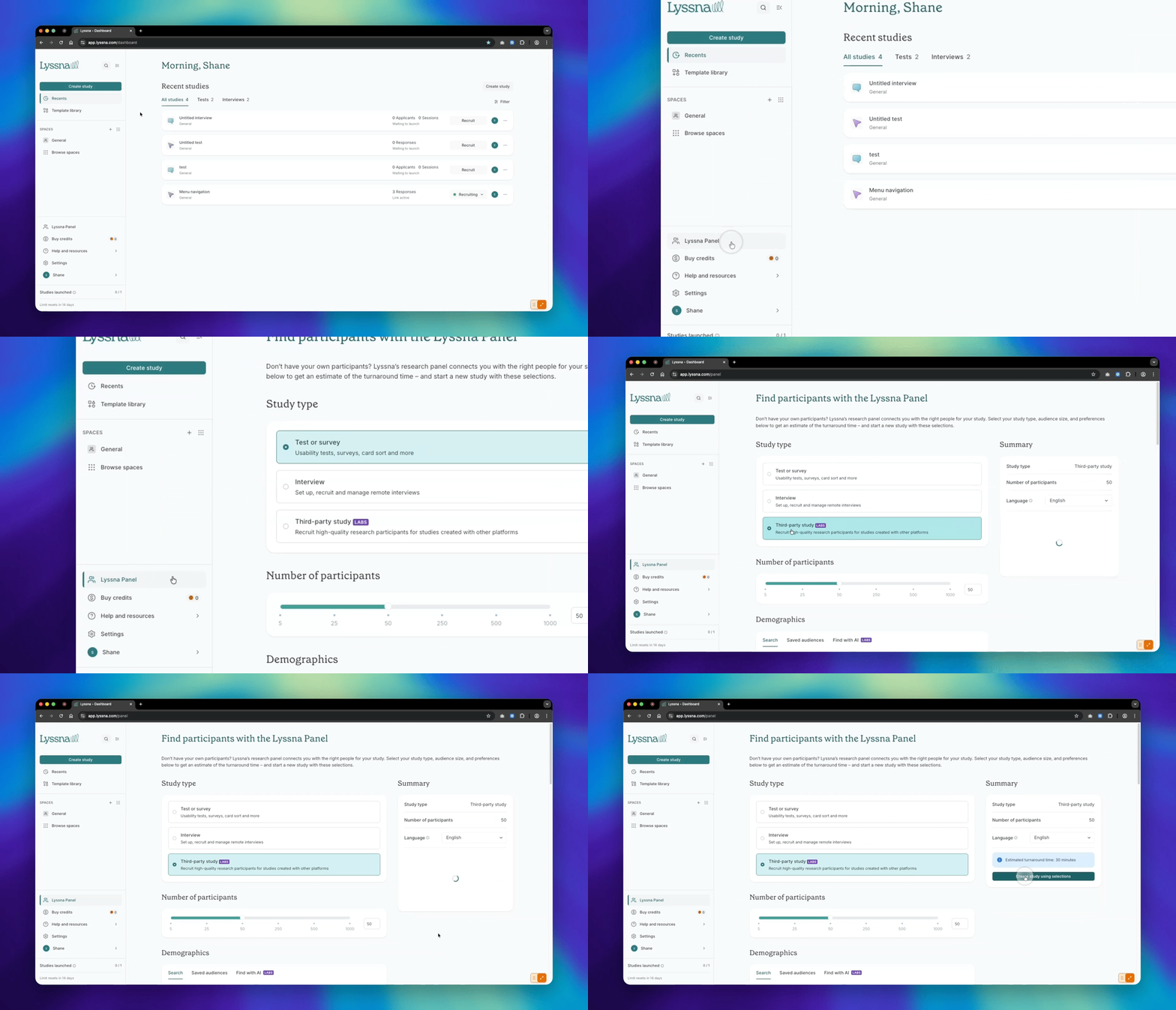
Select Lyssna Panel from the bottom of the side navigation menu, then choose Third-party study as your study type. Select the number of participants and your demographic criteria, then click Create study using selections to name your study and continue to the setup page.
Before committing, you can use the Lyssna Panel page to check whether your target audience exists in the panel and get a fulfilment estimate – so you know what's feasible before you invest time in your setup.
2. Add your study URL
Make sure your study is accessible to participants and paste in the URL.
3. Set your estimated duration
Specify how long participants should expect to spend completing your study. This sets clear expectations and helps Lyssna match you with participants who have the time to complete it.
4. Set up completion tracking
To confirm participants have completed your study and can be compensated, choose one of two options:
Redirect URL: If your research tool supports redirects, use the redirect link Lyssna provides to automatically confirm completion.
Completion code: Add a completion code to the final page of your study. Panelists enter this code into Lyssna to verify they've finished.
5. Link responses to panelists
Add a question at the beginning of your study asking participants for their Panelist ID. Lyssna provides participants with their ID in advance, so you can match each response to a participant and maintain data integrity across platforms.
What results you get
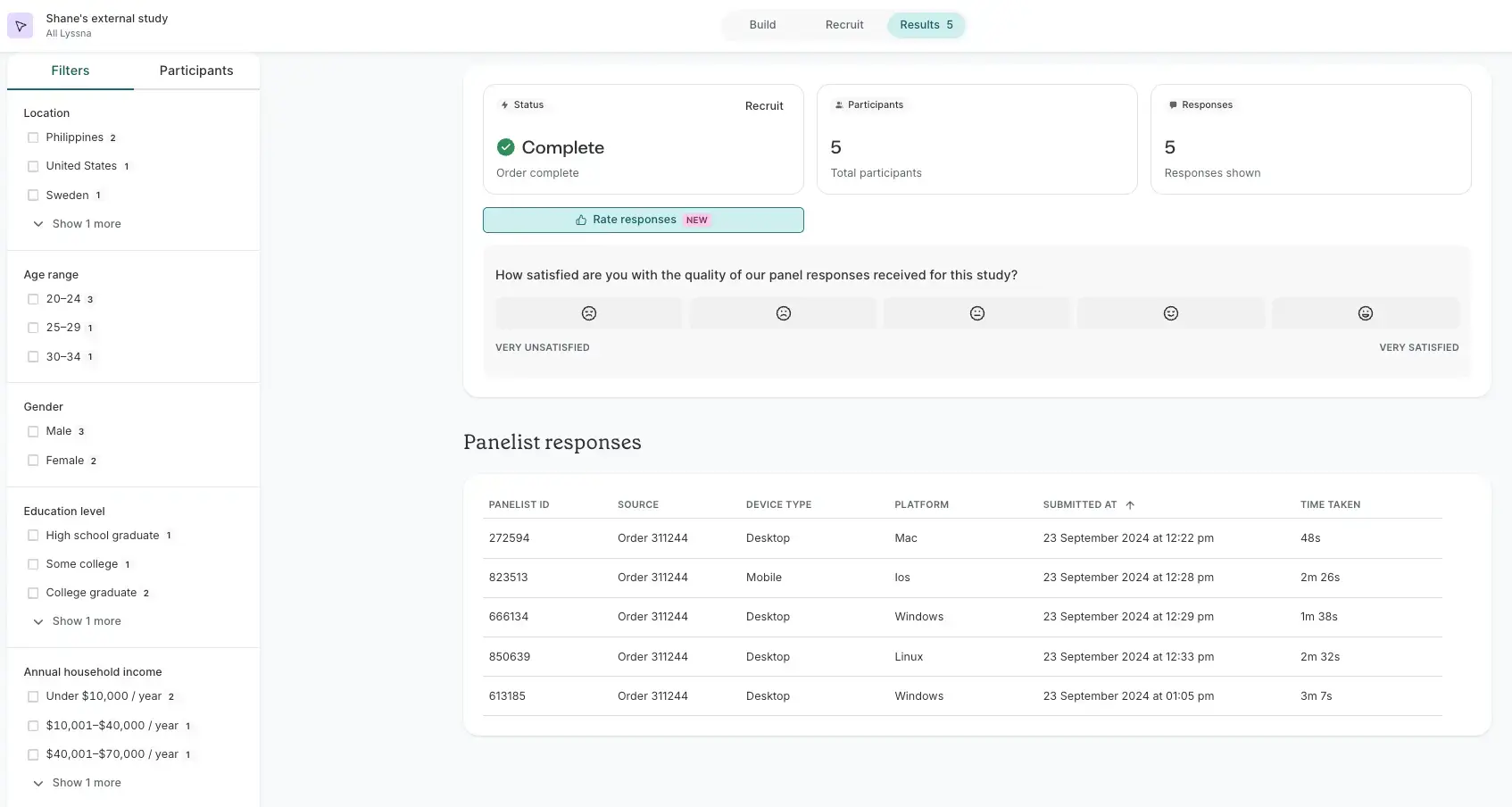
Your study results live in the tool where they were collected – nothing changes there. But Lyssna also surfaces demographic, device, and response data on its own results page, giving you a unified view of who participated and how they responded.
What data you can and can't collect
To protect panelist privacy, there are some restrictions on the data you can collect through Third-party studies. The following aren't permitted:
Personally identifiable information (name or email address).
Login details.
Sensitive data such as health or medical information.
Financial information such as credit card numbers or payment logins.
Who is Third-party studies for?
Third-party studies is a good fit if:
Your team uses a specialist research tool that Lyssna doesn't natively support, and you need quality participants for studies hosted there.
You've relied on recruitment agencies, panel providers like Respondent or Prolific, or self-recruitment for external studies and want a faster, more reliable alternative.
You want the quality assurance and demographic depth of the Lyssna panel without migrating your research to a new platform.
FAQs about Third-party studies from Lyssna
You may also like these articles