24 Apr 2026
|17 min
What is a design sprint?
What is a design sprint? Learn how the design sprint process works, its five key steps, and when to use it to solve problems and validate ideas fast.

A design sprint is a structured five-day process that helps teams rapidly solve complex problems, prototype solutions, and validate ideas with real users, all before investing significant time and resources into development.
Whether you're developing a new product, improving product adoption, or testing a high-stakes assumption, a design sprint provides a proven framework for making progress fast.
Developed by Jake Knapp, John Zeratsky, and Braden Kowitz at Google Ventures (GV), the methodology draws on design thinking and agile development techniques. According to its creators, design sprints allow teams to "fast-forward into the future and see their finished product and customer reactions before making any expensive commitments." Knapp's book Sprint has become the definitive resource for teams looking to implement this approach.
In this guide, we'll walk through the step-by-step process, common pitfalls, and how user research strengthens every stage of a design sprint.
Key takeaways
A design sprint is a five-day process that takes an idea from concept to a tested prototype, helping teams validate assumptions before committing resources.
The process follows five distinct phases: understand, ideate, decide, prototype, and test, each mapped to a day of the week.
Design sprints work best for high-risk decisions, new product ideas, feature validation, and strategic pivots where early user feedback is critical.
Cross-functional participation from product managers, designers, engineers, and decision-makers ensures diverse perspectives and faster alignment.
User testing on Day 5 is essential. It's where the sprint delivers its greatest value
UX research before, during, and after the sprint strengthens outcomes at every stage, and tools like Lyssna help teams gather rapid, reliable feedback on a tight timeline

Why use a design sprint?
Design sprints have gained widespread adoption because they address several persistent challenges in product development. Here's why teams across industries rely on this methodology.
Faster decision-making
Traditional product development often involves weeks or months of meetings, debates, and incremental progress. McKinsey found that only 20–40% of available working time in product development is spent on value-adding tasks. A design sprint compresses this timeline dramatically. By timeboxing activities and creating urgency, teams make decisions in days rather than dragging discussions out indefinitely. The structured process forces clarity and momentum.
Reduced risk
Building the wrong thing is expensive. A design sprint lets you test ideas with real users before writing a single line of production code. You'll learn whether your solution resonates with users, identify critical flaws, and gather evidence to support (or challenge) your assumptions, all within a week.
Alignment across teams
When product managers, designers, engineers, and stakeholders work together intensively for five days, alignment happens naturally. This structure matters. Research shows three in four cross-functional teams underperform on key metrics. Everyone shares the same context, contributes to the solution, and witnesses user reactions firsthand. This shared experience reduces miscommunication and builds buy-in for the path forward.
Early user validation
Rather than waiting until launch to discover whether users want what you've built, design sprints front-load validation. This is critical given that over 40% of companies don't talk to end users during development. Testing a prototype with real users on Day 5 provides immediate, actionable feedback that shapes your next steps.
Cost and time savings
Discovering a fundamental flaw in your concept during a five-day sprint costs a fraction of what it would cost after months of development. Design sprints help teams learn quickly and affordably, gaining confidence they're on the right track before scaling investment.
The design sprint process (step by step)
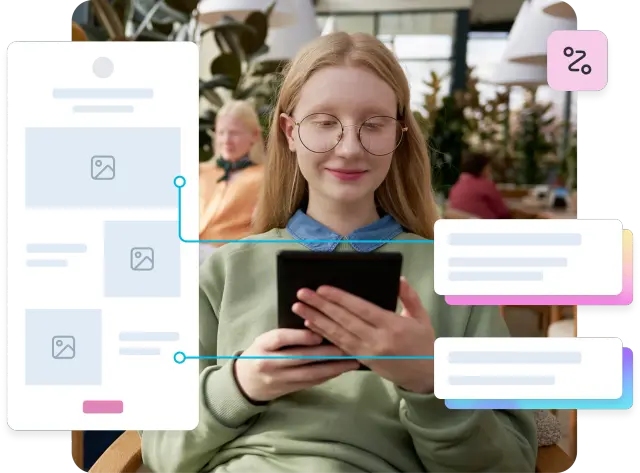
A design sprint is a highly structured yet versatile process. It quickly brings an idea from conception to a prototype that you can test with real users in five days. Each day has a specific focus, building on the previous day's work.
Day | Focus | Key output |
|---|---|---|
Day 1 | Understand and define | Agreed challenge + user journey map |
Day 2 | Ideate and sketch | Individual solution sketches |
Day 3 | Decide and storyboard | Chosen direction + storyboard blueprint |
Day 4 | Prototype | Testable prototype |
Day 5 | Test with users | User feedback + evidence for next steps |
Day 1: Understand and define the problem
The first day is about building shared understanding and choosing a clear focus. You'll define the problem, identify users, map the user journey, and choose a focus point with the greatest risk or opportunity.
Start by setting a long-term goal: where do you want to be in six months or a year? Then work backward to identify the biggest obstacles and assumptions that could derail success. Map out the user journey from discovery to key action, highlighting pain points and opportunities.
By the end of Day 1, the team should agree on a specific challenge to tackle, typically the riskiest assumption or the area with the highest potential impact. This focus ensures the rest of the sprint addresses something meaningful rather than spreading effort too thin.

Pro tip: Invite subject matter experts to share insights during Day 1. A 15-minute "lightning talk" from customer support, sales, or analytics can surface problems the core team might overlook.
Day 2: Ideate and sketch solutions
Day 2 shifts from problem definition to solution exploration. The goal is to develop a wide range of potential solutions using brainstorming, sketching, and ideation techniques.
The four-step sketch method provides structure for this divergent thinking:
Take notes (20 minutes): Review the goal, opportunities, and inspiration you've collected.
Draw rough ideas (20 minutes): Sketch out initial thoughts to gather your thinking.
Crazy 8s (8 minutes): Take your most viable solution and sketch eight variations in eight minutes.
Solution sketch (30+ minutes): Create a detailed, end-to-end solution for the problem.
This approach ensures everyone contributes ideas independently before group discussion, preventing groupthink and surfacing diverse perspectives. By the end of Day 2, each team member has produced a detailed solution sketch that will be reviewed the following day.
Day 3: Decide and storyboard
Day 3 is about convergence: reviewing the solutions from Day 2 and narrowing down to the best idea based on impact, feasibility, and desirability.
The "Sticky Decision" method helps teams reach consensus efficiently:
Document the decision: Write down the decision that needs to be made.
Brainstorm options: Each team member writes down their ideas for potential solutions.
Group similar ideas: Cluster sticky notes with similar concepts together.
Discuss and vote: The team discusses each solution and votes on top choices; the decider makes the final call.
Decide and act: Make the final decision based on voting results.
Once a direction is chosen, the team creates a storyboard: a step-by-step plan showing how users will interact with the solution. This storyboard becomes the blueprint for Day 4's prototype.
Day 4: Prototype
Day 4 is dedicated to rapid prototyping. You'll build a tangible representation of the chosen solution. In design sprints, developing a prototype boils down to "faking it till you make it." The goal is to have a prototype that's good enough to be tested with users but not 100 percent perfect.
The prototype should feel real enough that users can interact with it naturally and provide meaningful feedback. The prototype you build could take any of these forms:
Clickable mockups created in Figma or similar prototyping tools.
A slide deck that simulates an app flow.
A landing page built with no-code tools.
A physical mockup or paper prototype.
The key is speed over polish. You're not building a production-ready product. You're creating something realistic enough to test your assumptions. Divide responsibilities among team members to parallelize the work and meet the end-of-day deadline.
Pro tip: Assign one team member as the "stitcher" who assembles the final prototype while others create individual screens or assets. This keeps the work parallel and ensures the prototype feels cohesive by the end of day.
Day 5: Test with users
The final day brings everything together. Test your prototype with at least five users to gather feedback and insights. This number, based on usability research, typically reveals the majority of critical issues without requiring a larger sample.
Each testing session should cover several key activities:
Observe how users interact with the prototype.
Ask open-ended questions about their experience.
Note where users struggle, express confusion, or show delight.
Capture direct quotes and specific behaviors.
By the end of Day 5, you'll have concrete evidence about whether your solution works. You'll know what resonated, what confused users, and what needs refinement. This feedback informs whether to iterate, pivot, or move forward with confidence.
Get started quickly with these prototype testing templates from Lyssna.

Design sprint vs Agile and Lean UX
Design sprints, Agile, and Lean UX share common DNA but serve different purposes. Understanding how they relate helps you choose the right approach for your situation.
Aspect | Design sprint | Agile | Lean UX |
|---|---|---|---|
Timeframe | 5 days | Ongoing sprints (typically 2 weeks) | Continuous |
Focus | Validating a specific idea or solving a defined problem | Incremental delivery of working software | Continuous learning and iteration |
Output | Tested prototype and user insights | Shippable product increments | Validated learning and refined designs |
Best for | High-uncertainty decisions, new concepts | Ongoing product development | Integrating research into development cycles |
Design sprints work well as a precursor to Agile development. Run a sprint to validate your concept, then use Agile to build and iterate on the validated solution.
The approaches complement rather than compete. A design sprint can kick off a new initiative, Agile can deliver it incrementally, and Lean UX principles can guide ongoing refinement based on user feedback.
When should you run a design sprint?
Design sprints are most effective when you face specific types of challenges.
Early-stage product ideas: When you're exploring a new product concept and need to validate whether it solves a real problem, a design sprint provides rapid feedback before significant investment.
Feature validation: Before building a major new feature, a sprint helps you run design validation to test whether users actually want it and whether your proposed solution meets their needs.
UX redesigns: When you're considering a significant redesign of an existing product or flow, a sprint lets you prototype and test new approaches without disrupting the current experience.
High-risk assumptions: If your product strategy depends on assumptions you haven't validated (about user behavior, market demand, or technical feasibility), a sprint can stress-test them quickly.
Strategic product decisions: When stakeholders disagree about direction or you're choosing between competing approaches, a sprint provides evidence to inform the decision.
Design sprints are less suitable for incremental improvements, well-understood problems with obvious solutions, or situations where you lack access to representative users for testing.

Who should participate in a design sprint?
The right team composition is critical for sprint success. Aim for a cross-functional group of five to seven people who bring diverse perspectives and can make decisions.
Facilitator: Leads the sprint and guides the team through each phase. This person should be experienced in running sprints and skilled at keeping the team focused and on schedule.
Product owner: Handles overall vision and direction, advocates for the customer, and ensures alignment with organizational goals. This person often serves as the "decider" who makes final calls when the team can't reach consensus.
UX designer: Creates visual and interactive designs including sketches, wireframes, and prototypes. Their expertise ensures the prototype feels realistic and testable.
Developer/Engineer: Provides technical perspective on feasibility and helps build the prototype. Their input prevents the team from pursuing solutions that can't be implemented.
UX researcher: Designs the testing protocol, conducts user sessions, and synthesizes findings. If you don't have a dedicated researcher, another team member can fill this role with proper preparation.
Subject matter expert: Provides specialized knowledge relevant to the project, whether that's domain expertise, customer insights, or technical constraints.
Stakeholder/Decision-maker: Someone with authority to greenlight next steps based on sprint outcomes. Their participation ensures findings translate into action.
Design sprint examples and use cases
Design sprints apply across industries and problem types. Here are hypothetical – but relatable – scenarios where teams commonly use this methodology.
SaaS onboarding optimization
A B2B software company notices high drop-off during onboarding. They run a design sprint to reimagine the first-time user experience, prototyping a guided setup flow and testing it with new users.
The sprint reveals that users needed more context about value before diving into configuration. That insight shapes a successful redesign.
Teams tackling similar challenges can use Lyssna's prototype testing feature to observe exactly where new users get stuck in an onboarding flow.
Ecommerce checkout redesign
An online retailer faces cart abandonment issues. A design sprint helps them prototype and test three different checkout approaches, identifying which reduces friction and increases completion rates.
They discover that a single-page checkout with progress indicators outperforms their existing multi-step flow. Preference testing is particularly useful here, giving teams quantitative data on which design direction resonates most with users.
Feature prioritization
A product team debates which potential features to build next. Rather than relying on opinions, they run a sprint to prototype the top two contenders and test them with users.
User feedback makes the priority clear and builds stakeholder alignment around the decision. Running a five second test on each concept also reveals which feature communicates its value most effectively at first glance.
Navigation redesign
A content platform struggles with discoverability: users can't find relevant content. A design sprint combines card sorting and tree testing insights with prototype testing to validate a new information architecture before implementing changes across the site.
First click testing can further validate whether the revised navigation guides users to key content areas.

Common design sprint mistakes to avoid
Even well-intentioned teams make mistakes that undermine sprint effectiveness. Watch out for these common pitfalls.
Skipping user testing: The entire point of a design sprint is to learn from users before committing resources. Teams sometimes run out of time or convince themselves they already know what users want. Commit to Day 5. It's where the real value emerges.
Lacking a decision-maker: Without someone empowered to make final calls, sprints stall in debate. Ensure a decider participates throughout and understands their role in breaking ties and choosing direction.
Poor preparation: Sprints require advance work: recruiting test participants, gathering background research, booking space, and preparing materials. Rushing into a sprint without preparation leads to wasted time and weaker outcomes.
Treating the sprint as a final solution: A design sprint produces a prototype and insights, not a finished product. Teams sometimes expect too much polish or treat sprint outputs as ready for development. The sprint validates direction; refinement comes next.
Wrong problem scope: Choosing a challenge that's too broad leads to shallow exploration; too narrow limits impact. Spend time on Day 1 making sure you've scoped the problem appropriately.
Insufficient diversity: Homogeneous teams produce homogeneous solutions. Include people with different roles, backgrounds, and perspectives to surface blind spots and generate more creative ideas.

How UX research strengthens design sprints
Design sprints and UX research reinforce each other. Research conducted before, during, and after sprints improves outcomes at every stage.
Before the sprint: Discovery research like user interviews and existing studies inform Day 1's problem definition. Understanding user needs, pain points, and behaviors helps the team focus on challenges that matter. Surveys can quantify the prevalence of problems identified in qualitative research.
During the sprint: The testing phase on Day 5 is essentially rapid usability testing. Applying best practices for usability testing questions (open-ended, avoiding leading questions, and focused on behavior) improves the quality of insights gathered.
After the sprint: Sprint findings often raise new questions that warrant deeper research. Concept testing can validate refinements to the prototype. Surveys can measure broader sentiment about the direction. Longitudinal research can track whether implemented solutions achieve intended outcomes.
Research also helps teams avoid the bias that can creep into sprint decisions. When the same people who created a solution also test it, confirmation bias is a risk. Structured research protocols and neutral facilitation help surface honest feedback.

Practitioner insight: "Adopting Lyssna got us into the habit of asking our users questions before locking in decisions."
– Ron Diorio, VP Innovation & New Products at The Economist Group
How Lyssna supports design sprints
Design sprints demand speed. You need user feedback fast without sacrificing quality. Lyssna's platform is built for exactly this kind of rapid validation.
Prototype testing
Upload your Day 4 prototype and get feedback from real users quickly. Lyssna supports testing of Figma prototypes, images, and clickable mockups, letting you observe how users interact with your solution.
First click testing
Validate whether users can find key elements in your prototype. First click testing reveals whether your information architecture and visual hierarchy guide users effectively. This is critical feedback for Day 5.
Preference testing
When Day 3 decisions come down to choosing between design directions, preference testing provides quantitative data on which approach resonates more with users.
Rapid user feedback
Lyssna's research panel of 690,000+ vetted participants means you can recruit testers quickly, often getting results within hours. This speed is essential when you need Day 5 insights before the sprint ends.
Testing assumptions quickly
Beyond formal sprint testing, Lyssna helps teams validate assumptions throughout the product development process. Quick five second tests can gauge first impressions; surveys can measure sentiment; card sorting can inform information architecture decisions.
The combination of speed, flexibility, and research rigor makes Lyssna a natural fit for teams running design sprints who need reliable user insights on a tight timeline.
Practitioner insight: "Lyssna's speed allows us to keep momentum and iterate quickly – we often get useful results within minutes."
– Alice Ralph, Lead Product Designer at Goosechase
FAQs about what is a design sprint

Kai Tomboc
Technical writer
Kai has been creating content for healthcare, design, and SaaS brands for over a decade. She also manages content (like a digital librarian of sorts). Hiking in nature, lap swimming, books, tea, and cats are some of her favorite things. Check out her digital nook or connect with her on LinkedIn.

You may also like these articles