
02 Dec 2025
|11 min
Surveys in Lyssna
Gather user feedback, validate assumptions, and make data-driven decisions. Discover how survey questions can enhance your research toolkit.

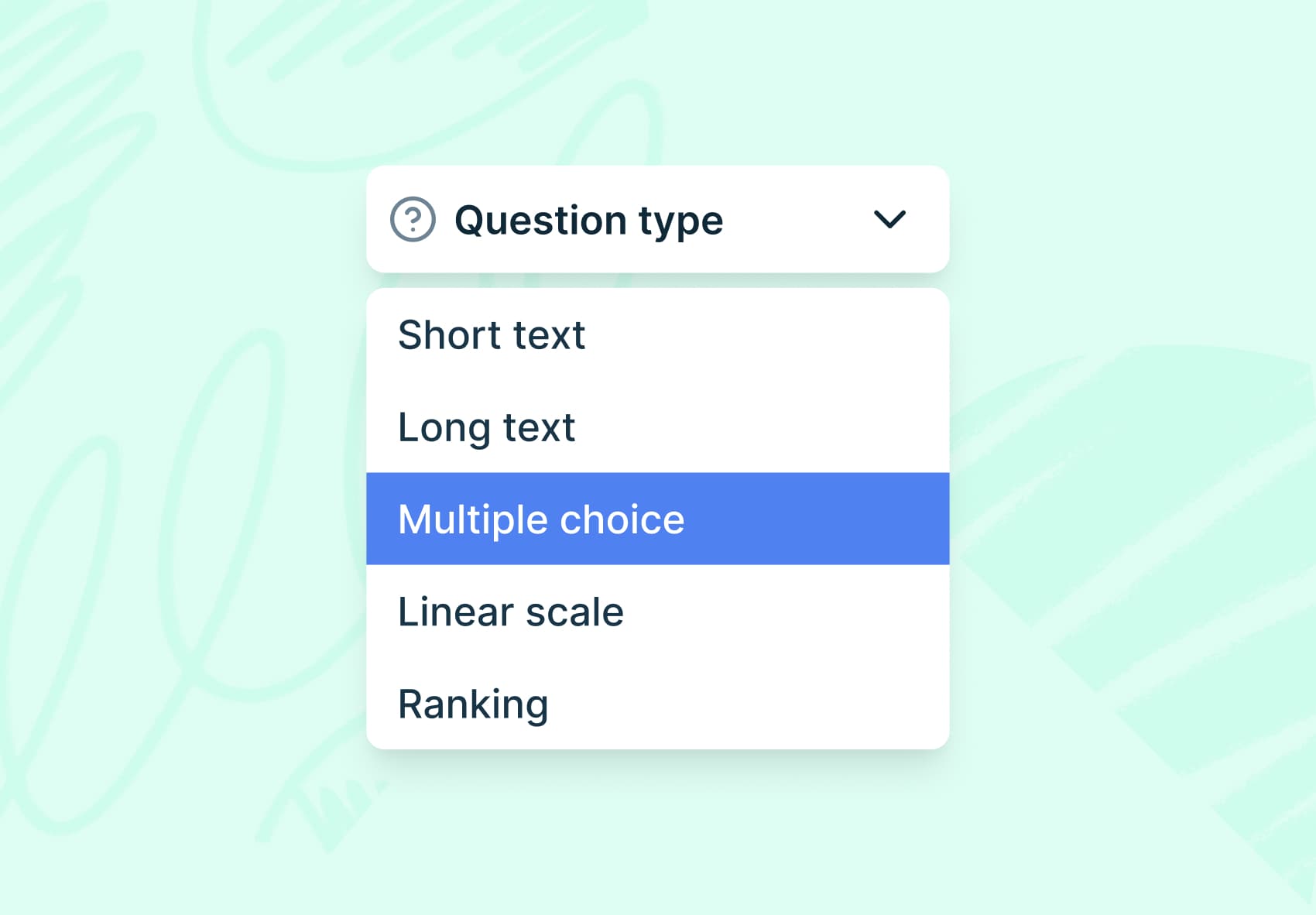
Choosing the right survey question type is essential for gathering meaningful user feedback. This guide explores the types of surveys and survey question formats available in Lyssna, explaining when to use each and providing practical examples to help you design more effective user research surveys.
Surveys play a crucial role in understanding user preferences, identifying pain points, and optimizing product experiences. They enable product teams to gather valuable feedback, make informed decisions, and ultimately create successful products that resonate with users.
By understanding the right context for each question type, you can maximize the value of your surveys.
Start surveying for free
Create your first survey and start gathering user feedback in minutes.

Quick reference: Survey question types
Question Type | Best For | Response Format |
|---|---|---|
Short text | Open feedback, brief responses | Text input (few words) |
Long text | Detailed explanations, stories | Text input (paragraphs) |
Single choice | One answer from options | Radio buttons |
Multiple choice | Select all that apply | Checkboxes |
Linear scale | Ratings, measurements | Numbered scale |
Ranking | Prioritization, preference order | Drag and drop |
Matrix | Multiple items, same scale | Grid format |

Looking for tips on writing better survey questions? Check out our guide on UX survey questions best practices.
Short text survey questions
Short text questions allow participants to provide succinct open-ended responses, giving them the freedom to express their thoughts, ideas, or suggestions in their own words. This type of feedback is valuable in understanding users' perspectives and uncovering feedback that may not be captured by predefined answer options.
By using short text survey questions strategically in your surveys, you can collect rich qualitative feedback, gain a contextual understanding, and refine your designs based on user input.
When to use short text survey questions
Gathering user feedback on specific design elements: Ask participants to provide short text responses about their impressions, likes, or dislikes regarding specific design elements, such as color schemes, typography, or navigation menus.
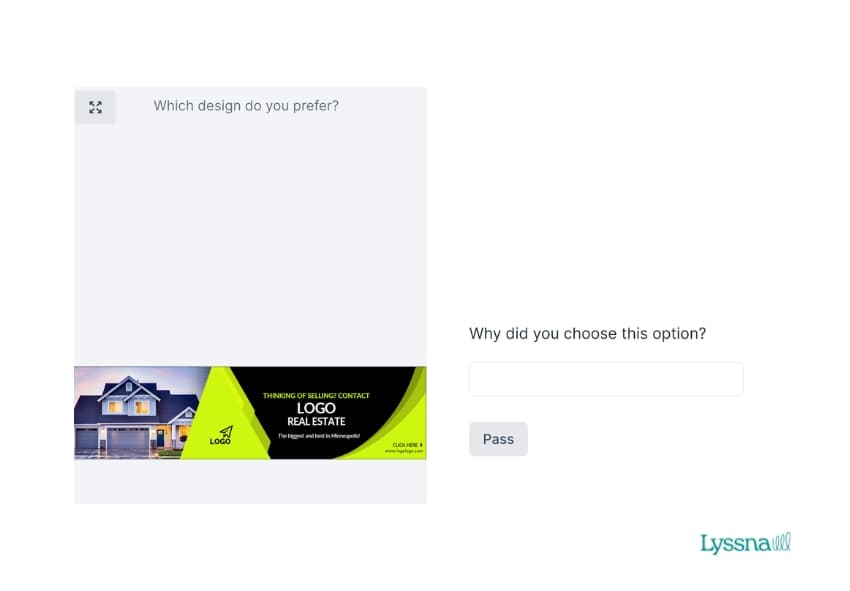
Collecting qualitative data during usability testing: For example, adding a follow-up question after a user testing task to gather feedback on usability issues, task completion difficulties, or overall user satisfaction.
Capturing user expectations or goals: This is useful when asking participants to interact with a design. For example, asking users to describe what they hope to achieve or what particular outcomes they’re looking for.
Long text survey questions
Long text questions allow participants to provide detailed and comprehensive responses, enabling them to express their thoughts, ideas, or suggestions more elaborately.
This type of feedback can uncover nuanced insights and provide rich qualitative data for analysis.
When to use long text survey questions
Concept testing: Use long text questions to gather detailed thoughts on design concepts. Ask participants to explain their understanding of an idea or provide in-depth feedback on the overall user experience.
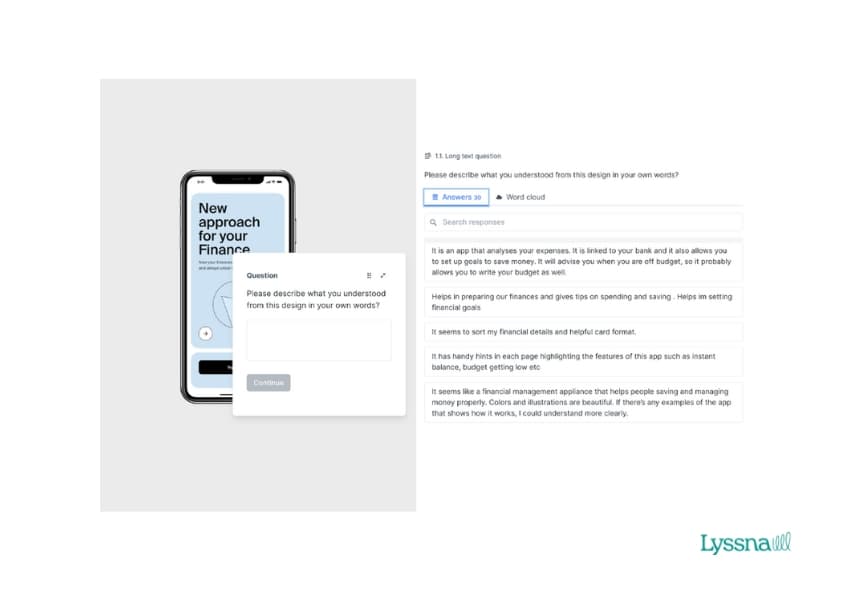
Exploring complex user scenarios: Asking participants to describe their interactions with a design in detail. For example, sharing the steps they took, any challenges they encountered, and suggestions for improvements.
Collecting user testimonials: Long text questions can be used to capture user testimonials or success stories. Ask participants to share their experiences, any outcomes they've achieved, or how your product has impacted their goals.
Single-choice survey questions
Single choice questions offer a straightforward format for participants to provide their feedback. Respondents simply select one option from a list of predefined choices, making it easy and quick to respond.
When to use single choice survey questions
Feature prioritization: When seeking input on prioritizing features or functionalities, use single choice questions to present a list of options and ask participants to select the most important or desirable feature from the provided choices.
Demographic or background information: Single choice questions can be used to collect demographic data or gather information about participants' backgrounds, such as their age range, industry, likes/dislikes, habits, or level of experience. This helps in segmenting and analyzing survey responses based on specific user characteristics.
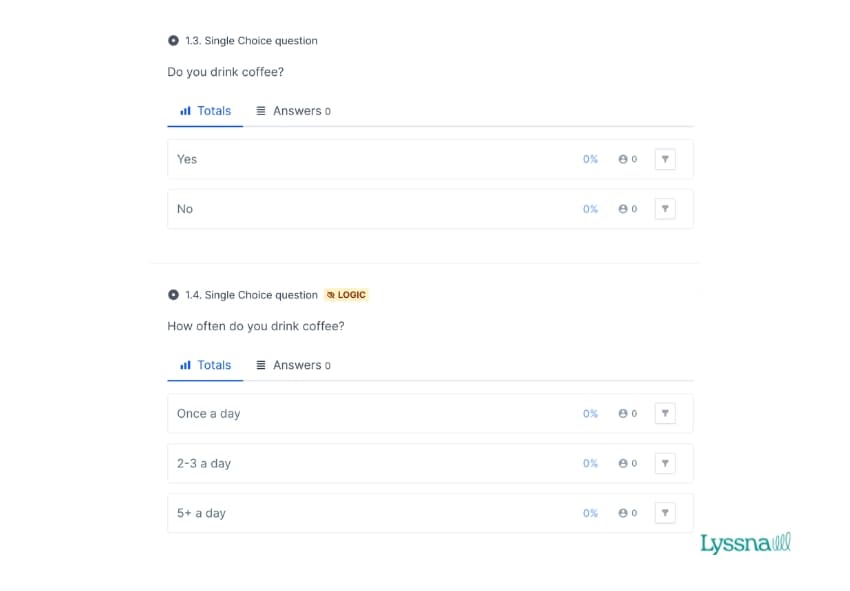
Preference testing: Use single choice questions to gather participants' preferences among different design options. For instance, present multiple variations of a design element (e.g. color schemes, layout options, or button styles) and ask participants to choose their preferred option.
Multiple-choice survey questions
Multiple choice questions allow participants to select more than one option, making them ideal for assessing preferences among various design features or elements. For example, you can present a list of adjectives and ask participants to choose all the options they find relevant.
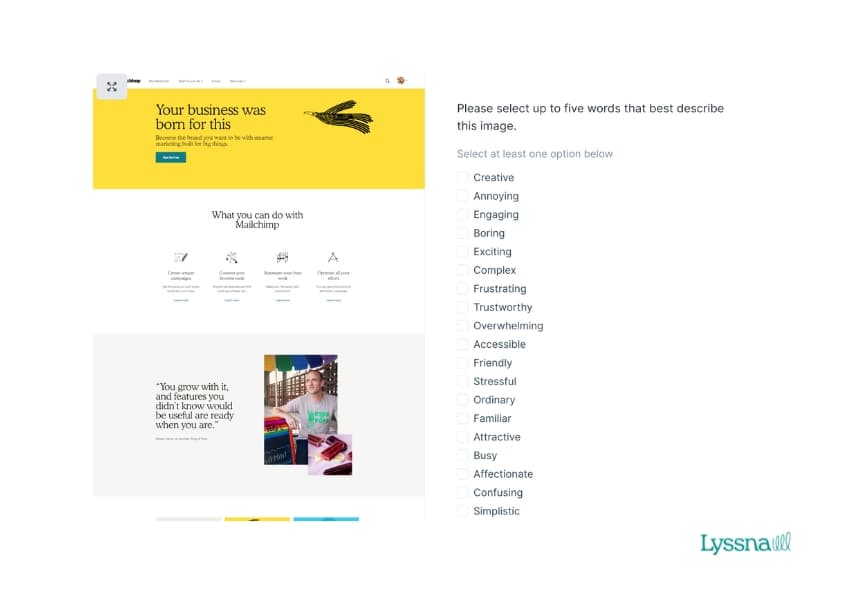
When to use multiple-choice questions:
Product feature selection: When you want to understand which features users find most valuable, present a list of features and ask participants to select all that apply to their needs.
Brand perception research: Present multiple attributes or descriptors and ask participants to select all that describe their perception of your brand or product.
User behavior patterns: Ask participants to select all the devices they use to access your service, or all the times of day they typically engage with your product.
Linear scale survey questions
Linear scale questions present participants with a numbered scale (typically 1-5 or 1-7) to rate their level of agreement, satisfaction, likelihood, or intensity of feeling about something. These questions provide quantitative data that's easy to analyze and compare.
When to use Linear scale questions
Satisfaction ratings: Ask participants to rate their satisfaction with different aspects of your product or service on a scale from "Very dissatisfied" to "Very satisfied."
Agreement scales: Measure how strongly participants agree or disagree with specific statements about your design, features, or overall experience.
Likelihood measurements: Use Net Promoter Score (NPS) style questions asking "How likely are you to recommend this product?" on a scale of 0-10.
Ranking survey questions
Ranking questions ask participants to order items by preference, importance, or priority. This question type reveals relative value and helps you understand what matters most to your users.
When to use ranking survey questions
Feature prioritization: Present a list of potential features and ask participants to rank them from most to least important for their needs.
Design preference ordering: Show multiple design variations and ask participants to rank them from most to least preferred, helping you understand not just the favorite but the full hierarchy of preferences.
Value proposition testing: Present different benefit statements and ask participants to rank which aspects of your product are most valuable to them.
Matrix survey questions
Matrix questions allow you to gather structured feedback on multiple items using the same rating scale in a compact grid format. Instead of creating several repetitive questions, respondents can evaluate multiple items in a single interaction, making surveys faster to complete while producing cleaner, more comparable data.
This format works well when you need consistent ratings across multiple related items, such as satisfaction levels for different features or agreement with various statements.
When to use matrix survey questions
Multi-touchpoint satisfaction: Assess satisfaction across different stages of a customer journey or service touchpoints. For instance, rating satisfaction with website navigation, checkout process, delivery experience, and customer support using a consistent 5-point scale.
Agreement scales: Measure agreement with multiple related statements efficiently. For example, you might present several statements about work-from-home preferences and ask participants to indicate their level of agreement from "Strongly disagree" to "Strongly agree" for each one.
Sentiment tracking: Evaluate emotional responses to multiple concepts, designs, or messaging options using the same sentiment scale, making it easy to compare which elements resonate most positively.
Design surveys in Lyssna
In addition to creating surveys using individual question types, Lyssna offers a dedicated Design surveys feature that lets participants view your design, watch your video, or listen to your audio as they answer questions. This gives feedback immediate context.
Design surveys are ideal when you want to:
Test whether users understand your design's purpose or message.
Gather feedback on visual elements like layout, color, or typography.
Evaluate dynamic content like videos, animations, or audio.
Compare multiple design variations in a single study.
You can combine any of the seven question types above within a design survey to gather both qualitative insights and quantitative data. Learn more about design surveys.
Share and export your survey results
Lyssna makes it easy to share your findings with stakeholders and export data for deeper analysis. You can share a live view of your results or export raw data as a CSV for use in spreadsheets and statistical software.
How to share your results
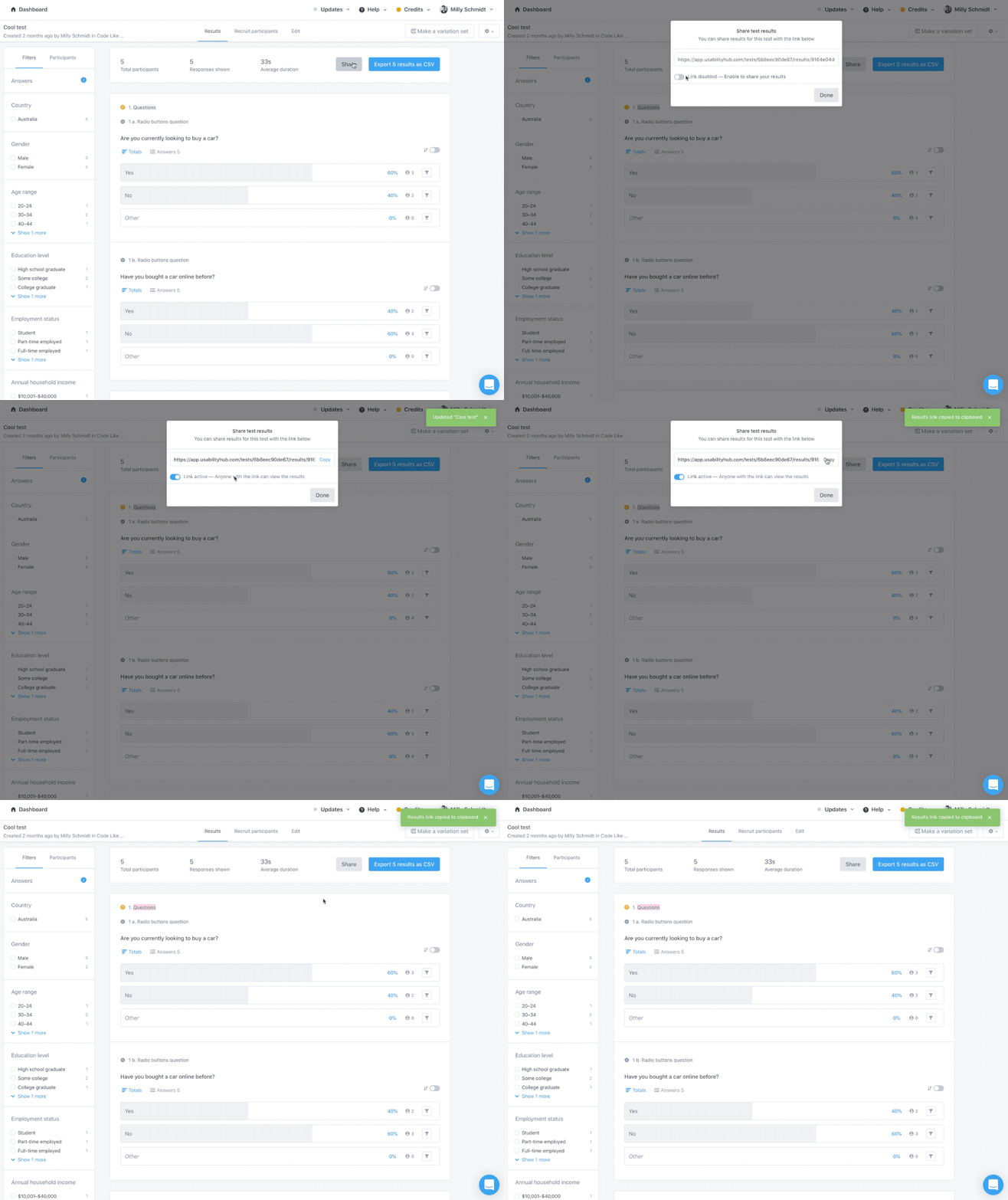
Once you've collected responses, you can share your results with anyone using a unique link – no Lyssna account required.
Click the Results tab of your test.
At the top of your test results, select the Share button.
Ensure the toggle is set to Link active, then select Copy to paste the link wherever you need it.
Anyone with this link can view the results for that specific test, but they won't be able to make changes or access any other tests in your account. Sharing results via link is free on all Lyssna plans.
How to export test results as a CSV
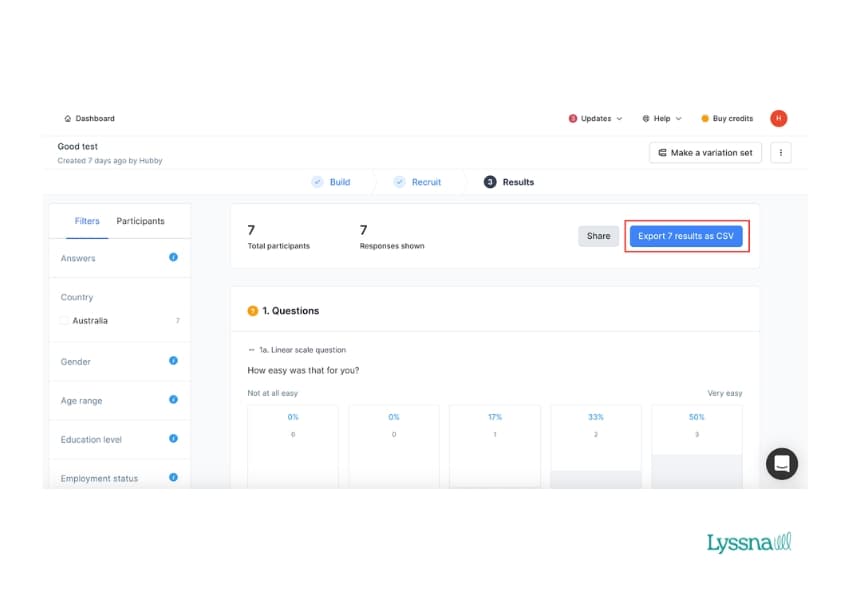
Raw data exports to CSV are available on our paid plans, giving you the flexibility to work with your data in external tools for advanced analysis and custom visualizations.
At the top of the test results, select the Export results as CSV button. Your CSV will automatically download to your device.
Synthesize survey results with summaries
Lyssna's summary feature helps you turn raw feedback into actionable insights quickly. You can add AI-powered summaries or write your own manual interpretations directly within your test results.
AI summaries (available on Growth and Enterprise plans) automatically identify key themes and patterns across your responses, saving time when reviewing large volumes of feedback.
Manual summaries let you write your own interpretation of what you learned – ideal when you've already reviewed responses or want to highlight something specific.
Both summary types are available on all question types and can be edited, minimized, or deleted at any time.
Choosing the right survey question type
Selecting appropriate question types directly impacts the quality of insights you'll gather. Short and long text questions capture qualitative feedback, while single choice, multiple choice, and matrix questions provide quantitative data that's easy to analyze and compare. Linear scales measure attitudes and ratings, and ranking questions reveal priorities.
By matching your research goals to the right question format, you'll collect more actionable feedback and make better-informed design decisions. Consider using a combination of question types to gather both quantitative metrics and qualitative context that brings those numbers to life.
Put it into practice
Sign up free and build surveys with the question types that match your research goals. Get actionable feedback today.
FAQs about surveys in Lyssna

You may also like these articles
.webp&w=3840&q=75)




Try for free today
Join over 320,000+ marketers, designers, researchers, and product leaders who use Lyssna to make data-driven decisions.
No credit card required