
10 Apr 2026
|21 min
Content design
Content design helps teams create user-centered content that’s clear, useful, and accessible. Learn content design principles, process, and best practices.

Have you ever used a product that looked beautiful but left you completely lost? Or clicked through an onboarding flow that seemed to assume you already knew what you were doing? That's usually what happens when content is treated as an afterthought – something to fill in once the "real" design work is done.
It's one of the most common frustrations in UX, and it has real consequences: confused users, rising support tickets, and products that leave people without a clear path forward.
Content design exists to fix that. It's the practice of making sure the right information reaches the right people at the right time – in the right format. Not just well-written copy, but purposeful, research-backed content that's as fundamental to the user experience as the visual design around it.
This guide is for UX designers, writers, and product teams who want to understand content design: what it is, why it matters, how the process works, and how to measure whether it's working.
Key takeaways
Content design is a user-centered discipline that goes beyond writing to encompass research, strategy, structure, and delivery of content that helps people accomplish their goals.
Unlike UX writing, which focuses primarily on microcopy and UI text, content design takes a holistic approach that includes content strategy, information architecture, and governance.
Effective content design follows core principles: clarity, usefulness, consistency, accessibility, and findability – as demonstrated by organizations like GOV.UK, Mailchimp, Spotify, and Stripe.
The content design process is iterative and research-driven, involving user research, content audits, structured creation, stakeholder review, user testing, and continuous improvement.
Testing content with real users through methods like five second testing, preference testing, and usability testing is essential for validating that your content actually works.
Measuring content design success requires tracking metrics like task success rate, time on task, error prevention, comprehension ratings, and support ticket volume.
Tools like Lyssna make it practical to test content decisions at every stage, from validating a headline to watching real users work through an onboarding flow.
Test your content with real users
See whether your content is actually working – run five second tests, preference tests, and usability studies with Lyssna.
What is content design?
Content design is the practice of using research and data to determine what content users need, then creating and delivering that content in the most effective format and structure. It's a discipline that puts user needs at the center of every content decision, ensuring that the words, visuals, and information architecture all work together to help people accomplish their goals.
Sarah Winters, who coined the term while working at the UK Government Digital Service, explains what sets it apart from other forms of writing:
"The main difference between many other forms of writing and content design is that content designers generally don't move without research. It can be desk research, usability research, expert research, any kind of research really but there has to be data and evidence of what the audience wants and needs."
Becky Houlding, former content designer at Deliveroo and senior UX writer at Spotify, puts it in even more human terms:
"So what is it we specialize in? Figuring out the information people need to solve a problem and complete a task. The essential information. Not what we want them to know, but what they need to know."
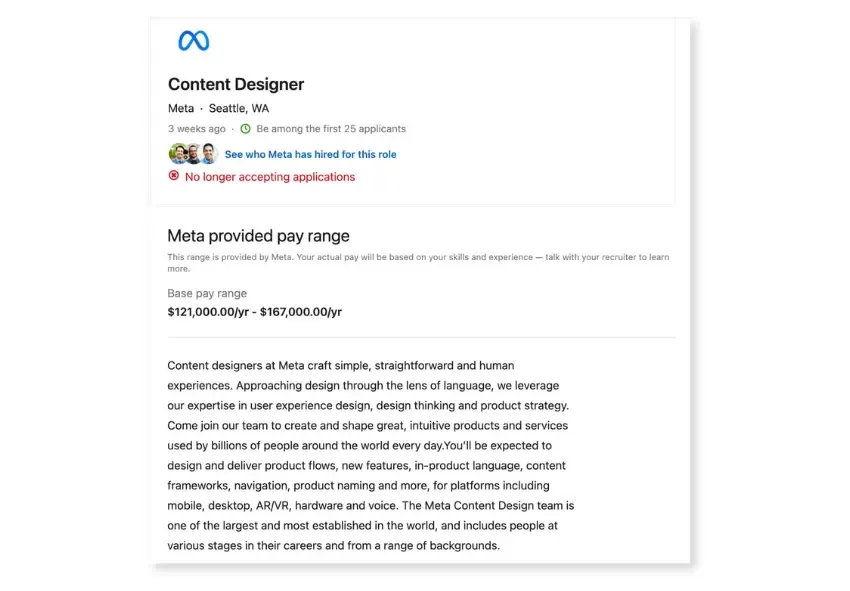
Meta, in a content designer job listing, described the practice as "approaching design through the lens of language" – positioning it firmly within the design discipline rather than as a separate editorial function.
Content design is more than writing
While writing is certainly part of content design, the discipline encompasses much more. Content designers think strategically about what information users actually need (not what organizations want to tell them), when and where users need that information in their journey, what format best serves the user's context – text, video, visual, or even no content at all – and how content should be structured for findability and comprehension.
Content as part of the product experience
Content design treats content as a core component of the user experience, not an add-on. Alice Bracchi, former content designer at Cloudflare, describes it this way:
"Our job is to help users accomplish goals on an interface by providing them with the right guidance at the right time. Unlike visual designers, content designers are not responsible for the graphic layout or the look and feel of a given interface – instead, we own what we call the conversation between product and user along each journey to ensure that the user has all the information they need to reach their goal."
This means content designers work alongside UX researchers and designers, participating in user flows and wireframes before they ever sit down to write. As Bracchi puts it:
"In partnership with visual designers, content designers sketch out user flows and wireframes. Only as a last step do they sit down and write."
Why content design matters in UX
Content design goes well beyond making things sound nice – it directly impacts whether users can successfully use your product. With Forrester's 2025 CX Index showing that 25% of US brands' CX rankings declined, investing in user-centered disciplines like content design is more critical than ever.
Reduces confusion
Clear, well-structured content eliminates ambiguity and helps users understand what they need to do. When a health insurance company uses plain language to explain complex terms and concepts, users can confidently choose the right plan on their own.
Improves comprehension and task success
Good content design helps users complete tasks successfully. An online banking app that provides clear and accurate account balances and transaction histories gives users confidence in the information they're seeing, reducing errors and support requests.
Supports accessibility
Content design principles naturally support accessibility. Readable, scannable content with clear headings and logical structure helps users with cognitive disabilities, those using screen readers, and anyone who needs to quickly find information. A government website that offers content in multiple languages and provides options for users with visual impairments demonstrates inclusive content design in action.
Builds trust and clarity
When content is accurate, consistent, and helpful, it builds trust with users. This is especially important in high-stakes contexts like healthcare, finance, and legal services, where unclear content can have serious consequences.
Improves conversion and adoption
Content design directly impacts business outcomes. For example, McKinsey found that a small home page usability improvement led to a 25% increase in sales for one online gaming company. Clear calls to action, helpful error messages, and intuitive onboarding flows all contribute to higher conversion rates and better product adoption. When users understand what to do and feel confident doing it, they're more likely to complete desired actions.
Content design vs UX writing: What’s the difference?
The terms "content design" and "UX writing" are often used interchangeably, but they represent different scopes of work. Understanding the distinction helps teams structure their content functions more effectively.
Here's how the two disciplines compare at a glance.
Content design | UX writing | |
|---|---|---|
Focus | Research, structure, and delivery of content across the user journey | Microcopy and UI text within the product |
Scope | Strategy, information architecture, content creation, governance | Button labels, error messages, tooltips, navigation text |
When it happens | From discovery through to maintenance | During UI design and iteration |
Driven by | User research and data | Design specs and UX patterns |
UX writing: Microcopy and UI text
UX writing typically refers to the craft of writing interface text – button labels, error messages, tooltips, navigation labels, and other microcopy that appears within a product. Sarah Winters explains where the distinction originally came from:
"A lot of people will see UX writing as microcopy in transactions. They don't do long-form copy. So, they won't do information pages, they won't do selling pages, they won't do landing pages, they don't do any of that. They just do microcopy in transactions... Content Design, as a term, was used for the British Government at the time as I wanted to change the conversation around what we were doing... I wanted Content Designers to understand the whole journey. Do all the data, do all the evidence, be present in the research process. Understand all of that information and then pull it across to wherever it needs to be in the user's journey."
Content design: Strategy, structure, and governance
Content design takes a broader view – it includes strategy (determining what content is needed and why), structure (organizing information architecture and content hierarchy), delivery (creating content in appropriate formats), and governance (establishing patterns, guidelines, and maintenance processes).
Where they overlap
Kristina Halvorson, one of the most recognized voices in content strategy, offers a helpful framework for understanding how content strategy, content design, and UX writing all relate:
"Product content strategy is like the choreographer or the gatekeeper that oversees the function in the world of content... Content design is the set of activities that's very closely partnered with product strategy and design, thinking through requirements and features with a variety of stakeholders and users. UX writing as a function is the actual 'pen to paper'. Where we are actually choosing the words... Content strategy, content design, and UX writing are sets of activities and areas of accountability. They are not necessarily job titles that should be treated as precious, immoveable monikers."
The key insight is that these are overlapping sets of activities, not rigid roles. At any given time, someone doing content design can also be doing UX writing and practicing content strategy – what matters is that someone is accountable for each layer.
Content design principles (with examples)
Effective content design follows core principles that ensure content serves users well. These principles share a common foundation with UX design: putting user needs at the forefront of every decision.
Clarity
Clear content uses plain language and favors familiar terms over jargon. In practice, this means using words your users actually use (not internal terminology), writing short sentences and paragraphs, defining technical terms when they're unavoidable, and testing comprehension with real users.
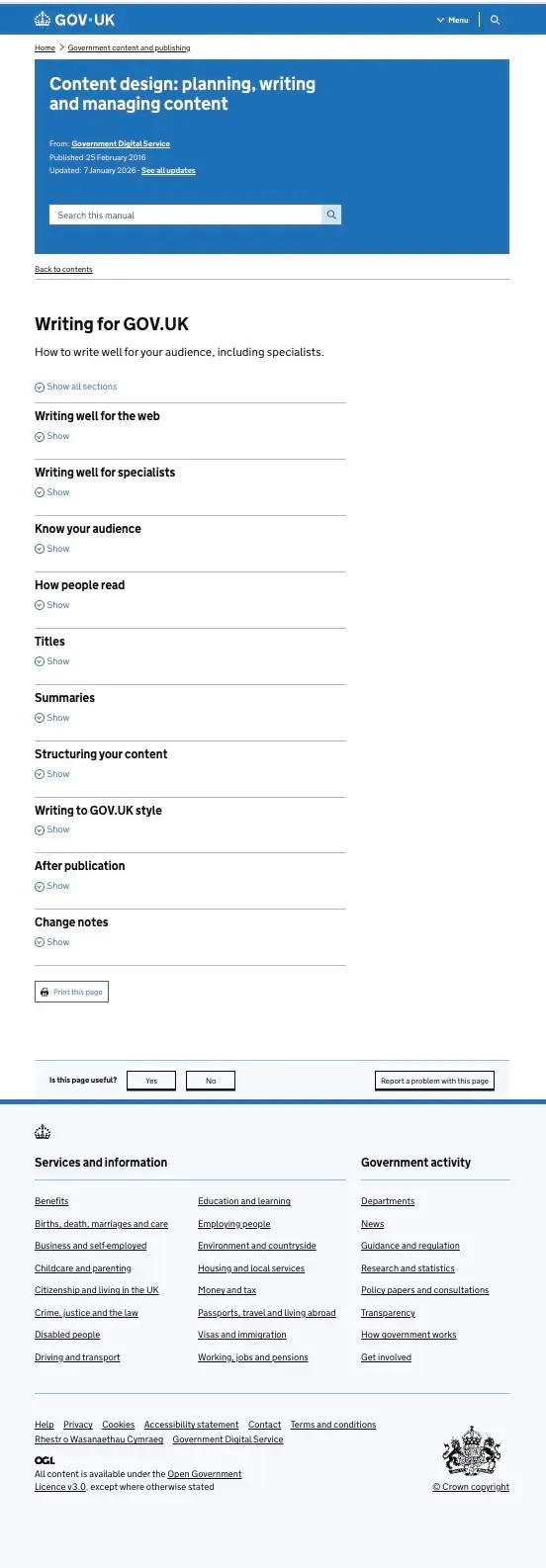
Example: The UK Government Digital Service built its entire content approach around plain language – swapping "purchase" for "buy," "assist" for "help," and "approximately" for "about." Their content guidelines found that even highly educated readers preferred plain English because it let them process information faster.
Usefulness
Useful content helps users complete tasks and achieve their goals. Every piece of content should have a clear purpose and provide genuine value.
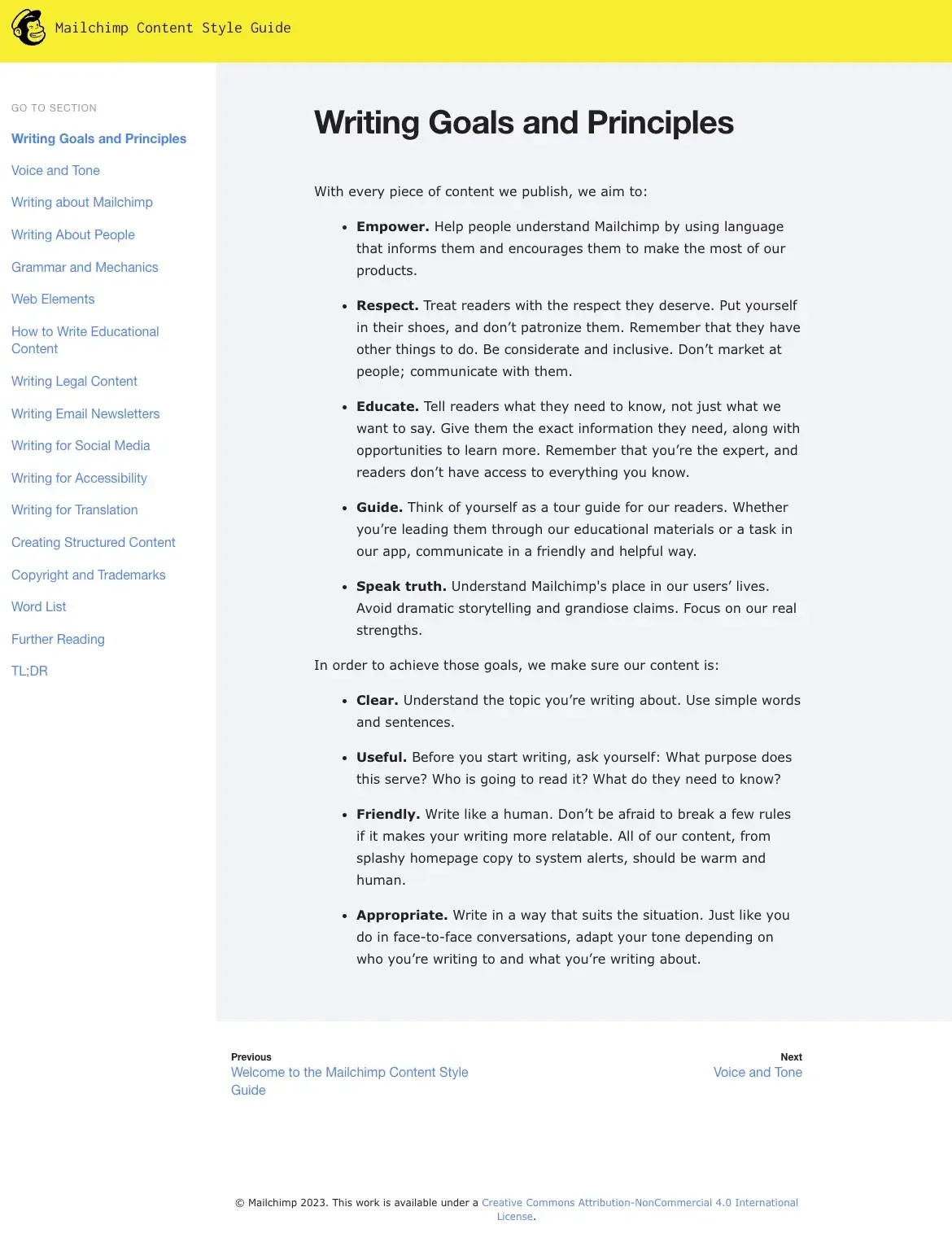
Example: Mailchimp's writing principles require every piece of content to answer three questions before it's written: What purpose does this serve? Who is going to read it? What do they need to know? This task-first approach ensures nothing gets published just to fill space.
Consistency
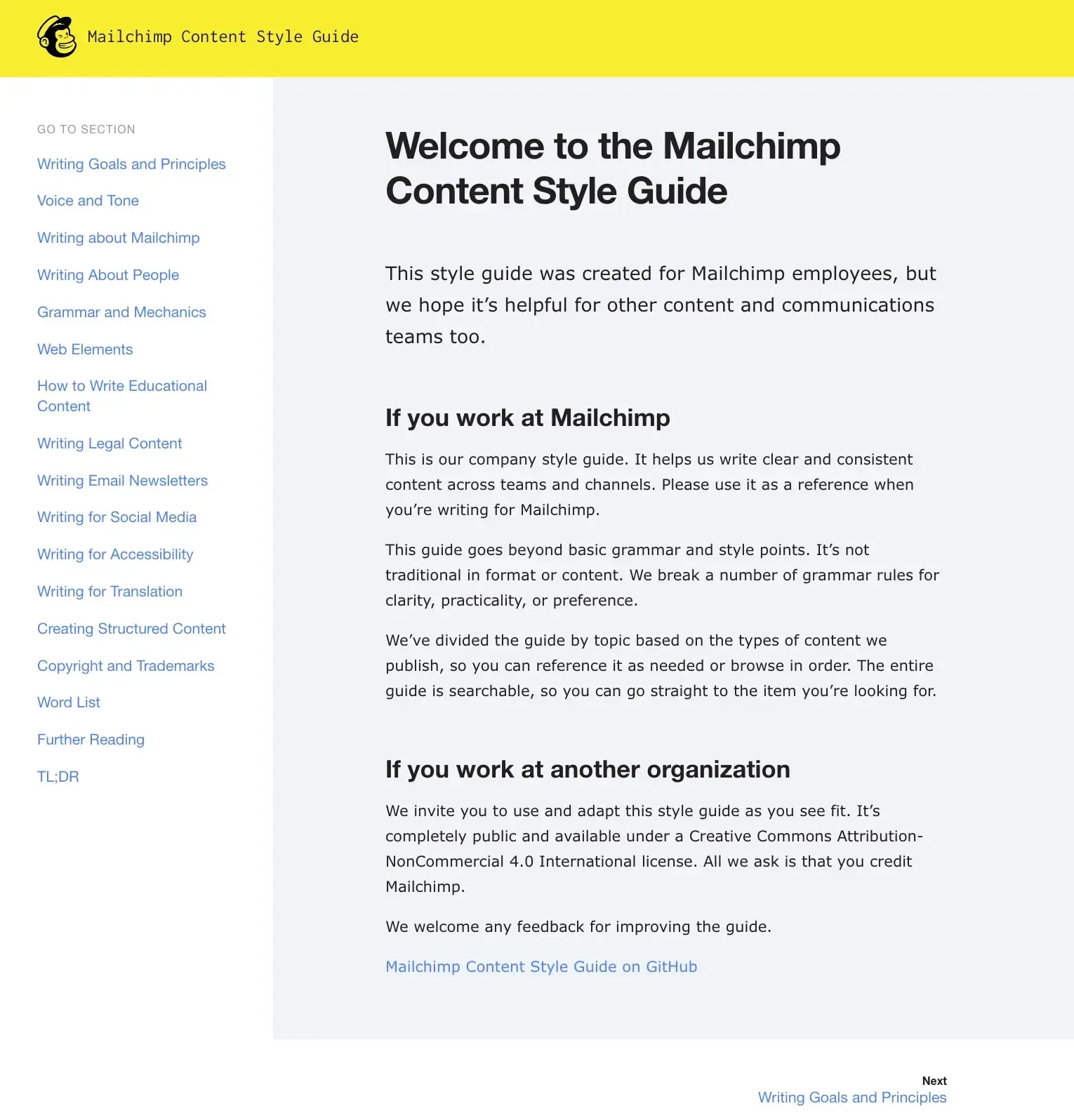
Consistent content uses the same tone, patterns, and terminology throughout an experience – consistent voice and tone across all touchpoints, standardized terminology (calling the same thing by the same name), and predictable patterns for similar content types.
Example: Mailchimp's publicly available content style guide has become an industry reference for maintaining a unified voice across teams and channels. By documenting everything from grammar preferences to tone adjustments for different situations, they've made it possible for dozens of writers to sound like one coherent brand.
Accessibility and inclusion
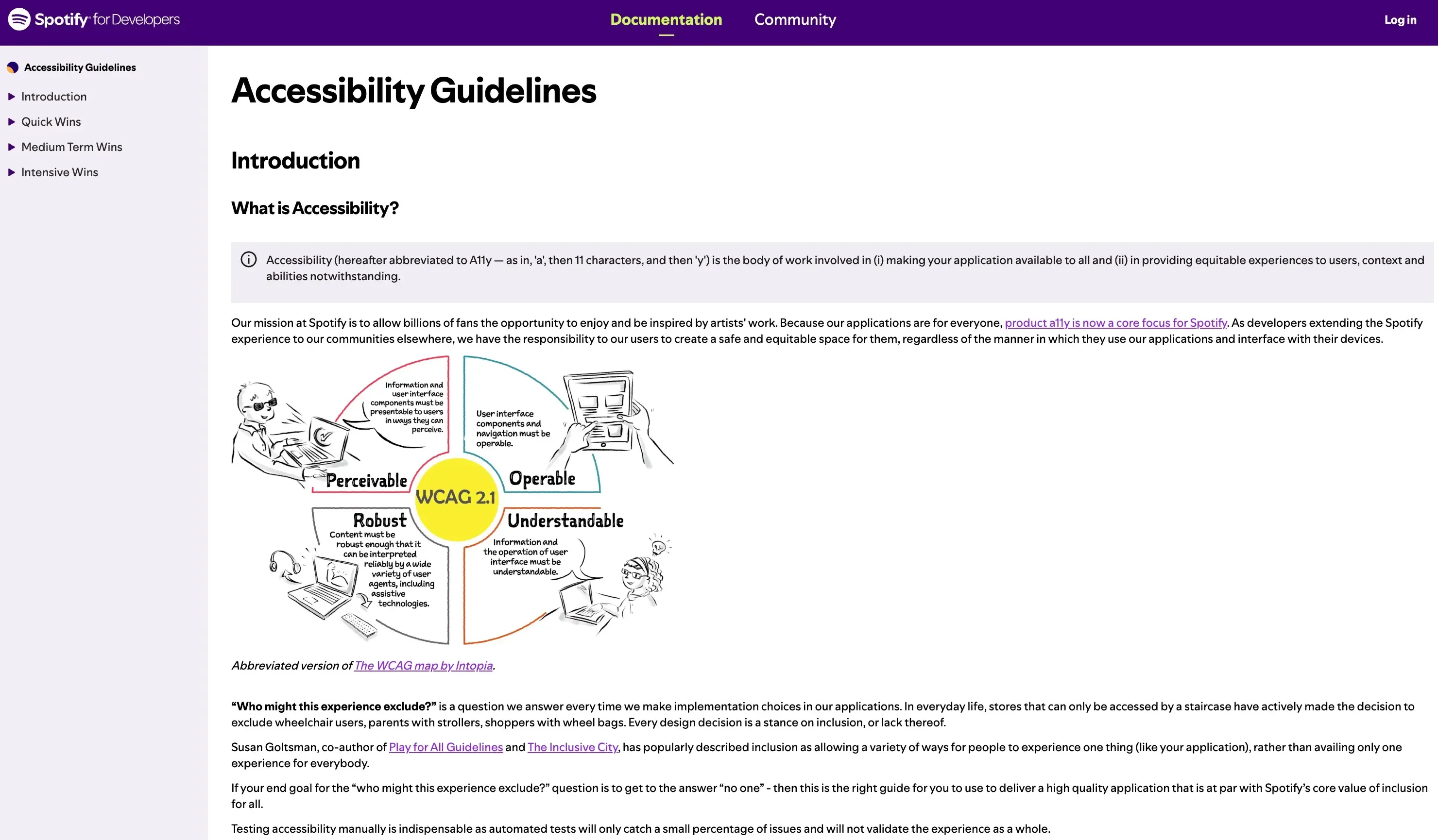
Accessible content is readable, scannable, and WCAG-friendly. Inclusive content considers diverse users and contexts: clear heading hierarchy for screen readers, sufficient color contrast, alternative text for images, and cultural sensitivity for global audiences.
Example: Spotify's accessibility guidelines frame every design decision as a stance on inclusion. Their products support screen readers, keyboard navigation, and WCAG-compliant color contrast – ensuring the experience works for users of all abilities, not just the majority.
Structure and findability
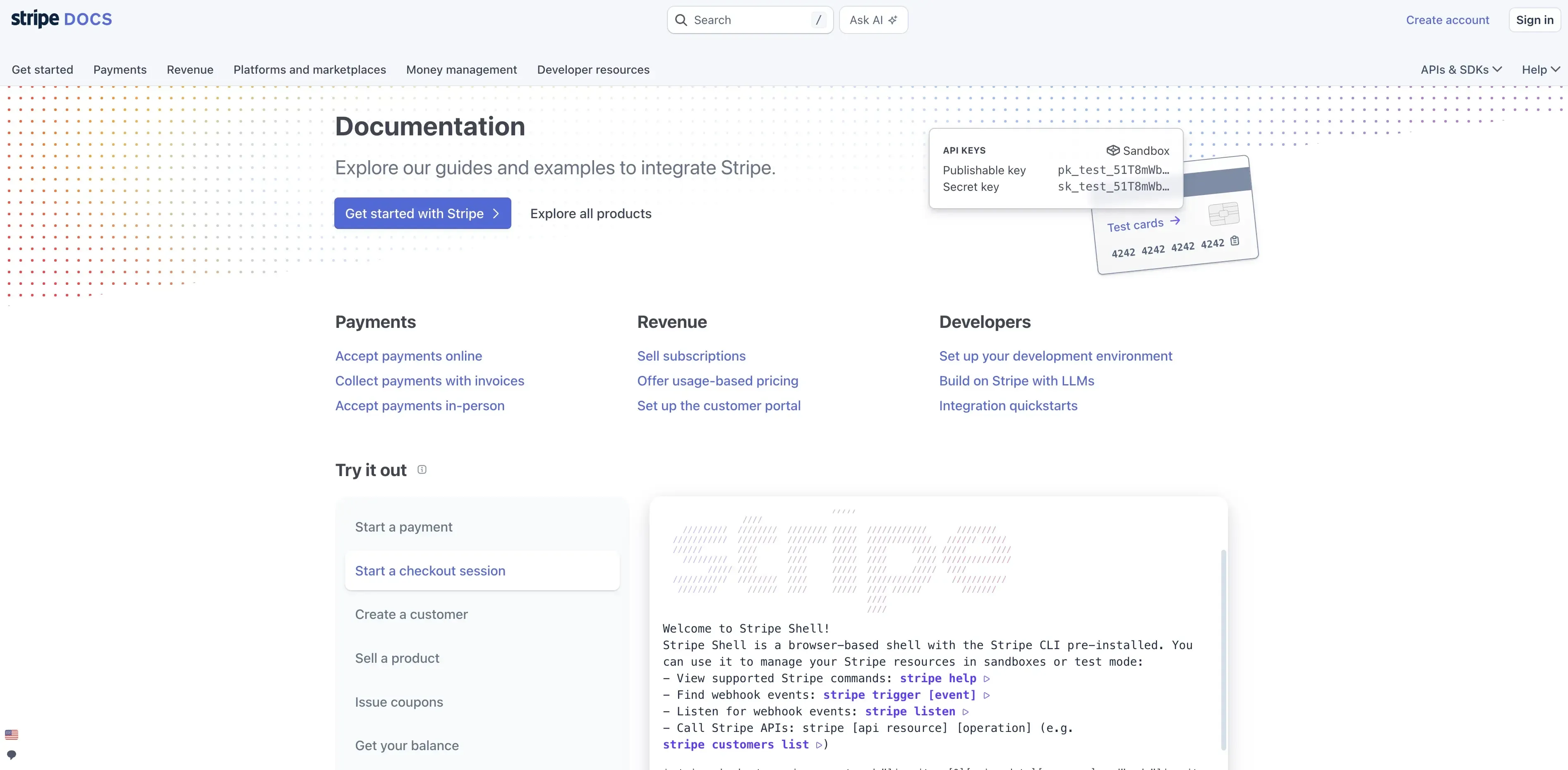
Well-structured content is easy to find and navigate – within a product and through external search. This involves clear navigation and labeling, effective search functionality with filters and suggestions, a logical content hierarchy from general to specific, and SEO optimization with relevant keywords.
Example: Stripe's developer documentation is widely regarded as best-in-class for content structure. A clear sidebar hierarchy, logical progression from general concepts to specific implementations, and robust search make it easy for users to find exactly what they need – whether they're browsing or looking for something specific.
The content design process (step by step)
The content design process is iterative, with each step informing the next. And it works best when content designers are brought in early – not called in at the end to "fill in the words."
As Heather Hamilton McBride, a senior content designer, puts it:
“It's true that organizations are looking at content designers as a necessity, but they often have no idea what to do with us. They don't know when in the design process to involve us and what the best methods are for engagement in an increasingly remote work environment. Chaos reigns when you don't have a content design process.”
While the details will vary depending on your organization's size, industry, and resources, these core steps apply broadly.
1. Understand user needs and intent
Before creating any content, you need to understand what users actually need. This discovery phase involves conducting user interviews to understand goals, pain points, and language; analyzing search queries and support tickets to identify common questions; reviewing analytics to understand behavior patterns; and creating user or job stories to define content requirements.

Pro tip: Pay close attention to the exact language users use when describing their problems. These words often become the foundation for your content's terminology – and they're almost always simpler than what your team uses internally.
2. Audit existing content
Before creating new content, assess what already exists. Inventory content across all channels, evaluate performance using analytics, identify gaps, redundancies, and outdated information, and assess everything against the user needs you've identified.
3. Define content structure and hierarchy
Plan how content will be organized. Create information architecture that reflects user mental models, define content types and templates, establish naming conventions and taxonomy, and map content to user journeys and touchpoints.
4. Write and design content components
Now create the actual content: write to address user needs identified in research, design content in appropriate formats (text, visuals, video, or other media), apply content design principles, and follow accessibility guidelines. Remember – the piece of content a user needs could be a visual, a video, or even a voice memo. Content doesn't just mean words.
5. Review with stakeholders
Share content with relevant stakeholders for feedback: subject matter experts for accuracy, legal and compliance teams as needed, and cross-functional partners. Heather Hamilton McBride offers practical advice for making this stage work:
"This is a great time to iron out points of friction as the copy becomes more permanent. I prefer a casual review cycle where work is looked over on a weekly basis with one or two formal reviews. Points where testing is needed is easier to identify while everyone is looking over the copy and different interpretations occur. As the writer, I make sure I document every decision that affects the content and make the documentation accessible to the designers and product managers."
6. Test content with users
Validate that your content actually works by testing with real users. Run usability testing to see if users can complete tasks, use five second testing to assess clarity and first impressions, run preference tests to compare content approaches, and gather comprehension feedback through surveys.
Pro tip: Test early and test small. You don't need a polished draft to validate whether your approach is working – even a rough headline or a single screen can reveal whether users understand what you're trying to communicate. Tools like Lyssna make it practical to run these studies quickly, often with results in hours.
7. Iterate and maintain
Content design is never truly "done." Plan for ongoing improvement: monitor performance metrics, update content based on user feedback and changing needs, maintain freshness and accuracy, and refine based on what you learn from testing.
Content design methods and research techniques
Content design is fundamentally research-driven. Here's a quick overview of the key research methods content designers use.
Method | Best for | What it reveals |
|---|---|---|
User interviews | Understanding user language, goals, and context | How users think and talk about their problems |
Surveys | Gathering feedback at scale | Content clarity, preferences, and comprehension gaps |
Five second testing | Assessing first impressions | Whether key messages land immediately |
Preference testing | Comparing content variations | Which wording, tone, or structure resonates most |
Usability testing | Validating task completion | Whether content helps users achieve their goals |
User interviews
User interviews help content designers understand how users describe their problems and goals in their own words, what information they need at different stages of their journey, what terminology resonates vs. causes confusion, and the emotional context around how they consume content.
Surveys
Surveys allow content designers to gather feedback on clarity and usefulness at scale, understand user preferences for content formats, identify common questions and information gaps, and measure comprehension and satisfaction.
Five second testing
Five second testing is particularly valuable for content design because it reveals whether key messages are immediately clear, what users remember after a brief exposure, first impressions of tone and clarity, and whether the most important information stands out.
Preference testing
Preference testing helps content designers compare different wording options for CTAs, headlines, or error messages; test variations in tone and voice; evaluate different content structures or formats; and make data-informed decisions rather than relying on gut feel.
Usability testing
Usability testing reveals whether content helps users complete tasks. Can users find the information they need? Do they understand instructions and guidance? Are error messages helpful for recovery? Does the content support successful task completion?
Platforms like Lyssna bring all of these methods together in one place – making it easy to run surveys, five second tests, preference tests, and usability studies without juggling multiple tools.
Content design examples
Content design shows up throughout digital products. Here are some of the most common places where it makes a significant impact.
Onboarding flows
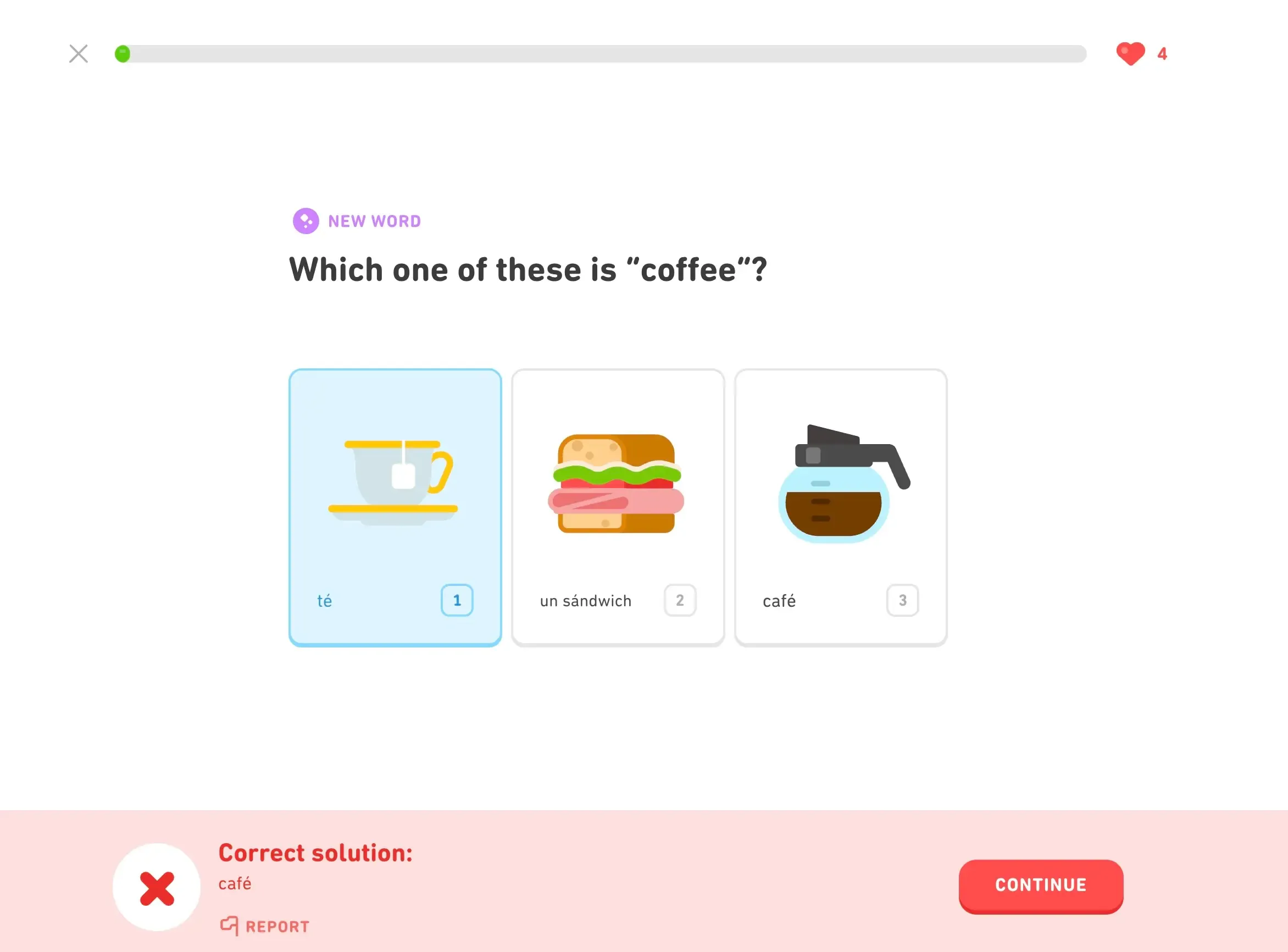
Good onboarding content welcomes users and sets clear expectations, guides them through initial setup with logical steps, explains key features without overwhelming, and marks progress in a way that builds confidence.
Example: Duolingo lets users start learning before they even create an account. Personalized goal-setting, a progress bar, and an encouraging tone turn what could be a tedious signup into an engaging first experience.
Help center content
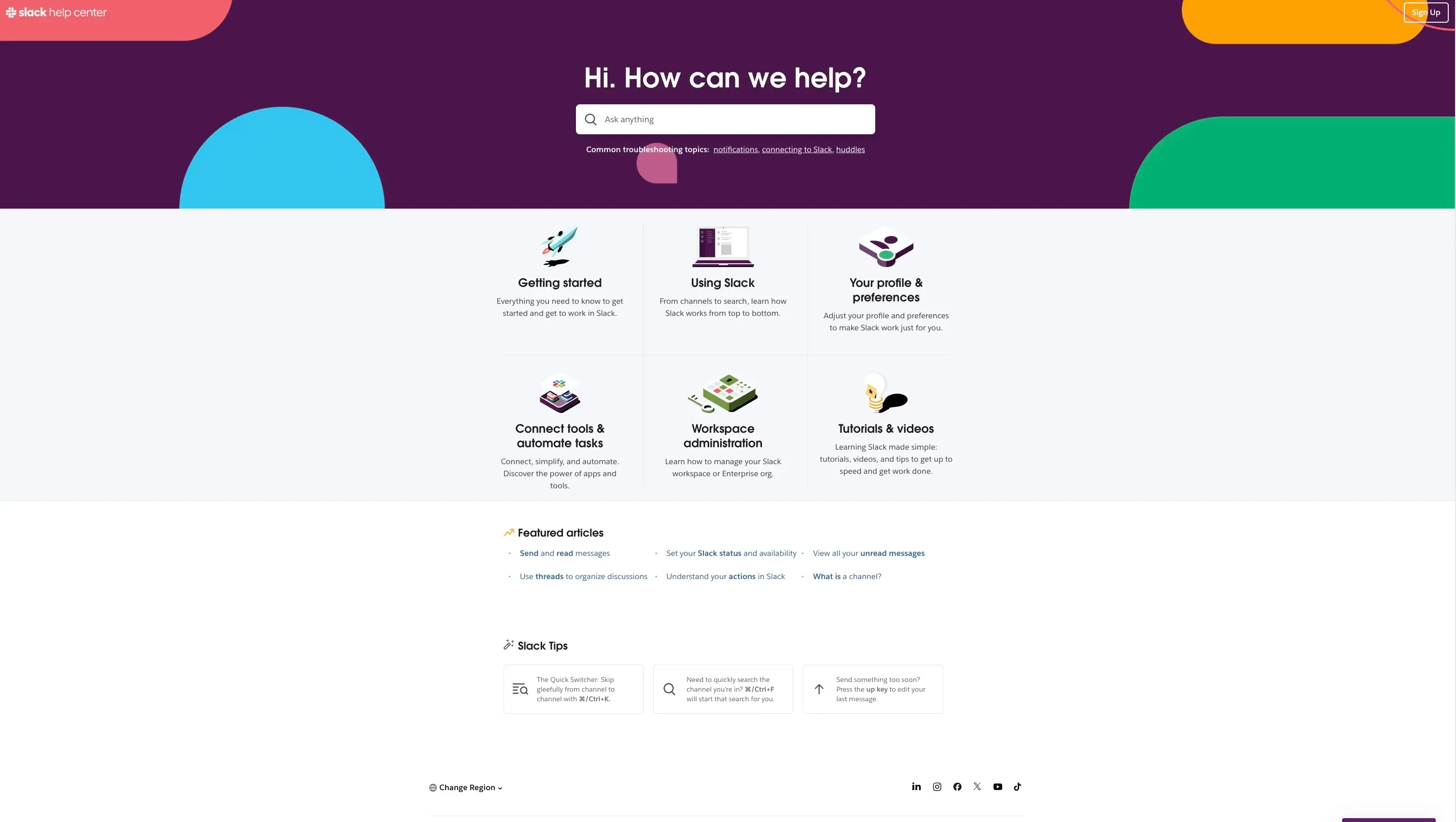
Effective help center content anticipates common questions and provides answers proactively, uses clear and searchable titles, provides step-by-step instructions with supporting visuals, and offers multiple paths to a solution – search, browse, or contact.
Example: Slack's help center organizes content into clear categories, uses plain-language titles, and provides step-by-step articles with screenshots – making it easy for users to find answers on their own.
Error messages and form guidance
Well-designed error messages explain the issue in plain language, tell users exactly how to fix it, use inline validation to catch errors early, and maintain a supportive, encouraging tone throughout.
Example: Stripe's checkout forms use real-time inline validation – flagging issues as users type rather than after they submit. Error messages are specific, plain-language, and tell users exactly what to fix.

Product pages and pricing pages
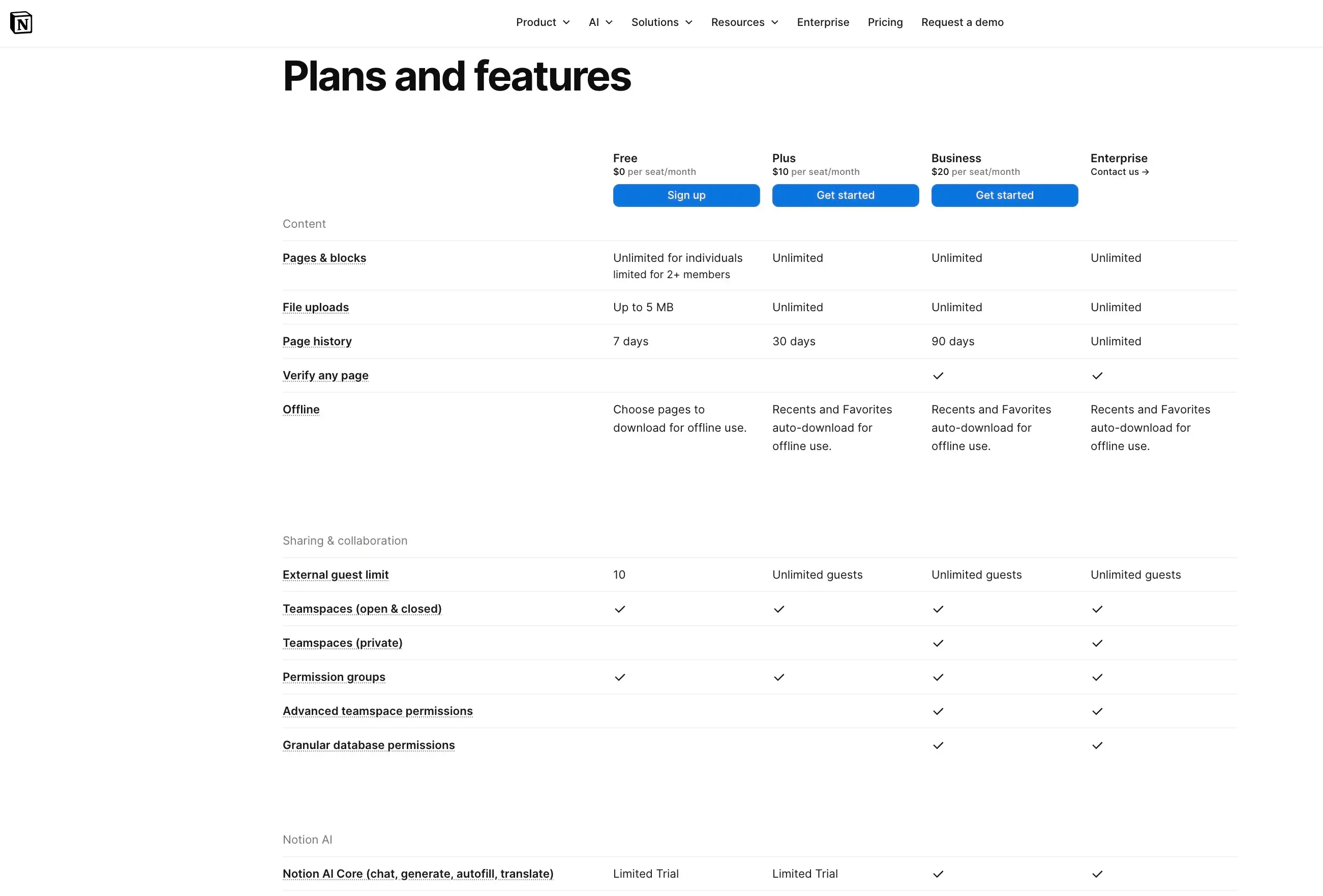
Strong product and pricing pages clearly communicate value propositions, address common objections and questions, use scannable formatting for easy comparison, and include calls to action that tell users exactly what will happen next.
Example: Notion's pricing page uses a clean comparison layout, clear per-tier value propositions, and CTAs that set expectations ("Get started" vs. "Contact sales").
Confirmation and success states
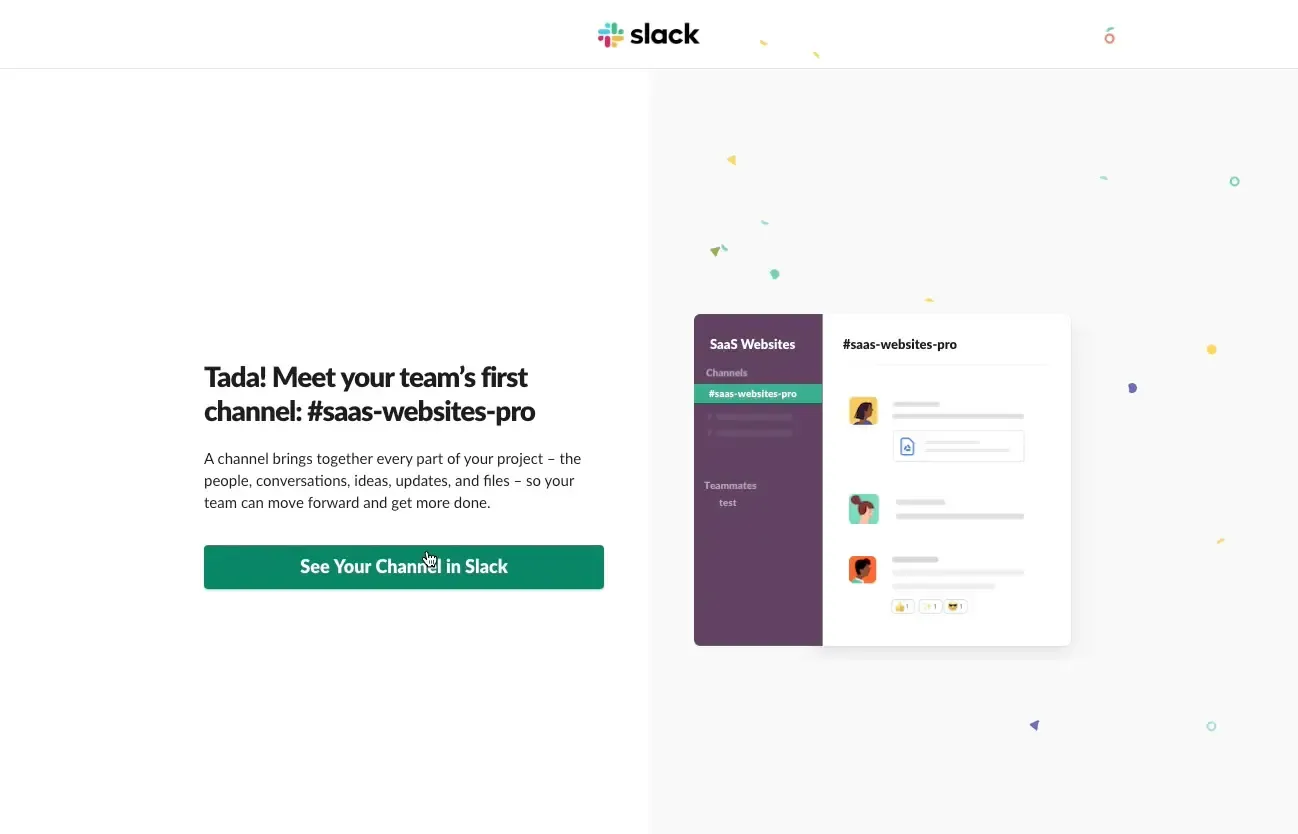
Thoughtful confirmation states tell users what action was completed, set expectations for what comes next, offer relevant next steps or related actions, and reinforce positive feelings about the interaction.
Example: Slack's onboarding greets new users with a "Tada!" message after workspace setup – confirming the action is complete, setting a friendly tone, and guiding users toward their first conversation.
Common content design mistakes to avoid
Even experienced teams fall into familiar traps. Here are the most common content design mistakes, and what to do instead.
Writing for internal stakeholders instead of users
Content that uses internal jargon, mirrors organizational structure rather than user mental models, or prioritizes what the company wants to say over what users need to know rarely resonates. Start with user research to understand how your audience actually thinks and speaks.
Long paragraphs and low scannability
Users scan content; they rarely read every word. Dense paragraphs, absent headings, and poor visual hierarchy make it hard for users to find what they need. Use headings, concise paragraphs, and well-placed bullet points to improve scannability.
Unclear CTAs
Vague calls to action like "Click here" or "Submit" leave users guessing about what will happen next. Effective CTAs are specific and action-oriented: "Start your free trial," "Download the report," or "Save changes."
Inconsistent terminology
Using different words for the same thing, like "dashboard" in one place and "control panel" in another, makes transitions between features feel disjointed. Establish clear terminology early and maintain it consistently across the product.
No testing or measurement
Creating content without testing it with users is guesswork. Content that seems clear to the team may confuse actual users, and without testing, teams risk shipping content that generates support tickets and requires costly post-launch fixes. Tools like Lyssna make it easy to test content with real users before it ships.

Practitioner insight:
"We could create structured customer validation instead of just relying on assumptions — Lyssna made that possible."
– Blaze Jemc, Director of eCommerce at FORM
How to measure content design success
Measuring content design effectiveness means tracking both user behavior and direct feedback. Here are the key metrics to watch.
Metric | What to track | How to measure it |
|---|---|---|
Task success rate | Whether users can complete key flows | Usability testing, funnel analytics |
Time on task | How long users take to accomplish goals | Usability testing, session recordings |
Error prevention | Whether content helps users avoid mistakes | Form error rates, support tickets |
Comprehension ratings | Whether users interpret messages correctly | Surveys, five second testing |
Drop-off rate | Where users abandon flows | Funnel analytics, session recordings |
Support ticket volume | Whether improvements reduce support requests | Support ticket tracking over time |
Task success rate
Can users complete tasks using your content? Track completion rates for key user flows and identify where content might be causing drop-offs or failures.
Time on task
How long does it take users to accomplish their goals? While some content should encourage exploration, task-oriented content should help users complete actions efficiently.
Error prevention
Does your content help prevent errors? Track form submission errors, support tickets related to confusion, and other signals that content could be clearer.
Comprehension ratings
Do users actually understand your content? Use surveys and testing to measure whether users correctly interpret key messages and instructions.
Drop-off rate
Where do users abandon flows? High drop-off rates at specific points often signal that content needs work, whether that's clearer instructions, additional information, or simpler language.
Support ticket volume
Does improved content reduce support requests? Track tickets related to content clarity and measure whether improvements reduce the volume over time.
The most effective approach combines behavioral data (what users do) with direct feedback (what users say). Tools like Lyssna make it practical to measure comprehension, test clarity, and validate content decisions with real users at every stage.
Practitioner insight:
"We used to spend days collecting the data we can now get in an hour with Lyssna. We're able to get a sneak preview of our campaigns' performance before they even go live."
–Aaron Shishler, Copywriter Team Lead at monday.com
Where to learn more about content design
Below are some good sources of information if you or anyone in your team wants to learn more about the ins and outs of content design.
Blogs and websites
Notable articles and guides
Podcasts
Books
Content Design by Sarah Winters
Strategic Writing for UX by Torrey Podmajersky
Microcopy: The Complete Guide by Kinneret Yifrah
Writing is Designing by Michael Metts and Andy Welfle
Nicely Said by Nicole Fenton
Writing for Designers by Scott Kubie
UX Writing Basics by Marie-Pier Rochon
How Lyssna helps teams improve content design
Creating effective content requires understanding what works for your users, not just what sounds good to your team. Lyssna gives content designers the research tools they need to make evidence-based decisions at every stage of the process.
Test copy variations
Use preference testing to compare different headlines, CTAs, error messages, or any other content variations. See which options resonate with your target audience before committing to a direction.
Validate clarity with users
Five second testing reveals whether your key messages come through clearly. Test landing pages, onboarding screens, or any content where first impressions matter, and get results fast enough to act on them.
Collect feedback fast
With access to Lyssna's panel of hundreds of thousands of vetted participants, you can gather user feedback quickly, often within hours. That makes it practical to test content decisions even on tight timelines, so you're shipping with confidence.
Improve UX writing and content decisions with evidence
Usability testing shows whether your content helps users complete tasks successfully. Watch real users interact with your content, see exactly how they experience it, and iterate with confidence.
Put content design principles into practice
Validate clarity, test copy variations, and make evidence-based content decisions with Lyssna.
FAQs about content design


Kai Tomboc
Technical writer
Kai has been creating content for healthcare, design, and SaaS brands for over a decade. She also manages content (like a digital librarian of sorts). Hiking in nature, lap swimming, books, tea, and cats are some of her favorite things. Check out her digital nook or connect with her on LinkedIn.

You may also like these articles




Try for free today
Join over 320,000+ marketers, designers, researchers, and product leaders who use Lyssna to make data-driven decisions.
No credit card required