12 Feb 2026
|20 min
Guerrilla usability testing
Discover what guerrilla usability testing is, how to run it, and when to use it.

Guerrilla usability testing is a quick and inexpensive way to gather user feedback by testing with people in informal settings. Unlike traditional usability testing that involves vetting and recruiting participants, scheduling sessions, and organizing a testing location, guerrilla testing offers a streamlined approach that fits into fast-paced product development cycles.
This informal testing method has become popular for people conducting research and looking for rapid insights without the overhead of formal research.
In this guide, we'll explore what guerrilla usability testing is, when to use it, and how to conduct effective guerrilla tests that inform better design decisions. Whether you're validating early concepts or testing specific interface elements, guerrilla testing can become a useful tool in your user research toolkit.
Key takeaways
Guerrilla usability testing is a quick, low-cost method for gathering user feedback by approaching people in public spaces like cafés, libraries, and co-working spaces.
It's best suited for early-stage design validation, testing wireframes or prototypes, and identifying obvious usability issues when time or budget is limited.
Key limitations include lack of control over participant demographics, potentially distracting environments, and surface-level insights compared to formal testing.
To run an effective guerrilla test, define one clear goal, prepare two to three simple tasks, and keep sessions to 5–10 minutes.
For more control over who you test with, Lyssna's research panel offers a quick turnaround with 690,000+ participants and 395+ demographic filters.

What is guerrilla usability testing?
Guerrilla usability testing is an informal usability testing method where participants are recruited on the spot in public places like cafés, libraries, co-working spaces, or university campuses. You approach random people and ask them to test your product and provide feedback.
The term "guerrilla" reflects the unconventional, impromptu nature of this testing approach. Instead of following traditional research protocols, you take your testing directly to where people naturally gather, making the process more accessible and immediate.
Purpose and core principles
The primary purpose of guerrilla usability testing is quick validation of ideas without recruiting panels or extensive preparation. This method allows teams to:
Test design concepts rapidly during the early stages of development
Gather immediate feedback on specific user interface elements
Validate assumptions about user behavior and preferences
Identify obvious usability issues before investing in formal testing
Guerrilla testing operates on the principle that some user feedback is better than no user feedback. While it may not provide the depth of insights that formal usability testing offers, it can quickly surface critical issues and validate design directions.
The approach requires minimal setup: just one or two team members and about 10–15 minutes per test. This efficiency makes it particularly valuable for teams working in agile environments where rapid iteration is essential.
When to use guerrilla usability testing
Guerrilla usability testing works best in specific situations where speed and accessibility are more important than comprehensive research depth. Understanding when to deploy this method helps you maximize its effectiveness while recognizing its limitations.
Use guerrilla testing when... | Consider formal testing when... |
|---|---|
You're in early design stages | You need deep behavioral insights |
Budget or time is limited | You require specific demographics |
Validating basic concepts or flows | Testing complex workflows |
You need quick directional feedback | Making high-stakes design decisions |
Early stages of product or feature design
Guerrilla testing excels during the initial phases of product development when you need quick validation of core concepts. During early design stages, you're often working with wireframes, sketches, or basic prototypes that benefit from immediate user feedback.
This method helps answer fundamental questions like:
Do users understand the basic concept or value proposition?
Can they navigate the primary user flow?
Are there obvious points of confusion in the interface?
Does the terminology make sense to your target audience?
Early-stage testing with guerrilla methods can prevent costly design mistakes and guide your team toward more user-friendly solutions before significant development resources are invested.
When budget or time is limited
Traditional usability testing can be expensive and time-consuming, requiring participant recruitment, facility booking, equipment setup, and extensive analysis. Guerrilla testing offers a cost-effective alternative when resources are constrained.
This approach is particularly valuable for:
Startups with limited research budgets
Teams working under tight deadlines
Projects that need quick validation between formal testing cycles
Small design changes that don't warrant full usability studies
The low cost and quick turnaround make guerrilla testing an excellent option for teams who need regular user feedback but can't afford traditional testing for every design iteration.
To validate prototypes, wireframes, or quick flows
Guerrilla testing works exceptionally well for testing specific design elements or user flows that can be demonstrated quickly. This includes:
Wireframe validation: Testing basic layout and navigation concepts
Prototype testing: Gathering feedback on interactive design elements
Content testing: Validating messaging, labels, and information architecture
Quick flow testing: Checking specific task completion paths
The informal nature of guerrilla testing makes it ideal for testing concepts that don't require extensive explanation or complex task scenarios.

Pro tip: Guerrilla testing pairs well with other quick research methods. Consider running a five second test or first click test in Lyssna before heading out to conduct in-person guerrilla tests. This combination gives you both quantitative data and qualitative feedback to inform your design decisions.

Benefits of guerrilla usability testing
Guerrilla usability testing offers several compelling advantages that make it an attractive option for many research scenarios. Understanding these benefits helps you leverage this method effectively within your broader user research strategy.
Low-cost, fast, and easy to set up
One of the most significant advantages of guerrilla testing is its minimal resource requirements. Unlike formal usability testing, guerrilla testing doesn't require:
Expensive participant recruitment services
Dedicated testing facilities or equipment
Extensive planning and scheduling coordination
Large time investments from multiple team members
The simplicity of setup means you can conduct guerrilla tests with just a laptop, mobile device, or even paper prototypes. This accessibility makes it possible to test ideas quickly and frequently throughout the design process.
Access to a wide range of participants
Guerrilla testing naturally exposes your designs to diverse participants you might not reach through traditional recruitment methods. Public spaces attract people from various backgrounds, ages, and experience levels, providing a broader perspective on your design.
This diversity can be particularly valuable when:
You're designing for general consumer audiences
Your target demographic is broad or undefined
You want to test how intuitive your design is for first-time users
You're exploring how different user groups interact with your product
The spontaneous nature of participant recruitment can also reveal insights about how people with different mental models approach your design.
Helps uncover obvious usability issues early
Guerrilla testing excels at identifying glaring usability problems that would affect most users. While it may not catch subtle issues that require deeper analysis, it's highly effective at surfacing:
Navigation problems that confuse users immediately
Unclear labeling or terminology
Missing or hard-to-find essential features
Workflow issues that interrupt task completion
Visual design elements that mislead or distract users
Catching these obvious issues early prevents them from becoming expensive problems later in the development process.
Pro tip: Keep a running log of the issues you uncover across multiple guerrilla testing sessions. Over time, you'll start to spot patterns in where users consistently struggle, which can inform broader design improvements.

Limitations of guerrilla usability testing
While guerrilla usability testing offers many benefits, it's important to understand its limitations to set appropriate expectations and use the method effectively. Recognizing these constraints helps you determine when guerrilla testing is sufficient and when more formal research methods are necessary.
Participants may not match your target audience
The spontaneous nature of guerrilla testing means you can't guarantee that everyone you approach will want to participate. More importantly, you rely on people who are willing to participate, and they may not match your target audience, which can give you results that aren't relevant.
This limitation can be particularly problematic when:
Your product serves a specific niche or professional audience
Age, technical expertise, or cultural background significantly impacts usage
Your design requires domain-specific knowledge to evaluate effectively
You're testing enterprise software or specialized tools
While the diversity of guerrilla testing participants can be valuable, it may not provide insights relevant to your specific user base.

Practitioner insight: “Lyssna screeners give us the ability to customize our audience to a much more granular level and therefore improve the quality of our research.”
– Jenn Wolf, Senior Director of CX at Nav
Environments can be noisy or distracting
Public spaces often present environmental challenges that can affect test quality. Participants may be distracted by:
Background noise that makes it difficult to focus
Interruptions from friends, family, or other people
Time pressure from their own schedules and commitments
Discomfort with being observed in public settings
These environmental factors can impact the quality of feedback and make it harder to observe subtle usability issues that might emerge in more controlled settings.
Results are less in-depth compared to formal testing
Guerrilla testing typically provides surface-level insights rather than deep understanding of user behavior and motivations. The brief nature of these sessions means you may miss:
Complex user mental models and decision-making processes
Emotional responses and attitudes toward your product
Long-term usage patterns and learning curves
Detailed task completion strategies and workarounds
Contextual factors that influence real-world usage
While guerrilla testing can identify what users struggle with, it may not fully explain why they struggle or how to address underlying issues.
Pro tip: If you discover an issue during guerrilla testing but need deeper insight into the cause, follow up with remote unmoderated testing or user interviews. Guerrilla testing is great for finding problems; formal methods help you understand them.
How to run a guerrilla usability test (step by step)
Running an effective guerrilla usability test requires careful planning despite its informal nature. Following a structured approach helps you gather meaningful insights while respecting participants' time and maintaining professional standards.
Step | What to do | Time needed |
|---|---|---|
1. Define a clear goal | Choose one specific thing to test or validate | 30 min–1 hour |
2. Prepare simple tasks | Write 1–3 short tasks participants can complete quickly | 30 min–1 hour |
3. Find participants | Scout a public location and approach people (or use Lyssna's research panel for targeted recruiting) | Varies (panel: ~30 min avg) |
4. Conduct the test | Run the test, encourage think-aloud feedback | 5–10 min per person |
5. Capture and analyze | Document observations and identify patterns | 1–2 hours |
Step 1: Define a clear goal
Before heading out to test, focus on a single goal, similar to creating a structured usability test plan. Trying to test too many things at once dilutes your findings and makes sessions harder to manage.
Example goals for guerrilla testing:
Test navigation clarity in a prototype
Validate whether users understand a new feature concept
Check if users can complete a specific task flow
Assess whether labeling and terminology are clear
Determine if visual hierarchy guides attention effectively
To define success criteria, ask yourself:
What specific user behaviors indicate success?
What questions do I need answered to move forward?
How will I measure whether my design is working?
Clear goals help you design appropriate tasks and recognize valuable insights when they emerge during testing.
Step 2: Prepare simple tasks
Keep things simple. Guerrilla testing sessions should be brief (5–10 minutes maximum) to respect participants' time and maintain their attention.
Task preparation guidelines:
Focus on one primary task or user flow
Write clear, simple instructions that don't require extensive explanation
Prepare backup tasks in case the primary task is too easy or difficult
Avoid tasks that require personal information or account creation
Test your tasks beforehand to ensure they can be completed quickly
Example task formats:
"Can you show me how you would [specific action] using this design?"
"Imagine you want to [goal]. Walk me through how you would do that."
"What do you think this button/feature does?"
"How would you find [specific information] on this page?"
Simple, focused tasks yield better insights than complex scenarios that confuse or overwhelm participants.
Step 3: Find participants in public spaces
Find a public space that attracts people who are likely to use your product. Scout your location ahead of time, making sure it's not too noisy and offers enough privacy for a quick conversation.
Location | Why it works |
|---|---|
Cafes and coffee shops | Relaxed atmosphere, people often have time to spare |
Universities and libraries | Access to diverse, educated participants |
Co-working spaces | Professional environment, tech-savvy participants |
Public events and conferences | Targeted audiences based on event type |
Shopping centers | High foot traffic, diverse demographics |
Location considerations:
Noise levels that allow for conversation
Seating areas where participants can comfortably view your materials
Wi-Fi availability if you're testing digital products
Permission from venue management when appropriate
Accessibility for participants with different needs
When conducting guerrilla tests in a public place, seek permission from venue management whenever possible. This shows respect and helps avoid potential conflicts.
Need more control over who you test with?
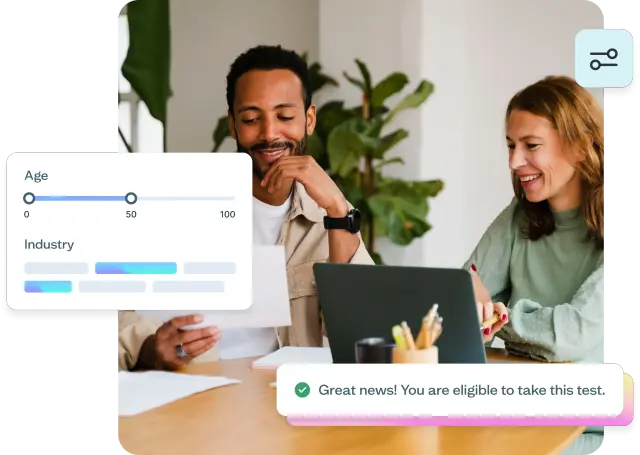
If guerrilla testing's lack of demographic targeting is a concern, consider using Lyssna's research panel as an alternative or complement. You get access to over 690,000 participants across 124 countries, with 395+ demographic filters to target your exact audience.
Orders are fulfilled in 30 minutes on average, so you can get quick feedback without sacrificing participant quality.
Practitioner insight: “The speed and the size of the (Lyssna) panel are impressive. To do research studies in under 24 hours is pretty remarkable.”
– Pavel Semenov, Head of Research at Joom
Step 4: Conduct the test
Approaching strangers requires a friendly, professional demeanor that puts people at ease. Let them know who you are, explain what the test involves, and give them an honest time estimate.
Recruiting participants:
Introduce yourself and your role clearly
Explain the purpose of the test in simple terms
Be upfront about time requirements (5–10 minutes)
Offer small incentives (coffee, gift card) as appreciation
Accept "no" gracefully and move on to the next person
During the test:
Reassure participants that you're testing the design, not them
Encourage think-aloud feedback by asking them to verbalize their thoughts
Ask follow-up questions to understand their reasoning
Observe non-verbal cues and behaviors
Take notes on both successful interactions and points of confusion
Maintaining professionalism:
Respect participants' time and comfort levels
Avoid leading questions that bias responses
Stay neutral and avoid defending your design
Thank participants genuinely for their time and insights
Step 5: Capture and analyze feedback
With permission, capture screen or audio recordings alongside written notes. Effective documentation helps you identify patterns and communicate findings to your team.
Documentation methods:
Written notes: Quick observations about user behavior and comments
Audio recordings: Capture exact quotes and detailed feedback (with permission)
Screen recordings: Document user interactions with digital prototypes
Photos: Visual documentation of paper prototypes or testing setup
After testing, review your data and look for common challenges that come up again and again. Identify themes linked to usability and pinpoint problem areas.
Key analysis steps:
Compile all feedback: Gather notes, recordings, and observations
Identify patterns: Look for issues mentioned by multiple participants
Categorize findings: Group feedback by severity and type
Prioritize issues: Focus on problems that affect task completion
Document insights: Create clear summaries for your team
Plan next steps: Determine what changes to make based on findings
Use findings for rapid iterations. The goal is to quickly identify actionable insights that inform immediate design improvements.

Guerrilla usability testing examples
These hypothetical examples illustrate how guerrilla usability testing works in practice and demonstrate its versatility across different contexts and design challenges.
Designer testing wireframes in a coffee shop
Imagine a UX designer working on a mobile banking app who needs quick feedback on navigation wireframes. They set up in a busy coffee shop near a university campus with their laptop and a few printed wireframes.
The approach:
Approach customers waiting for their orders
Offer to buy their coffee in exchange for five minutes of feedback
Ask participants to walk through key tasks like checking account balance and transferring money
Use paper wireframes to avoid distractions from visual design
Potential insights:
Users might expect the transfer function in a different location
Terminology around "quick actions" could be confusing
The navigation hierarchy may not match users' mental models
This type of quick test could lead to immediate wireframe revisions before moving to high-fidelity design, saving significant development time.
Startup team testing a landing page at a co-working hub
Consider a startup developing a project management tool that needs to validate their landing page messaging before launch. The team spends an afternoon in their co-working space's common area testing with other entrepreneurs and freelancers.
The approach:
Show the landing page on a laptop screen
Ask participants to explain what the product does based on the page
Observe where users look first and what information they find confusing
Gather feedback on pricing presentation and call-to-action clarity
Potential insights:
The main headline may not clearly communicate the product's value
Users could miss the key benefits section due to poor visual hierarchy
Pricing information might be too complex for quick comprehension
These insights could lead to simplified messaging and improved page layout before launch.
Mobile app concept tested with commuters on the train
Picture a design team developing a transit app who wants to test during rush hour on public transportation. They approach commuters with smartphones to test their app concept.
The approach:
Use a working prototype on mobile devices
Focus on core features like route planning and real-time updates
Keep sessions very brief (3–4 minutes) due to short commute times
Test with people actively using transit, ensuring relevant participants
Potential insights:
Users might need larger touch targets for use while moving
Information hierarchy may not work well on small screens
Real-time updates could be more important than route planning features
This type of testing reveals usability issues specific to the mobile, on-the-go context that wouldn't emerge in traditional lab testing.
Pro tip: Match your testing location to your product's real-world context. Testing a transit app on the train or a coffee ordering app in a café gives you insights that lab testing simply can't replicate.

Guerrilla usability testing best practices
Following established best practices helps you conduct more effective guerrilla usability tests while maintaining professional standards and respecting participants' time and comfort.
Keep it casual but structured
Strike a balance between informal approachability and professional organization. While guerrilla testing is inherently casual, a structured approach ensures you gather useful insights consistently.
Maintaining structure:
Prepare your materials and questions in advance
Follow a consistent testing script while remaining conversational
Set clear time boundaries and stick to them
Have backup plans for technical issues or uncooperative participants
Staying casual:
Use friendly, conversational language rather than formal research terminology
Adapt your approach based on each participant's comfort level
Be flexible with your script when natural conversation provides better insights
Create a relaxed atmosphere that encourages honest feedback
Limit to two or three key tasks
Resist the temptation to test everything at once. Limiting your focus to two or three key tasks ensures you can gather meaningful feedback within the brief time constraints of guerrilla testing.
Task selection criteria:
Choose tasks that represent core user goals
Focus on areas where you have specific questions or concerns
Select tasks that can be completed quickly without extensive setup
Prioritize tasks that will inform immediate design decisions
Managing scope:
If participants complete tasks quickly, you can explore additional areas
Be prepared to skip less critical tasks if time runs short
Focus on depth rather than breadth of feedback
Incentivize participants politely
Offering small incentives shows appreciation for participants' time and increases willingness to participate. However, incentives should be appropriate and not coercive.
Appropriate incentives:
Coffee or small food items in café settings
Small gift cards ($5–10) for longer sessions
Company swag or promotional items
Simple "thank you" gestures that match the setting
Incentive guidelines:
Offer incentives after explaining the test, not as a recruitment tool
Keep incentives small to avoid creating pressure to participate
Be prepared for people who decline incentives but still want to help
Ensure incentives are appropriate for the location and context
Always thank participants for their time
Genuine appreciation builds positive relationships and reflects well on your organization. Participants are doing you a favor by sharing their time and insights.
Showing appreciation:
Thank participants sincerely at the beginning and end of each session
Explain how their feedback will be used to improve the product
Follow through on any promised incentives promptly
Respect their time by ending sessions when promised
Building goodwill:
Leave contact information if participants want to learn about your product
Offer to share results or updates if they're interested
Be gracious even if the feedback is critical or unexpected
Maintain professionalism throughout the interaction
Once your design is ready for further testing and iteration, try Lyssna for quick and efficient usability testing. Our user-friendly platform makes it easy to source participants, conduct remote unmoderated tests, and analyze results seamlessly.
FAQs about guerrilla usability testing

Jeff Cardello
Freelance SaaS content writer
Jeff Cardello is a freelance writer who loves all things tech and design. Outside of being a word nerd, he enjoys playing bass guitar, riding his bike long distances, and recently started learning about data science and how to code with Python.

You may also like these articles