28 Sep 2023
|12 min
Navigation testing guide
Use navigation testing to analyze how users navigate through your website or app.
Navigation testing is the foundation of creating user experiences that actually work. When users can't find what they're looking for on your website or app, they leave, taking potential conversions, revenue, and brand loyalty with them.
The impact is significant: Forrester Research found that improving your website's user experience design could potentially raise conversion rates up to 400%. Meanwhile, Baymard Institute's 2025 benchmark of leading ecommerce sites reveals that 67% of mobile sites and 58% of desktop sites perform at a "mediocre" to "poor" level for navigation UX, highlighting a major opportunity for improvement.
Navigation testing helps you understand how users move through your website or application when trying to complete a specific task or goal. The results reveal opportunities to refine critical user flows and strengthen your information architecture.
In this guide, we'll walk you through what navigation testing is, why it matters, and how to implement it effectively so you can create experiences that guide users seamlessly to their goals.
Key takeaways
Navigation testing measures task completion rates, click accuracy, time on task, and drop-off points to show whether users can find what they need.
Test at any stage – wireframes, prototypes, or live sites. Early testing catches issues when they're still easy to fix.
Combine navigation testing with tree testing, card sorting, and first click testing for comprehensive insights.
Good navigation improves conversion rates and user satisfaction. Poor navigation costs you customers.
Test with five to eight participants for qualitative insights, or 20–30 users for statistically significant results.
Mastering navigation testing for improved UX
Navigation testing is one of the most direct ways to understand whether your digital product actually serves user needs. Unlike other forms of user research that focus on opinions or preferences, navigation testing reveals the gap between what users intend to do and what your interface allows them to accomplish.
What is navigation testing?
Navigation testing evaluates how easily users can move through a website or app to find information or complete tasks. It's a user research method that focuses specifically on the pathways users take to reach their goals, whether that's finding a product, accessing support information, or completing a purchase.
At its core, navigation testing answers critical questions about user behavior:
Can users find what they're looking for?
Do they understand your site's structure and organization?
Where do they get confused or give up?
How efficiently can they complete common tasks?
How navigation testing works in Lyssna
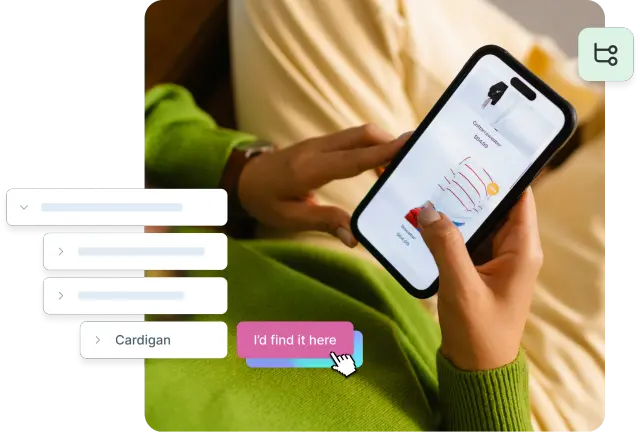
Card sorting and tree testing are valuable methods for evaluating navigation. In Lyssna, you can run both of these tests, plus we also offer a dedicated navigation test specifically designed for testing navigation where you upload a series of screens to emulate a particular interaction flow. At each step, you highlight the clickable parts of the interface that navigate to the next step in the sequence (we call these "hitzones").
You then present users with your interface and ask them to complete a specific task. At each step, we record the position and timing of their clicks. If they click within a hitzone, they proceed to the next step. If they don't, the test ends and they can share feedback about why they clicked where they did.
The result is a funnel report showing how many users successfully clicked in the correct place at each step, where people dropped off, and free-text feedback from every user after their final click.
To see more, check out the below demo video.
Why it matters
The impact of navigation quality on business outcomes is both immediate and measurable. Good navigation creates a foundation for positive user experiences, while poor navigation can undermine even the best content and design.
Good navigation delivers:
Lower bounce rates, because users stay longer when they can easily find what they need
Higher conversions, since clear paths to action reduce friction in the user journey
Better user satisfaction through intuitive experiences that create positive brand associations
Increased engagement, as users explore more when navigation feels effortless
Improved accessibility for users with diverse needs
Poor navigation creates:
User frustration that leads to negative emotional associations with your brand
Abandoned sessions when users can't accomplish their goals
Lost revenue because potential customers can't find products or complete purchases
Reduced trust, since difficult navigation suggests an unprofessional or unreliable service
Increased support burden when users contact your team for information they should be able to find independently
Navigation testing also lets you gather valuable feedback early in the design process, since it works with sketches, wireframes, or high-fidelity mockups.

Navigation testing methods
Different navigation testing methods serve different purposes in understanding user behavior. Here's an overview of the primary approaches:
Method | What it tests | Best for | What you'll learn |
Navigation testing | How users click through screens to complete tasks | Live websites, apps, prototypes | Drop-off points, time on task, click accuracy |
Tree testing | Whether users can find content in your site structure | Validating information architecture | Navigation logic and labeling issues |
Card sorting | How users naturally group and label content | Early-stage IA design | Mental models for menu structure |
First-click testing | Where users click first to complete a task | Testing page layouts and CTAs | Clarity of navigation choices |
A/B testing | Which navigation variation performs better | Comparing specific design options | Quantitative performance differences |
Usability testing | How users complete tasks in your full interface | Broader context and qualitative insights | Navigation challenges in realistic scenarios |
Navigation testing in Lyssna lets you test how users navigate through a series of screens to complete a specific task. You upload screenshots of your website or app, define clickable "hitzones," and observe where users click, how long each step takes, and where they drop off. This method works well for testing live websites, apps, or prototypes.
Tree testing validates your information architecture by testing whether users can find specific content within your site's hierarchical structure. It strips away visual design to focus purely on navigation logic and labeling.
Card sorting helps structure menus and categories by understanding how users naturally group and label content. This method is particularly valuable during the early stages of information architecture design.
First click testing measures the clarity of navigation choices by analyzing where users click first when trying to complete a task. Research shows that users who get their first click right are significantly more likely to complete their task successfully.
A/B testing compares different menu variations or navigation approaches to determine which performs better for specific user goals and business metrics.
Usability testing provides broader context around navigation challenges by observing users as they attempt to complete realistic tasks within your full interface.

Practitioner insight:
"(Lyssna’s) navigation test is god's gift to UI designers, it probably has the best power-to-simplicity ratio of any software, ever."
– Nick Franklin, CEO of ChartMogul
Example scenarios
Navigation testing becomes most valuable when applied to real-world scenarios that matter to your users and business.
Ecommerce scenarios
Can users find a returns policy quickly when they're considering a purchase?
Do users know where to go for pricing information on different product tiers?
How many steps does it take to reach checkout from a product page?
Can users easily find size guides or product specifications?
Learn more: Quick guide to ecommerce user experience
Content and service scenarios
Can users locate contact information when they need support?
Do users understand how to access their account settings?
Can users find relevant help articles for their specific questions?
How easily can users discover related content or services?
Complex workflow scenarios
Can users navigate multi-step processes without getting lost?
Do users understand their progress through lengthy forms or applications?
Can users easily return to previous steps to make changes?
How do users recover when they encounter errors or dead ends?
Navigation testing best practices
Running effective navigation tests requires careful planning, thoughtful execution, and thorough analysis. These best practices help ensure your testing efforts yield actionable insights that improve user experiences.
Best practice | Key takeaway |
|---|---|
Define clear goals | Establish specific, measurable objectives before testing |
Recruit relevant participants | Match participants to your actual target audience |
Keep tasks realistic | Frame tasks using natural language and real user scenarios |
Test early and often | Integrate testing throughout the design process |
Use a mix of methods | Combine approaches for a complete picture of user behavior |
Analyze beyond success rates | Look at paths, timing, and error patterns, not just completion |
Iterate and validate | Use insights to refine, then test again to confirm improvements |
Define clear goals
Before launching any navigation test, establish specific, measurable objectives that align with user needs and business goals. Vague testing goals lead to inconclusive results and wasted resources.
Your goals might be:
Task-specific: "Can users find our pricing page within 30 seconds?" or "What percentage of users can successfully locate the returns policy?"
Comparative: "Which navigation structure leads to higher task completion rates?" or "Does the new menu design reduce time-to-task completion?"
Discovery-focused: "Where do users expect to find account settings?" or "What navigation paths do users take when looking for support?"
Pro tip: To define your goals, ask yourself: What specific user behaviors do we want to understand? Which navigation elements are most critical to business success? What assumptions about user behavior do we need to validate? And how will we measure success or failure?
Clear goals also help you choose the right testing method and recruit appropriate participants.
Recruit relevant participants
Navigation testing insights are only as valuable as the participants who provide them. Recruiting participants who match your target audience ensures that test results reflect real user behavior rather than artificial scenarios.
When recruiting, consider:
Demographic matching: Align participant characteristics with your actual user base, including age, technical proficiency, and relevant experience.
Behavioral screening: Focus on users who perform the types of tasks you're testing, not just demographic similarities.
Context: Include users who would realistically use your product in the situations you're testing.
Pro tip: Screen for relevant experience without revealing test specifics. Include users across different experience levels with your product, and consider recruiting both existing users and potential new users. For qualitative insights, aim for five to eight participants per user segment.
Navigation preferences can vary significantly across user groups, so inclusive recruitment helps identify navigation solutions that work for diverse audiences.
Keep tasks realistic
The most valuable navigation testing insights come from tasks that mirror real user goals and contexts. Artificial or overly specific tasks can lead to misleading results that don't translate to actual user behavior.
Realistic tasks share a few key characteristics:
Natural language: Frame tasks using the words users would actually use, not internal company terminology.
Appropriate context: Give testers a brief scenario, like "Imagine you're looking for a hotel and find this website through a Google search."
Genuine motivation: Create tasks that reflect why users would actually visit your site.
Reasonable scope: Avoid tasks that are too narrow or too broad for meaningful insights.
Pro tip: To develop strong tasks, review actual user support requests and search queries, analyze your site analytics to understand common user paths, and interview customer service teams about frequent user questions. Test task clarity with a small group before full testing.
Keep your instructions clear and simple. Complex or ambiguous instructions will drive people to click in unexpected places and give less valuable feedback.
Test early and often
Navigation testing is most valuable when integrated throughout the design process, not just applied to finished products. Early testing catches fundamental issues when they're still easy and inexpensive to fix.
Stage | What to test |
|---|---|
Early stage (wireframes/prototypes) | Information architecture concepts, navigation labels and groupings, major structural issues, different organizational approaches |
Mid-stage (higher-fidelity designs) | Navigation placement and visual hierarchy, interaction patterns, responsiveness across device sizes, integration with content |
Pre-launch (near-final designs) | Navigation performance with realistic content, edge cases and error scenarios, accessibility, baseline performance metrics |
Post-launch (live products) | Navigation performance over time, new features or content additions, emerging user behavior patterns, impact of navigation changes |
Regular testing creates a feedback loop that continuously improves navigation effectiveness.
Practitioner insight
"Lyssna is a really, really useful tool for getting that early stage desirability validated so that we can then move forward."
– Louis Patterson, Innovation Delivery Officer at British Red Cross

Use a mix of methods
No single navigation testing method provides a complete picture of user behavior. Combining different approaches creates a comprehensive understanding of navigation strengths and weaknesses.
Some effective combinations:
Card sorting + tree testing: Start with card sorting to understand user mental models, then validate the resulting information architecture with tree testing.
First-click testing + usability testing: Use first-click testing to identify navigation entry points, then observe full user journeys through usability testing.
A/B testing + qualitative feedback: Measure performance differences between navigation options, then understand the reasons behind user preferences.
Method | Best for | When to use |
|---|---|---|
Tree testing | IA validation | Early to mid-stage |
Card sorting | Content organization | Early stage |
First-click testing | Entry point clarity | Mid to late stage |
A/B testing | Performance comparison | Late stage or post-launch |
Usability testing | Comprehensive understanding | All stages |
Analyze beyond success rates
While completion rates provide valuable baseline metrics, deeper analysis reveals the insights that drive meaningful navigation improvements. Look beyond whether users succeeded to understand how and why they navigated as they did.
Consider these analysis approaches:
Path analysis: Examine the routes users take to complete tasks, identifying common detours, backtracking, and alternative approaches.
Time analysis: Measure not just task completion time, but time spent on different navigation elements and decision points.
Error pattern analysis: Identify where users consistently make mistakes or encounter confusion, revealing systematic navigation problems.
Comparative analysis: Compare navigation behavior across different user segments, devices, or contexts to identify universal versus specific issues.
Qualitative insight integration: Combine behavioral data with user feedback to understand the emotions and reasoning behind navigation choices.
Pro tip: Key usability metrics to track include task completion rates and time-to-completion, first-click accuracy and success correlation, navigation path efficiency, drop-off points and abandonment patterns, and user confidence and satisfaction ratings.
Iterate and validate
Navigation testing is most effective as part of an iterative design process. Use test insights to refine your navigation, then validate improvements through follow-up testing.
A few best practices for iteration:
Prioritize changes: Focus first on navigation issues that affect the most users or the most critical tasks.
Test incrementally: Make one significant change at a time to isolate the impact of specific navigation improvements.
Validate improvements: Test your current design before embarking on testing changes. This gives you a baseline from which to measure any improvement.
Document learnings: Capture not just what changed, but why changes were made and what impact they had.
Share insights: Communicate findings across teams to build organizational understanding of navigation best practices.
The iteration cycle should continue throughout the product lifecycle, with navigation testing informing both major redesigns and incremental improvements.
Practitioner insight
"A full-blown research project can take a lot of time and energy, but you can have meaningful early results from Lyssna in a single day. I think that's one of the best benefits I've seen: faster and better iteration."
– Alan Dennis, Product Design Manager at YNAB