
27 Nov 2025
|10 min
Spaces and Wallets
Organize research by team with Spaces and manage budgets with Wallets. Give your teams structure, clear permissions, and budget control in one place.

Your research practice is growing – and that’s a good thing. More teams are running studies. More projects are launching. More stakeholders see the value of user feedback. But growth brings operational challenges: How do you keep work organized when five teams share one account? How do you track spending across departments? How do you protect confidential research while enabling collaboration?
These aren’t edge cases – they’re the natural friction points that emerge as research matures. Managing research across multiple teams creates three core challenges: studies scattered everywhere, unclear access controls, and opaque budget tracking.
Introducing Spaces and Wallets from Lyssna – an easy way to organize research by team or project while managing budget allocation in one place.
The research operations challenge
After talking with our customers, we found three operational problems consistently emerge as research practices mature and teams grow.
Research sprawl
When everyone shares a single account, studies from different teams mix together in one list. Finding relevant work becomes a challenge. Important research gets buried, and no one’s sure who owns what.
Access and confidentiality gaps
In a shared account, everyone sees everything. Your design team views early marketing concepts. Agency teams can’t protect confidential client work. Teams exploring sensitive features have no way to work privately.
You need teams to collaborate within their groups while keeping certain work private from others.
Budget visibility and control
When all spending comes from one credit pool, tracking becomes impossible. Which team spent what? Is anyone on budget? How much should you allocate next quarter?
Without visibility into spending by team or project, you can’t make informed budget decisions. And when teams request credits for every study, it slows everyone down.
Meet Spaces and Wallets
We built Spaces and Wallets to solve these challenges with an integrated approach that gives teams structure, autonomy, and clear budget control.
Spaces: Organize research around how you actually work
Spaces let you structure your Lyssna account by team, department, project, or client – with each space having its own members and visibility rules.
Think of Spaces as dedicated areas within your Lyssna account where specific teams can organize their work, collaborate with the right people, and control who else can see what they’re doing.
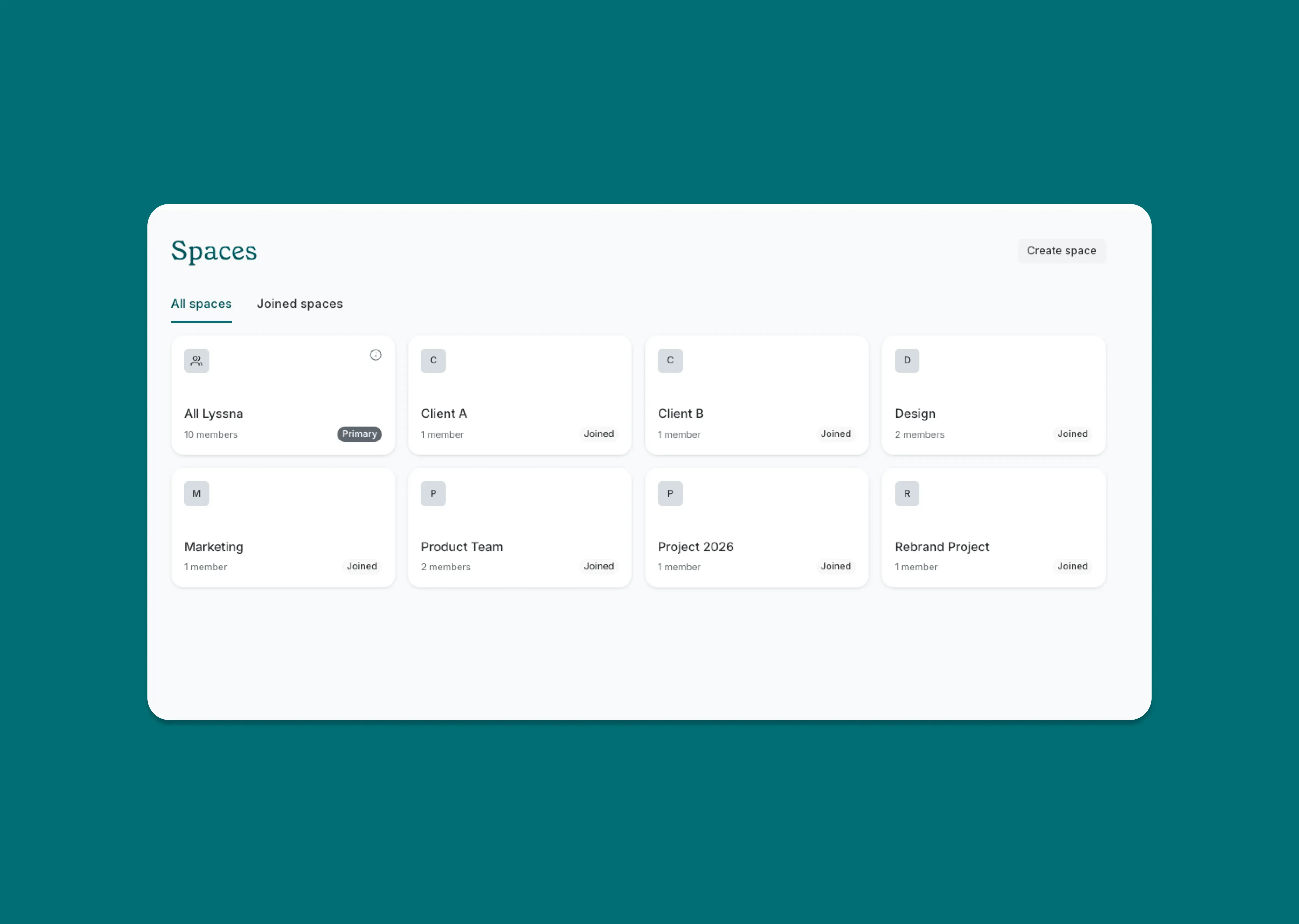
Here’s what you can do with Spaces:
Create Spaces for different teams, products, or clients (e.g. “Product Team,” “Marketing,” “Client: X”).
Set visibility with three permission levels:
Everyone: All account members can view and join.
Open: Visible to all, but requires requesting access to join.
Closed: Only invited members can see or access (Enterprise only).
Manage members directly within each Space – add or remove people as teams evolve.
Move projects and studies between Spaces as priorities shift.
See only the Spaces relevant to you when you log in.
When a new designer joins your product team, add them to the Product space and they immediately see all relevant research. When your agency starts work with a new client, create a closed space and keep that work confidential. When marketing wants visibility into product research, they can request to join that open space.
Wallets: Budget control that scales with your team
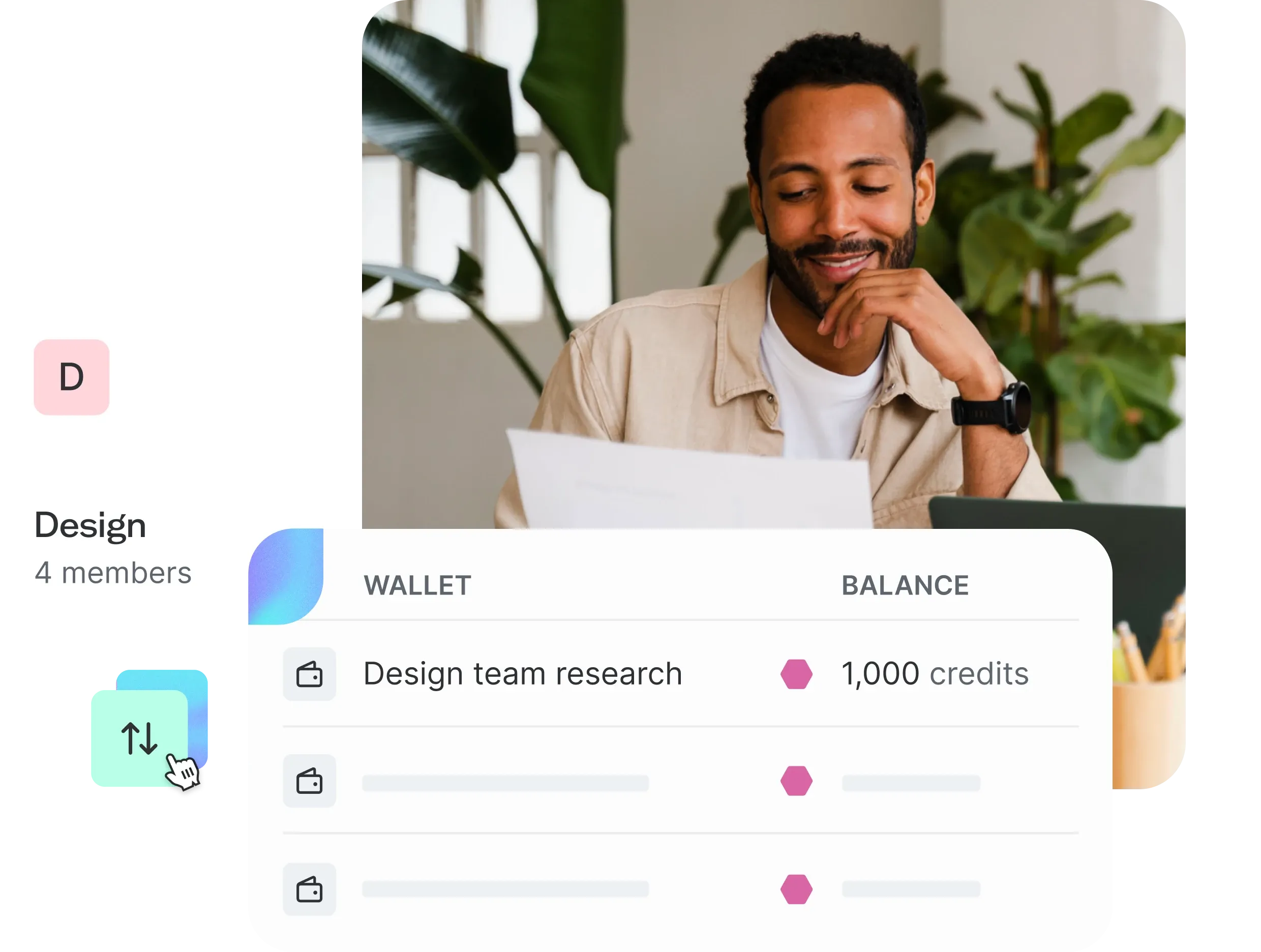
Wallets (available on Enterprise) let you allocate and track research budgets by space, giving teams spending power while maintaining organizational oversight.
Instead of one central credit pool that requires admin management, you can create multiple Wallets, assign budgets to specific teams or projects, and let those teams manage their own spending.
Here’s what you can do with Wallets:
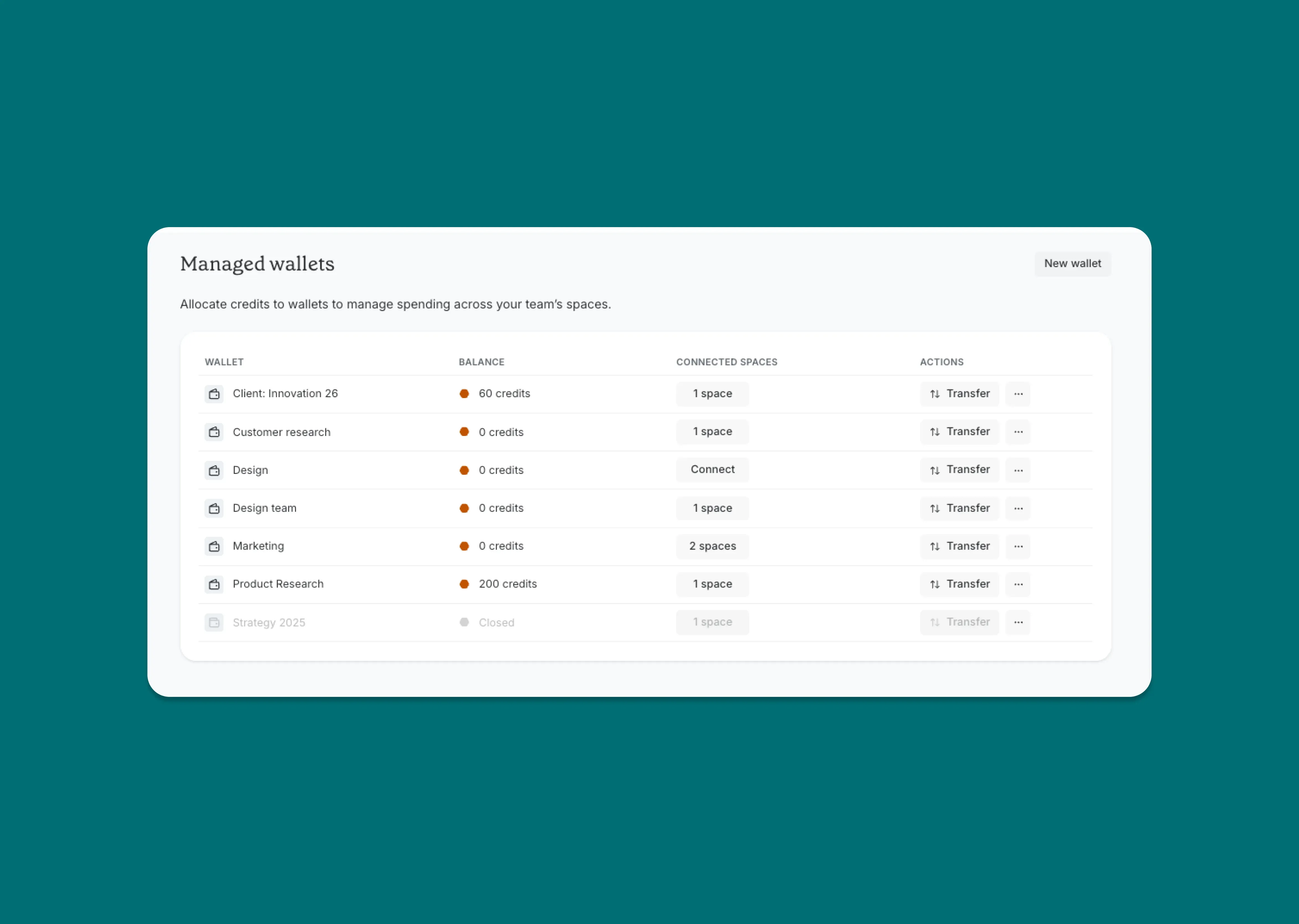
Create multiple Wallets and name them by team, project, or budget period.
Purchase credits and add them to your primary wallet.
Transfer credits between Wallets as budgets and priorities change.
Connect a wallet to a space so studies in that space automatically use credits from the assigned budget.
Track transaction history to see exactly how credits are being spent.
View credit balances across all Wallets to understand total organizational spend.
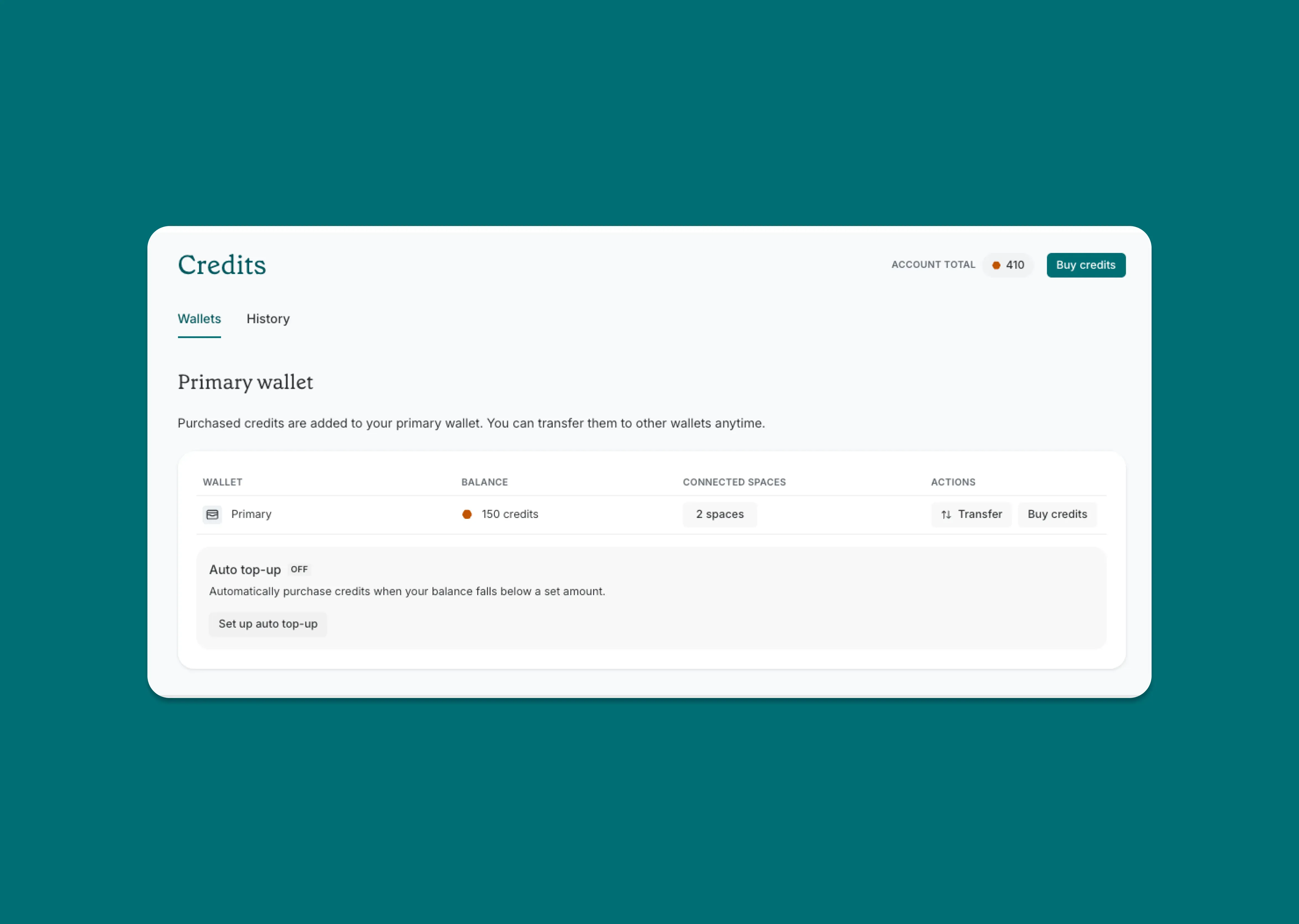
Every Lyssna account has a primary wallet where purchased credits initially land. From there, you can create additional managed Wallets and distribute credits according to your team’s needs.
How Spaces and Wallets work together
The big benefit of Spaces and Wallets comes from their integration. Connect a wallet to a space, and that team has both the structure to organize their work and the budget to execute it – all while you maintain visibility and control.
Here’s how it works in practice:
Let’s say you’re managing research across three product teams, each with different budget allocations for the quarter.
Create Spaces for each team: Set up "Product A," "Product B," and "Product C" Spaces, each set to "Open" visibility so teams can collaborate internally while other teams can see what's happening.
Create corresponding Wallets: Make a Wallet for each team: "Product A Budget," "Product B Budget," "Product C Budget."
Allocate budgets: Transfer 5,000 credits to Product A’s Wallet, 3,000 to Product B, and 4,000 to Product C based on their quarterly plans.
Connect Wallets to Spaces: Link each Wallet to its corresponding Space.
Teams work autonomously: Product A runs usability tests using their allocated credits without waiting for approval. Product B recruits participants for interviews. Product C validates new concepts.
Track and adjust: Review transaction history to see each team’s spend, and transfer additional credits if a team needs more budget mid-quarter
Each team has clear ownership, appropriate access controls, and dedicated budget – while you maintain full visibility into how research resources are being used across the organization.
When to use Spaces & Wallets
Spaces and Wallets make the biggest impact in specific scenarios where research operations complexity starts creating friction.
When you’re managing multiple research teams
If research happens across different departments – product, marketing, design, customer experience – Spaces give each team their own organized workspace. No more scrolling through irrelevant studies. No more confusion about which project belongs to which team.
Each team sees their own research front and center, while still having the option to explore or collaborate with other teams when it makes sense.
When you need confidentiality controls
Agency teams managing multiple clients need to keep work confidential between accounts. Product teams exploring sensitive features don’t want early concepts shown before they’re ready. Design teams working on rebrand projects need to control who sees work in progress.
Closed Spaces give you true privacy – only invited members can see that the Space exists. Open Spaces let teams control membership while maintaining visibility. Everyone Spaces keep research transparent by default.
Choose the right permission level for each Space based on the work happening there.
When you want budget transparency
When you're managing research budgets across teams, quarters, or projects, Wallets give you visibility that wasn’t possible previously. See exactly how much each team is spending. Identify trends in research costs. Make informed decisions about budget allocation.
Teams gain autonomy to run studies without waiting for approval every time, while you maintain clear oversight and can course-correct if spending patterns shift.
When you’re scaling your research practice
Early in your research journey, one shared space and a single credit pool work fine. As you grow from one researcher to a distributed research operations function, structure becomes essential.
Spaces and Wallets grow with you. Start simple with a few open spaces and basic wallet allocation. Add more sophisticated governance as your needs evolve. The infrastructure adapts to support whatever stage you’re at.
Why choose Lyssna for research organization
We built Spaces and Wallets to solve real operational challenges we heard from research leaders managing growing practices. Here’s what makes our approach different:
Seamless integration: Visibility control and budget management work together in one system, not separate tools you need to reconcile.
Flexible permissions: Three permission levels (Everyone, Open, Closed) let you match governance to your actual needs.
True budget control: Create unlimited Wallets, transfer credits freely, and connect them to the teams that need them.
Easy to understand: Clean UI and straightforward governance model mean you can explain the system to new team members in minutes.
Built for cross-functional teams: Designed specifically for organizations where research happens across departments, not just within a dedicated research team.
Agency-ready: Closed Spaces and Wallet allocation make client confidentiality and budget tracking seamless.
Ready to get started with Spaces and Wallets?
Spaces and Wallets are available now on Lyssna plans:
Spaces (Everyone and Open visibility): Available on all plans, including Free.
Closed Spaces and Wallets: Available on Enterprise plans.
Getting started is simple:
Log into your Lyssna account.
Navigate to Spaces from your main navigation.
Create your first Space and set permissions.
Add team members who should have access.
Move relevant projects and studies into the Space.
For Wallets: Go to Manage Credits.
Create a new Wallet and name it.
Transfer credits from your primary wallet.
Connect your Wallet to a Space.
Start running research with clear structure and budget control.
Have questions? Our team is here to help you get started. Check out our help articles or reach out in-app or via email.
Need enterprise features for your team?
Book a call with our team to explore closed Spaces and Wallets. We'll help you design the right structure for your research organization.
You may also like these articles






Try for free today
Join over 320,000+ marketers, designers, researchers, and product leaders who use Lyssna to make data-driven decisions.
No credit card required