08 Sep 2026
|22 min
Top 8 Maze alternatives
Looking for Maze alternatives? Compare 8 UX research platforms on pricing, panel access, and testing methods to find the best fit for your team.

If you're searching for Maze alternatives, you've probably hit its Enterprise paywall. Maze is a strong, well-funded platform – it has one of the deepest AI feature sets among direct competitors, a best-in-class Figma integration for prototype testing, and a G2 rating of 4.5 out of 5 from over 100 reviews. But nearly every advanced method – AI moderator, card sorting, and tree testing – sits behind a custom-priced Enterprise plan, and that panel access runs through third-party networks with per-response costs that shift depending on your study type and audience.
Budget is already the top barrier UX and design teams report when trying to adopt anything new: in Lyssna's UX Design Trends 2026 survey, 52% of designers cited budget constraints as their biggest obstacle, ahead of lack of time (50%). If Maze's pricing structure is part of what's sending you looking elsewhere, you're in the right place.
Key takeaways
Maze gates nearly every advanced method – card sorting, tree testing, and AI moderator – behind its custom-priced Enterprise plan.
Maze sources its panel through third-party networks, and per-response credit costs vary by network tier and study type – unlike Lyssna, which owns its participant panel outright.
The right alternative depends on your priority: longitudinal research (dscout), IA testing (Optimal Workshop), video-first feedback (UserTesting), AI-assisted moderated and unmoderated testing (Lookback), or an all-in-one platform (Lyssna, Useberry).
Lyssna unlocks card sorting, tree testing, and mobile testing from the Growth plan, with core research methods free.
Why find an alternative to Maze?
Maze earns its reputation in a few specific areas. Its AI moderator, question-formulation AI, and automated reporting form one of the strongest AI suites among direct competitors, and its Figma integration for prototype testing is widely considered best-in-class. It also offers a mobile app (Maze Participate) for live app and mobile website testing – something few competitors match natively – and its Future of User Research Report has become a widely cited piece of industry research.
That depth comes with real trade-offs, though, especially for teams that aren't ready for an enterprise contract.
Nearly every advanced feature requires Enterprise
Card sorting, tree testing, AI moderator, moderated interviews, and automated reports are all gated to Maze's Enterprise plan. The Starter plan ($99/month) covers an unmoderated toolkit, templates, and screen recording – but if your team needs quantitative methods or AI-assisted moderation, you're negotiating a custom contract to get them.
Panel recruitment is pay-per-use, but sourced through third parties
Panel recruitment itself isn't gated to Enterprise – it's pay-per-use on every plan, including Free. But unlike Lyssna, which owns its participant panel, Maze recruits through third-party network partners. Credits are sold in bundles at a flat $5 each, but the actual cost per response varies by network tier and study type – unmoderated studies range from around 3 credits per response on its core network up to 9 on its extended network, while moderated studies run 25–45 credits per response. In practice, that means real per-response costs can land well above the $5 headline credit price, so it's worth checking Maze's own credit pricing details before budgeting a study.
With those limitations in mind, here are eight Maze alternatives worth considering, covering a range of budgets, team sizes, and research methods.
Top 8 Maze alternatives at a glance
Note: all prices below are listed in USD unless otherwise stated, and reflect published self-serve pricing as of September 2026. Some tools price in other currencies or require a sales conversation for pricing – this is noted where relevant.
Maze alternatives | Best for | Pricing |
|---|---|---|
Lyssna | Comprehensive UX research and remote usability testing | Free plan; Growth ($166/month, billed annually); Enterprise (custom) |
Useberry | Small teams needing basic UX testing | Free plan; Growth (€83/month, billed annually); Business (€659/month, billed annually); Enterprise (custom) |
User Interviews | In-depth moderated research and interviews | Recruit: PAYG (from $49/session) or Essential (from $41/session); Research Hub (custom) |
Userlytics | Enterprise teams with diverse research needs | Project-based (custom); Enterprise (from $30/session); Premium ($699/month); Limitless (custom) |
Optimal Workshop | Information architecture (IA) research and broader UX testing | Starter ($199/month, billed annually); Enterprise (custom) – no free plan |
Lookback | Moderated and unmoderated usability testing with AI-assisted analysis | Freelance ($299/year); Team ($1,782/year); Insights Hub ($4,122/year); Enterprise (custom) |
UserTesting | Video-first user feedback | Custom pricing |
dscout | Longitudinal, field-based research | Credit-based; contact sales for pricing |
Lyssna

Best for: Comprehensive UX research and remote usability testing
Overview
Lyssna combines unmoderated and moderated UX research in one platform – surveys, first click testing, five second testing, card sorting, tree testing, prototype testing, preference testing, and interviews – without splitting quantitative methods off into a separate Enterprise tier the way Maze does.
Lyssna also owns its own participant panel of 690,000+ people across 124 countries, with 395+ targeting options, so you can recruit for your tests in minutes or hours rather than negotiating Enterprise access. You can also self-recruit if you already have a list of participants in mind. See our full Lyssna vs Maze comparison for a feature-by-feature breakdown.
Key features
Unlimited quick studies using core methods – card sorting, surveys, tree testing, first click testing, five second testing, prototype testing, and preference testing – included on the free plan.
Moderated interviews on every plan, including the free plan.
Live website testing and recorded tests unlock on paid plans, not behind a custom Enterprise contract.
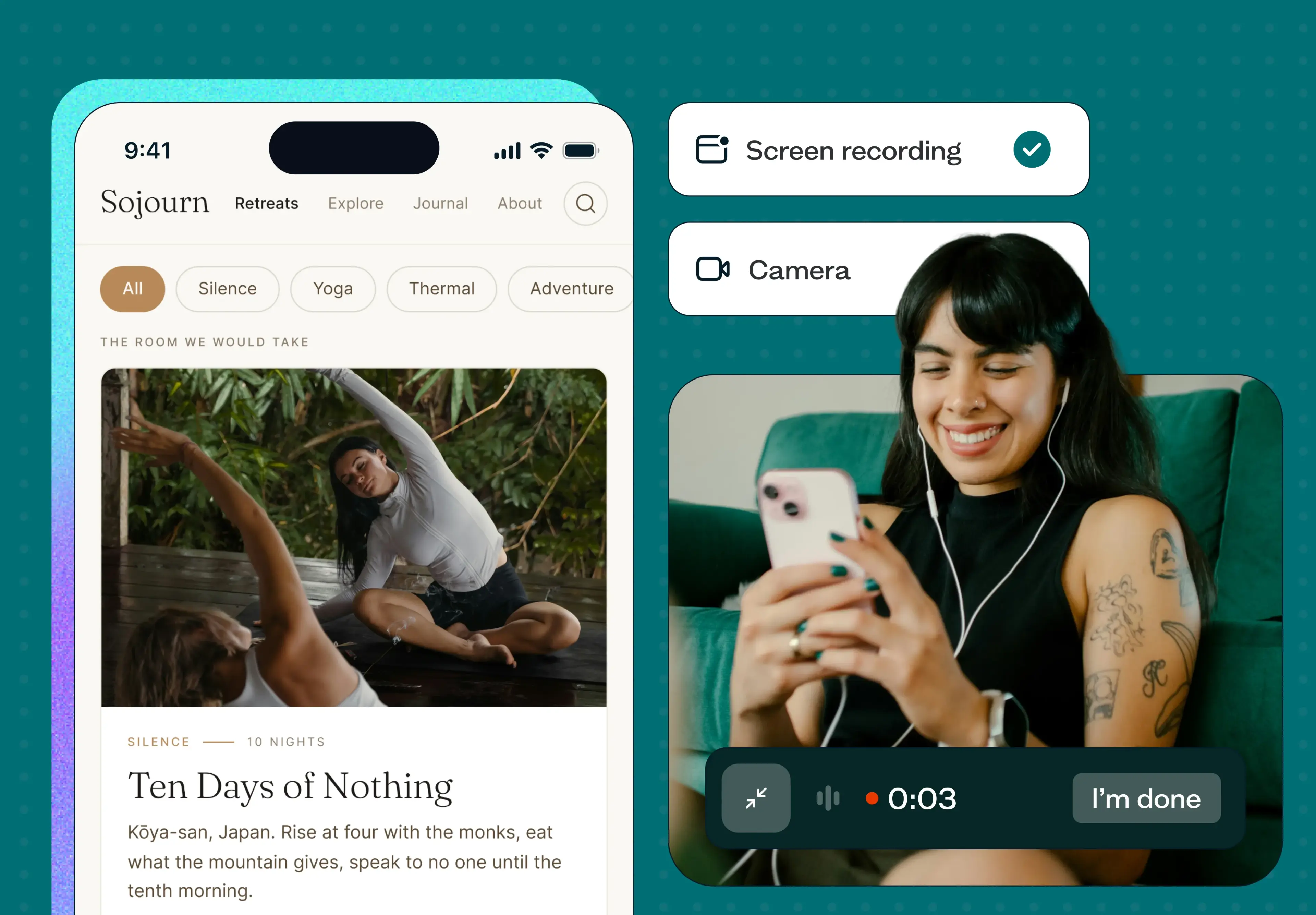
Mobile testing records screen, audio, and camera together on real mobile devices, so you can catch the kind of friction points that only show up on a phone.
SOC2 and GDPR compliance across every test.
Integrations with Zoom, Microsoft Outlook, Google Calendar, Google Meet, Figma, and Microsoft Teams.
AI-powered research tools, including AI summaries and AI follow-up questions, plus an MCP server that connects Claude and ChatGPT directly to your studies.
Result filtering, text analysis, navigation analysis, click and heat maps, agreement matrices, similarity matrices, and flow analysis for digging into results.
Study-taking interfaces translated into 55+ languages for global participant testing.
Pros and cons
Pros:
You can try mostresearch methods on Lyssna's free plan without adding a credit card – no Enterprise contract required to start testing.
G2 reviewers consistently call out fast setup and quick, insightful participant responses.
Fixed, transparent plans mean you know what you're paying for, rather than negotiating custom pricing for methods like card sorting or tree testing.
Cons:
Free plan studies are limited to quick, single-section formats.
No native interview conferencing yet; Lyssna instead integrates with recording and calendar tools to manage moderated sessions.
Use cases
For UX and UI designers – test interfaces, interaction flows, prototypes, and iconography, with mobile testing to catch device-specific issues before they ship.
For marketers – test branding, marketing messaging, and landing pages with your target audience.
For product managers – validate product concepts and refine designs without an Enterprise budget.
For UX researchers – access unmoderated and moderated methods in one platform, without paywalling quantitative methods behind a custom plan.
Pricing
Free plan: Includes three seats and up to 15 self-recruited responses on quick, single-section studies using core methods. Interviews are unlimited on every plan, including Free.
Growth: Starting at $166/month (paid annually). Includes everything in Free, plus five seats, five in-depth studies per month, AI-generated summaries, custom branding, and mobile testing.
Enterprise plan: Pricing is tailored to your company and includes everything on Growth, plus unlimited seats, custom in-depth study volume, and additional security integration.
Panel responses are pay-as-you-go for all plans.
Find real reviews of Lyssna on G2 here.
Useberry

Best for: Small teams needing basic UX testing
Overview
Useberry takes the same one-stop-shop approach as Lyssna and Maze – bundling unmoderated testing methods with third-party integrations.
Key features
Prototype-focused integrations with Figma, ProtoPie, and Sketch.
An unmoderated toolkit spanning single task, first click, five second, surveys, card sorting, preference tests, and tree testing – methods Maze reserves for its Enterprise plan.
A built-in participant pool for recruitment.
Face, voice, and screen recording during test sessions.
Pros and cons
Pros:
Card sorting and tree testing are available from the free plan – no Enterprise contract required, unlike Maze.
A generous 20-seat limit on both the Free and Growth plans, well above what Maze offers at comparable tiers.
Cons:
Response volume is tightly capped: 10 a month on Free, 2,000 a month even on the top Business plan.
No moderated testing options – you'll need to pair Useberry with another tool for interviews.
Use cases
Best suited to small teams on a limited budget who want quantitative UX methods – card sorting, tree testing, first click – without Maze's Enterprise paywall, provided a generous seat count matters more to you than response volume or moderated research.
Pricing
Free: €0/month – one seat, up to 10 responses/month.
Growth: €83/month (billed yearly; monthly billing available) – one seat, 300 responses/month.
Business: €659/month (billed yearly; monthly billing available) – five seats, 2,000 responses/month.
Enterprise: Custom pricing – 10-seat minimum, 48,000+ responses/year.
Useberry's pricing is published in EUR.
Find real reviews of Useberry on G2 here.
User Interviews

Best for: In-depth moderated research and interviews
Overview
User Interviews leans into moderated research and recruiting, a different starting point than Maze's unmoderated-first approach. UserTesting acquired the company in January 2026, and the two now share a combined panel, though User Interviews still operates as its own product.
Key features
A combined panel of 7.5+ million qualified panelists following the January 2026 UserTesting acquisition.
Scheduling and participant management built around interviews.
Moderated usability tests for observing participants live as they work through tasks.
Integrations with Zoom, Google Calendar, Microsoft Outlook, Lookback, SurveyMonkey, Typeform, Loop11, and Qualtrics.
Accessibility-specific targeting, filtering participants by disability and condition.
Pros and cons
Pros:
Arguably the deepest interview-focused product on this list.
Rated highly on G2 for ease of use and fast incentive payments.
Cons:
No unmoderated testing built in – card sorting, tree testing, and surveys all require a separate tool, unlike Maze or Lyssna.
Pricing is split across recruiting and workflow management, so estimating total cost takes some work up front.
There's no free plan.
Use cases
Best suited to teams whose research is primarily interview-led, not quantitative – if you also need unmoderated methods, you'll be running two tools instead of one.
Pricing
Pricing is split between participant recruiting ("Recruit") and panel/workflow management ("Research Hub"):
Recruit – Pay As You Go: $49/session (general audiences) or $98/session (advanced B2B targeting).
Recruit – Essential: $41/session at 60 sessions, or $36/session at 150 sessions (billed annually).
Research Hub: Custom pricing.
Find real reviews of User Interviews on G2 here.
Userlytics

Best for: Enterprise teams with diverse research needs
Overview
Userlytics has been around since 2009 – older than Maze – and takes a mixed-methods approach that spans think-aloud studies alongside standard UX testing methods.
Key features
Native interviewing on any device, with no third-party conferencing integration required.
A mixed-methods toolkit: think-aloud studies, five second testing, preference testing, card sorting, and tree testing.
A recruitment panel of over 2 million participants.
AI-based analysis, benchmarking scores, video analysis tools, a system usability scale, and sentiment analysis.
Pros and cons
Pros:
One of the more comprehensive options here, covering both quantitative and qualitative methods in one platform.
Native device interviewing, without leaning on third-party conferencing tools.
Cons:
Pricing is pieced together across several plan types, which takes more work to estimate than Maze's tiered structure.
Use cases
Best suited to enterprise teams that want quantitative and interview-based research in one place and have the budget to support per-session and subscription costs together.
Pricing
Project Based: For one-off projects; custom pricing.
Enterprise: From $30/session with annual discounts, unlimited seats.
Premium (self-recruitment subscription): $699/month – five seats.
Limitless: Custom quote – unlimited seats, unlimited AI transcriptions.
Find real reviews of Userlytics on G2 here. Read our Userlytics vs UserTesting comparison, or see how Lyssna stacks up in Lyssna vs Userlytics.
Optimal Workshop

Best for: Information architecture (IA) research and broader UX testing
Overview
Optimal Workshop started out in 2004 as OptimalSort, a dedicated card sorting tool, and has since grown into a fuller UX research platform. It still leads with information architecture methods – card sorting and tree testing – but now also covers first click testing, live site testing, prototype testing, surveys, and AI-assisted interviews, plus its Qualitative Insights tool (formerly Reframer) for coding transcripts and observation notes.
Key features
Covers card sorting, tree testing, first click testing, live site testing, prototype testing, surveys, and interviews.
AI features throughout: automated interview summaries, transcripts, and highlight reels with PII redaction, an AI Chat tool for exploring data across studies, an AI writing assistant for survey questions, and an MCP integration for tools like Claude and ChatGPT.
Participant access through an in-house recruitment team plus third-party panel partnerships.
Qualitative Insights (formerly Reframer) for coding interview transcripts and observation notes.
Pros and cons
Pros:
A genuinely broad method set – from quantitative IA testing to AI-assisted interviews – in one platform.
Cons:
No free plan, unlike Maze's entry-level free tier.
Every tool and study type sits in a single starting tier, so there's no lower-cost option if you only need one or two methods – the opposite problem to Maze's granular Enterprise gating.
Use cases
Best suited to teams anchored in information architecture research – card sorting, tree testing – who also want first click testing, prototype testing, and AI-assisted interviews in the same platform, without negotiating Enterprise access the way you would with Maze.
Pricing
Starter: $199/month (billed annually) – five studies launched per year (additional study bundles available), unlimited seats, unlimited participant responses per study, all tools and study types, AI-powered analytics, SOC II/GDPR compliance.
Enterprise: Custom pricing – everything in Starter, plus enterprise-grade security, multiple workspaces and private projects, administrator controls, usage reports, and a dedicated Customer Success Manager.
Find real reviews of Optimal Workshop on G2 here. See our Lyssna vs Optimal Workshop comparison for a closer look.
Lookback

Best for: Moderated and unmoderated usability testing with AI-assisted analysis
Overview
Lookback has been a fixture in the moderated-interview space since 2016, but it's since expanded into unmoderated testing too – prototype, website, and native app tests – alongside a genuinely capable AI layer for analysis. That combination puts it in more direct competition with Maze's own usability-testing-plus-AI pitch than its original interview-only reputation suggests.
Key features
Moderated sessions for interviews, discovery, and usability studies, with live stakeholder observation built in.
Unmoderated testing for prototypes, websites, and native apps.
AI-suggested findings during live sessions, AI follow-up questions that probe deeper on unmoderated responses, and AI-generated summary headlines in transcripts.
Lookback Discover for cross-session pattern analysis, plus MCP support for connecting custom LLMs.
A built-in participant panel (1–30 people depending on plan), plus a recruiting integration with User Interviews.
SOC 2, GDPR, and CCPA compliant.
Pros and cons
Pros:
A genuinely capable AI layer – live-session findings, automated follow-up probing, and cross-session pattern analysis – not just a bolt-on summary feature.
Covers both moderated and unmoderated usability testing in one platform.
Cons:
Built-in panel access is thin at 1–30 participants depending on the plan you're on; most volume needs to come through your own recruiting or the User Interviews integration.
No ongoing free plan – only a 60-day trial capped at 5 sessions.
Use cases
Best suited to teams that want AI-assisted moderated interviews and unmoderated usability tests in one place and already have a participant pipeline – less suited to teams that need quantitative IA methods or a large built-in panel.
Pricing
Freelance: $299/year – 10 sessions, 1 panel participant, single seat.
Team: $1,782/year – 100 sessions, 10 panel participants, 10 collaborators.
Insights Hub: $4,122/year – 300 sessions, 30 panel participants, 30 collaborators, priority support.
Enterprise: Custom pricing – unlimited sessions, custom participant allocation and seats, SSO, custom legal/invoicing.
A 60-day free trial is available, capped at 5 sessions.
Find real reviews of Lookback on G2 here.
UserTesting

Best for: Video-first user feedback
Overview
UserTesting is the video-first option on this list, running unmoderated and moderated studies – surveys, think-aloud sessions, card sorting, tree testing, and prototype testing – with an emphasis on recorded participant feedback, where Maze leans more toward quantitative, report-driven output.
Key features
Testing across prototypes, live websites, and mobile apps, including apps that haven't shipped yet.
Integrations with Jira, Trello, and Slack for feeding findings into existing workflows.
Interactive data visualizations for exploring results.
Professional services – consulting, insights, and audience/panelist support – for teams that want more hands-on guidance.
Pros and cons
Pros:
Video-first feedback carries less risk of low-quality or fraudulent responses than text-only surveys.
AI-powered results synthesis is included.
Cons:
Pricing isn't published, so it's harder to gauge fit before a sales call – a bigger commitment upfront than Maze's published Free and Starter tiers.
Use cases
Best suited to enterprise teams that prioritize video-based, human feedback over Maze's more quantitative reporting, and who are prepared for a sales-led pricing conversation, not a self-serve signup.
Pricing
Pricing isn't listed on the website. Three plans are available – Advanced, Ultimate, and Ultimate+ – with increasing access to features; card sorting and tree testing are available starting on the Ultimate plan.
Find real reviews of UserTesting on G2 here. Read our Maze vs UserTesting comparison, see how Lyssna compares in Lyssna vs UserTesting, or browse our full UserTesting alternatives list.
dscout

Best for: Longitudinal, field-based research
Overview
Launched in 2011, dscout has built a strong reputation in enterprise UX research – it's been a G2 Leader for ten consecutive quarters, known for longitudinal diary studies, field research, and ID-verified participants, alongside moderated interviews and usability testing.
Key features
Unmoderated methods organized around three study types – media surveys, usability tests, and intercept studies – supporting card sorting, ranking, and scale questions; tree testing is available in media surveys and usability tests, but not intercepts.
dscout AI helps draft and moderate studies and surface patterns in the data; dscout MCP lets you create studies and pull findings from inside tools like Claude, Cursor, and Figma Make.
A long list of legal/regulatory commitments, including GDPR, HIPAA, HITRUST, WCAG 2.0, SOC 2 Type II, and ISO27001.
Pros and cons
Pros:
Deep longitudinal and field research capabilities, with diary studies offering both short and long-term data.
Enterprise-grade compliance credentials and ID-verified participants.
Cons:
Subscription plans are gated by a shared pool of activity credits, which can make usage difficult to predict – especially for diary studies, where costs scale with both participants and activities.
Reviews on G2 point to analysis capabilities, including tagging and filtering, as an area for improvement.
Use cases
Best suited to teams running longitudinal or field-based research who need enterprise-grade compliance – less suited to teams that need fast, self-service quantitative testing.
Pricing
Pricing is credit-based, with plans built around a shared pool of activity credits – contact dscout for a quote.
Find real reviews of dscout on G2 here. See our Lyssna vs dscout comparison, or browse our full dscout alternatives list if longitudinal research is a priority.
How to choose the right UX research tool
With plenty of UX research software options available, narrowing down the right one takes a bit of structure. Here's a quick approach.
Get your team together and write down the features you actually need – if a tool doesn't cover those, it doesn't make the cut.
Check the evaluation basics, not just the feature list.
With a shortlist in hand, weigh collaboration features, integration with your existing workflow, and the depth of insights each tool's studies produce.
Since budget is the single biggest barrier UX and design teams report when adopting anything new, be honest about what you can spend – and whether a tool's pricing model (subscription, credits, or per-session) makes that predictable.
How Lyssna can help
Among the alternatives on this list, Lyssna stands out for a few reasons if Maze's Enterprise gating is what sent you looking.
Lyssna is more affordable, supports a broader range of test types including moderated interviews, and includes its own recruitment panel – so you're not negotiating a custom contract just to access card sorting or tree testing.
You can try Lyssna's core research methods on the free plan without adding a credit card, and interviews are unlimited on every plan, including Free.
Mobile testing records real participant sessions – screen, audio, and camera together – directly answering the mobile prototype reliability issues reported with Maze; every study runs on Lyssna's own infrastructure rather than a third-party mobile app.
Lyssna owns its participant panel outright, rather than sourcing responses through third-party networks, and panel responses are pay-as-you-go on every plan.
Like Maze, Lyssna also offers AI-assisted research tools and an MCP server that connects Claude and ChatGPT directly to your studies.
Ready-made templates make it faster to get started – including card sorting and tree testing templates for IA research.
As one Senior Product Manager put it in a G2 review: "The interface is easy to use and results get turned around quickly allowing us to be data-backed and decisive without dragging our feet. Pricing is fair and the allowance for self-recruits to reduce cost is a huge benefit."
FAQs about Maze alternatives

Alexander Boswell
Technical writer
Alexander Boswell is a product-led content writer and researcher with a background in marketing strategy and consumer behaviour. When he’s not writing, he’s playing baseball and D&D.
You may also like