17 Apr 2026
|18 min
UX designer portfolio
Build a standout UX designer portfolio with the right projects, case studies, and structure. Explore UX portfolio examples, tips, and best practices.

A UX designer portfolio is the single most important tool you have for landing your next role. It's not just a collection of pretty screens. It's evidence of how you think, solve problems, and create value for users and businesses alike.
Whether you're a seasoned researcher transitioning into design, a junior designer building your first portfolio, or a product designer looking to refresh your work samples, this guide will walk you through everything you need to create a portfolio that gets you hired. We'll cover what to include, how to structure compelling case studies, real examples of what "good" looks like, and common mistakes that cost designers interviews.
By the end, you'll have a clear roadmap for building a UX designer portfolio that showcases your unique strengths and resonates with hiring managers, even if you're starting from scratch.
Key takeaways
Quality beats quantity: Include 2–4 strong projects that demonstrate your process, thinking, and impact rather than overwhelming reviewers with everything you've ever worked on.
Case studies are everything: Hiring managers want to see how you think, not just what you designed. Focus on problem-solving, research evidence, and design rationale.
Show your role clearly: Be transparent about what you contributed versus what the team did, especially on collaborative projects.
Include real research: Portfolios with usability testing results, user insights, and validated decisions stand out from those showing only final designs. Tools like Lyssna make it easy to add research evidence to any project.
Make it scannable: Busy hiring managers rarely read portfolios word for word, so use clear structure, strong visuals, and strategic formatting.
Tailor to the role: Adjust your portfolio emphasis based on whether you're applying for UX, UI, product design, or research-heavy positions.
What is a UX designer portfolio?
A UX designer portfolio is a curated collection of your best work that demonstrates your design thinking, problem-solving abilities, and the impact you've created for users and businesses. Think of it as a product itself, one designed to help hiring managers understand what it would be like to work with you.
Sarah Doody, a senior UX designer and founder/CEO of Career Strategy Lab, advises designers to "think of your design portfolio as a product" and develop a product strategy first before jumping into portfolio details. This mindset shift is crucial: your portfolio isn't just a showcase. It's a tool designed to achieve a specific outcome: getting you hired.
What hiring managers look for
The Nielsen Norman Group interviewed over 200 hiring managers to understand what they look for in UX designer portfolios. Their findings reveal that expectations differ based on experience level:
For junior UX designers, hiring managers focus on:
Potential and growth mindset
Thought process and problem-solving approach
Ability to learn and iterate
For senior UX designers, they look for:
Variety of projects across different contexts
Maturity of skills and judgment
Finished products and the iterations it took to get there (sketches, wireframes, photos of team collaboration, output from ideation activities)
Regardless of experience level, hiring managers consistently want to understand your approach to design problems. They want to know the research methods you used and what you learned from your findings. Margaret Fu, senior product designer at Kickstarter and hiring manager, observes:
"Oftentimes, what I see are candidates who painstakingly took the time to put together affinity maps, personas, site maps, and competitive analyses. Then those artifacts are just kind of dropped into a case study with no context. Yes, I can see that you've gone through all these UX exercises but I'm not sure what you learned from it. Instead, learn to highlight some key findings. It's not about showing you've done the work but more importantly, how your learnings impact your design decisions."
UX portfolio vs UI portfolio vs product design portfolio
While these terms are sometimes used interchangeably, there are meaningful differences in emphasis:
Portfolio type | Primary focus | Key elements |
|---|---|---|
UX portfolio | User research, problem-solving, information architecture | Research methods, user flows, usability findings, iteration process |
UI portfolio | Visual design, interaction design, aesthetics | Design systems, visual polish, micro-interactions, brand consistency |
Product design portfolio | End-to-end product thinking, business impact | Strategy, metrics, cross-functional collaboration, shipped features |
Most modern design roles expect some combination of these skills. The key is understanding what the specific role emphasizes and tailoring your portfolio accordingly.
What to include in a UX portfolio
Your portfolio needs to tell a cohesive story about who you are as a designer and what you bring to a team. Here's what to include.
A strong intro and about section
Your introduction should immediately communicate who you are, what you do, and what makes you unique. This isn't the place for generic statements like "I'm passionate about creating great user experiences." Instead, focus on:
Clear positioning: What type of design work do you specialize in?
Your niche or strengths: What problems do you love solving?
What you're looking for: What kind of role and team are you seeking?
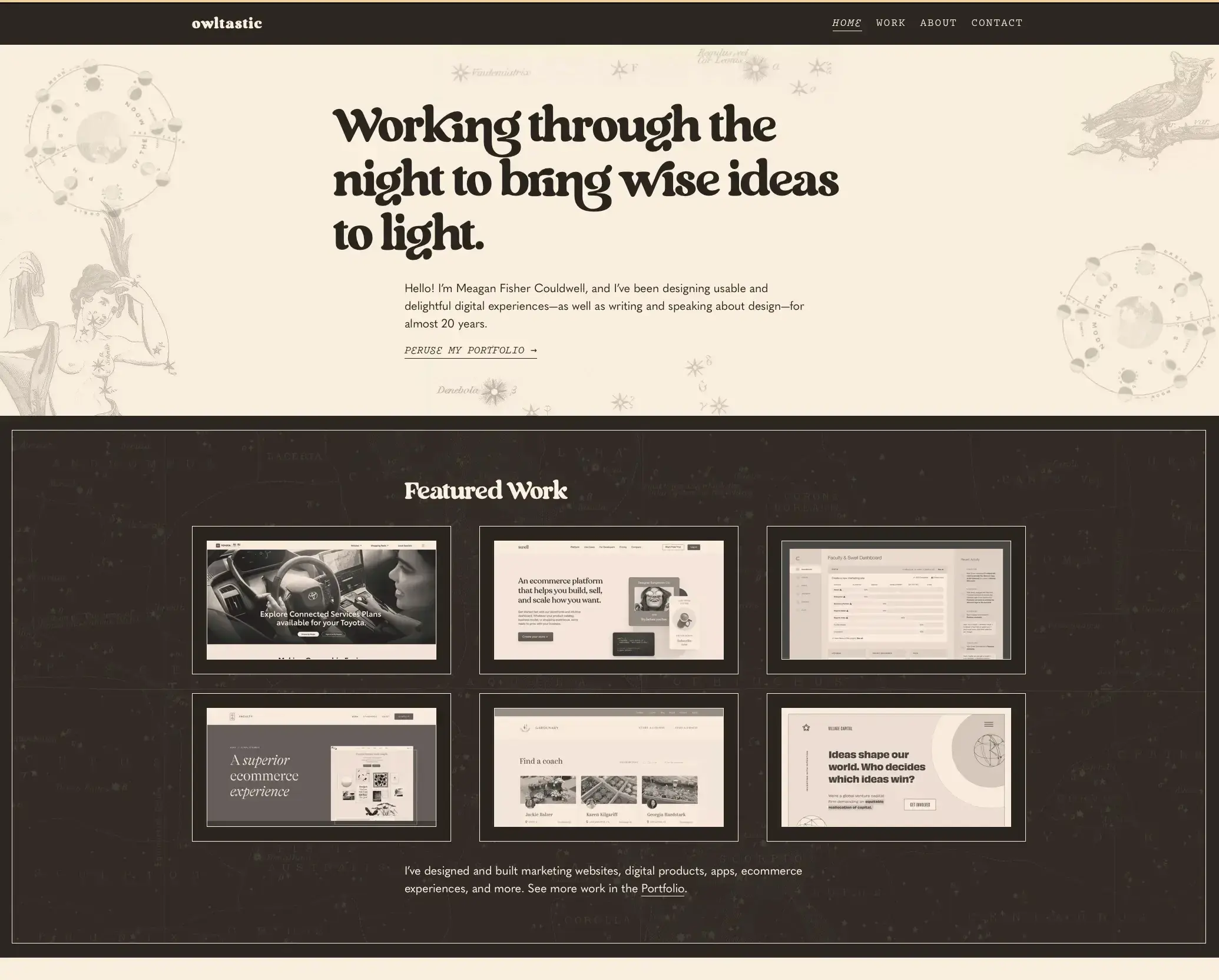
Meagan Fisher, a product designer with almost 20 years of experience, lets her personality shine through in her website portfolio. Don't be afraid to show who you are. Hiring managers are looking for someone they'll enjoy working with.
2–4 high-quality projects
Quality always beats quantity. According to NN/g's research, hiring managers prefer it when candidates are truthful about their individual contributions and the parts requiring teamwork during the design process.
Here's a checklist of essential portfolio elements:
Introduction/About me
Projects showcase (2–4 projects)
Detailed project descriptions
Design process documentation
Skills and expertise
Iterations and learnings
Project outcomes
Resume/CV link
Contact information
Clear call-to-action
UX case studies
Case studies are where you demonstrate your thinking, not just your output. Stephen Gay, Design Lead for Google One, recommends using two guiding questions for portfolio strategy:
"What you've been working on" – project name, wireframes, deliverables
"How you work" – team collaboration, stakeholder interaction, moving design work forward
For each project in your portfolio, answer these questions:
Why did you choose to work on this project?
Did it test well with your users?
What was the purpose of a specific feature?
Your UX process
Document your process from research through iteration. This typically includes:
Research: How did you plan your research to understand the problem and users?
Synthesis: How did you analyze and synthesize what you learned?
Design: How did you explore and develop solutions?
Testing: How did you validate your decisions?
Iteration: How did you improve based on design feedback?
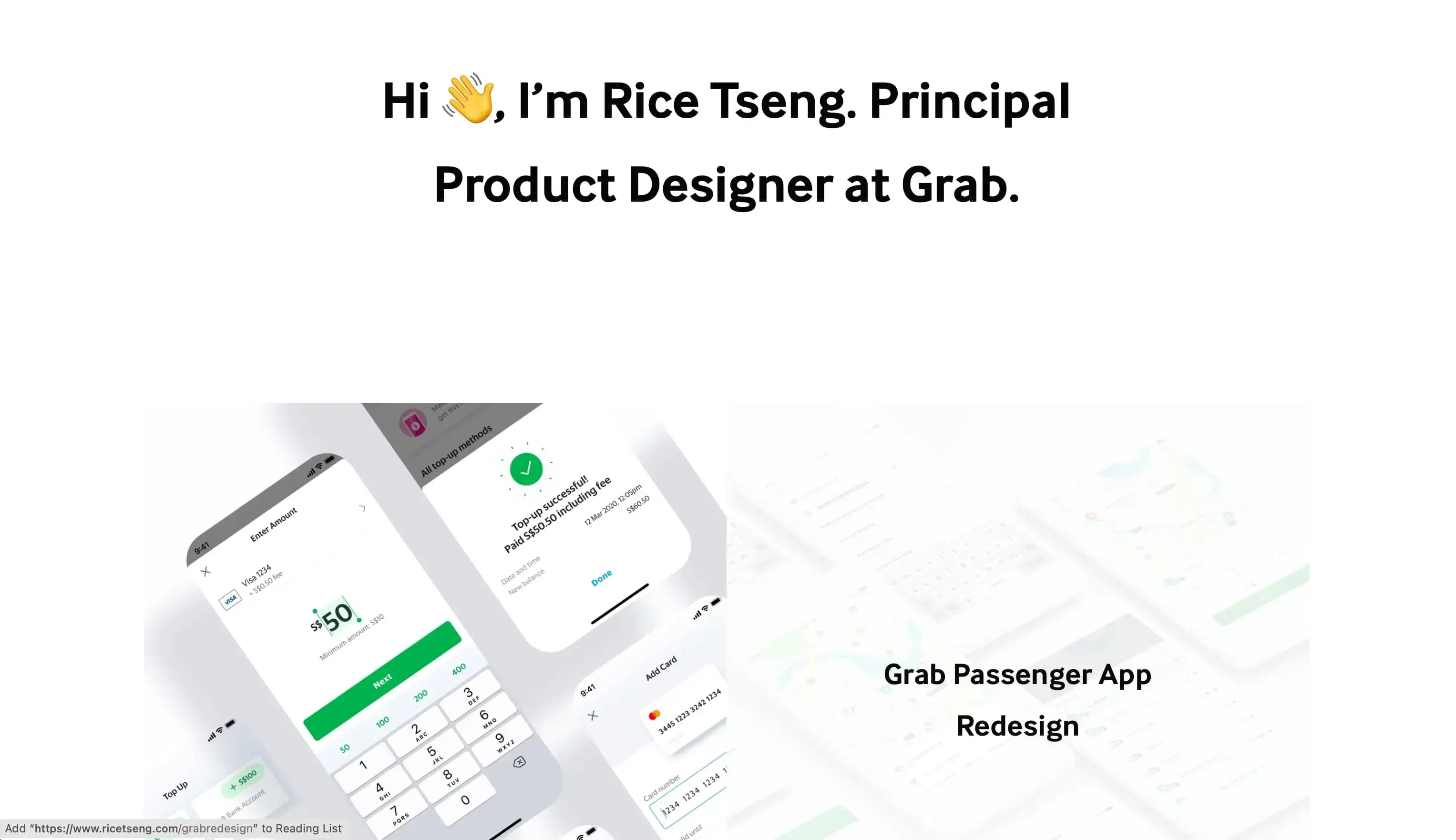
Rice Tseng, Principal Product Designer at Grab, demonstrates design reasoning through a case study on revamping the transport booking experience within the Grab app in Singapore. His work shows how to document the thinking behind design decisions, not just the final screens.
Key UX artifacts
Include the artifacts that demonstrate your process:
Personas: Show how you synthesized user research into actionable representations
Journey maps: Demonstrate your understanding of the full user experience
Wireframes: Show your thinking before visual polish
Prototypes: Include interactive work when possible
Usability findings: Share what you learned from testing
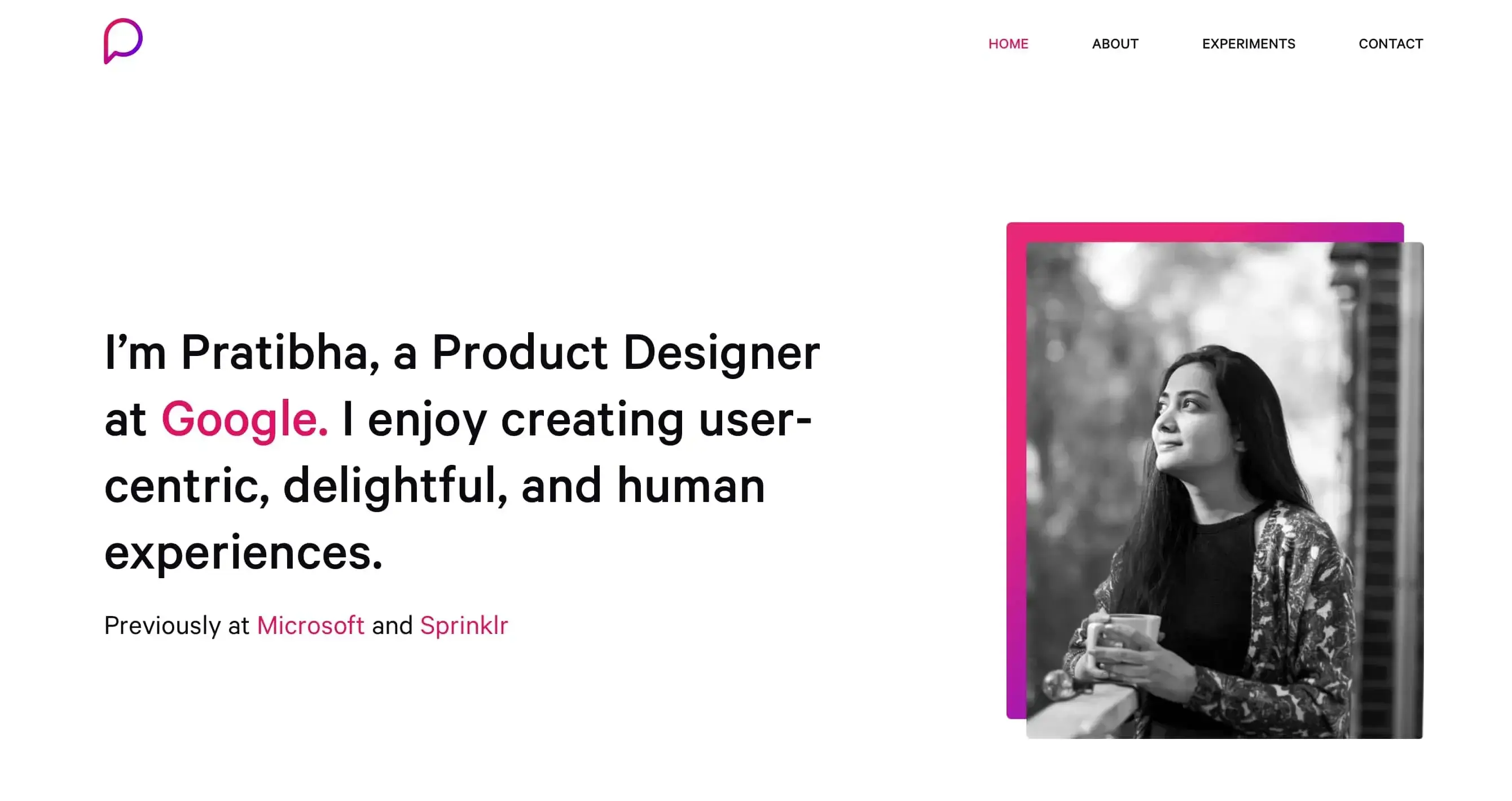
Pratibha Joshi's case study for BJP Connect demonstrates how she conducted qualitative interviews and contextual inquiries to understand users' mental models and expectations, exactly the kind of research evidence that makes portfolios stand out.
Outcomes and impact
Margaret Fu recommends including success metrics in portfolios to demonstrate tangible outcomes from design work. Project outcomes should be classified into two categories:
User outcomes:
Increased user satisfaction
Fewer errors or complaints
Improved task completion rates
Enhanced user experiences
Business outcomes:
Increased conversions
Improved productivity
Company growth
Revenue generation
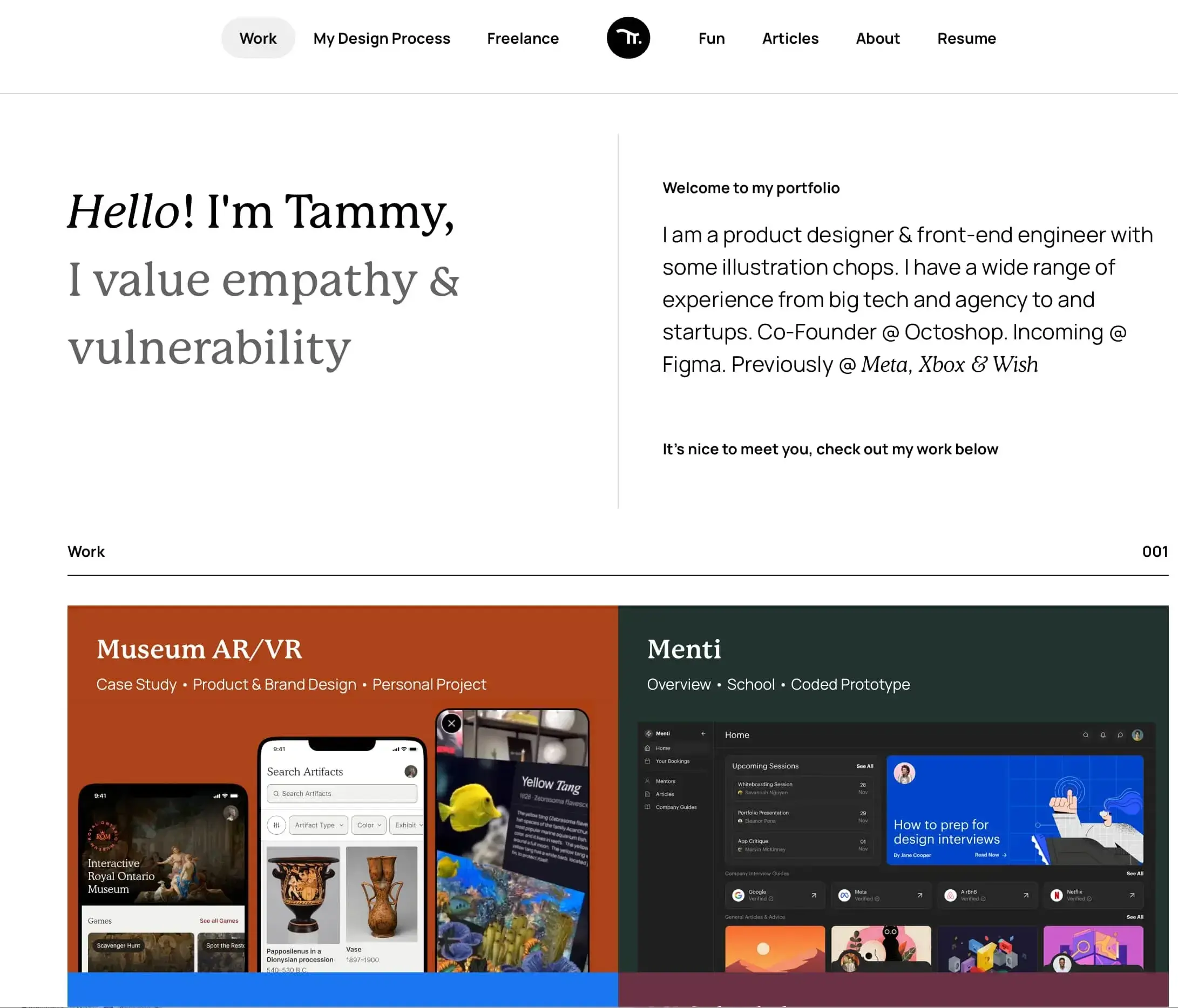
Tammy Taabassum, product designer based in Canada, highlights project outcomes both at the start and concluding part of her Potluck case study (a project management tool). This strategic placement ensures reviewers see impact even if they don't read every detail.
Tools and skills
Include the tools you're proficient with, but avoid skill meter icons. Margaret Fu recommends removing them from portfolios altogether:
"If there's a particular area of UX that you're more interested in, I can usually tell from your case studies where you've put in extra attention. Skill meters tend to do the opposite of what you want. So instead of telling me what you're great at, it actually shines a spotlight on which skills you're lacking."
Instead, demonstrate your skills through your case studies.
Soft skills hiring managers look for:
Empathy (ability to shift perspectives)
Collaboration and teamwork
Storytelling and persuasion
Adaptability and flexibility
Problem-solving
Grit and resilience
Hard skills hiring managers look for:
Visual design
Prototyping and testing
Technical proficiency with design tools
Contact + resume + LinkedIn
Make it easy for hiring managers to reach you and learn more:
Clear contact information or form
Downloadable resume/CV
LinkedIn profile link
Any other relevant professional profiles
UX portfolio case study structure (template)
Here's a template you can adapt for your own case studies:
1. Problem: What challenge were you trying to solve? Who was affected and why did it matter?
2. Context & constraints: What was the business situation? What limitations did you work within (time, budget, technical, organizational)?
3. Role and responsibilities: What specifically did you do versus what the team contributed? Be honest and specific.
4. Research methods: What research did you conduct? Include user interviews, surveys, usability testing, analytics review, or other methods.
5. Key insights: What did you learn from your research? What surprised you or challenged your assumptions?
6. Ideation and solutions: How did you explore potential solutions? Include sketches, wireframes, and your decision-making rationale.
7. Usability testing results: How did you validate your designs? What did users struggle with? How did you iterate?
8. Final designs: Show the polished outcome, but connect it back to the research and decisions that shaped it.
9. Outcomes + what you'd improve next time: What impact did your work have? What would you do differently with more time or resources?
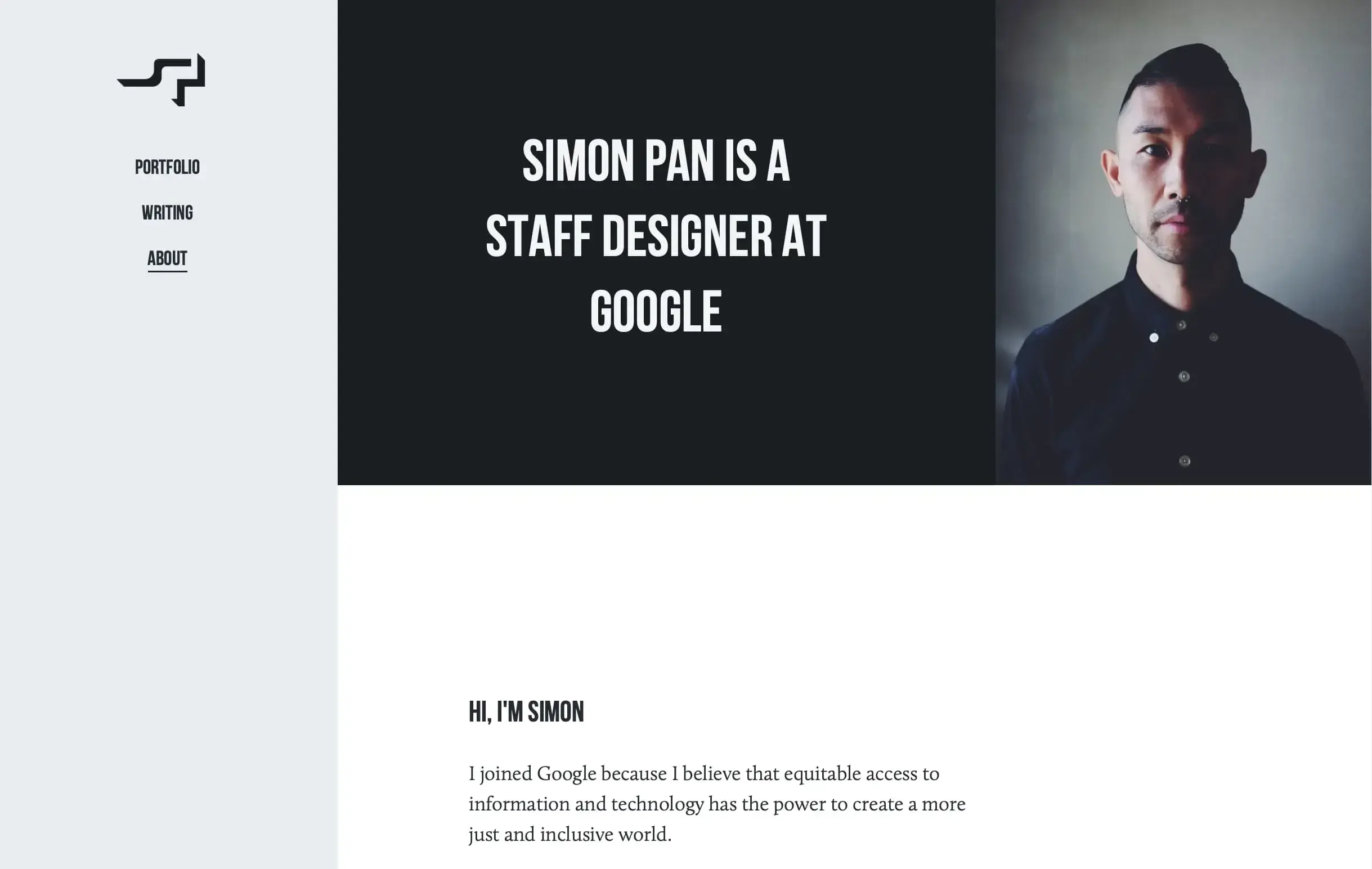
Simon Pan, veteran product designer who has worked at Medium, Google, and Uber, writes about his design approach for Amazon Prime Music in his portfolio, demonstrating how to document methodology and thinking at a senior level.
UX portfolio examples
Strong UX portfolios share several characteristics.
Clear storytelling
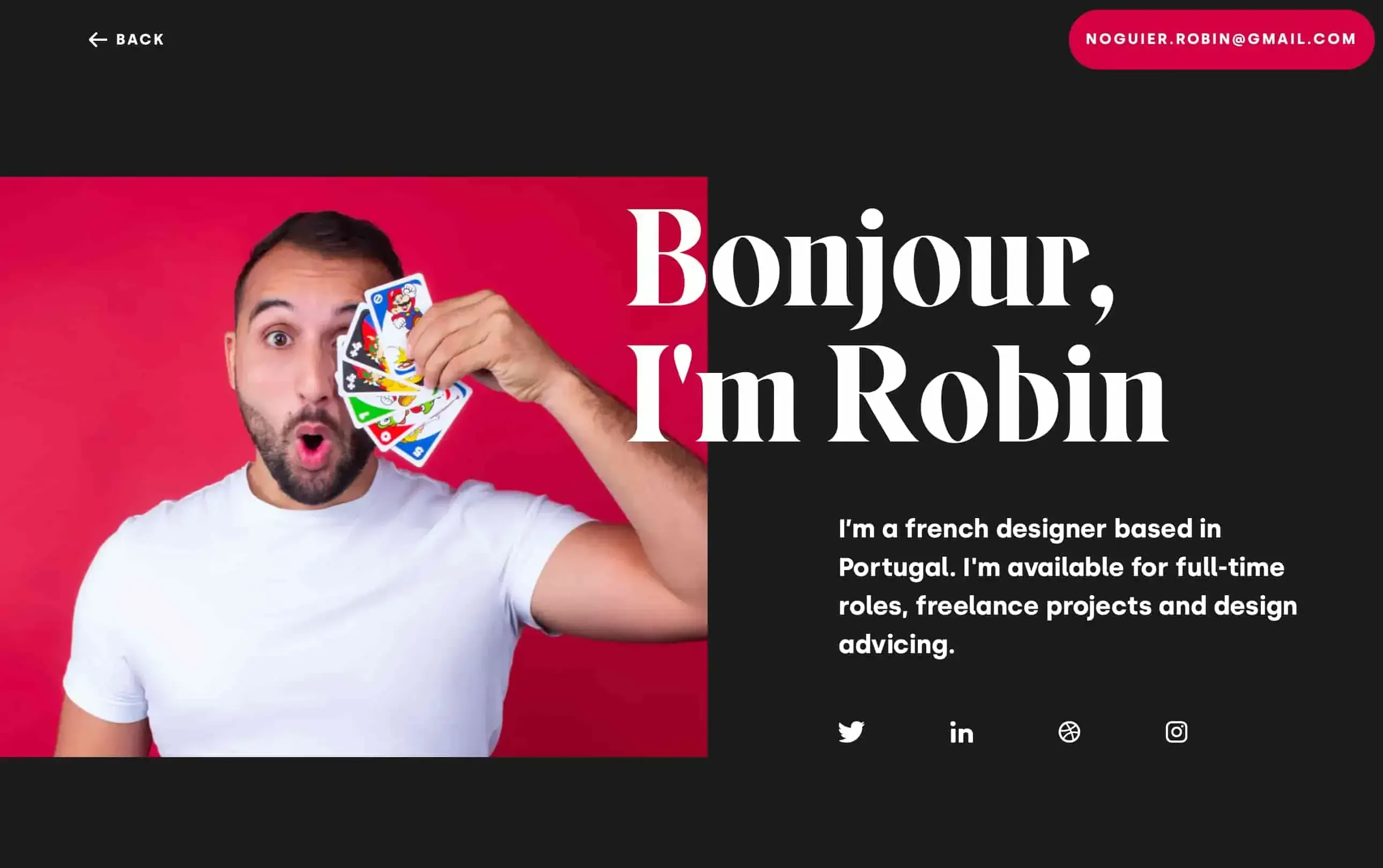
The best portfolios guide reviewers through a narrative. Robin Noguier, freelance interactive designer, has a website portfolio described as "a delight to browse and read." Your portfolio should feel like a conversation, not a data dump.
Scannable layouts
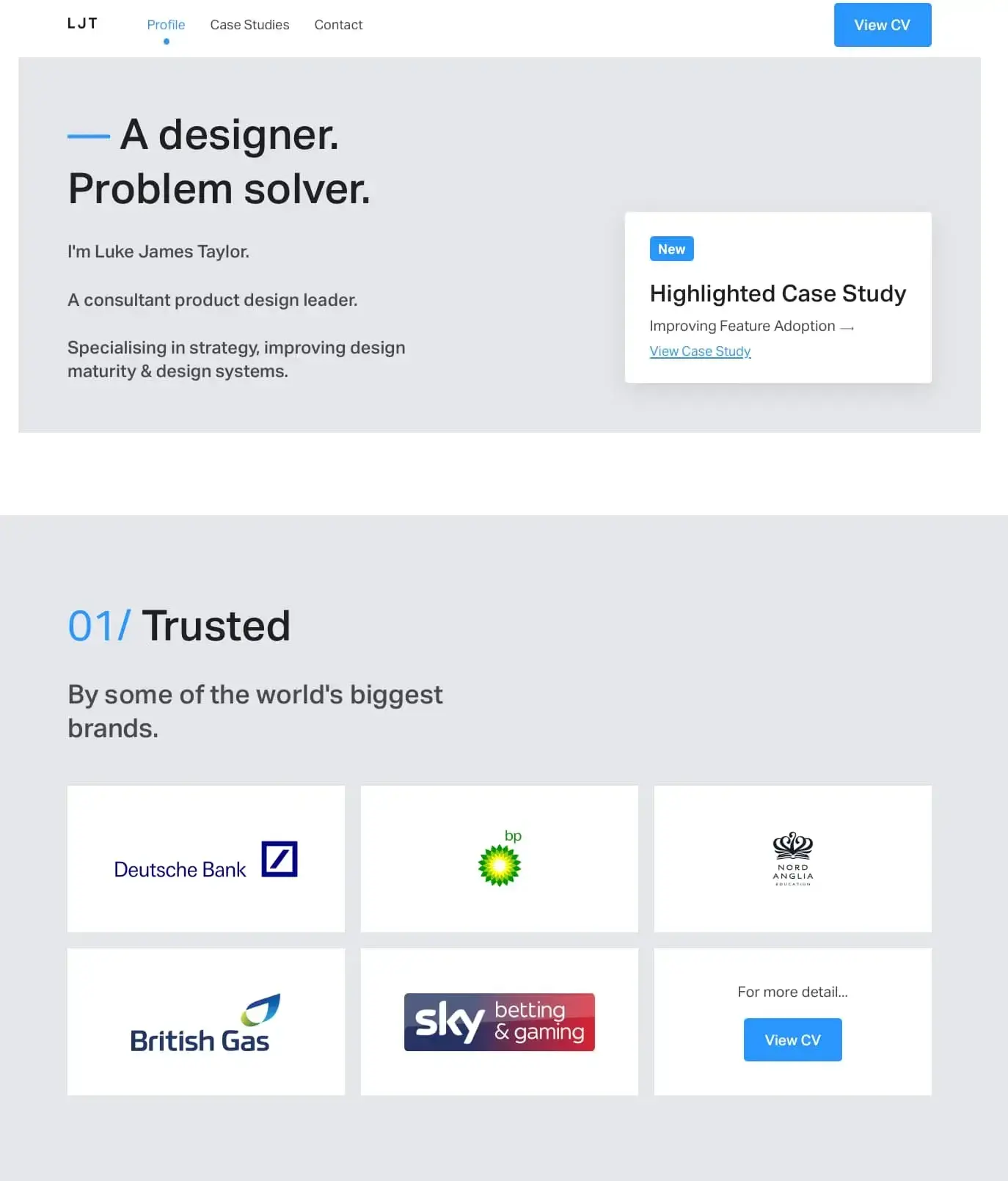
Luke James Taylor's portfolio exemplifies clear navigation, well-written project descriptions, and organized layout that makes case studies stand out. Hiring managers often spend just minutes reviewing portfolios, so make every second count.
Strong visuals
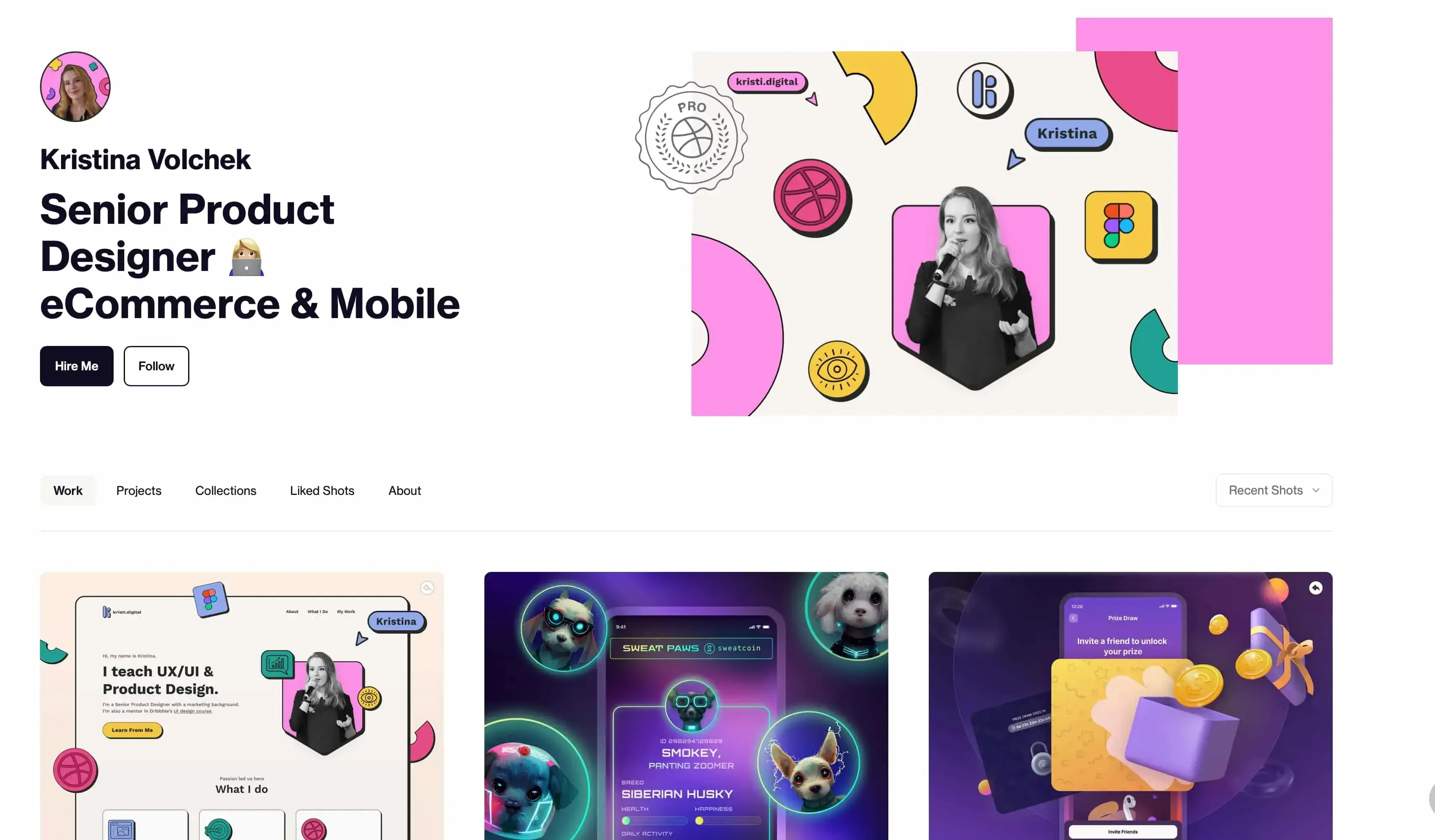
While UX isn't just about visuals, presentation matters. Kristina Volchek, Senior Product Designer at Flooz, created her portfolio using Dribbble, demonstrating that you don't need a custom website to make an impact.
Real research evidence
Portfolios that include actual research findings, quotes from users, usability test results, and survey data are far more compelling than those showing only final designs.
Reflection and tradeoffs
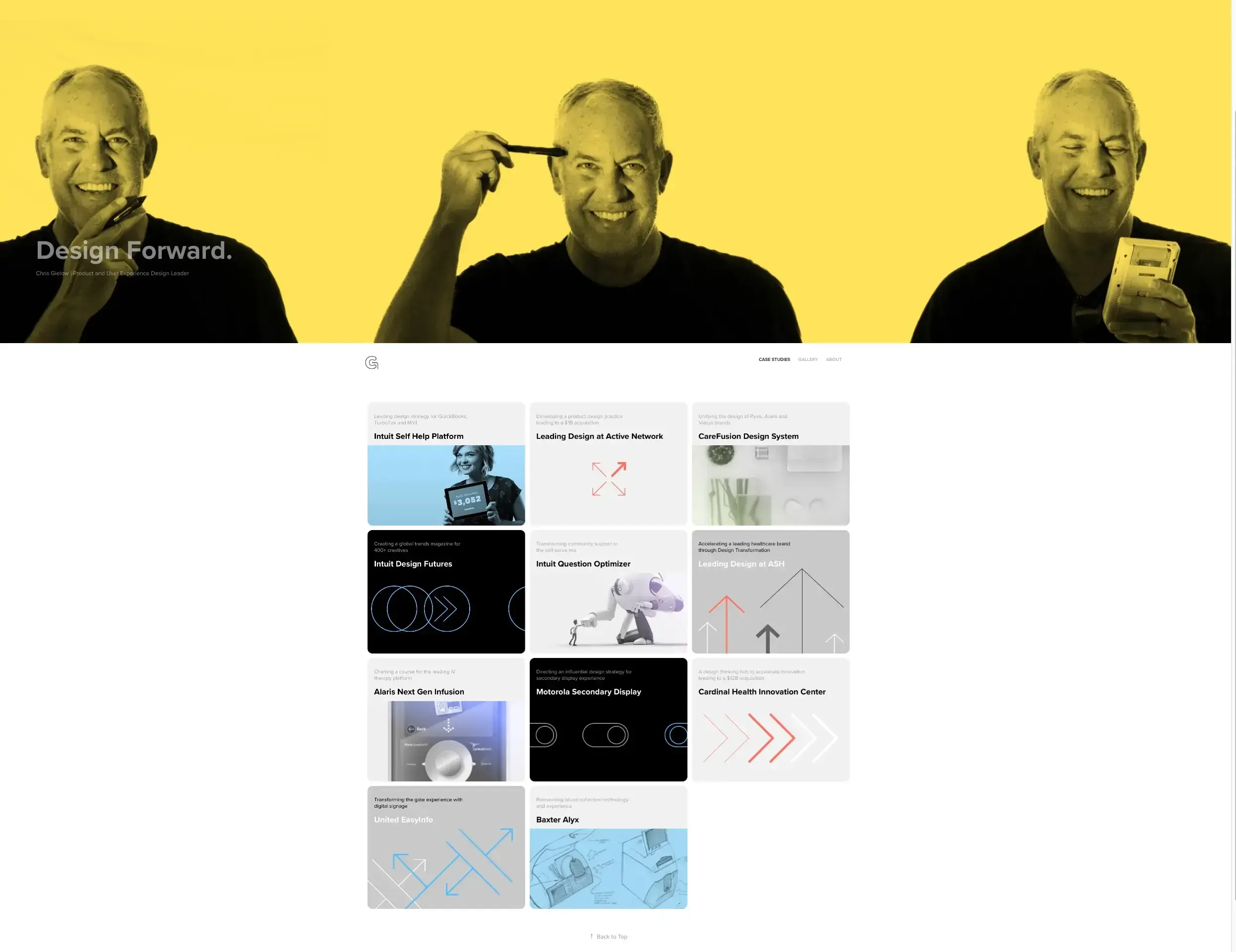
Chris Gielow, UX Director and Head of Design at Walmart Supply Chain (designing since 2004), exemplifies a senior UX designer portfolio with:
Immediate case study visibility on homepage
Variety of projects across sectors (from fintech to healthcare)
A "Gallery" section with design artifacts and team collaboration photos
Clear user/business outcomes with team member credits
UX portfolio tips to stand out
With the basics covered, here are some strategies to help your portfolio rise above the competition.
Show decision-making, not just screens
Hiring managers can see beautiful interfaces anywhere. What they can't see is your thinking. Explain why you made specific choices, what alternatives you considered, and how you evaluated tradeoffs.
Use real constraints
Projects with real constraints are more impressive than hypothetical "perfect world" scenarios. If you had limited time, budget, or technical restrictions, explain how you navigated them.
Include failures and learnings
Some of the most compelling portfolio content shows what didn't work and what you learned from it. This demonstrates maturity, self-awareness, and a growth mindset.
Tailor to the role
If you're applying for a research-heavy role, emphasize your research methods and insights. For a more visual role, showcase your UI design skills. For product design, focus on business impact and cross-functional collaboration.
Make it skimmable
Use clear headings, bullet points, and visual hierarchy. Since portfolio reviewers are often not designers, include a summary at the top of each case study so reviewers can quickly understand the project.
Common UX portfolio mistakes to avoid
Even strong designers can undermine their portfolios with avoidable missteps. Here are the most common ones.
Too much UI, not enough UX thinking
Beautiful screens without context or rationale suggest you're a visual designer, not a UX designer. Always connect your designs back to user needs and research insights.
Missing research evidence
Portfolios that jump straight to solutions without showing how you understood the problem raise red flags. Include your research process, even if it was lightweight.

Pro tip: Even personal or concept projects can include real research. Use Lyssna to run a quick five second test or survey on your designs, then include the results in your case study. It's a simple way to show you validate your decisions with real users.
Missing results or impact
If you can't show outcomes, explain why (project was cancelled, metrics weren't tracked, NDA restrictions) and share what you learned or would measure differently.
Too many projects
More isn't better. A portfolio with 10 shallow projects is less impressive than one with three deep, well-documented case studies.
Hard-to-read formatting
Poor typography, confusing navigation, or walls of text will lose reviewers quickly. Apply your UX skills to your portfolio itself.
Unclear role in team projects
According to NN/g's survey, hiring managers prefer it when candidates are truthful about their individual contributions and the parts requiring teamwork. Be specific about what you did versus what the team accomplished.
UX portfolio website vs PDF: Which is better?
Portfolio format options
There are several ways to present your portfolio, each with its own strengths:
Format | Pros | Cons | Best for |
|---|---|---|---|
Website | Easy to share, always accessible, can include interactive elements | Requires maintenance, may have loading issues | General applications, networking, discoverability |
Works offline, consistent formatting, easy to email | Static, harder to update, limited interactivity | Interview presentations, specific applications | |
Presentation | Great for walkthroughs, can tell a story | Requires presenting, not self-serve | Interview presentations, portfolio reviews |
Portfolio platforms (Behance, Dribbble, UXfolio) | Quick to set up, built-in audience | Less customization, platform-dependent | Building visibility, supplementing main portfolio |
Sharon Yeun Kim's presentation portfolio helped her get job offers at Amazon and IBM as a UX design intern, proving that format matters less than content and storytelling.
Best practice: Use both
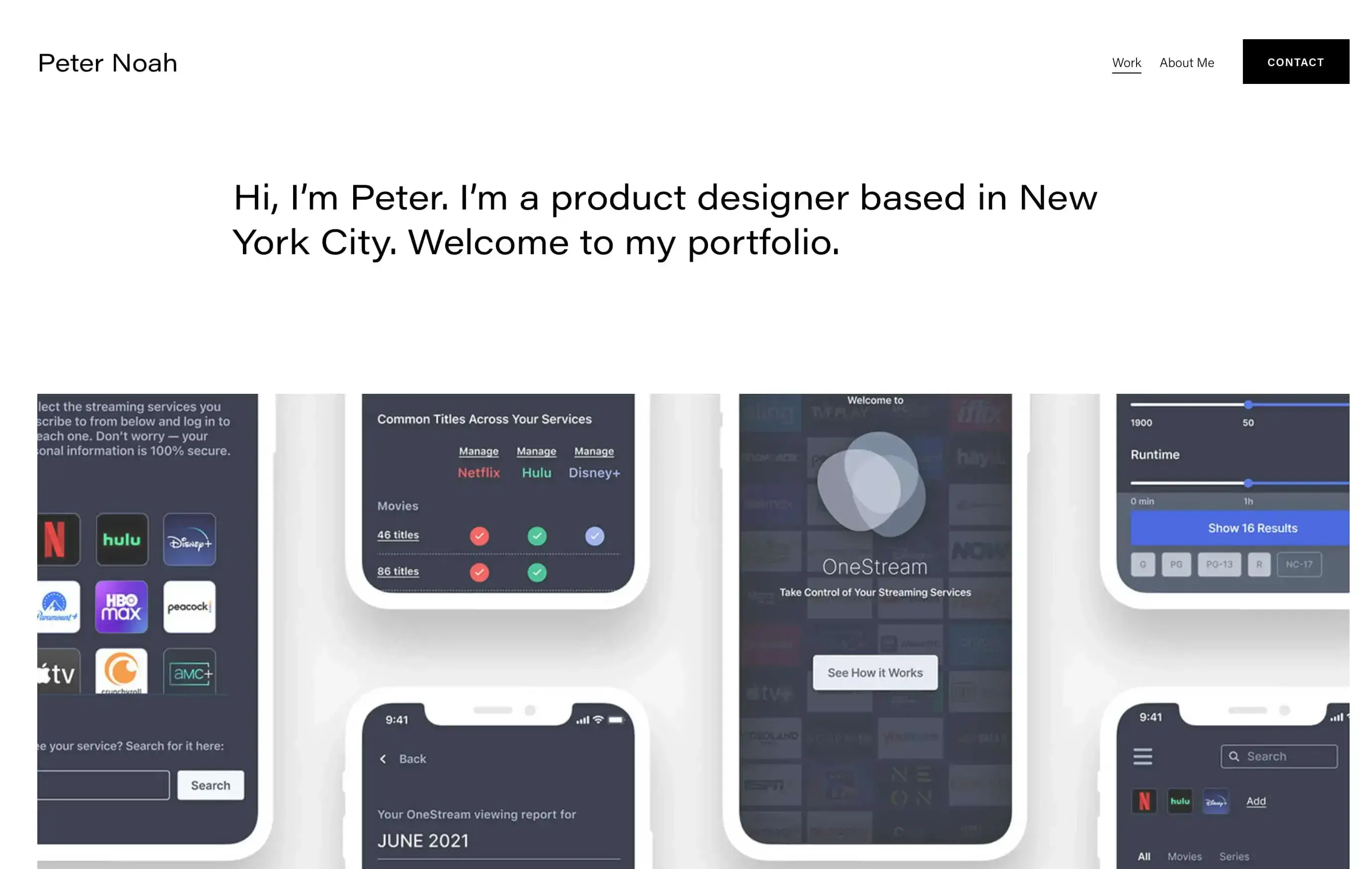
Most successful designers maintain both a website portfolio for general sharing and discoverability, plus a PDF version for specific applications and interviews. Peter Noah's UX portfolio demonstrates an effective website format, while Albert Pradana's PDF portfolio shows how to structure a document that starts with a CV and then presents case studies.
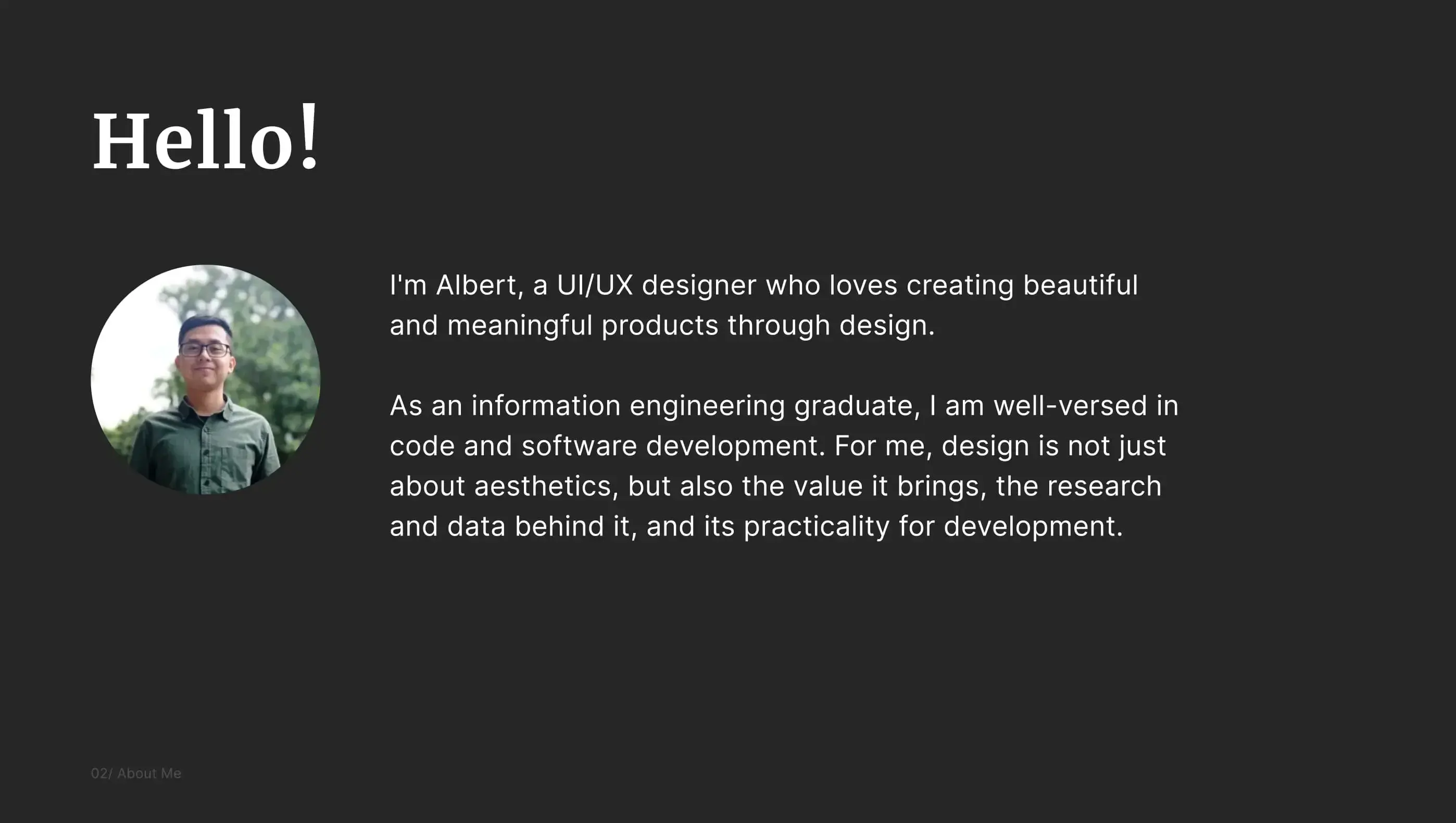
Sarah Doody recommends a strategic approach to combining formats:
"I would use a personal website as my home base and this would give people a glimpse into who I am, why I'm passionate about what I do, and a sampling of some of my work. I would NOT have full project write-ups or case studies. Instead, I would give a preview of some of my work. I might have a few visuals from a project, and 3–5 sentences about it to pique some interest.
Then, the key call to action on my website would be 'contact me for my full portfolio.' This helps start a conversation and helps you make a connection with the person viewing it. My full portfolio would be a PDF. And I would tailor that PDF to each role, sometimes even changing out the projects I include, depending on the role."
UX portfolio for beginners (no experience)
You don't need professional experience to build a compelling UX portfolio, though with entry-level UX roles remaining highly competitive, strong work samples matter more than ever.
Personal projects
Identify a problem you care about and design a solution. Document your process thoroughly, including the research, ideation, testing, and iteration.
Redesign case studies
Choose an existing product with clear usability issues and redesign it. Be respectful of the original designers and focus on specific, research-backed improvements rather than just aesthetic changes.
Volunteer work
Nonprofits and small organizations often need design help. This gives you real constraints, real users, and real impact to document.
UX audits
Conduct a thorough UX audit of an existing product. This demonstrates your analytical skills and understanding of UX principles even without designing new solutions.
Documenting learning and iteration
Show your growth over time. Include early work alongside improvements, explaining what you learned and how your thinking evolved.
Update your portfolio at least once a year to add new projects, remove outdated ones, highlight new UX certifications, and ensure relevance to your target audience. Remember: your UX design portfolio is a living, breathing asset that should evolve with your skills, new projects, and personal goals, not something created once and forgotten.
How Lyssna helps you build stronger portfolio case studies
The strongest UX portfolios include real research evidence, and that's where Lyssna can help you stand out.
Run usability tests on prototypes
With prototype testing, you can test your designs with real users and include the results in your case studies. Showing that you validated your decisions with actual user feedback is far more compelling than presenting untested designs.
Collect survey insights
Use surveys to gather quantitative data about user preferences, pain points, and behaviors. This data strengthens your case studies with evidence beyond anecdotes.
Validate design decisions
Methods like preference testing and first click testing help you make evidence-based design decisions, and document that evidence for your portfolio.
Add research evidence to your case studies
Whether you're working on professional projects or building portfolio pieces from scratch, including real research findings transforms your case studies from "here's what I designed" to "here's how I solved a problem for real users."
Not too confident about your user research skills? Get started with Lyssna's guides to build the research foundation that will make your portfolio stand out.
FAQs about UX designer portfolios

Kai Tomboc
Technical writer
Kai has been creating content for healthcare, design, and SaaS brands for over a decade. She also manages content (like a digital librarian of sorts). Hiking in nature, lap swimming, books, tea, and cats are some of her favorite things. Check out her digital nook or connect with her on LinkedIn.

You may also like these articles